Long-Form Carousel Splitter
Turn one long article into 6–9 swipeable slides
Long-Form Carousel Splitter
Turn one long article into 6–9 swipeable slides
Showcase
Description
Long posts rarely get read to the end, so everyone wants to split them into slides—but most people split them the wrong way: dividing by word count leaves every slide feeling like a mini essay, the first slide gives away the conclusion and stops people from swiping, and the last slide burns goodwill with a forced follow prompt. 【Long-Form Carousel Splitter】doesn’t split by word count. It splits by "how many complete ideas there are": one idea per slide, with fewer slides preferred over more. So it may first tell you, "This piece is really only enough for 7 slides," instead of forcing it into nine. It then provides a slide-by-slide storyboard: what each slide covers, which sentences to include (with word counts), visual requirements, and the most common mistake to avoid on that slide. The first slide only needs to make people stop, with the minimum necessary information. The last slide only needs to leave them with one memorable line, not a summary. It also includes a practical swipeability check: read the first line of each slide together as a standalone passage. If it sounds like a complete sentence, the breakpoints are probably right. Hard rules: It does not generate images, put text in visuals, rewrite the original copy for you, include any existing IP characters, imitate the layout of a specific account, or promise completion rates.
Recommended by
Dancang
Why we love this skill
It splits by complete ideas—not word count—to plan 6–9 cards with precise hooks, breakpoints, visuals, and swipe rhythm.
Related Skills
View all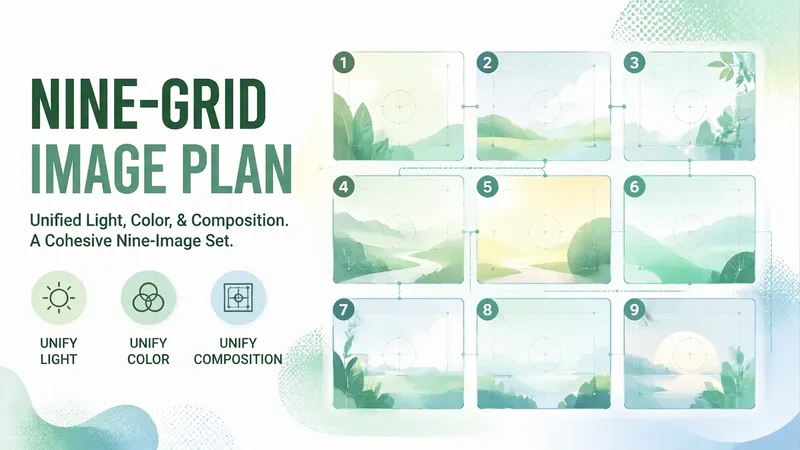 Image
9-Grid Visual Plan
Each of the nine images looks fine on its own, but together they look like they were made by nine different people—that’s the most common way a 9-grid layout fails. The problem is rarely that any single image looks bad. It’s that the nine images lack consistent lighting, color, and composition.【9-Grid Visual Plan】doesn’t just provide nine attractive images; it defines the relationships between them: first set one unifying theme, then assign each image a role (Image 1: hook; 2–4: development; Image 5: turning point; 6–8: payoff; Image 9: closing), and lock in the “three elements of consistency”—the same lighting (fixed direction and softness), the same color palette (with a 60/30/10 ratio and one specified color that cannot change across the nine images), and the same composition (consistent subject placement and scale). Each image includes a prompt you can copy directly for generation, specifying the subject, position, lighting, camera distance, and aspect ratio, along with the text-overlay position and character limit. Strict rules: no images are generated; no text may appear anywhere in the image (AI-generated Chinese text can be garbled and cannot be edited); no portraits of real celebrities; no existing cartoon, anime, game, or film characters; no imitation of a specific blogger or brand’s 9-grid style; and no promises of more likes or followers.
 Image
One Line to X Carousel
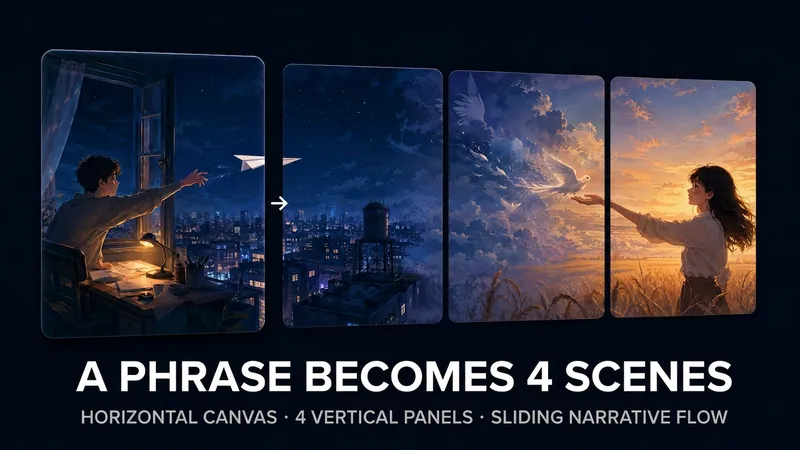
X multi-image posts now scroll horizontally: the first image appears in full, while only part of the second is visible, prompting readers to swipe left to see what follows. This skill helps you create a “pull-apart” continuous four-image sequence—four vertical images combine into one complete landscape image, and each swipe reveals another section to the right. The right edge of the first image becomes the hook that makes readers want to swipe. Three input types are supported: · One-line idea → text-to-image generation, creating a continuous four-section wide image from scratch · One image → crop it directly if possible; otherwise, use it as a reference to reconstruct four continuous scenes · 2–4 images → automatically arrange the narrative order and blend them into one stylistically consistent continuous wide image Workflow: First, you’ll review a four-panel narrative script (hook → reveal → twist → ending). Then the skill generates a 21:9 wide image and uses the companion free public image slicer to precisely cut it into 4 PNGs locally in your browser (your images are never uploaded to any server). Finally, it provides the posting order and tweet copy. The default output ratio is 4:5, with 9:16 and 1:1 also supported. No text is placed inside the images. Ideal for creators who want their X multi-image posts to inspire more “page-turning” curiosity, as well as teams creating product, story, educational, or travel content. Only want to slice an image without generating one? Send in a wide image directly, or open the slicer: https://youmind.com/a/dlJ7lVfZ9ZVqFi
 Image
Healing List Graphic Generator
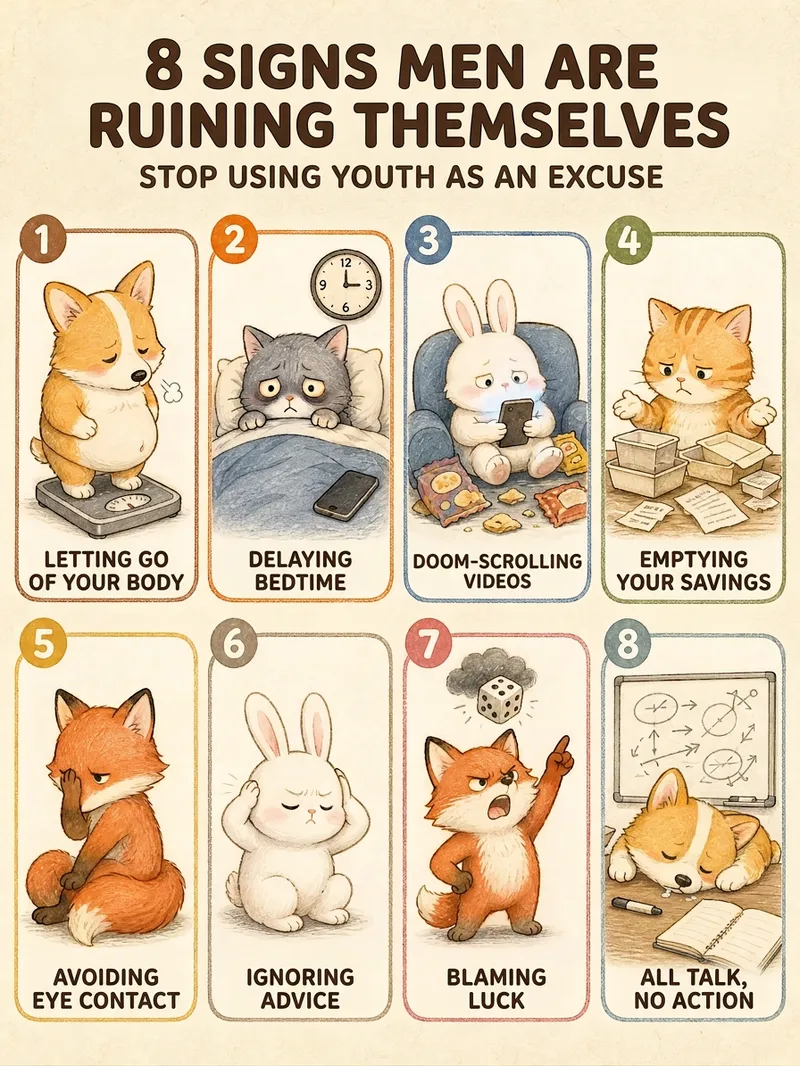
Give it a single sentence, and get a publishable graphic. Say "7 types of people to avoid" or "10 happiest moments in life"—it handles the rest: deciding how many items to include, writing the copy for each point, choosing the layout, and locking in the character and color scheme to deliver a finished product. ■ What the final image looks like Creamy textured paper background + rounded card grids + a chibi hand-drawn illustration per card + 4-6 character tags. Numbers in the title are enlarged and recolored so "8", "7", or "10" stand out at a glance; small green leaves and pink flowers accent the corners in a 3:4 vertical format, ready for RED without cropping. ■ Three pitfalls it helps you avoid · No garbled Chinese text — the title and card tags are crystal clear. · No broken grids — 3 to 12 items have matching layouts, keeping grid sizes uniform. · Consistent character style — create one today and another next week; the character and color palette remain consistent. ■ Adapts to your topic automatically For relationships (types of people to avoid, annoying behaviors) -> uses chibi animals to keep it lighthearted. For daily life (happy moments, healing small things) -> uses the same girl for better user resonance. Deep topics get steady colors, while warm topics get candy colors—no manual selection needed. ■ Who this is for Creators posting daily to maintain follower growth | Solopreneurs managing multiple accounts | Consultants, teachers, and parenting advisors with insights who struggle with design | Beginners starting a side hustle without design skills | Global creators making English and Traditional Chinese content. In short: others give you a graphic, this gives you a sustainable content series. Supports Simplified Chinese, Traditional Chinese, and English. Defaults to a 3:4 vertical format, perfect for RED, WeChat Channels, and Moments without cropping.
Information
- Version
- v2
- Last updated
- Runtime credits
- Usage-based
- Models
- Auto
