
One Line to X Carousel
Turn ideas or images into a four-panel swipe
One Line to X Carousel
Turn ideas or images into a four-panel swipe
Showcase
YouMind 灵感到产品宣传图设计
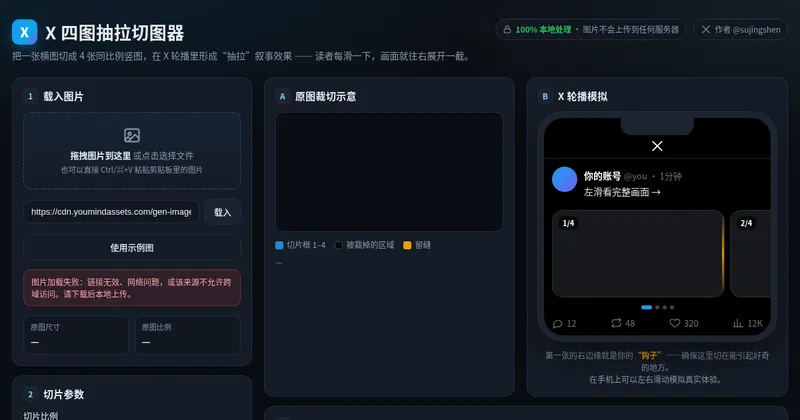
X 四图抽拉切图器
YouMind 灵感到产品宣传图设计
X 四图抽拉切图器
Description
X multi-image posts now scroll horizontally: the first image appears in full, while only part of the second is visible, prompting readers to swipe left to see what follows. This skill helps you create a “pull-apart” continuous four-image sequence—four vertical images combine into one complete landscape image, and each swipe reveals another section to the right. The right edge of the first image becomes the hook that makes readers want to swipe. Three input types are supported: · One-line idea → text-to-image generation, creating a continuous four-section wide image from scratch · One image → crop it directly if possible; otherwise, use it as a reference to reconstruct four continuous scenes · 2–4 images → automatically arrange the narrative order and blend them into one stylistically consistent continuous wide image Workflow: First, you’ll review a four-panel narrative script (hook → reveal → twist → ending). Then the skill generates a 21:9 wide image and uses the companion free public image slicer to precisely cut it into 4 PNGs locally in your browser (your images are never uploaded to any server). Finally, it provides the posting order and tweet copy. The default output ratio is 4:5, with 9:16 and 1:1 also supported. No text is placed inside the images. Ideal for creators who want their X multi-image posts to inspire more “page-turning” curiosity, as well as teams creating product, story, educational, or travel content. Only want to slice an image without generating one? Send in a wide image directly, or open the slicer: https://youmind.com/a/dlJ7lVfZ9ZVqFi
Recommended by
Dancang
Why we love this skill
Plans ideas or images into swipeable four-panel stories for X, combining visual creation with carousel pacing, precise image splitting, and publishing guidance.
Related Skills
View all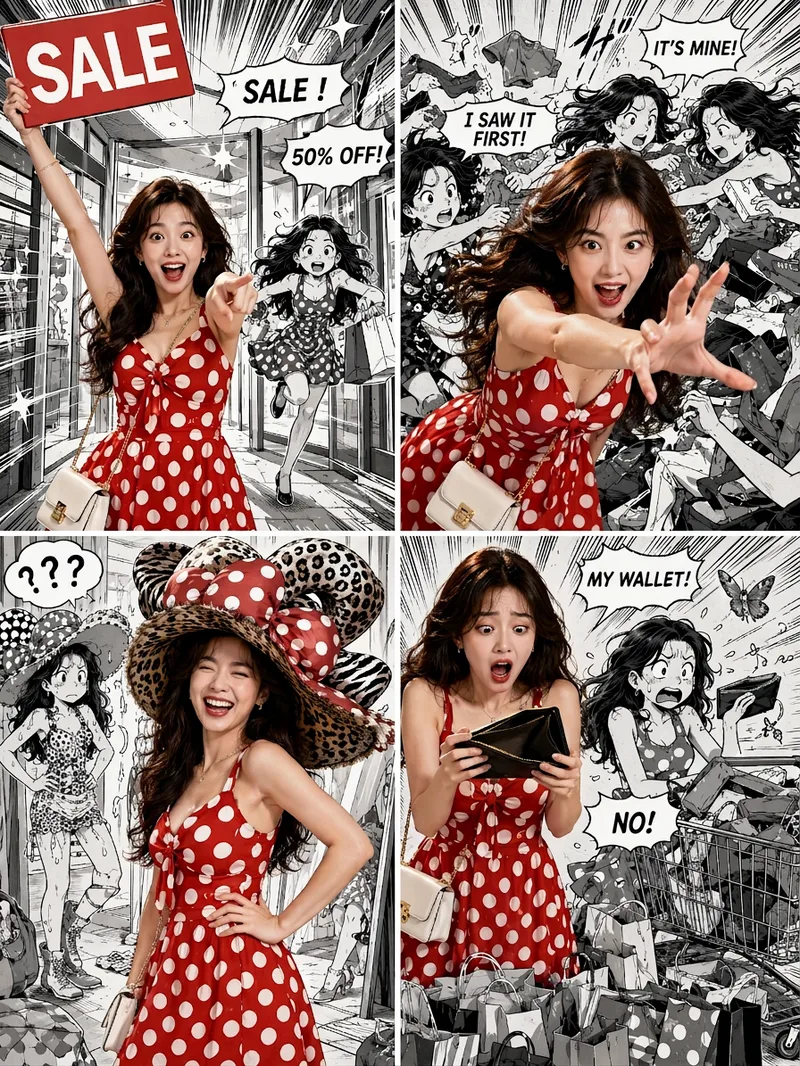 Image
Viral Comic Selfie
Turn a photo of a person into a story-driven four-panel pop comic: preserve the character’s facial features, hairstyle, skin tone, body type, and overall presence, with the same protagonist appearing across four connected scenes. The finished image uses a 3:4 portrait 2×2 collage layout, with each panel in a separate 3:4 frame and divided by thin white borders, creating a striking contrast between “realistic, colorful character × black-and-white comic storyboard backgrounds.” You can upload one or more photos and specify a theme, plot, four-panel beats, style, or text for speech bubbles and signs. The Skill organizes connected scenes from opening to climax, turning point, and ending, and aims to render the specified text accurately. If you upload only photos without additional instructions, it creates a fitting four-panel story based on the environment, lighting, occasion, and the person’s presence in the photos. Without a photo, it can also generate a consistent, realistic protagonist. The final deliverable is always one four-panel collage image rather than separate finished images, accompanied by a description of the theme and scene beats. You can continue refining the story theme, four-panel pacing, or text in the image, or recreate an enlarged version of a specific panel while preserving the character’s appearance.
 Image
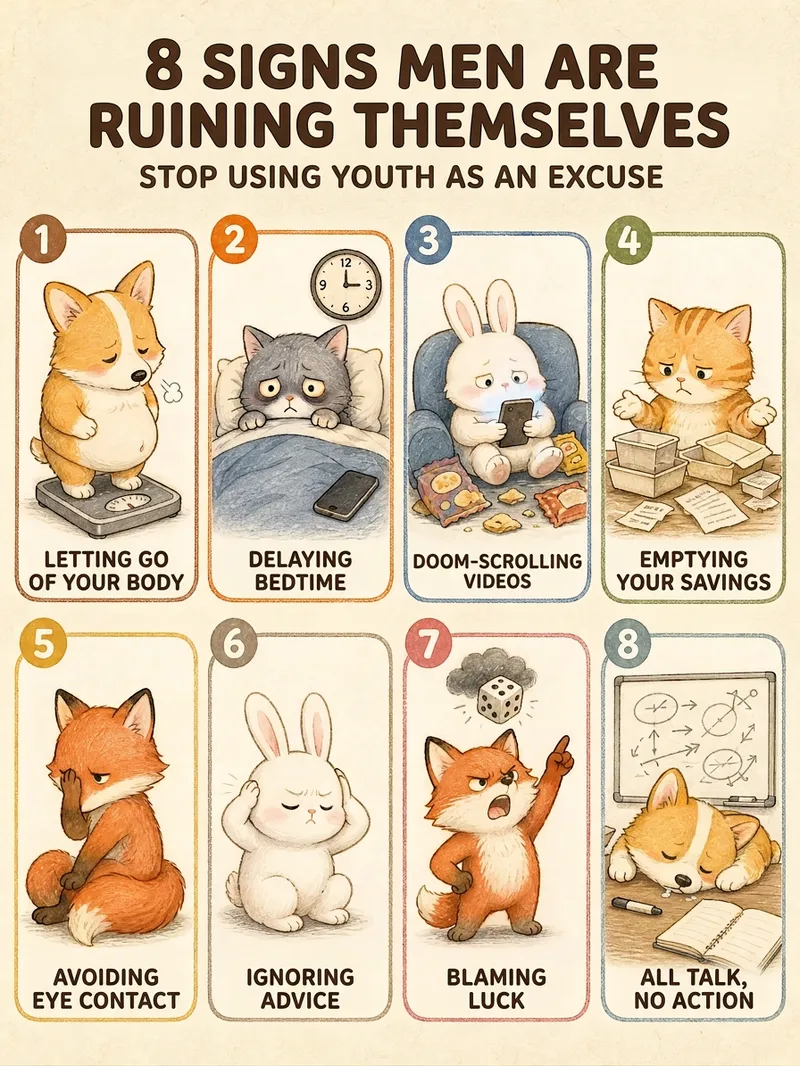
Healing List Graphic Generator
Give it a single sentence, and get a publishable graphic. Say "7 types of people to avoid" or "10 happiest moments in life"—it handles the rest: deciding how many items to include, writing the copy for each point, choosing the layout, and locking in the character and color scheme to deliver a finished product. ■ What the final image looks like Creamy textured paper background + rounded card grids + a chibi hand-drawn illustration per card + 4-6 character tags. Numbers in the title are enlarged and recolored so "8", "7", or "10" stand out at a glance; small green leaves and pink flowers accent the corners in a 3:4 vertical format, ready for RED without cropping. ■ Three pitfalls it helps you avoid · No garbled Chinese text — the title and card tags are crystal clear. · No broken grids — 3 to 12 items have matching layouts, keeping grid sizes uniform. · Consistent character style — create one today and another next week; the character and color palette remain consistent. ■ Adapts to your topic automatically For relationships (types of people to avoid, annoying behaviors) -> uses chibi animals to keep it lighthearted. For daily life (happy moments, healing small things) -> uses the same girl for better user resonance. Deep topics get steady colors, while warm topics get candy colors—no manual selection needed. ■ Who this is for Creators posting daily to maintain follower growth | Solopreneurs managing multiple accounts | Consultants, teachers, and parenting advisors with insights who struggle with design | Beginners starting a side hustle without design skills | Global creators making English and Traditional Chinese content. In short: others give you a graphic, this gives you a sustainable content series. Supports Simplified Chinese, Traditional Chinese, and English. Defaults to a 3:4 vertical format, perfect for RED, WeChat Channels, and Moments without cropping.
 Image
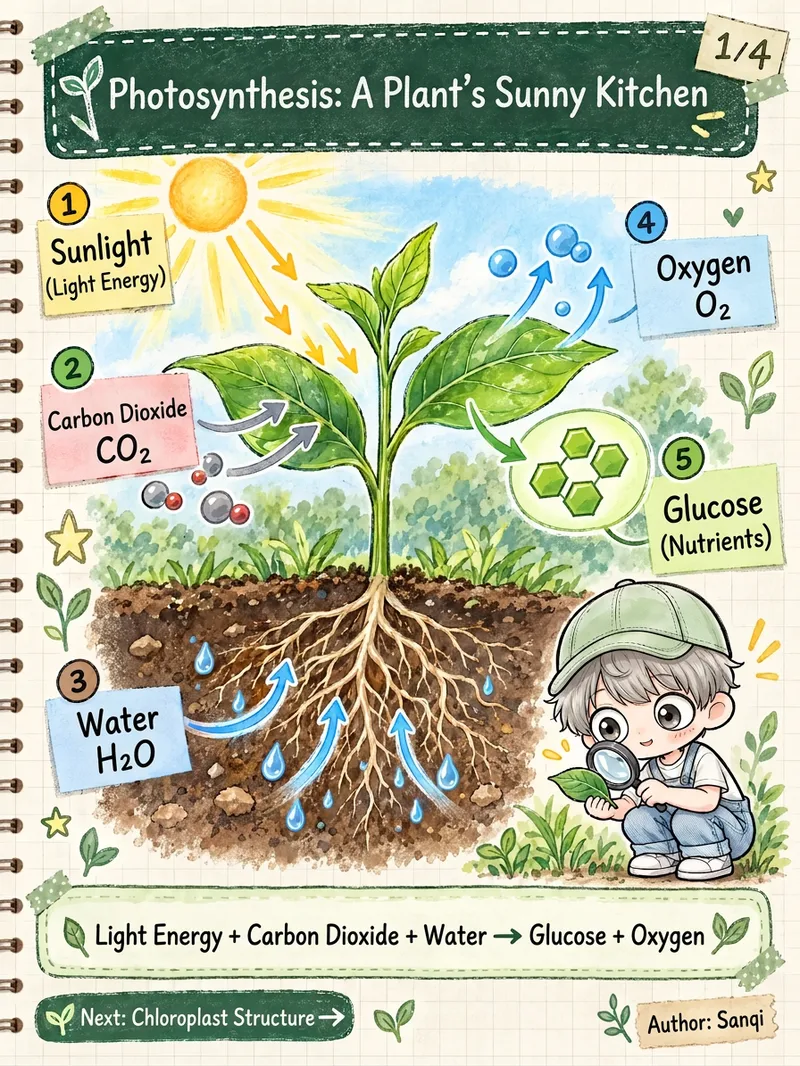
Science Illustration Series
This skill takes a single topic and delivers a complete set of ready-to-publish science infographics rather than isolated single images. What it can do: - Automated series planning: Overview -> Structure -> Principle -> Connections and Summary. Each image covers one clear point, complete with page numbers, unified color palettes, and "Next" previews. - Fact-checking before drawing: Organizes a fact checklist first, verifying process order, arrow directions, and spatial orientation. Uncertain numbers are omitted or marked as "approximate" rather than guessed. - Multilingual localization: Supports Simplified Chinese, Traditional Chinese, Japanese, Korean, English, Spanish, French, German, Portuguese, and more. It rewrites content naturally for local audiences rather than direct translation, adapting terminology, punctuation, and grade-level labels. - Unified style: Cream-colored notebook paper, dark green chalkboard headers, washi tape, sticky notes, hand-drawn annotations, and realistic scientific illustrations. Pastel and dark chalkboard variants are also available. - IP-free by default: Keeps visuals clean. To add a mascot, simply upload a character image or text description to keep the character consistent across the entire set. - Aspect ratios: Default is 3:4, with support for 9:16, 4:5, 1:1, and 16:9. - Model matching: Defaults to top-tier image quality settings, switchable for strong consistency, pure Chinese output, or fast drafts. - Exportable prompts: Complete prompts for each image can be copied directly for use in other tools. Best for: - Science graphic creators on platforms like Instagram, TikTok, and Xiaohongshu - Teachers and educational institutions making slide decks, review cards, and knowledge posters - Global creators managing multilingual accounts - Content teams looking to batch-produce science series Suitable topics: - Human body and health (circulation, digestion, immunity, sleep), biology and nature, physics and chemistry, earth and universe, history and culture, tech and AI basics. Notes: - Health content is for educational purposes only and does not constitute medical advice, diagnosis, or dosage instructions; local-language disclaimers will appear on the graphics. - AI image generators may occasionally make errors with small text, so the skill checks images one by one with automatic retries. A final review before publishing is recommended. - Generates 3-4 images at a time; additional content can be created as a second series.
Information
- Version
- v6
- Last updated
- Runtime credits
- Usage-based
- Models
- Auto
