Dancang
Create videos with Opus 5.5
Turn an idea, message, or creative brief into a polished motion video with a distinctive visual identity. This skill helps you shape the concept, key visuals, typography, color palette, composition, pacing, and transitions so every design choice supports the story you want to tell. It can create a wide range of video experiences, from expressive title sequences and promotional pieces to presentations, social content, and other visual storytelling projects. Your explicit requirements remain central, while the overall direction is developed with the judgment of a creative director and motion designer to produce engaging visual moments and smooth continuity from shot to shot. The result is a finished, browser-based video experience with carefully coordinated motion and design, checked for technical issues before delivery. Start with a clear prompt describing what you want to communicate, the tone or style you have in mind, and any must-have content or constraints.
 Webpage
Zara Zhang Frontend Slides
This skill is designed to generate zero-dependency, animation-rich HTML presentations for users—presentations that run directly in a browser without the need for any additional installation or configuration. It is particularly well-suited for professionals who need to quickly create presentations featuring a unique visual style and fluid animations—such as marketers, educators, developers, and anyone looking to convey information through engaging visual content. The core strength of this tool lies in its highly customizable design process and its focus on user experience. It intelligently generates design proposals based on the user's selected presentation objective, length, and content, as well as their desired "vibe." Users can opt for a guided design process—receiving three style previews by describing their emotional preferences—or they can simply select their preferred style directly from a list of presets. By leveraging AI image generation, real-time web search capabilities, and access to the user's personal knowledge base, this skill ensures that the generated presentations are both visually striking and content-rich. The final output is a standalone HTML file containing all necessary CSS and JavaScript, guaranteeing seamless display across any modern browser. It offers not only aesthetic typography and color schemes but also incorporates meticulously crafted animations, designed to provide the audience with an immersive viewing experience.
 Webpage
 Quality Review
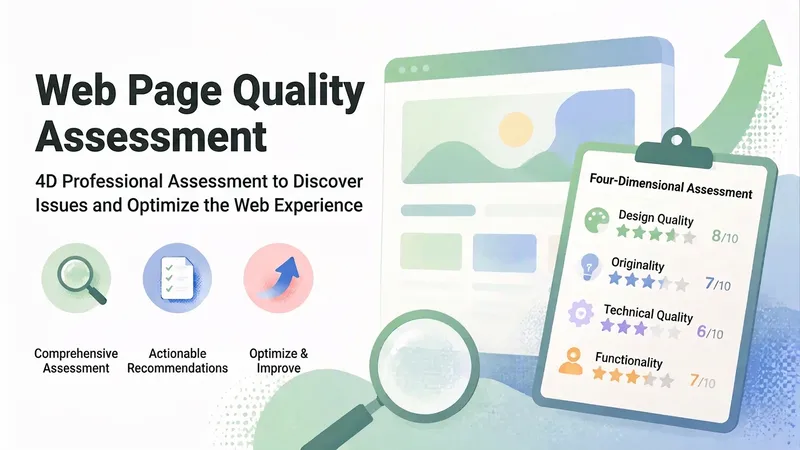
This skill provides professional webpage evaluation and optimization services. Whether you are a website designer, developer, or content creator, you can use it to conduct an in-depth analysis of your own or someone else’s webpage and receive actionable improvement suggestions. The skill comprehensively evaluates a webpage’s design quality, originality, craftsmanship, and functionality. It provides detailed scores across multiple dimensions, including color combinations, typography and layout, visual themes, interactive effects, and responsive design, while also identifying potential signs of AI-generated content or template-based design. After the evaluation, you will receive a detailed report covering specific strengths, issues, improvement suggestions, and even possible directions for modifying CSS, HTML, and JavaScript code. After the evaluation report is generated, you can also choose to have AI optimize the webpage immediately based on its recommendations. The optimization process follows the priority order of design quality, originality, craftsmanship, and functionality. You will then receive an optimization completion report clearly showing score comparisons across each dimension before and after optimization, along with the key improvements made.

Car Insurance Policy Risk Guide
Avoid car insurance traps. Intelligently detect pooled insurance, qualification risks, and improper coverage to ensure your policy is safe and effective, and claims are hassle-free.

Webpage Minimalist Style
Transform your digital products with a clean, functional, and visually calm web interface. This skill helps you apply the timeless principles of minimalist design, ensuring every element on your webpage is justified and serves a clear purpose. By drawing inspiration from design masters like Mies van der Rohe, Louis Sullivan, Massimo Vignelli, and Dieter Rams, it guides you in creating interfaces where form truly follows function. Embrace a rigorous design methodology that prioritizes clarity and user experience. You'll learn to remove visual clutter, optimize information hierarchy through content-first typography, and leverage whitespace as a powerful structural tool. This approach focuses on subtle alignment and semantic design tokens to build a consistent, unobtrusive, and easy-to-understand visual system. Whether you're refining an existing interface or building from scratch, this skill provides a systematic way to reduce visual noise and achieve a sophisticated aesthetic. The result is a modern web interface that is not only beautiful but also intuitive, delivering a serene and rational digital interaction for your users.
YouMind-style Webpage
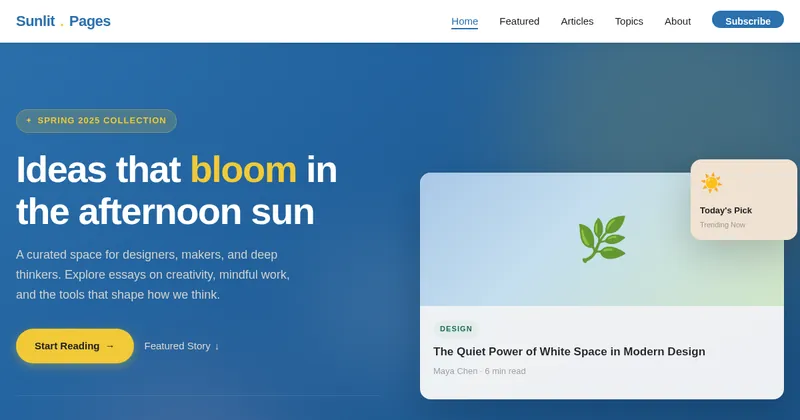
Craft webpages that perfectly embody the unique YouMind aesthetic, blending sun-washed vintage warmth with playful modern clarity. This skill ensures your online presence reflects a creative workspace energy, feeling both inspiring and professionally structured. It applies a carefully curated color palette featuring brand blues, forest greens, and dusty pinks, balanced with warm neutrals and a golden yellow accent, all guided by a 60:30:10 hierarchy for visual harmony. Your pages will feature a distinctive texture language—sun-washed, faded, and soft-grained—avoiding overly aged or flat digital feels. Backgrounds are designed to support content atmosphere without competing, utilizing blurred natural scenes, soft gradients, or subtle texture overlays. This creates an inviting, authentic feel, reminiscent of California skies or a spring afternoon. The skill meticulously styles all page components, from buttons and cards to headers and navigation, ensuring clear information hierarchy and generous white space. Typography uses a refined color system for primary, secondary, and de-emphasized text, maintaining accessibility and a clean, modern look. The result is a visually cohesive and engaging webpage that clearly communicates your message while resonating with YouMind's distinct brand identity.
Skills
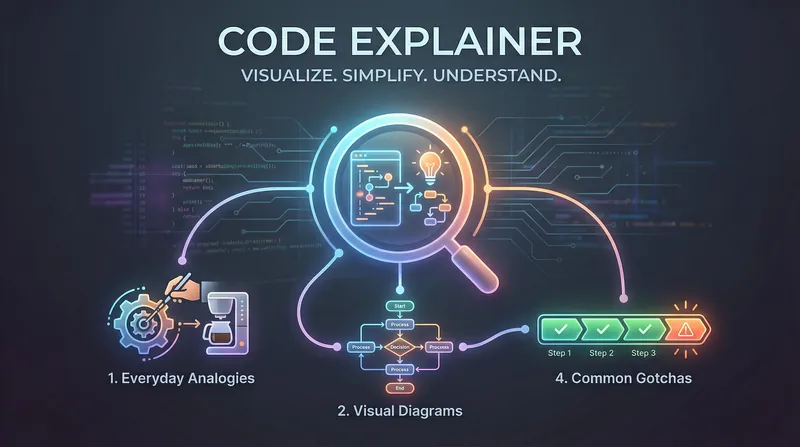
Master any codebase in minutes. This shortcut transforms complex code into clear, visual explanations with analogies, diagrams, and step-by-step breakdowns, helping you understand "how it works" instantly.