三七
 Video
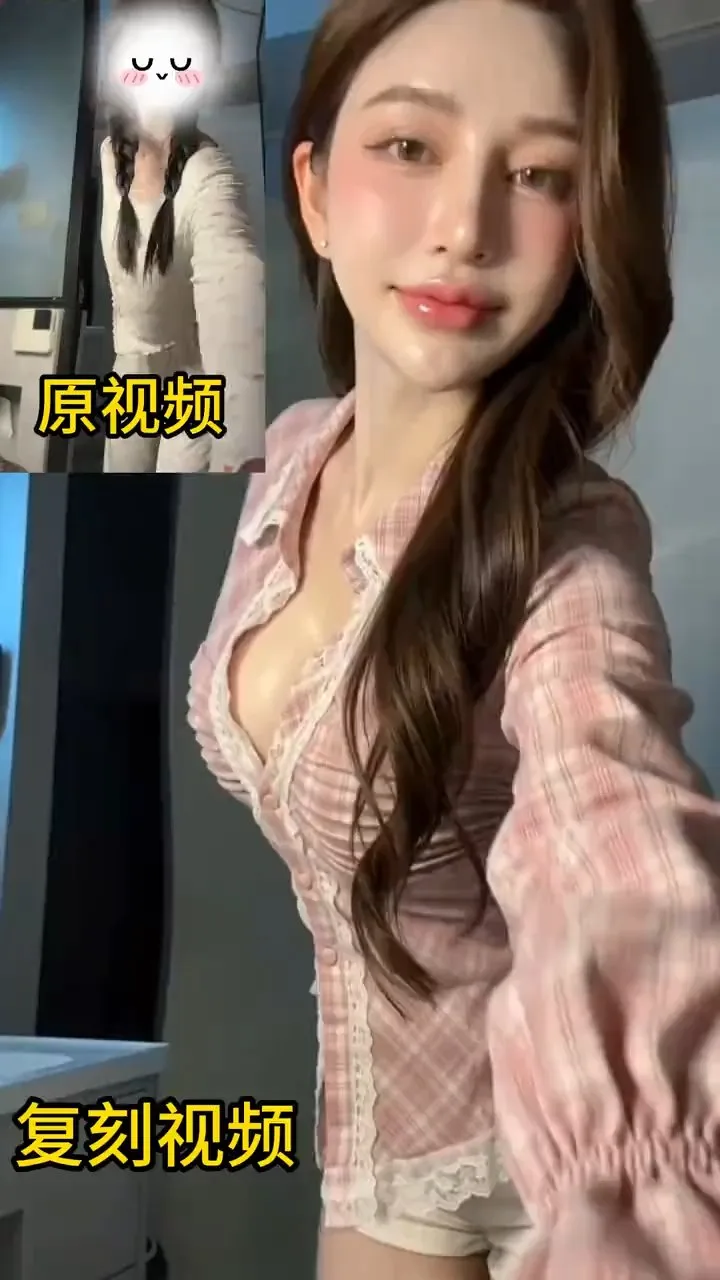
Viral Video Replication Master
Monetization methods: 1. Account monetization: Replicate viral platform videos using a fixed character to grow followers, then monetize through ads, product showcases, and affiliate commissions. 2. Virtual IP monetization: Build AI character accounts, accumulate fans through serialized content, and secure brand deals and merchandise sales. 3. Production services: Provide customized 'your character + viral action' videos for merchants and individuals, charging per video or package. 4. Asset and template sales: Bundle configured character images, prompts, and workflows to sell to fellow creators. 5. Enterprise digital human services: Create series of promotional and product demo videos featuring virtual brand spokespersons. Target audience: 1. Short-form video creators who want to quickly replicate viral video actions and pacing using their own image or account IP. 2. Virtual character and AI account operators who want the same character to batch-replicate viral actions while keeping the persona consistent. 3. E-commerce and sales teams using brand spokespersons or virtual models to replicate trending product pitch and showcase videos. 4. Digital human and virtual anchor creators needing quick generation of dance, gesture, and performance assets. 5. Studios and MCNs looking to batch-produce videos with identical actions but different characters to lower shooting costs. What it can do: 1. Frame-by-frame action and expression mapping: Your character moves exactly like the reference video. 2. Two replication modes: Swap only the character while keeping the original background and camera work, or keep the actions while changing the background. 3. Fully automatic: No need to input duration, resolution, or frame rate; just upload and it starts. 4. Videos over 30 seconds are automatically split by shot, generated, stitched together, and retain the original audio track. 5. Post-generation automatic quality check (actions, facial consistency, hands, clothing) with automatic retries for substandard results.
 Image
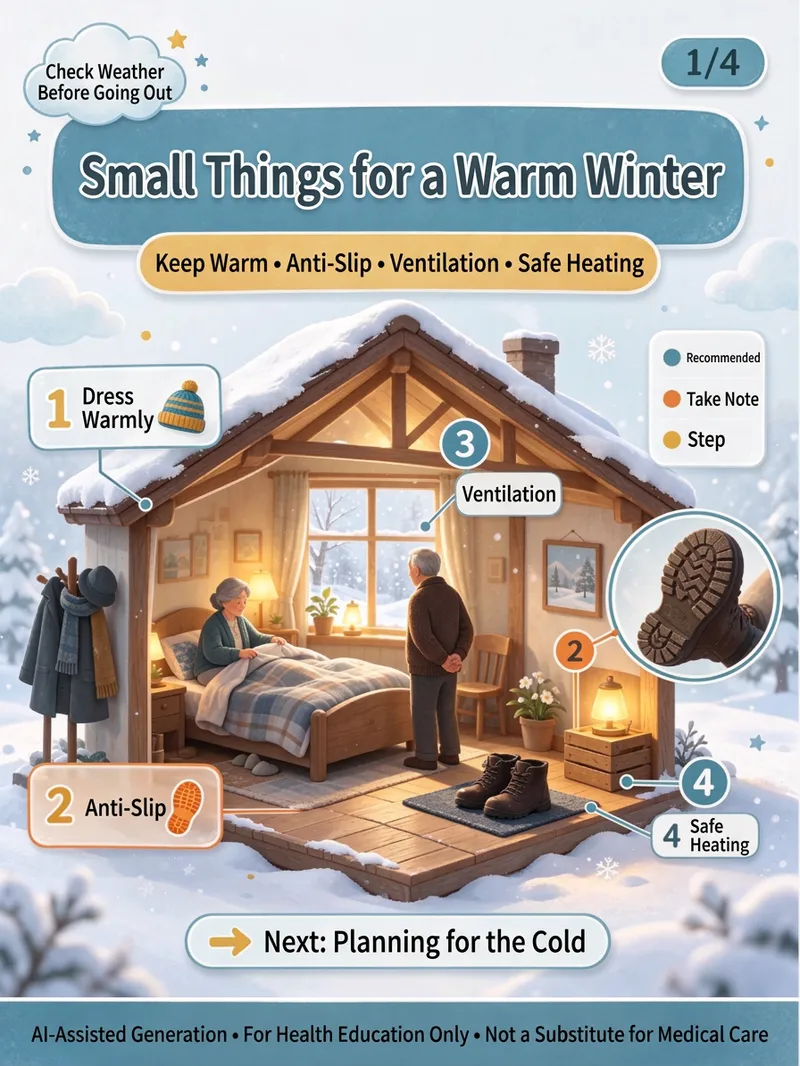
Silver Wellness Post Studio
Designed for creators making lifestyle graphics and articles for senior audiences. Enter one topic and get a complete publishable draft: images, copywriting, and a built-in compliance self-check. What it can do: 1. Unlimited Topics: Built with 110 topics covering fall prevention, home safety, diet, exercise, sleep, anti-fraud, digital life, travel, nostalgia, family relations, hobbies, and seasonal solar terms. Includes a topic engine for endless combinations by life domain, audience, scenario, and format, plus monthly seasonal suggestions. 2. Use the Topic Library or Your Own Topic: Say "use number 12" or directly state "Topic: How to help elders organize old photos." 3. High Visual Impact: Default semi-realistic main visuals with magnification circles, guide lines, color coding, and journal decorations. Features 14 high-impact layouts designed so covers can be understood in 3 seconds as a mobile thumbnail. Large text that is easy for seniors to read. 4. 60 Styles, Unique Every Time: Hand-drawn picture book, traditional Chinese, retro, infographic, material texture, seasonal, and high-impact styles. Build an account style family for a balance of variety and recognition, or upload a reference image for a custom style. 5. Complete Copywriting Package: 3 title candidates, cover title, body text, image captions, source line, AI disclosure, interactive question, pinned comment, and a placeholder for your real-world experience. 6. Benchmarking and Review: Paste viral titles and text from competitors to analyze structure and generate original topics. Paste your view and comment data for guidance on what topics to produce more often. 7. Compliance Gate: Evaluates every topic into green, yellow, and red zones. Red zone topics (diseases, drugs, folk remedies, supplement claims) are rejected with rewriting suggestions. Includes a pre-publishing manual review checklist and prohibited word scan.
 Video
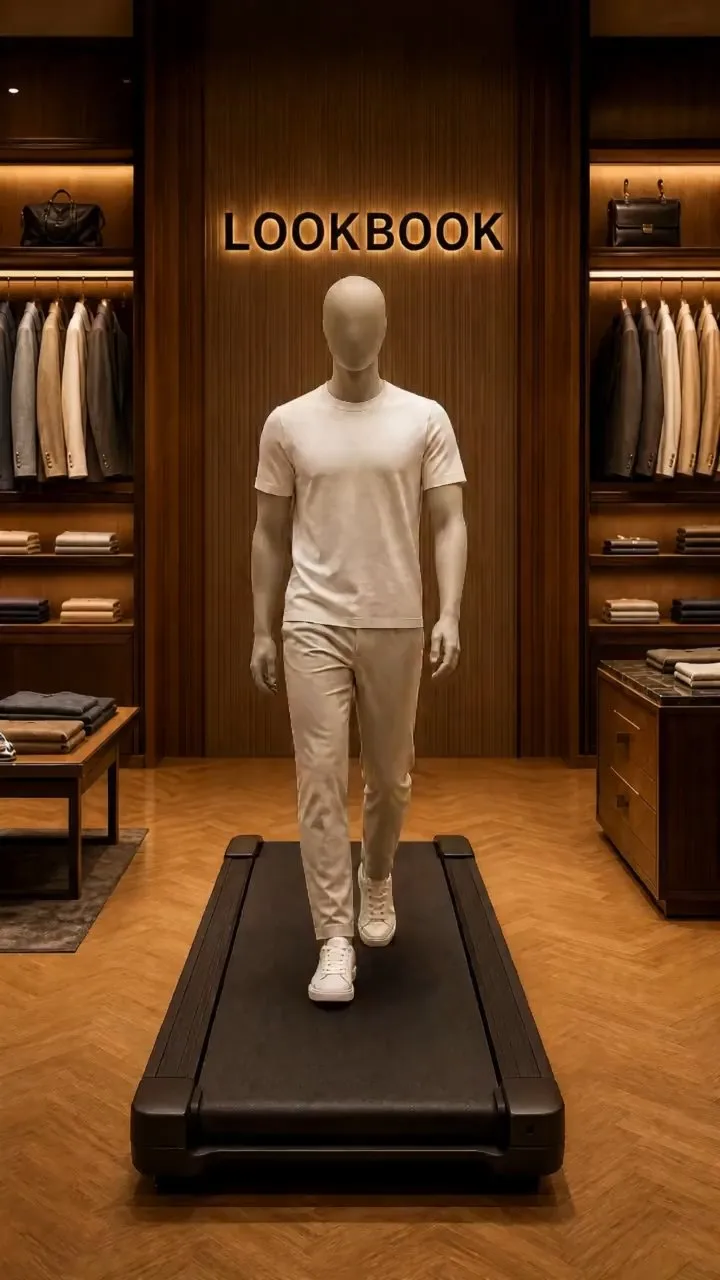
Virtual Fashion Runway Generator
【Target Audience】: 1. Taobao, TikTok, and Xiaohongshu apparel store owners with no budget to hire models for new arrival videos. 2. Fashion, e-commerce, and clothing review bloggers who need to batch-produce "one person, multiple outfits" content. 3. Fashion studios and designers looking to quickly create lookbooks or sample showcases. 4. Short-video agencies creating batch runway clips for apparel clients. 5. AI content creators looking for outfit change videos with contrast hooks. 【Monetization Ideas (for buyers)】: Sell own goods: Use finished videos for product arrivals and product detail pages, replacing hired model shoots. Take client orders: Provide apparel businesses and small brands with "clothing image to runway video" services, priced per outfit or per video. Content accounts: Run fashion runway accounts to monetize through traffic, e-commerce commissions, and sponsored deals. Brand customization: Create fixed-scene series videos with brand text for small brands, delivered monthly. 【What It Can Do】: Automatically creates scene anchor images to lock in camera angles, lighting, and the runway. Generates outfit-by-outfit static frames, changing only the clothes while keeping the scene and poses consistent. Uses video models to generate the complete video at once, with an optional 1.3-second weird mannequin movement opening hook. Produces videos without uploading portraits by automatically generating faceless 3D mannequin models. 【Video Specifications】: 9:16 aspect ratio, with each outfit lasting about 2 seconds by default. A single finished video is under 15 seconds for about 6 outfits; longer ones are automatically segmented. 1–12 clothing images.
 Image
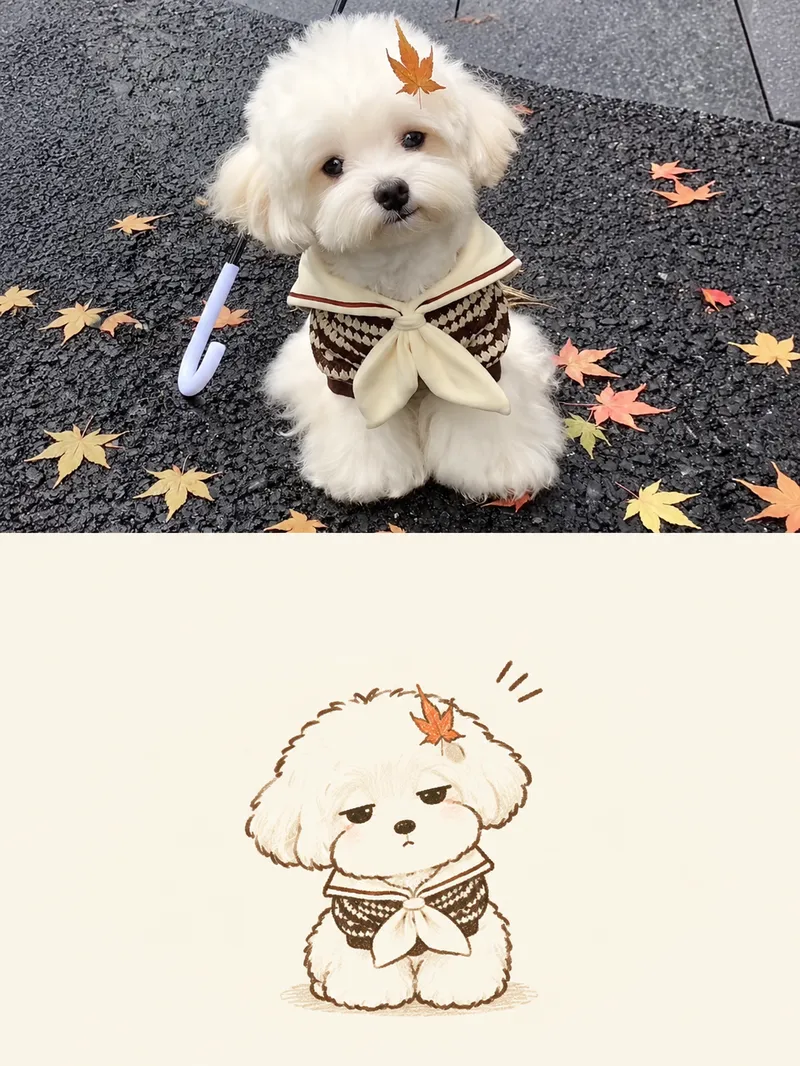
Deadpan Chibi Comparison
Upload a photo to automatically generate a top-and-bottom comparison poster featuring the original photo above and a hand-drawn chibi version below. The upper half keeps the original image, while the lower half transforms the subject into a 2-3 head-tall crayon and colored pencil style character with a deadpan expression, lazy posture, and key props from the original photo, complete with three little stress lines above its head. The background is a creamy tone tinted with the primary color and plenty of negative space, creating a small, quiet, warm, and slightly humorous look. Suitable for people, cats, dogs, capybaras, and everyday items. Generates one image per photo, and batch processing is also supported.
 Video
Outfit Switch Showcase Video
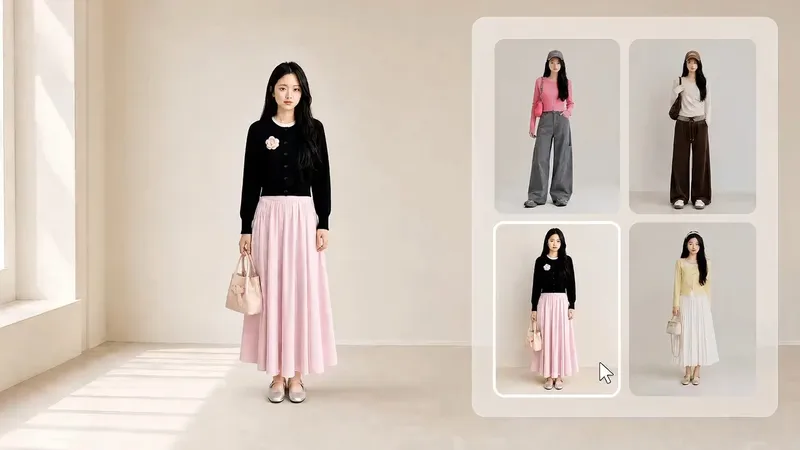
Ideal for fashion short-video creators, e-commerce merchants, virtual human IP creators, and video production studios. Monetization Methods: - Fashion content accounts: Create interactive series videos to boost views, followers, and e-commerce or ad revenue. - E-commerce product display: Batch-produce try-on videos for product detail pages, main images, and live stream assets. - Freelance services: Produce multi-outfit showcase videos for clothing merchants. - Virtual human IPs: Keep fixed virtual characters changing outfits to continuously update content. What this Skill does: Generates an outfit showcase video styled like an AI character customization interface. - Left side features a full-body model wearing the current outfit. - Right side features a frosted glass panel displaying full-body thumbnails of the character in each complete outfit. What you get: - A 16:9 horizontal hover-outfit and 360° try-on video. - Full-body try-on images for each outfit (usable separately as covers or graphics). Usage Notes: - Supports 2 to 8 outfits, defaulting to 4. The final video is silent and horizontal; add background music in editing software if needed. - Generation takes multiple images and video clips and may take longer (4 outfits require about 10 images and 4 video clips). - Model stability may affect results; individual unsatisfactory segments can be regenerated separately. - Please use character likenesses and clothing images that you own or are authorized to use. - Monetization examples are common ideas; actual results depend on your content quality and operation.
 Video
Launch Edition Corridor Generator
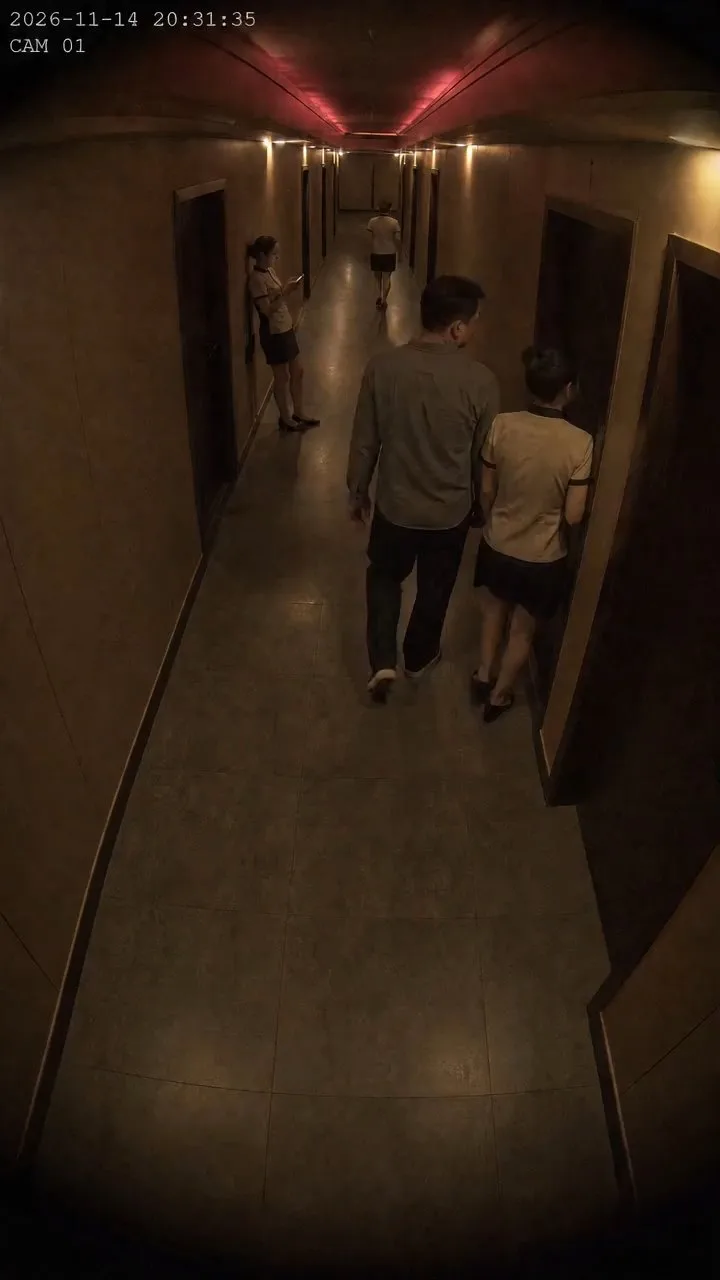
【Who is this for】 1. Local life and city merchant content creators: Foot baths, KTVs, hotels, clubs, and homestays needing scene ambiance materials without scheduling shoots or visiting stores. 2. Story accounts, suspense accounts, and novel promotion accounts: Needing "surveillance footage" visuals for openings, transitions, or B-roll, changing locations with a single sentence. 3. Short video matrix and batch publishing: Lacking time to set up and shoot, relying on a single sentence to generate scene footage in batches. 4. People who only want pure visuals without writing lines or adding subtitles. 【Monetization Methods】 1. Merchant content orders: Create scene ambiance short videos for local foot baths, KTVs, hotels, and homestays, charging per video or for monthly operations, providing direct cash flow. 2. Account growth and monetization: Story and suspense accounts using surveillance footage as a base to increase output, gaining followers to run ads and earn platform traffic shares. 3. Batch selling material packages: Produce hallway footage for various locations and bundle them into a "surveillance perspective scene material library" to sell to peers. 4. Custom video orders: Deliver specific locations, actions, or durations requested by peers with a single sentence to earn the price difference. 【Product Description】 Type a location term and directly generate a vertical short video resembling hallway surveillance footage. The input is just one sentence: foot bath hallway, KTV hallway, hotel hallway, office building corridor, press Enter to generate.
 Image
Low-Angle Selfie & 5 Figures
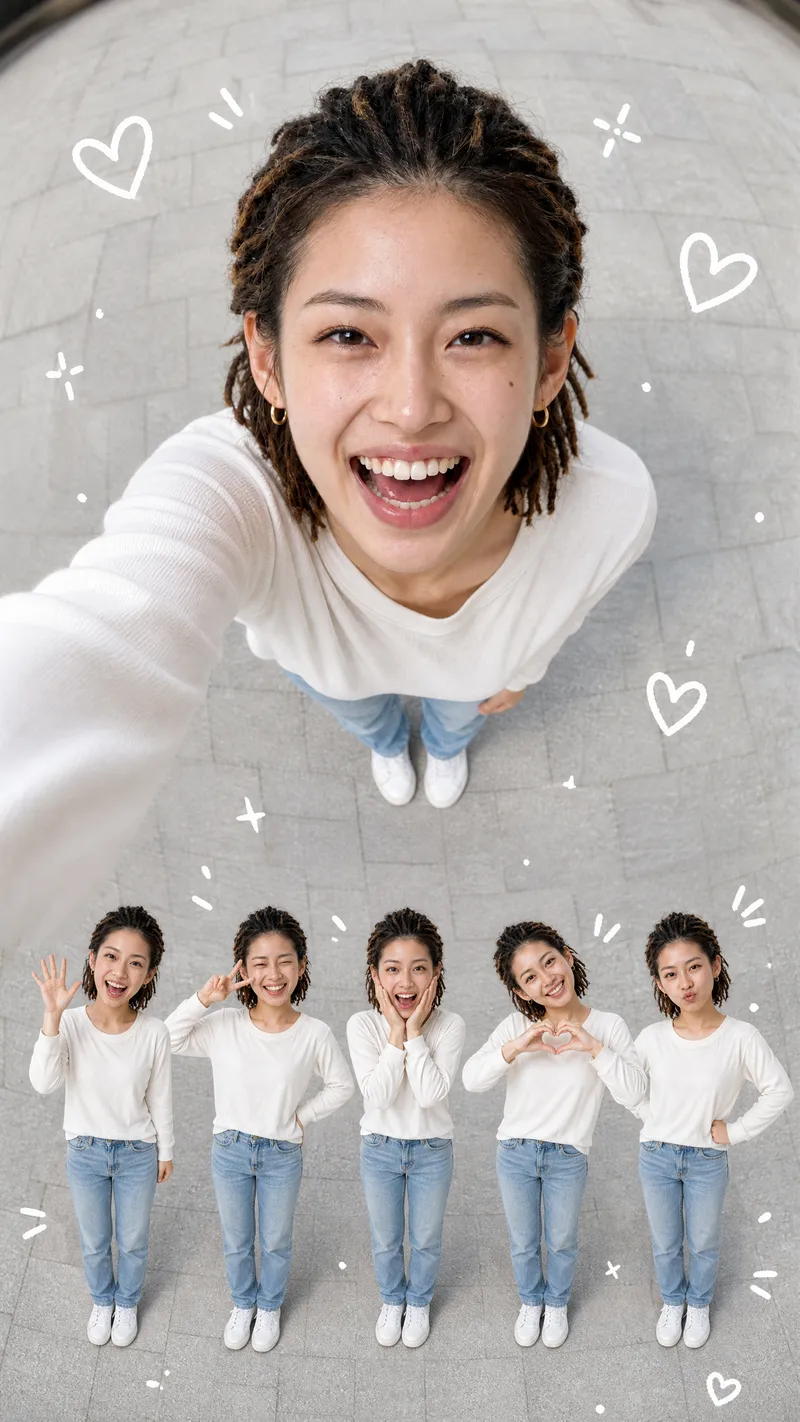
Generate popular wide-angle low-angle selfie portraits with five expressive mini figures in one click. ✦ Face fidelity: Strictly preserves your facial features, face shape, and hairstyle. Wide-angle framing only changes composition, not your appearance. ✦ Default outfit preservation: Keeps the clothing from your uploaded photo by default, or you can customize it. ✦ Diverse expressions: The 5 mini figures feature different expression and gesture combinations every time, avoiding repetitive sets. ✦ Default 9:16 vertical format: Perfect for Moments, Xiaohongshu, and Douyin covers, with customizable ratios. ✦ Switchable scenes: Easily change to stone tile ground, rainy night streets, café floors, grass, or beaches with a single sentence. Ideal for selfie bloggers, fashion bloggers, avatar and cover creation, commemorative photos, and daily social media sharing.
 Video
Door-Opening Outfit Video Generator
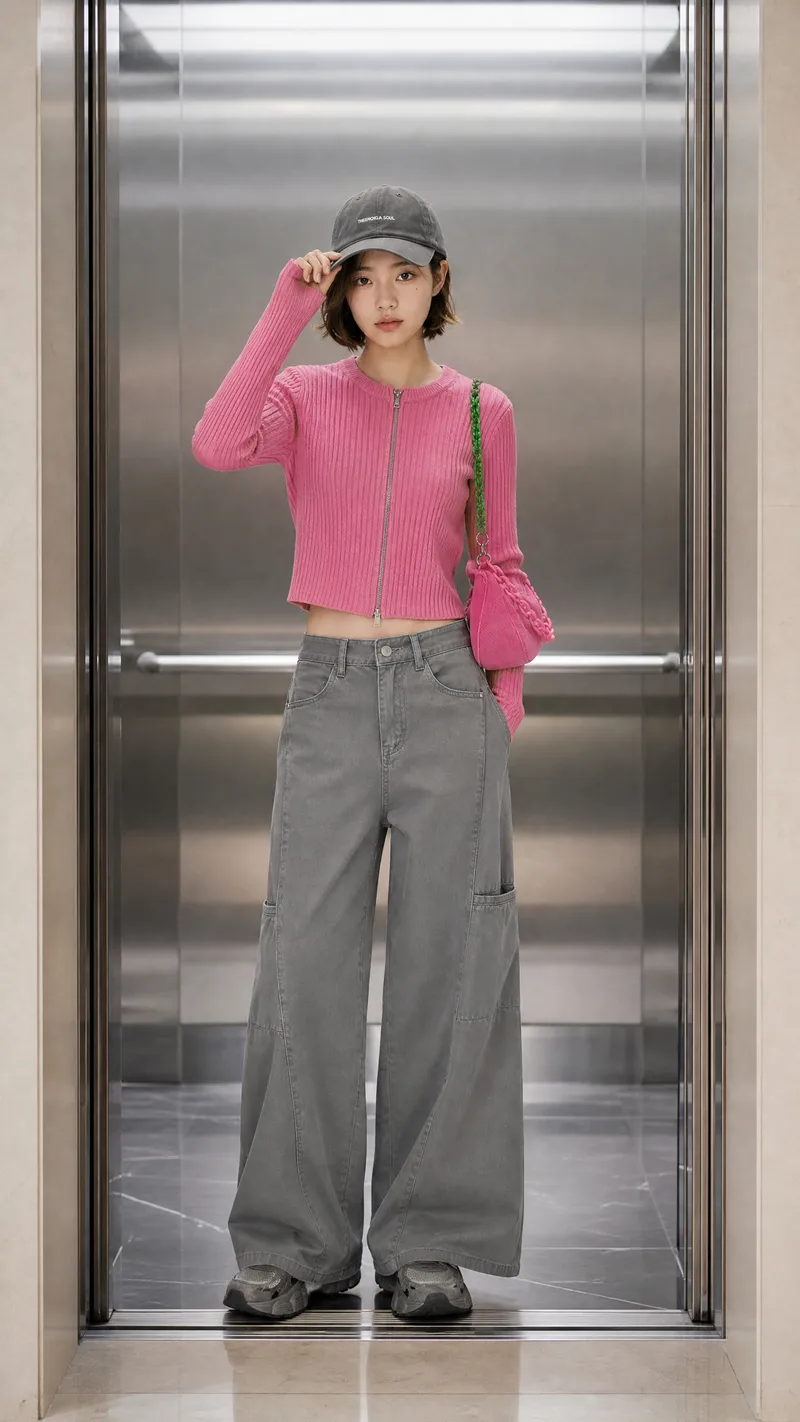
Target Audience: 1. Fashion Bloggers / OOTD Creators: Showcase 4 to 5 outfits in a single video to boost completion and save rates for weekly commute or winter coat collections. 2. Apparel E-commerce / Clothing Sellers / Boutiques: Use the same model to showcase multiple new arrivals, cutting down on shooting, model, and venue costs. 3. AI Virtual Model Account Operators: Keep a consistent character while swapping outfits and scenes to build a unified style. 4. Short Video Agencies and MCNs: Mass-produce structurally identical videos where changing the scene creates a new series. 5. Fashion Designers / Indie Brands: Quickly preview new releases and sample designs to test market response before production. Key Capabilities: Door-Opening Reveal Outfits: Each look follows a fixed structure of door opens, person steps in, subtle motion, and full-body display with hard cuts and unified pacing. 6 Built-In Scenes: Luxury elevator (default), fitting room curtain, revolving door/hotel lobby, wardrobe, subway door, and studio white backdrop. 2 Production Workflows: Route A generates storyboard images first for maximum accuracy and commercial use, while Route B generates the full video directly for drafts and quick tests. No Photo Needed: Automatically generates a matching character based on outfit style while keeping the face consistent. Clothing First: Colors, patterns, and accessories are faithfully restored from uploaded images. Built-In Quality Control: Inspects outputs item by item and allows re-generating only the flawed part. Monetization Methods: Account Content Monetization: Build fashion series accounts on platforms like TikTok or YouTube Shorts to earn through traffic, ads, and brand partnerships. Product Tagging / Affiliate Sales: Tag items directly in the video for multiple sales opportunities per clip. Freelance Services: Create new-arrival showcase videos for apparel merchants and boutiques for a low production cost. Brand Customization: Produce recurring series videos for brands, such as weekly elevator lookbooks, under monthly contracts. Virtual Model Accounts: Turn the character into an IP to earn through followers, ads, and endorsements.
 Image
Ins-Style Direct Flash Trio
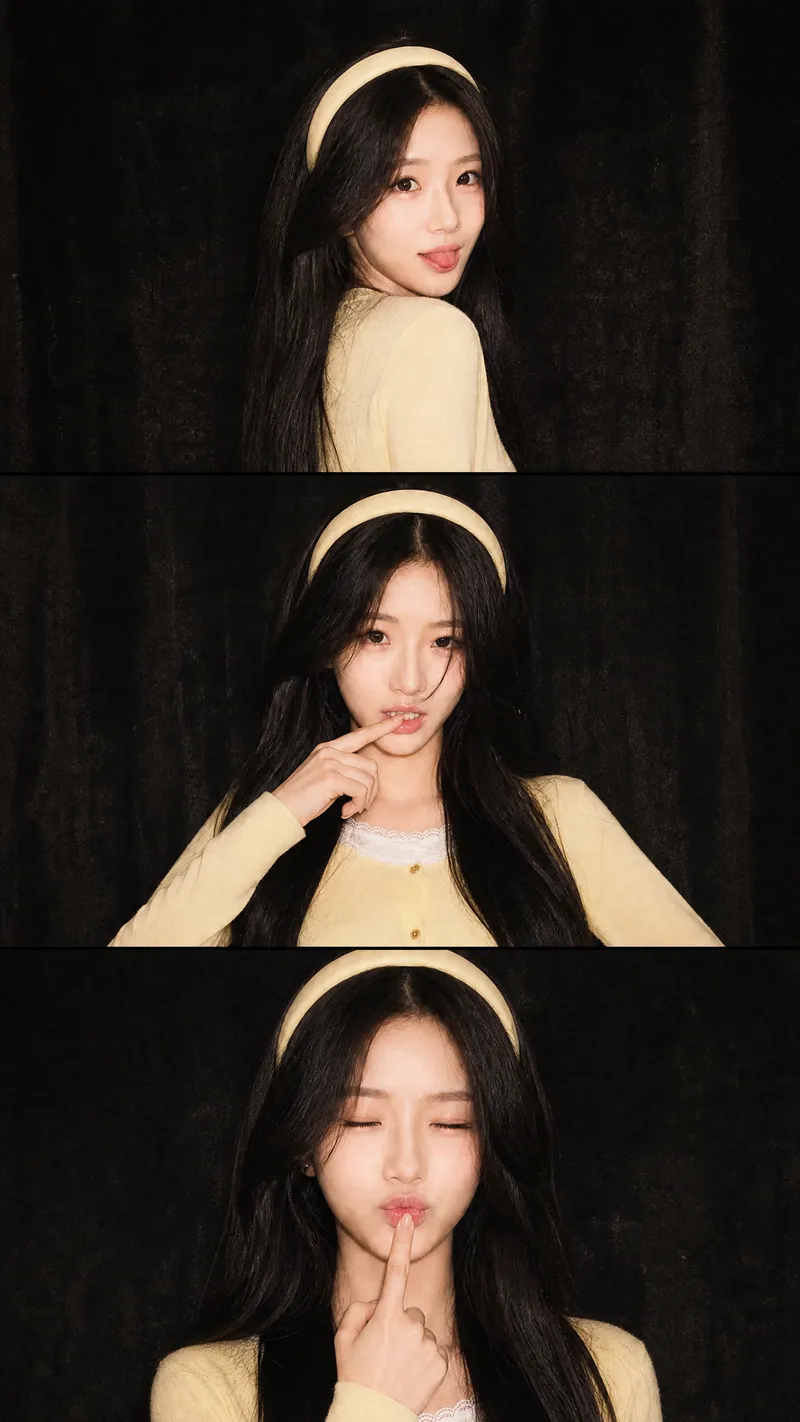
Just upload a single portrait photo to generate a three-panel vertical photo collage of the same person featuring a black backdrop, on-camera direct flash, 2000s retro fashion magazine texture, dark tones, a laid-back vibe, and an edgy style. Default three-panel poses: · Top panel: Looking back over the shoulder, playfully sticking out the tongue · Middle panel: Index finger pulling the corner of the mouth, rebellious gaze · Bottom panel: Closed eyes and pouting, fingertips against the lips Core highlights: · Facial consistency: Strictly preserves facial features, face shape, and hairstyle/color across all three panels as the same person without face-swapping or distortion · Outfit retention: By default, uses the clothing from the uploaded photo, or can be customized · Realistic texture: Warm direct flash highlights, high-contrast shadows, and subtle film grain while preserving real skin texture · Flexible adjustments: Default is 9:16, changeable ratios, and customizable poses, backgrounds, nails, and accessories · Clean visuals: No text, watermarks, or logos Great for social media avatars, Moments and Xiaohongshu grid materials, personal photo shoots, and stylized portraits.
 Image
Window Film Portrait Generator
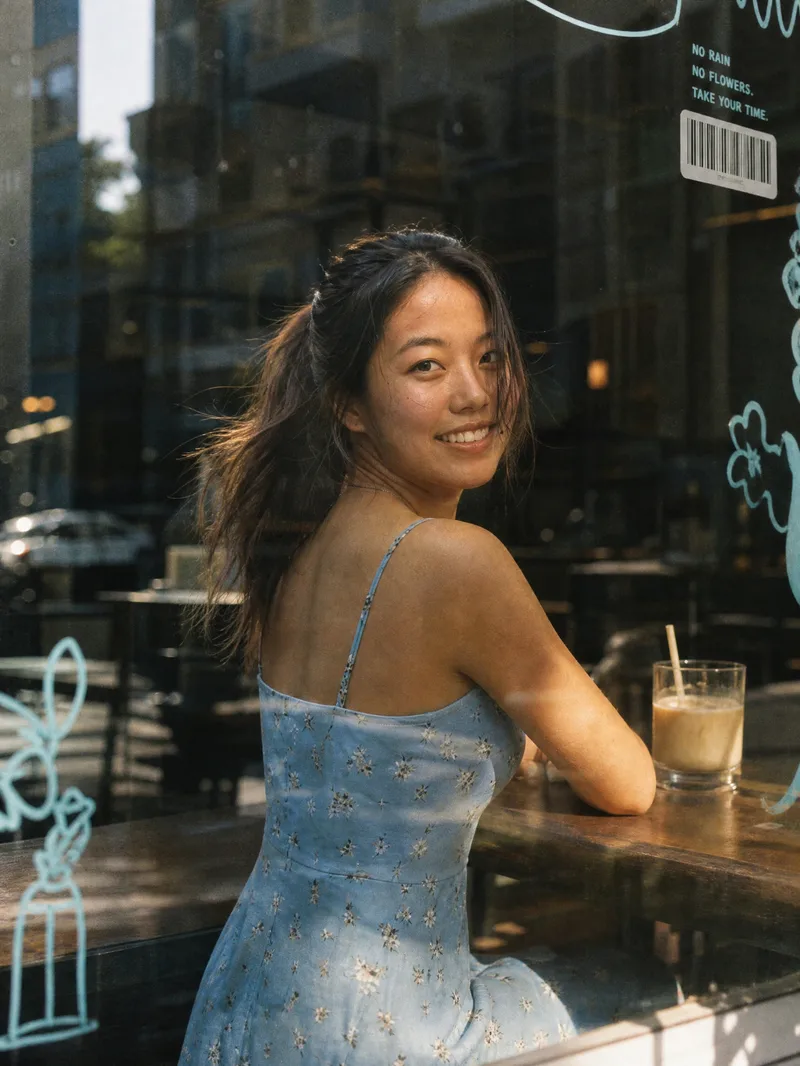
Core Advantages: 1. Accurate Face Preservation: Strictly maintains the face shape, facial features, hairstyle, and skin tone from the uploaded photo without face-swapping, distortion, or excessive skin smoothing. 2. Clothing Retained: Automatically keeps the clothing from the uploaded photo by default, with an option to specify new ones. 3. One-Click Generation: Features a default 3:4 vertical composition that generates immediately upon upload, requiring no prompt writing. 4. Flexible Customization: Supports changing aspect ratios, scenes (bookstores, flower shops, convenience stores, subway windows), lighting (warm twilight, cool overcast, night neon), expressions, and glass decoration styles. Product Description: Upload a portrait photo to automatically generate a Korean-style film street portrait shot through a café window. The image features realistic glass textures: subtle reflections, street scene mirror images, dust, fingerprints, and water spots. The edges of the glass are adorned with blue hand-drawn doodles, barcode stickers, Polaroids, and small English lettering. The background is a blurred city street with soft, transparent lighting, low-saturation tones, warm highlights, and subtle film grain, resembling a casual everyday snapshot taken by a friend. Best For: Ideal for profile pictures, social media covers, lifestyle portraits, blogger persona photos, and creator branding images.
 Image
Chibi Police Mugshot
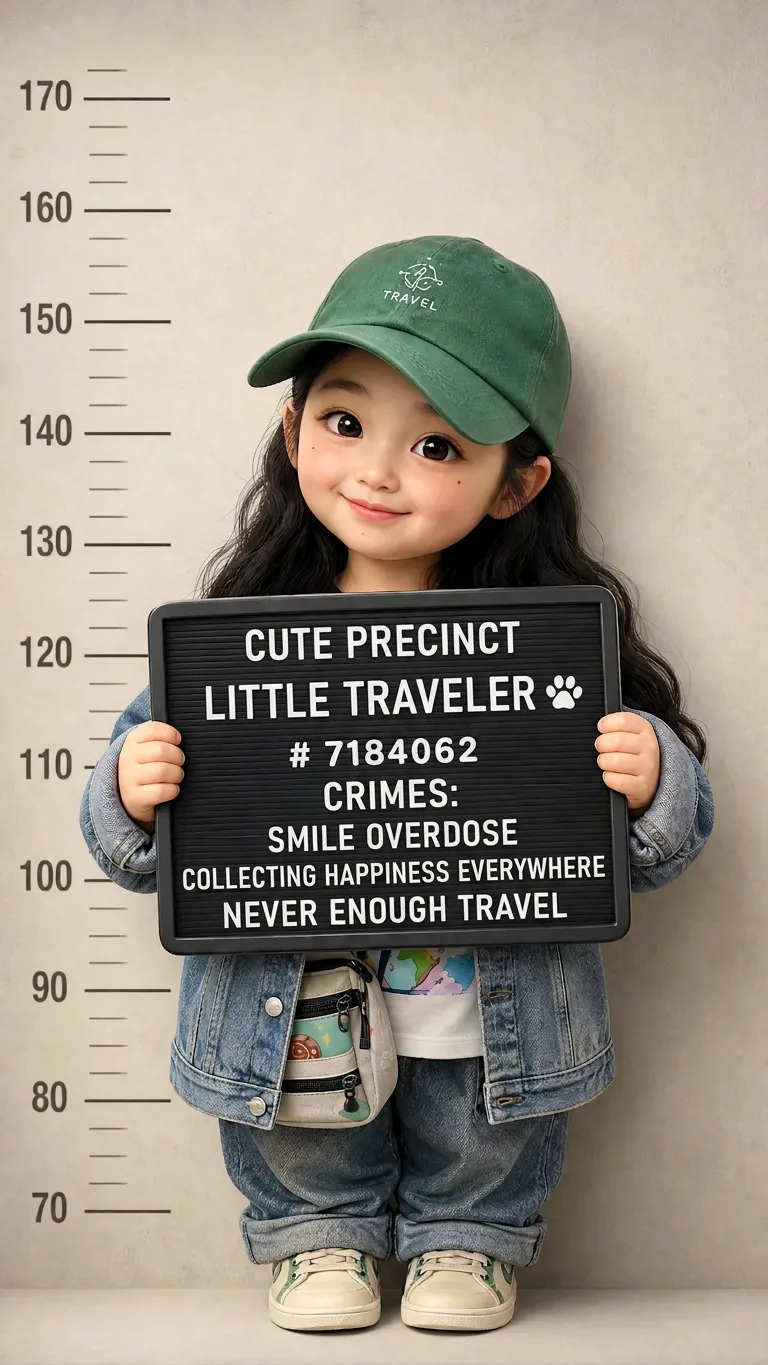
What it does: Transform family members, yourself, friends, pets, or plush toys into an adorable and hilarious "caught in the act" poster. The charges aren't real crimes; instead, they feature harmless, playful jokes like "being too cute," "habitual snack thief," or "causing chaos everywhere." Perfect for social media, profile pictures, birthday greetings, and family memories. Core features: - High cuteness factor: Built with 4 levels of cuteness, defaulting to a large head and small body (approx. 1.5–2 heads tall) with big round eyes, soft chubby cheeks, and stubby little hands, while preserving the person's hairstyle, facial features, and signature traits so they are instantly recognizable. - 10 styles to choose from: Realistic Chibi, 3D Blind Box, Exaggerated Funny, Retro Film, Black-and-White Archive, Hand-drawn Watercolor, Clay Stop-Motion, Pixel Game, Cyber Neon, and Korean Fresh. You can also describe your desired style, and the system will render it accordingly and recommend similar options. - 36 sets of funny captions: Covers snack lovers, guilty of being cute, mischievous trouble-making, trying to look cool, sleepy and spoiled, pet-specific scenarios, and holiday themes, with additional adult-only options. If left unspecified, it automatically matches the set that best fits the photo, or you can completely customize it. - Multi-language signs: The entire sign (police department name, "charge" title, and three lines of text) is translated together, supporting Simplified Chinese, Traditional Chinese, English, Japanese, Korean, French, and Spanish. - Flexible aspect ratios: Defaults to 9:16 vertical, and also supports 3:4, 1:1, 4:5, and 16:9. The composition and height chart automatically adapt to the ratio. - Multiple subjects: Handles real people, children, pets, plush toys, and group photos. How to use: 1. Upload a clear front-facing or half-body photo. 2. Optionally fill in the name, caption, aspect ratio, cuteness level, style, and language. 3. Get the complete prompt and copy it into your go-to image generation model to create the image. 4. If unsatisfied, simply say: "Make it cuter," "Change to English," "Change the style," or "Change the caption." Who it's for: - Parents: Capture your child's cute moments to create 1st-birthday, birthday, and growth milestone posters. - Pet owners: Create a "criminal record" for your furry friend. - Content creators: Batch-create fun profile pictures, interactive event graphics, and follower-growth materials. - Friend gatherings, couples, and colleagues: Create playful birthday or holiday greeting images. Tips: - The clearer the photo and the more complete the facial features, the higher the accuracy. Backlit or face-obscuring photos will reduce the effect. - It is recommended to keep each line of the sign caption under 10 characters for more stable text rendering. If there is a typo in the generated text, you can ask the model to inpaint the sign text locally. - If it doesn't look cute enough, turn the cuteness level up to 4; if it doesn't look like the person, lower it by one level.
 Image
Ethereal Portrait Generator
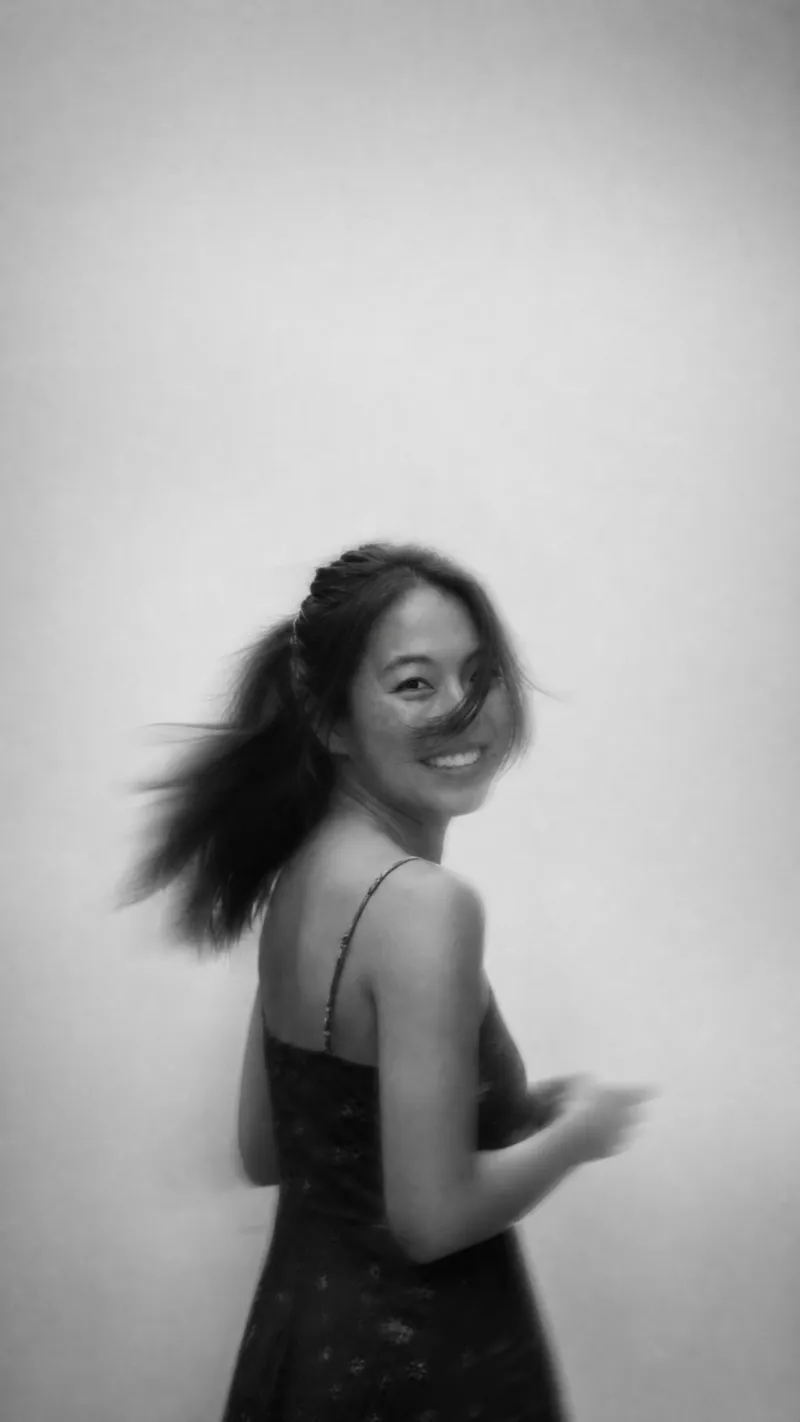
Best used for: Social media avatars, Moments and Xiaohongshu covers, phone wallpapers, lock screens, personal photoshoots, artistic photo collections, and unified visual profile imagery. Product Description: The Ethereal Black and White Portrait tool generates atmospheric portraits. Upload your photo to receive a black and white film portrait that looks captured in a fleeting moment: hair blowing across the eyes and cheeks, soft motion blur, the subject positioned firmly in the center, and generous quiet negative space surrounding them. Core Features: Preserves your likeness: Facial structure, proportions, and hairstyle match the original photo; the hazy effect comes purely from blur and occlusion. Seven optional styles: Ranging from clear and healing to ghostly motion blur, covering various moods, with support for custom descriptions. Three blur levels: From clear facial features to silhouettes only, letting you choose the degree of obscurity. Flexible aspect ratios: Vertical, square, or horizontal formats are supported, with automatic background extension to maintain negative space and center the subject. Single-photo workflow: No prompts required; simply upload a photo to generate images. Usage Tips: Even lighting and clear facial features yield the most stable results. For a more storytelling vibe, choose a "medium" or "high" blur level; for everyday avatars, Style B with a "low" blur level is recommended. Styles: A: Blowing Hair & Hazy Black & White (Default) B: High-Key White Wall & Clear Hair (Clean and healing) C: Low-Key Darkroom & Ghostly Motion Blur (Mysterious and moody) D: Matte Soft Focus (Dreamy, soft, and distant) E: Laughter Motion & Snapshot Vibe (Vibrant and authentic) F: Grainy Film & Retro Street (High contrast and light leaks) G: Faded Monochrome & Cold Tone (Magazine cover style)
 Image
Healing Avatar Generator
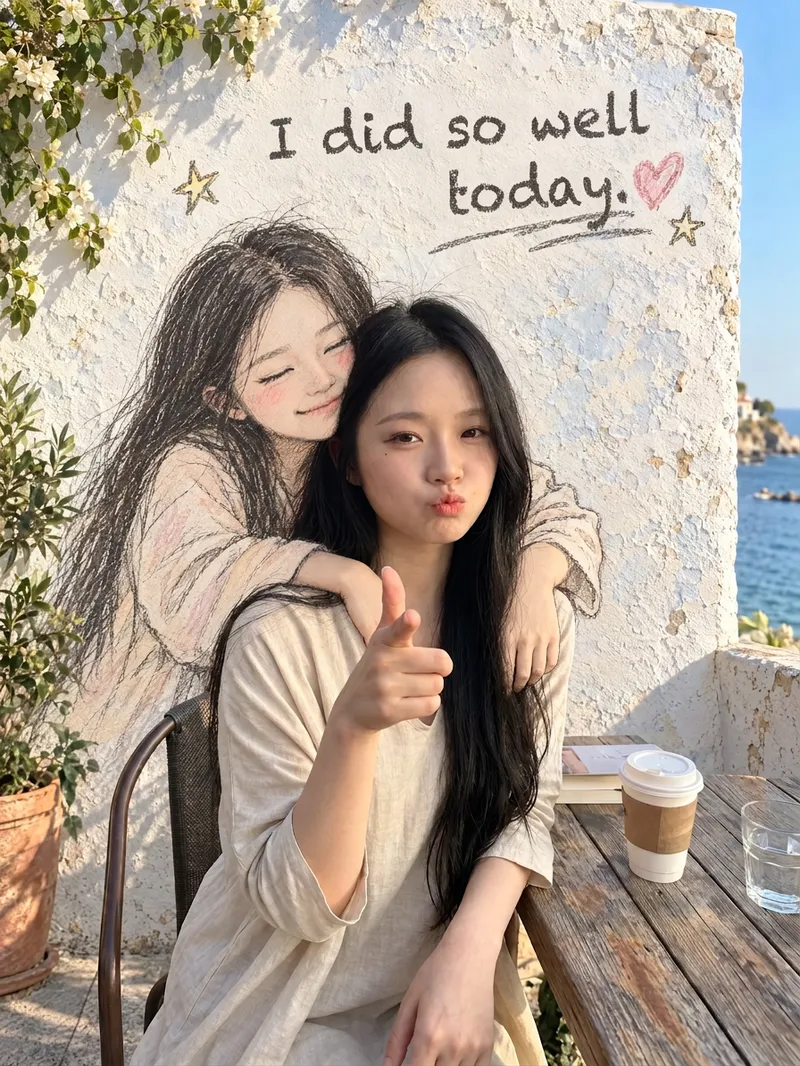
Upload a portrait photo and generate a viral "my sketched self hugs me" wall-art portrait with a native-language handwritten caption, 8 wall styles, 6 sketch styles, default 3:4. Upload one portrait photo and get a viral "my sketched self hugs me" wall-art portrait with a native-language handwritten caption, 8 wall styles, 6 sketch styles, default 3:4. Wall styles (8): exposed concrete, weathered street cement, white plastered wall, light brick wall, dark chalkboard wall, pastel macaron wall, graffiti street wall, warm sunset yellow wall. Sketch styles (6): pencil, charcoal, pen and ink, watercolor pencil, chalk doodle, comic lines. Default aspect ratio is 3:4, adjustable to 1:1, 4:5, 2:3, 9:16, 16:9.
 Image
Science Illustration Series
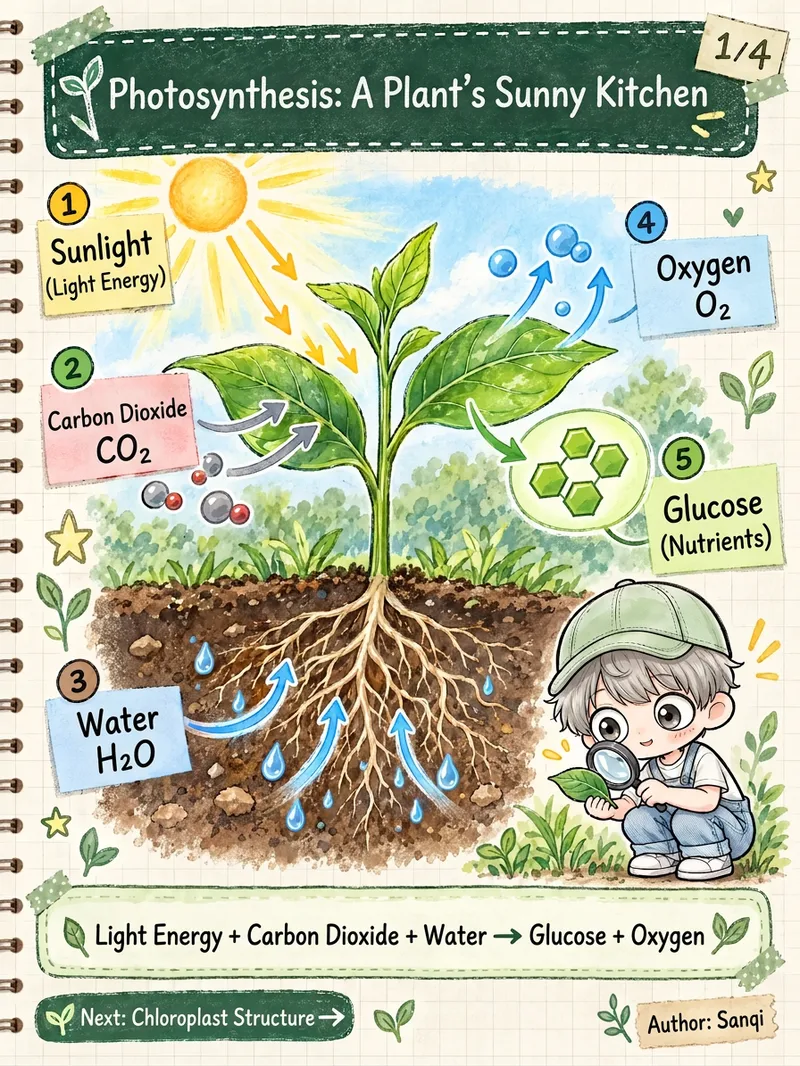
This skill takes a single topic and delivers a complete set of ready-to-publish science infographics rather than isolated single images. What it can do: - Automated series planning: Overview -> Structure -> Principle -> Connections and Summary. Each image covers one clear point, complete with page numbers, unified color palettes, and "Next" previews. - Fact-checking before drawing: Organizes a fact checklist first, verifying process order, arrow directions, and spatial orientation. Uncertain numbers are omitted or marked as "approximate" rather than guessed. - Multilingual localization: Supports Simplified Chinese, Traditional Chinese, Japanese, Korean, English, Spanish, French, German, Portuguese, and more. It rewrites content naturally for local audiences rather than direct translation, adapting terminology, punctuation, and grade-level labels. - Unified style: Cream-colored notebook paper, dark green chalkboard headers, washi tape, sticky notes, hand-drawn annotations, and realistic scientific illustrations. Pastel and dark chalkboard variants are also available. - IP-free by default: Keeps visuals clean. To add a mascot, simply upload a character image or text description to keep the character consistent across the entire set. - Aspect ratios: Default is 3:4, with support for 9:16, 4:5, 1:1, and 16:9. - Model matching: Defaults to top-tier image quality settings, switchable for strong consistency, pure Chinese output, or fast drafts. - Exportable prompts: Complete prompts for each image can be copied directly for use in other tools. Best for: - Science graphic creators on platforms like Instagram, TikTok, and Xiaohongshu - Teachers and educational institutions making slide decks, review cards, and knowledge posters - Global creators managing multilingual accounts - Content teams looking to batch-produce science series Suitable topics: - Human body and health (circulation, digestion, immunity, sleep), biology and nature, physics and chemistry, earth and universe, history and culture, tech and AI basics. Notes: - Health content is for educational purposes only and does not constitute medical advice, diagnosis, or dosage instructions; local-language disclaimers will appear on the graphics. - AI image generators may occasionally make errors with small text, so the skill checks images one by one with automatic retries. A final review before publishing is recommended. - Generates 3-4 images at a time; additional content can be created as a second series.
 Video
Virtual Try-On Video Generator
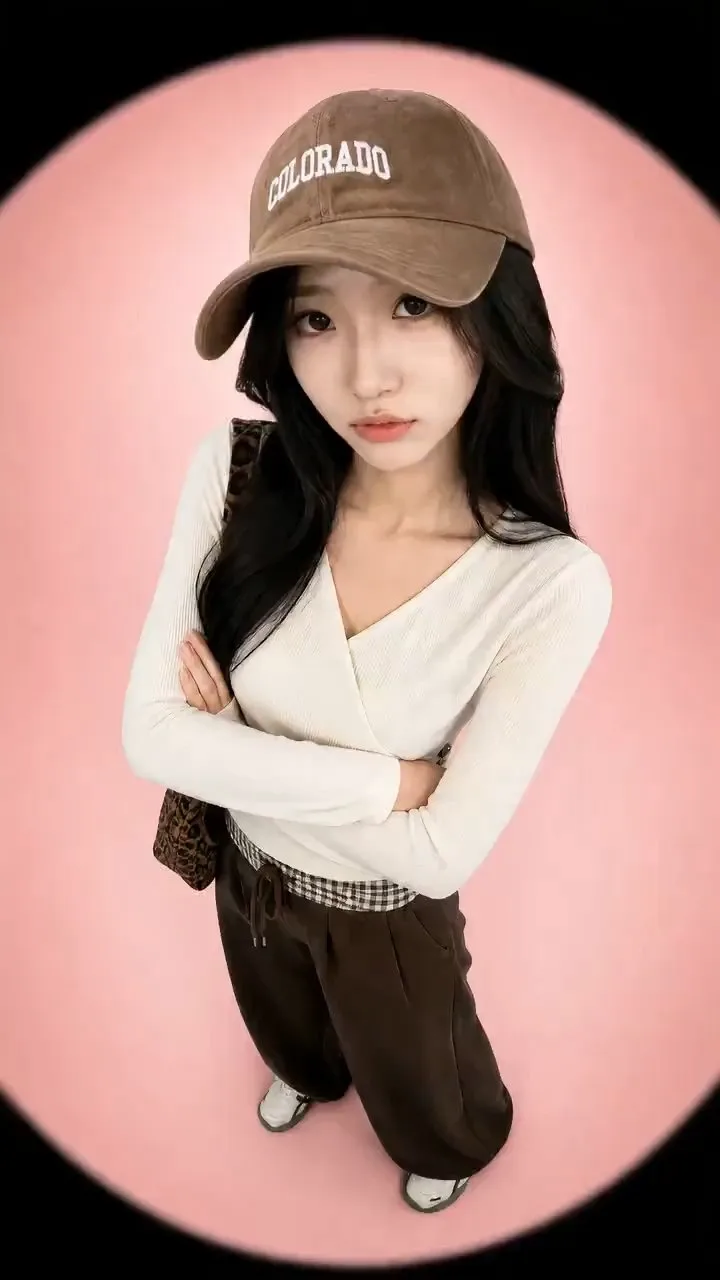
[Target Audience]: Apparel store owners, fashion bloggers, shopping short video creators, brand new arrivals, and transformation content for platforms like Xiaohongshu and Douyin. [Features]: Consistent face and accurate clothing colors: each outfit is independently generated using "character + that outfit" 6 mature styles, plus support for custom scenes Automatically matches YouMind's image and video models, defaulting to the most stable combination Generates images first, waits for your confirmation, then generates videos to save video credits [Styles or Scenes]: 1. Fisheye Glare: circular fisheye + flare jump cuts, trendy, fast, eye-catching 2. Magazine Editorial: neutral grey background + slow push-in + cross dissolve, high texture 3. Street Snap Camera: street walking + whip pan outfit change, authentic lifestyle feel 4. Retro Film: grain + date stamp + film burn edges, nostalgic and artistic 5. Beat Sync Transformation: fixed camera + snap/spin instant outfit change, great with music 6. Selfie Vlog: front phone camera perspective + hand-covering-lens outfit change, great for product recommendations · Defaults to style 1 if unselected; you can also write "I want something like a Japanese magazine style" or "in a coffee shop", etc. [One-Sentence Summary]: You just need to upload a portrait photo (or skip it, and a matching model will be automatically generated) and 3 to 6 clothing images, then choose a style: Fisheye Glare, Magazine Editorial, Street Snap Camera, Retro Film, Beat Sync Transformation, or Selfie Vlog, or directly describe your desired scene. It first profiles each piece of clothing, locks in the same character, and then sequentially generates final look images, storyboard keyframes, and video clips, finally providing an editing and transition list accurate to the second. Every step can be confirmed and redone individually without starting over from scratch.
 Image
3D Pixar Avatar
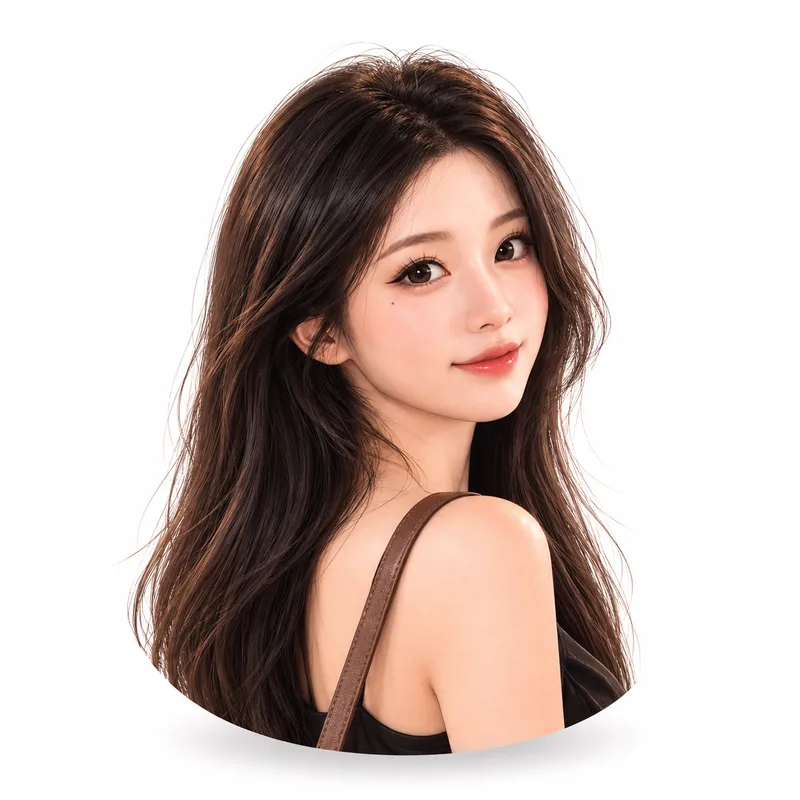
What it can do: Accurately restores your likeness: facial structure, features, hairstyle, hair color, expression, and orientation are all preserved so friends instantly recognize you. Details like glasses, earrings, necklaces, and clothing are kept and converted into a Pixar texture. Features big eyes, delicate skin, and strand-by-strand 3D hair that is cute and refined without being exaggerated. Presented as a bust-up portrait on a white background with the subject centered, generous padding around, and a gently curved bottom edge with a soft shadow, looking like a floating avatar sticker. Who it is for: - Anyone looking to update their profile picture on social platforms - Content creators who need a consistent personal branding image - Anyone wanting to create a thoughtful 3D avatar gift for friends, family, or couples