9-Grid Visual Plan
Lock the light, color, and layout first
9-Grid Visual Plan
Lock the light, color, and layout first
Showcase
Description
Each of the nine images looks fine on its own, but together they look like they were made by nine different people—that’s the most common way a 9-grid layout fails. The problem is rarely that any single image looks bad. It’s that the nine images lack consistent lighting, color, and composition.【9-Grid Visual Plan】doesn’t just provide nine attractive images; it defines the relationships between them: first set one unifying theme, then assign each image a role (Image 1: hook; 2–4: development; Image 5: turning point; 6–8: payoff; Image 9: closing), and lock in the “three elements of consistency”—the same lighting (fixed direction and softness), the same color palette (with a 60/30/10 ratio and one specified color that cannot change across the nine images), and the same composition (consistent subject placement and scale). Each image includes a prompt you can copy directly for generation, specifying the subject, position, lighting, camera distance, and aspect ratio, along with the text-overlay position and character limit. Strict rules: no images are generated; no text may appear anywhere in the image (AI-generated Chinese text can be garbled and cannot be edited); no portraits of real celebrities; no existing cartoon, anime, game, or film characters; no imitation of a specific blogger or brand’s 9-grid style; and no promises of more likes or followers.
Recommended by
Dancang
Why we love this skill
Fixes nine-grid sets that look good individually but fall apart together by locking in roles, pacing, lighting, color, and composition.
Best for
Content creators and social media managers who need a cohesive, clearly sequenced 9-grid visual plan.
How to use this Skill
Provide your input
Provide the use case, core theme, must-have elements, and desired overall mood for the 9-grid layout.
Run the Skill
Organize the nine images by sequence and role, unify the lighting, color palette, and composition, and write image prompts with text-overlay placement suggestions.
Review your result
Get a complete 9-grid visual plan with a theme, roles for all nine images, consistency guidelines, and copy-ready image prompts; no images are generated, and prompts contain no text.
Related Skills
View all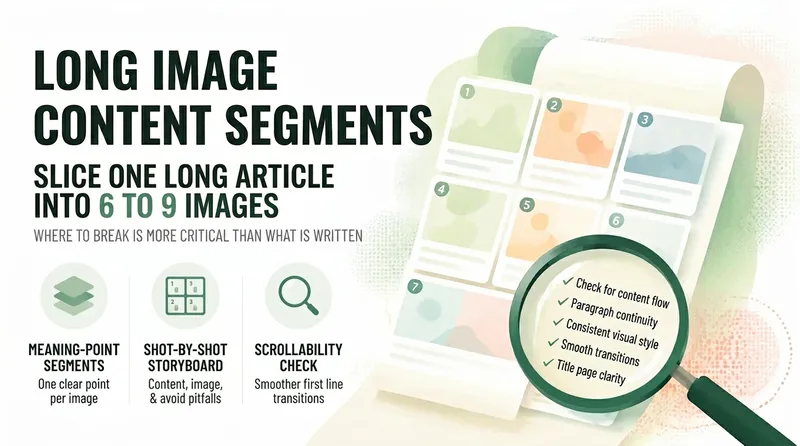 Image
Long-Form Carousel Splitter
Long posts rarely get read to the end, so everyone wants to split them into slides—but most people split them the wrong way: dividing by word count leaves every slide feeling like a mini essay, the first slide gives away the conclusion and stops people from swiping, and the last slide burns goodwill with a forced follow prompt. 【Long-Form Carousel Splitter】doesn’t split by word count. It splits by "how many complete ideas there are": one idea per slide, with fewer slides preferred over more. So it may first tell you, "This piece is really only enough for 7 slides," instead of forcing it into nine. It then provides a slide-by-slide storyboard: what each slide covers, which sentences to include (with word counts), visual requirements, and the most common mistake to avoid on that slide. The first slide only needs to make people stop, with the minimum necessary information. The last slide only needs to leave them with one memorable line, not a summary. It also includes a practical swipeability check: read the first line of each slide together as a standalone passage. If it sounds like a complete sentence, the breakpoints are probably right. Hard rules: It does not generate images, put text in visuals, rewrite the original copy for you, include any existing IP characters, imitate the layout of a specific account, or promise completion rates.
 Image
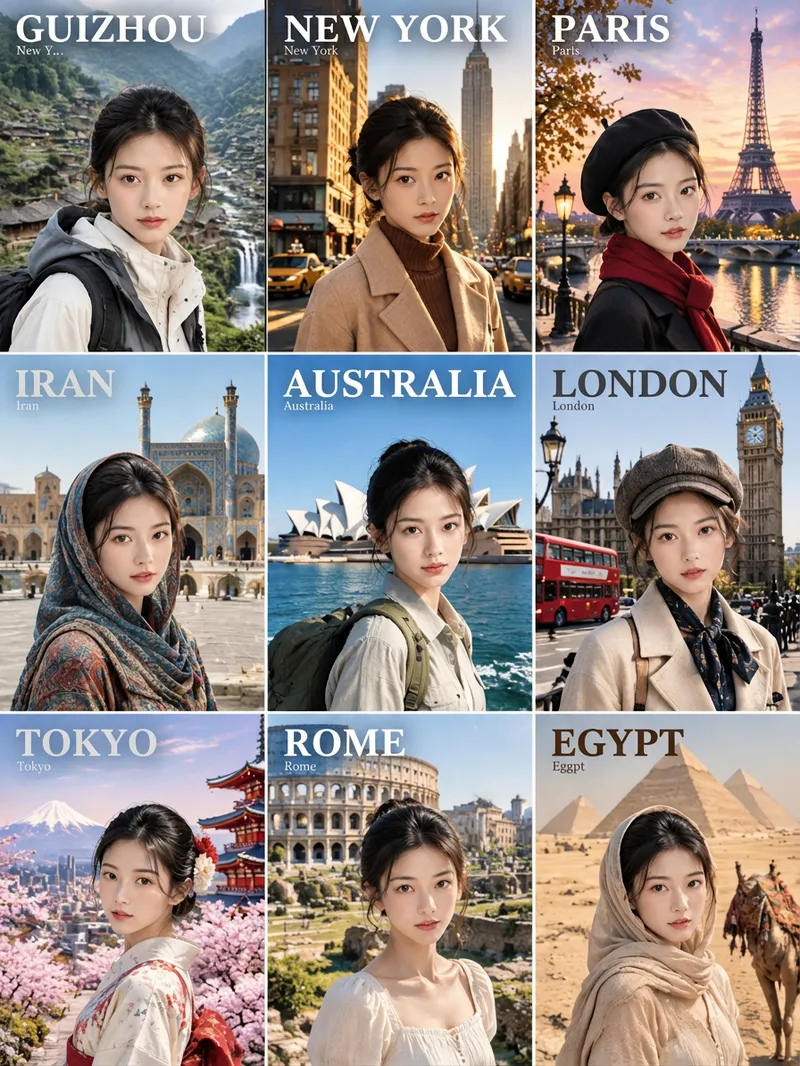
9-Grid Travel Portraits
Punk style, phone wallpaper, and social media ready. Combine a portrait photo with a real location to generate multi-style portraits that preserve facial structure while accurately depicting real landmarks. By default, it outputs a 3:4 nine-grid containing nine styles: traditional costume, retro backlit qipao, oil painting, magazine cover, punk, mosaic, time travel, vintage dress, and realistic travel. It can also output single images or custom styles, with support for specified landmarks, aspect ratios, and text languages (default is text-free). It calls Nano Banana Pro by default, with inpainting and panel-by-panel review. Have you ever wondered what you would look like standing beneath the Xi'an City Wall, by the West Lake in Hangzhou, or in the Old Town of Lijiang? ✦ Still you: facial features, hairstyle, and vibe remain consistent, with only clothing, art style, and lighting changing ✦ Accurate landmarks: realistic architectural forms without generic substitutes ✦ Flexible choices: generate a 9-grid all at once, or pick your favorite styles individually
 Image
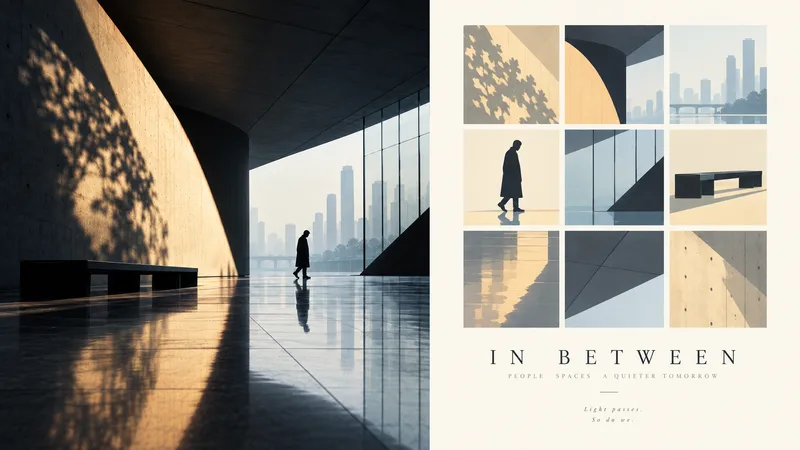
Soft 9-Grid P186 xiaoxiaodong
Suitable for personal photo organization, independent publishing, exhibition exercises, and lifestyle visual creations. Even images with ordinary compositions, cluttered backgrounds, or small subjects can have their focus reestablished through reduction, rearrangement, cropping, and changes in scale—rather than simply applying a filter. The overall look combines a nine-grid matrix, flat color blocks, strong geometric divisions, a warm-white paper surface, generous negative space, and poetic editorial typography to create a refined visual effect. Whether the subject is a person, building, animal, plant, object, vehicle, or natural landscape, the nine units should maintain a consistent visual language and help viewers reconnect with the photo’s central theme through these geometric fragments, rather than presenting a set of mechanically duplicated thumbnails.
Information
- Version
- v2
- Last updated
- Runtime credits
- Usage-based
- Models
- Auto
- Use cases
- Writing & contentImages & design
- What you get
- BriefPromptPlan
