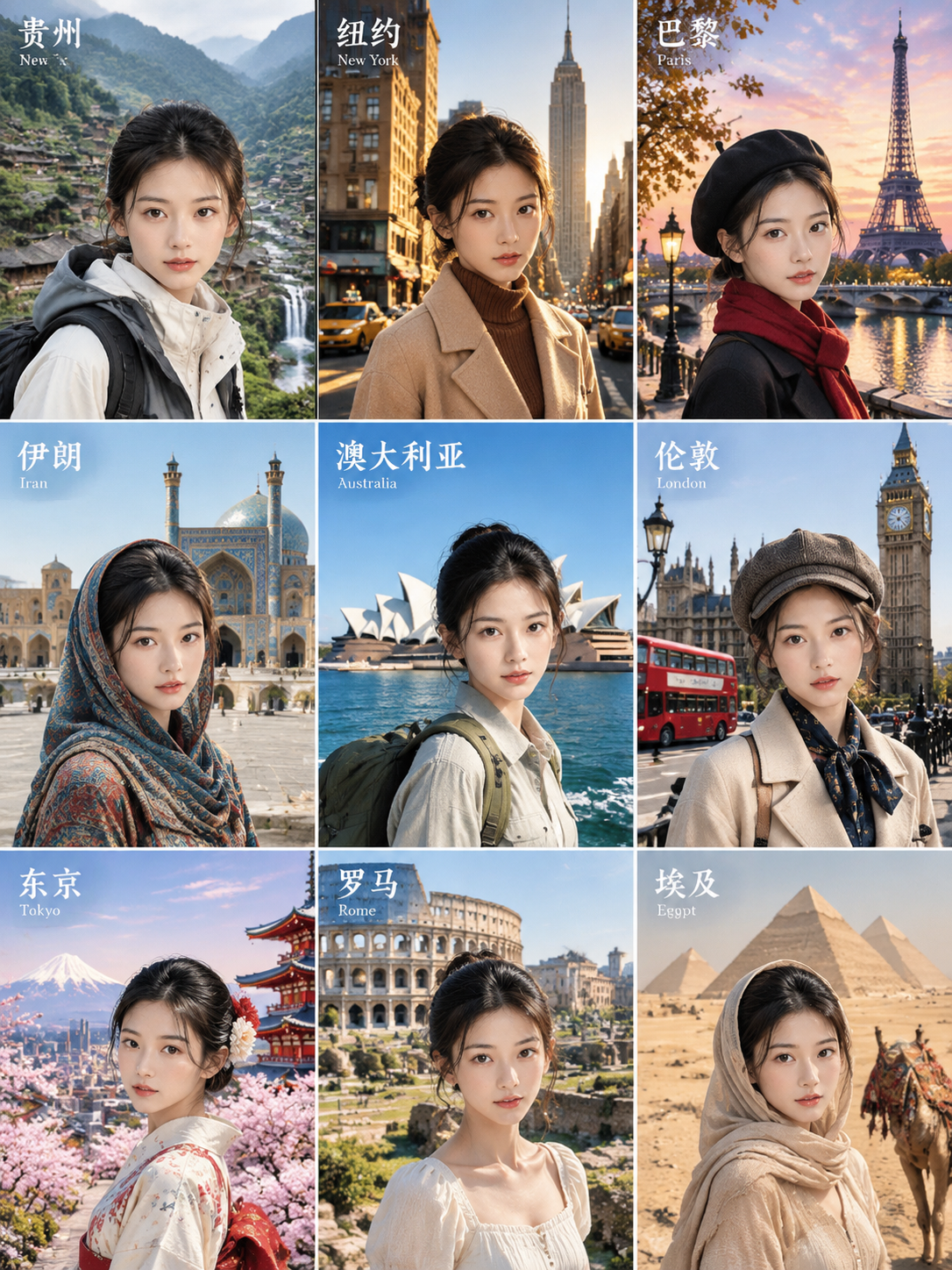
9-Grid Travel Portraits
Photo + place, 9 styles of portraits
9-Grid Travel Portraits
Photo + place, 9 styles of portraits
Showcase
Description
Punk style, phone wallpaper, and social media ready. Combine a portrait photo with a real location to generate multi-style portraits that preserve facial structure while accurately depicting real landmarks. By default, it outputs a 3:4 nine-grid containing nine styles: traditional costume, retro backlit qipao, oil painting, magazine cover, punk, mosaic, time travel, vintage dress, and realistic travel. It can also output single images or custom styles, with support for specified landmarks, aspect ratios, and text languages (default is text-free). It calls Nano Banana Pro by default, with inpainting and panel-by-panel review. Have you ever wondered what you would look like standing beneath the Xi'an City Wall, by the West Lake in Hangzhou, or in the Old Town of Lijiang? ✦ Still you: facial features, hairstyle, and vibe remain consistent, with only clothing, art style, and lighting changing ✦ Accurate landmarks: realistic architectural forms without generic substitutes ✦ Flexible choices: generate a 9-grid all at once, or pick your favorite styles individually
Recommended by
Dancang
Why we love this skill
Transforms a single photo and location into nine regional style portraits of the same person. It goes beyond simple filters, emphasizing authentic landmark verification, consistent facial structure, and text control to produce credible, recognizable travel visuals even for lesser-known spots.
Best for
Ideal for users who want to combine portrait photos with travel destinations to create multi-style regional portraits and social media visuals.
How to use this Skill
Provide your input
Upload one or more portraits and provide a real place name. You can optionally specify landmarks, styles, output mode, aspect ratio, and text settings.
Run the Skill
Generates a 3x4 grid, single image, or multiple images by combining the person and location while applying selected styles and preserving facial identity.
Review your result
Receive a 3:4 grid or multiple stylized regional portraits featuring real landmarks and local settings, ready for sharing, wallpapers, or creative expression.
Related Skills
View all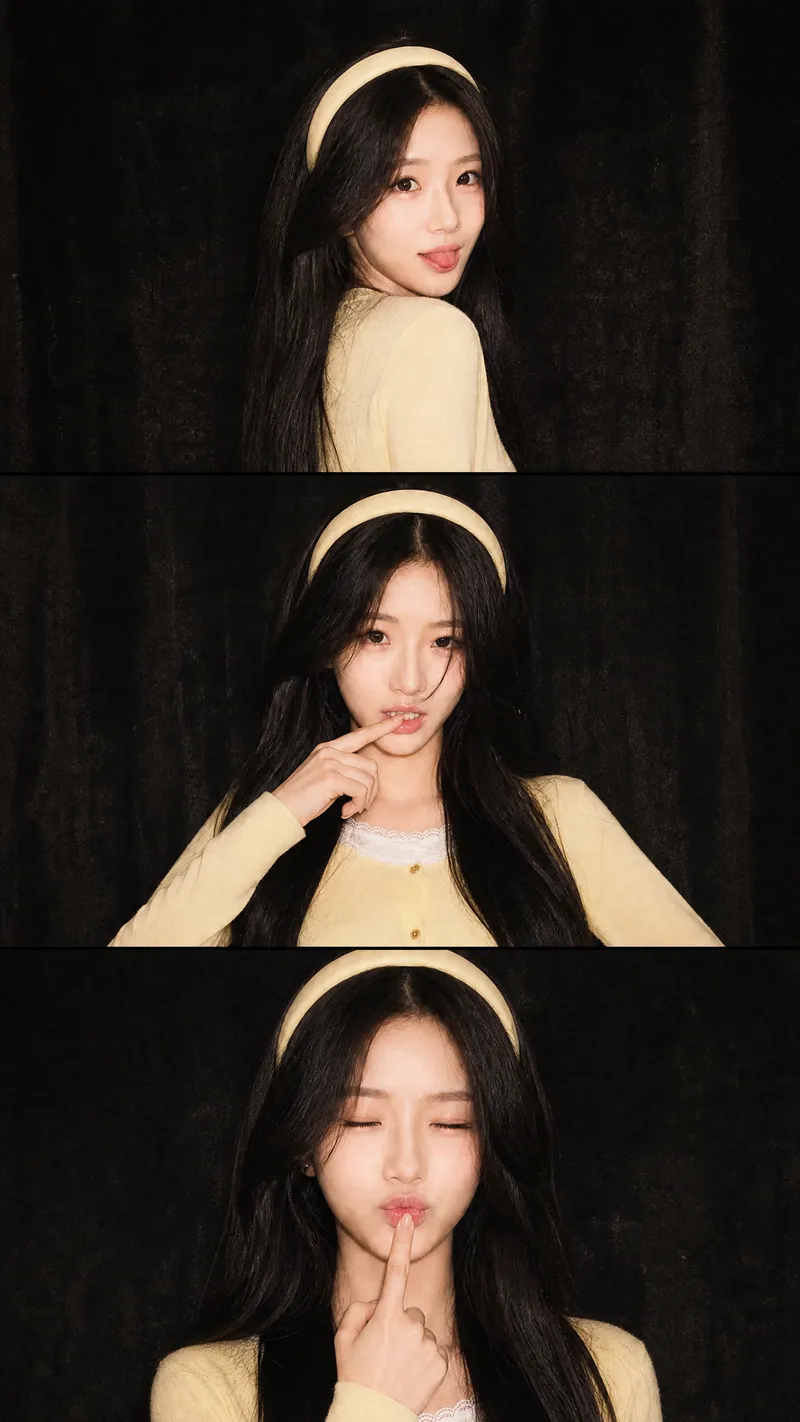 Image
Ins-Style Direct Flash Trio
Just upload a single portrait photo to generate a three-panel vertical photo collage of the same person featuring a black backdrop, on-camera direct flash, 2000s retro fashion magazine texture, dark tones, a laid-back vibe, and an edgy style. Default three-panel poses: · Top panel: Looking back over the shoulder, playfully sticking out the tongue · Middle panel: Index finger pulling the corner of the mouth, rebellious gaze · Bottom panel: Closed eyes and pouting, fingertips against the lips Core highlights: · Facial consistency: Strictly preserves facial features, face shape, and hairstyle/color across all three panels as the same person without face-swapping or distortion · Outfit retention: By default, uses the clothing from the uploaded photo, or can be customized · Realistic texture: Warm direct flash highlights, high-contrast shadows, and subtle film grain while preserving real skin texture · Flexible adjustments: Default is 9:16, changeable ratios, and customizable poses, backgrounds, nails, and accessories · Clean visuals: No text, watermarks, or logos Great for social media avatars, Moments and Xiaohongshu grid materials, personal photo shoots, and stylized portraits.
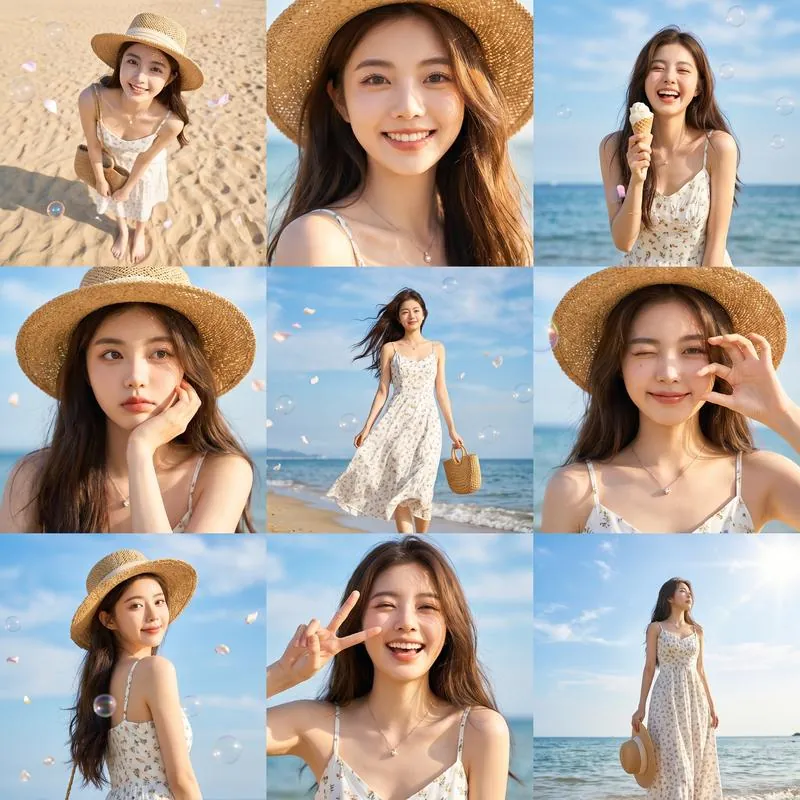
3x3 Photo Collage
Want to create a unique 3x3 photo collage for a specific character? This tool makes it easy. Simply provide the person's gender and approximate age, then choose from eight curated styles — from 'Spring Floral Whispers' and 'Midsummer Light and Shadow' to 'Vintage Film' and 'Dreamy Portrait' — to infuse your photos with seasonal charm or artistic flair. Based on the character info and selected style, we'll intelligently generate detailed image creation instructions. These instructions precisely describe the person's clothing, pose, and overall vibe, with careful attention to detail to ensure professional composition and visual impact. Finally, combined with a reference photo you upload, we'll use advanced AI image generation to create your personalized 3x3 collage. Whether for social media sharing or as a unique avatar wall, it perfectly showcases the character's appeal and makes your photo display stand out.
 Image
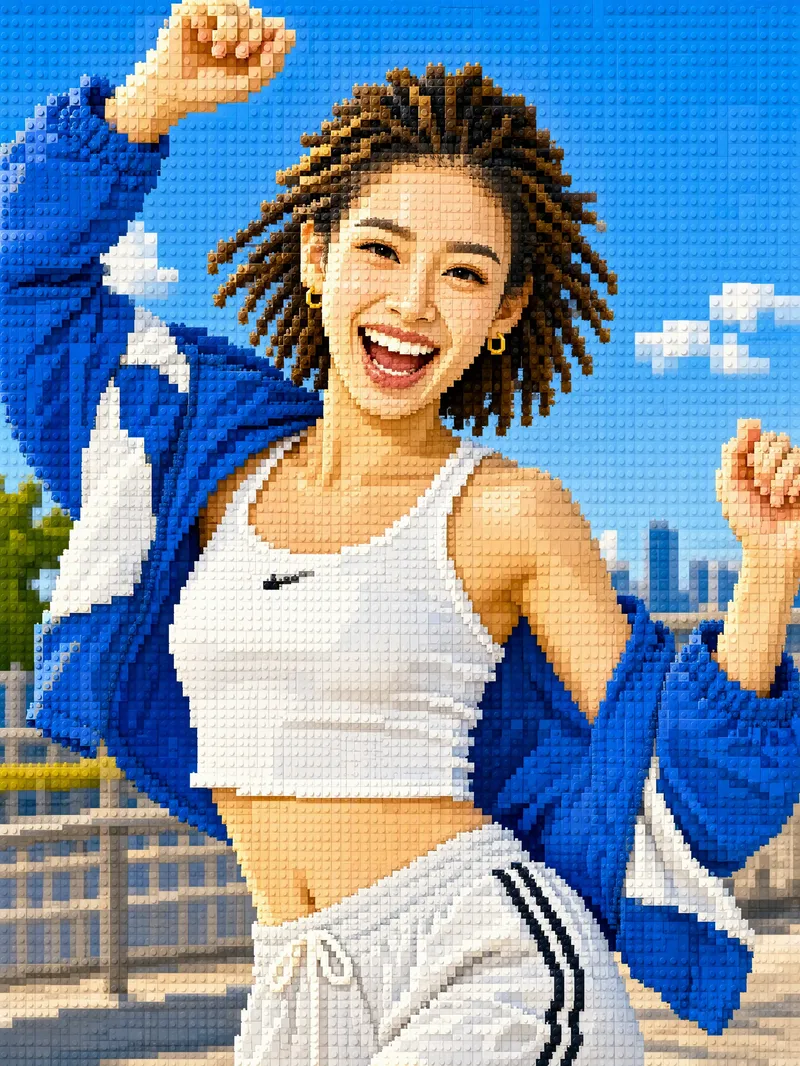
Turn Photos into Mosaic Art
Mosaic transformation magic: reassemble your photo into a work of mosaic art. 12 styles: pixel blocks, tiles, ancient Roman mosaic, stained glass, honeycomb hexagons, polka dots, LEGO, cross-stitch, low-poly, gold leaf, 8-bit, and paper-cut collage. Choose a style, or let it automatically create a combination with the greatest differences. True to your appearance: faces and key areas are recreated with finer color blocks, while the composition, pose, and clothing stay the same—it's still clearly the same person at a glance. Choose any aspect ratio: 3:4 by default, or switch to 1:1, 9:16, 16:9, and more. Choose the number of images: generate 1 to 9 at a time, each in a different style with the same subject. Works across models: ready to use with mainstream image-generation models. Great for profile pictures, social media covers, short-video covers, personal IP visuals, and custom gift artwork.
Information
- Version
- v3
- Last updated
- Runtime credits
- Usage-based
- Models
- Auto
- Use cases
- Images & designLifestyle & entertainment
- What you get
- Image
- Visual styles
- RetroFuturisticOil painting
