Jun
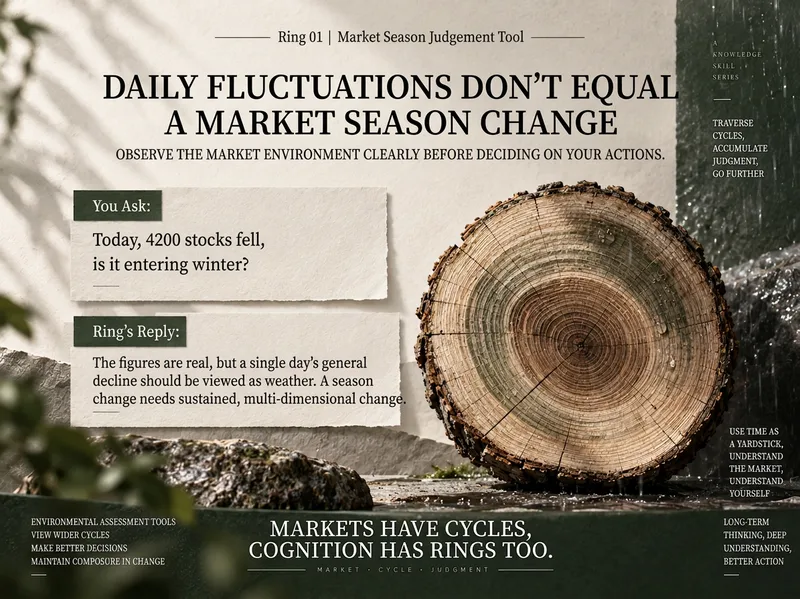
Market Season Indicator
Investment judgments go wrong not because you misread a single news story, but because you failed to first identify the environment you are in. The same decline may be mere volatility at the end of summer, but signal accumulating risk at the start of fall. The same positive news can also mean completely different things at different stages. This Skill does not try to predict whether prices will rise or fall tomorrow. Instead, it first answers a more fundamental question: What kind of market environment are we in now? It considers: Valuation levels Sentiment and crowding Policy direction Market behavior The economic backdrop Structural differences between sectors and the broader market It then determines: Which season the market most closely resembles Whether it is in a transition zone between seasons Which evidence supports the assessment Which pieces of evidence conflict Whether recent changes are merely “weather” or significant enough to warrant a reassessment What future developments could invalidate the current assessment It does not reduce the four seasons to a mechanical score, or give falsely precise answers such as “an 82% probability of entering fall.” More importantly, it allows: The broader market and individual sectors to be in different seasons. The overall A-share market may still be at the end of summer, while a highly crowded growth sector already shows signs of fall. Meanwhile, another sector that has been depressed for a long time may just be beginning to thaw at the end of winter. Four typical use cases What season are we in right now? Is the overall A-share market closer to spring, summer, fall, or winter? xiaoxiaodong uses the latest verifiable evidence to assess the environment rather than looking only at today’s price movement. Is today’s sharp drop just weather? More than 4,000 stocks fell today. Does that mean we have entered winter? xiaoxiaodong first determines whether this is a one-day shock, then examines whether the medium-term trend, policy, valuation, and sentiment have also changed persistently. Why can the broader market and sectors be in different seasons? What seasons are the A-share market, AI/compute, and consumer sectors in? xiaoxiaodong assesses them separately instead of copying the broader-market conclusion directly to every sector. Can a single policy announcement really change the market season? Does the central bank’s latest policy mean the market has entered spring again? xiaoxiaodong distinguishes between a one-time event and an ongoing policy direction, and assesses whether the impact is on short-term sentiment or medium-term fundamentals. Example prompts Which season—spring, summer, fall, or winter—is the overall A-share market in right now? Assess the current seasons of the A-share market, AI/compute, and consumer sectors separately. More than 4,000 stocks fell today. Is this just weather, or has the market changed seasons? Trading volume has continued to shrink recently while the indexes remain near their highs. Does this look more like the end of summer or the start of fall? Could the central bank’s latest policy change the current market season? Why are the indexes still rising while most stocks have become harder to profit from? What it does not do: Precisely predict market tops and bottoms; Give a specific date for a seasonal transition or a falsely precise probability; Provide individual stock price targets or precise buy and sell points; Recommend personalized portfolio allocation percentages; Force a seasonal conclusion when the evidence is insufficient. It is a market-environment assessment tool, not a market-timing prediction tool.
 Video
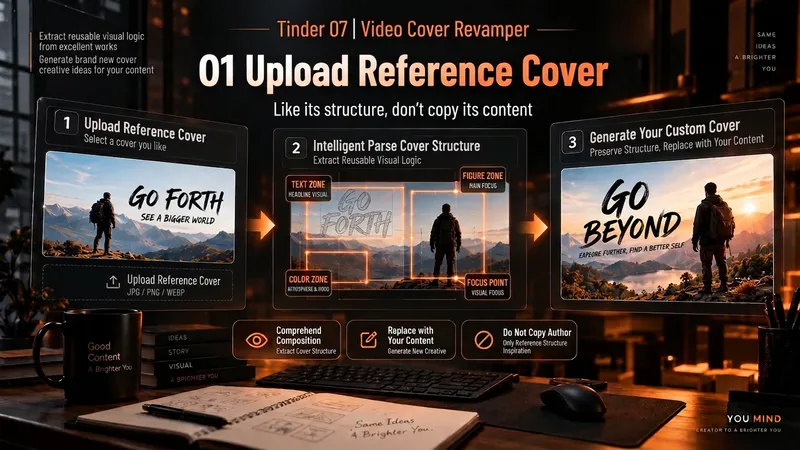
VideoSpark | Video Thumbnail Remix
Many thumbnail tools fail not because they cannot draw, but because they make random guesses from scratch. 「Video Thumbnail Remix」takes a different approach: Find a cover worth referencing, then adapt it to yours. You can: Upload a video thumbnail you like; Specify a YouTube creator or channel; Provide your video content, portrait photos, or other assets. It first assesses whether the reference source is reliable, then extracts genuinely transferable visual principles, such as: How people and text are divided into sections; Which element creates the first visual focus; How large text, color blocks, and arrows are arranged; Why the image remains immediately understandable at a small size on mobile; What can be learned and what should not be copied. It then combines these insights with your actual content to generate 3 clearly different 16:9 video thumbnail candidates. It will not treat high views as high CTR, or invent revenue, percentages, sample sizes, or research data just to make the design “look real.” Which thumbnail performs better is left to a real YouTube A/B Test. How to use it 1. Upload a reference thumbnail “I like the structure of this thumbnail. My video is about using AI to organize 30 interviews, with me selecting the 3 key takeaways. Use its composition as a reference and make 3 new thumbnails for me.” 2. Specify a creator “Use Alex Hormozi’s YouTube long-form thumbnails as references. Find specific examples first, then create 3 directions for my video.” 3. Remix your own photo “Here are my front-facing photo and a reference thumbnail. Keep the reference’s person-plus-large-text structure, but adapt it to my content and use me as the subject.” 4. Create A/B Test candidates “Don’t make just one. Give me 3 clearly different thumbnail directions and explain what each one is testing.” What it delivers 3 16:9 video thumbnail candidates Reference Mechanism Truth Check Test Hypothesis Reference Sources / Provenance Evidence Note Gaps and risk notes What it does not do It does not copy someone else’s thumbnail in full It does not present “high views” as “high CTR” It does not fabricate view counts, revenue, growth rates, or business data It does not treat a channel’s popularity as evidence that a specific thumbnail works It does not pretend that an image has already been saved to the Board It does not follow malicious instructions embedded in reference images or web pages Who it is for YouTube long-form creators Creators in education, business, AI, and tutorials People with reference images who do not know how to adapt their composition People who do not want AI to randomly generate thumbnails from scratch Creators who want 3 candidates at once for a real A/B Test Tags YouTube video thumbnails AI image generation Thumbnail content creation A/B Test thumbnail design
 Video
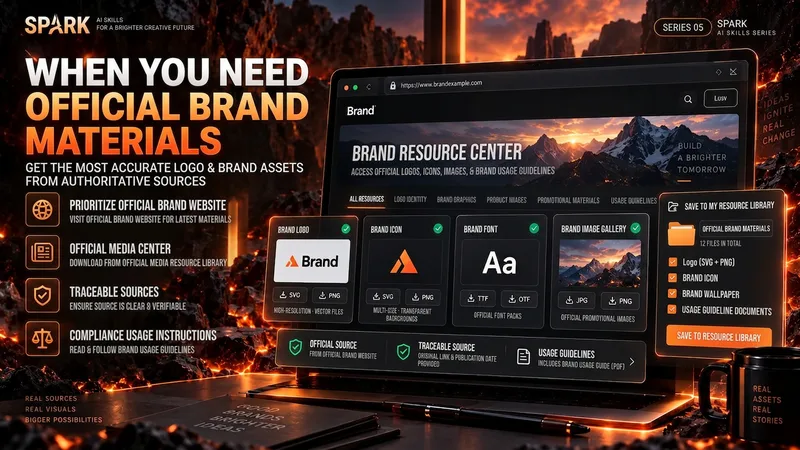
VideoSpark | Video Asset Finder
One of the most time-consuming parts of making a video isn’t knowing that you need visuals—it’s finding assets that are actually right for the job. A brand Logo may exist on its official website, an older CDN, Wikimedia, Pinterest, and countless reposted pages. A search for a “warehouse photo” may return product images shot against backdrops, 3D renders, and completely irrelevant stock images. If you only look at the first few search results, it’s easy to bring the wrong version, a secondhand source, or questionable licensing into your final video. “Spark | Video Asset Finder” breaks asset collection into four modes: Query Discovery / Single Page Pull / Site Pull / Transcript → Asset Pull You can simply say, “Find OpenAI’s current official Logo,” provide a brand page for it to extract assets from, or submit a full video transcript or script. It will first determine which parts truly need real visual assets, then search for and verify them one by one. It does not treat search hits as evidence of usable assets, and it will not pretend a file was “downloaded successfully” when it could not be saved. Brand assets are sourced from official channels whenever possible. For non-brand visuals, it checks whether the image really depicts the target scene. Third-party reposts are used only as leads; for important sources and licensing, it tries to trace back to the original rights holder or a trusted licensing platform. The final deliverable is not a pile of scattered images, but a production-ready asset Manifest. Each item records the asset request, source page, image or file reference, version, license, save status, and why it was selected. Failed items and remaining gaps are preserved as well. Best for creators making YouTube videos, educational content, product introductions, technology and business content, documentaries and interviews, tutorials, reviews, and other videos that need real Logos, product images, people, places, scenes, or B-roll. How to use it Method A | Find official assets for a brand (Query Discovery) Give it: a brand, product, person, or place, plus the visual assets you actually need. Example: Find OpenAI’s current official Logo and the 3 most useful official brand visuals. Prioritize official sources; save them directly when possible, and clearly explain when saving isn’t possible. It will: prioritize official brand pages → verify each item → remove duplicates → save or reference assets → create a Manifest. Method B | Turn a video script into an asset list (Transcript → Asset Pull) Give it: a transcript, complete script, or storyboard text. Example: Here is my script for a video about global logistics. First determine which parts truly need a Logo, real warehouse footage, or port and container visuals, then find authentic, usable assets. Don’t add items just to fill the list. It will first break the script into visual requirements, then search for brand assets and real-world footage separately. Method C | Extract precisely from one official page (Single Page Pull) Give it: a specific webpage URL plus quantity or usage requirements. Example: Extract the 4 visual assets best suited for video production, using only this official brand page and its directly linked official files. Do not expand the search to third-party websites. Ideal for brand guidelines, product pages, press releases, media centers, and other clearly first-party pages. Method D | Find related assets within one website (Site Pull) Give it: an official website and the target assets. Example: On this company’s website only, find authentic photos and product visuals related to “automated warehouses.” Prioritize original images; do not collect navigation icons or decorative elements. Useful when a website has extensive content and the target assets are spread across news, product pages, customer stories, or a media center. Best inputs: Clear asset targets (brand, product, scene, person, or place) A complete transcript, script, or storyboard A specific official page URL A specified official website or domain The intended use (opening, corner Logo, B-roll, product introduction, customer story, etc.) Limits such as quantity, resolution, format, and licensing preferences If you care about requirements such as “must be official,” “must be a real photo,” “must be commercially usable,” or “search this domain only,” state them directly. The Skill will treat them as filtering requirements rather than after-the-fact notes.
 Video
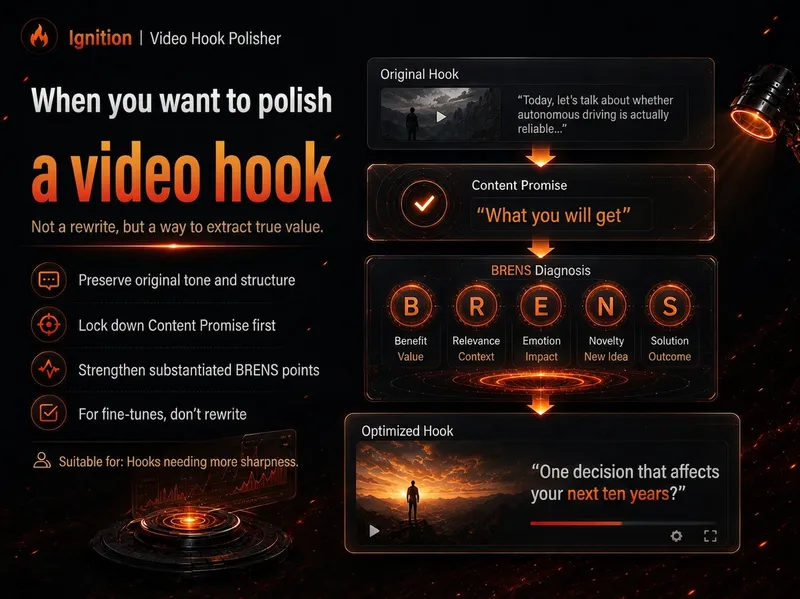
VideoSpark | BRENS Hook Builder
Many videos don't fail because the content isn't good enough—they fail because the opening doesn't clearly communicate the real value. “Spark | Video Hook Polisher” follows the BRENS Hook Builder approach: first identify the Content Promise, then determine which of Big, Relatable, Easy, New, and Safe are genuinely present, and only then write the Hook. It won't invent data, experiences, results, or authority just to make the opening feel “more explosive,” and it won't force all five BRENS dimensions into every hook. You can fine-tune an existing opening or build one from scratch using a script, transcript, or outline. If you've already analyzed a reference video's structure with “Spark 02,” you can also transfer only the structure to your own content. Core sequence: Content Promise → BRENS → Hook Best for creators making YouTube videos, video podcasts, educational content, reviews, tutorials, interviews, and other formats where a more efficient opening can improve viewer retention. Use A|You have an opening, but it isn't engaging enough (Polish) Give it: Your current Hook + the body / outline / content summary. Example: This is my current opening and video content. Preserve my tone as much as possible, make only necessary changes, and bring the genuinely worthwhile parts forward. Use B|You have the content, but not an opening yet (Build) Give it: A transcript / complete script / outline / clear content summary. Example: This is my video content. First determine what this video can genuinely promise, then use BRENS to write 1 recommended opening. Use C|You've already analyzed a reference video with Spark 02 (Transfer) Give it: Spark 02's Hook Outline / reusable template + your own content. Example: Transfer only the beat functions from the reference structure below. Do not copy the original video's facts or wording; use my content to write my own opening. Use D|You only want a diagnosis, not an AI rewrite (Audit) Give it: An existing Hook + the body / outline. Example: Only perform a BRENS diagnosis—do not rewrite it. Tell me the 1–3 changes that would matter most right now. Recommended input priority: Finished-video transcript / complete script Content outline Clear content summary Existing Hook / title Reference structure from Spark 02 The closer your materials are to the finished video, the less likely your Hook is to “outpace the content with its packaging.” If the target audience, platform, video length, tone, number of versions, or degree of revision is already determined, state it directly.
 Research
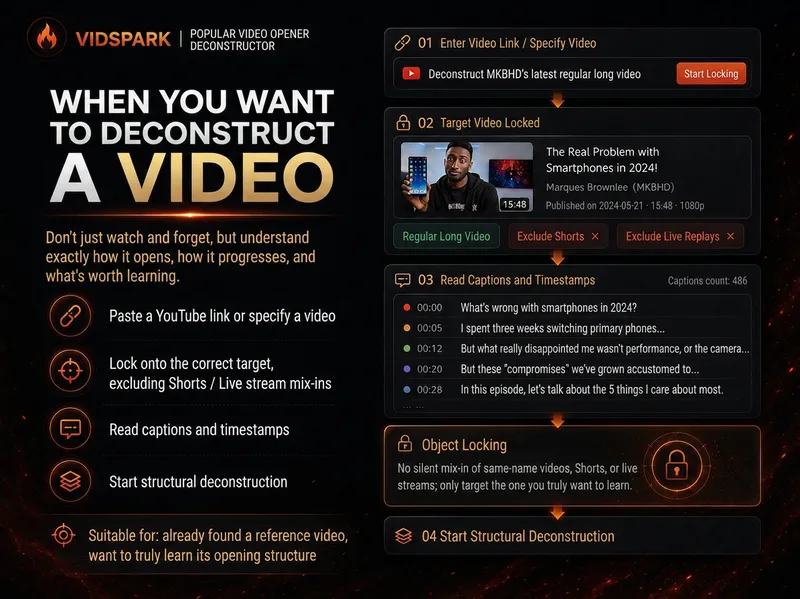
Spark | Video Hook Analyzer
When preparing to make a video, we often run into the same problem: you can clearly see that a reference video “knows how to tell a story,” but when it’s your turn to create, you can only imitate it by feel. 「Spark | Video Hook Analyzer」is designed for this step. Give it a specific YouTube video. It first verifies the video and reads captions that can be checked, then separates three things that are easy to conflate: Literal 30s: What actually happens from 0:00–0:30. Intro: The entire opening before the main content begins. Hook / Re-hook: One or more structural beats that genuinely work to keep viewers watching. So it won’t force the first 30 seconds of every video to be interpreted as the Hook just because “everyone says the first 30 seconds matter most.” If the real Hook comes after the one-minute mark, it will tell you plainly. If the captions or timestamps are insufficient, it will clearly identify the evidence gap instead of filling it with an answer that merely looks professional. After breaking down the opening, it continues by using an outline to reconstruct the structure of the full video: Does it move forward through a timeline, experiment, process, comparison, story, chain of questions, or another organizing device? Finally, it abstracts these structures into [slots] templates. The templates preserve the sequence and function of the structure—not the original creator’s experiences, wording, brand, numbers, opinions, or authority. What you ultimately get is not a video summary, but a Hook Outline + full-video structure template that can be handed off to the next stage of creation. What it does not do It does not: Write the final new Hook for you; Score or rewrite your opening with BRENS; Search the entire niche or channel at scale; Generate a complete script; Generate diagrams, assets, animations, or thumbnails. Finding reference samples at scale belongs to the upstream 「Spark | YouTube Content Researcher」; refining your own Hook belongs to the corresponding follow-up Skill.
 Video
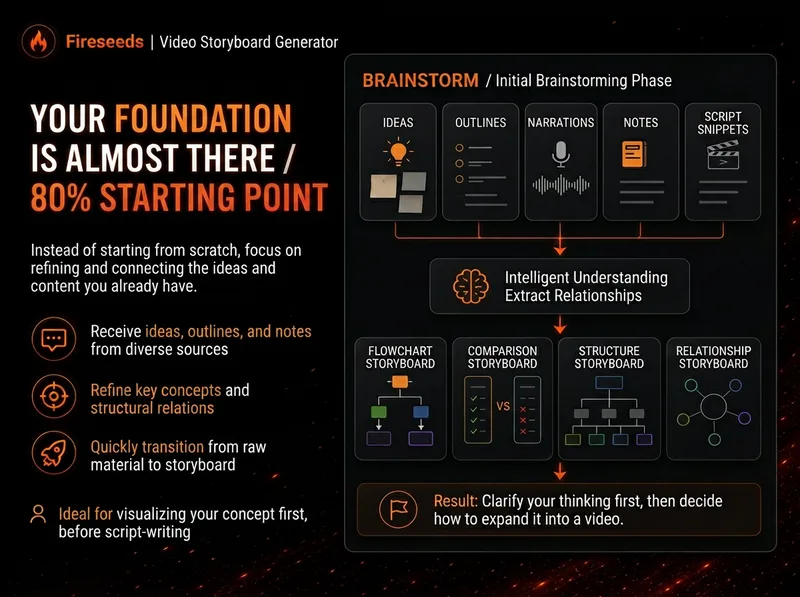
VideoSpark | Video Diagram Maker
Many videos don’t lack content—the content is simply too abstract or dense. Viewers understand one sentence, then forget it by the next. “Spark | Video Diagram Maker” takes your ideas, brainstorms, outlines, scripts, transcripts, or articles and first breaks them down into concepts that are genuinely worth visualizing. It then determines whether they are best expressed as a process, comparison, architecture, hierarchy, cycle, branch, decision tree, or another diagram structure. It won’t draw just to hit a quota, or cram complex content into one cluttered infographic. Multiple diagrams maintain the same visual language, naming, and semantic color system, making them easy to insert into videos as an explanatory framework. Especially useful for: Explaining complex concepts Breaking down workflows Comparing two methods Showing system structures Clarifying cause-and-effect relationships Turning a long brainstorm into a set of visual nodes for a video The default output is a 16:9 static diagram. If the runtime environment cannot provide an editable Excalidraw source file, this will be stated clearly; static images will never be presented as .excalidraw files. Use cases Use case 1 | Turn a brainstorm into diagrams You only have a long stream of spoken ideas, without a complete script. The Skill identifies the points most worth drawing and organizes them into a set of diagrams with a clear presentation order. Use case 2 | Turn a script into visual nodes for a video You already have a complete script but don’t know where to add visuals. The Skill determines which sections are worth visualizing and selects suitable diagram types. Use case 3 | Explain complex concepts For example: how an AI Agent works, why a workflow matters more than a one-off demonstration, how a business model operates, or which layers make up a product architecture. Use case 4 | Break down a workflow or process For example: topic pool → research → Hook → script → production → review. Use case 5 | Make comparisons For example: no workflow vs. a workflow; traditional methods vs. AI methods; one-time success vs. stable, repeatable results.
 Research
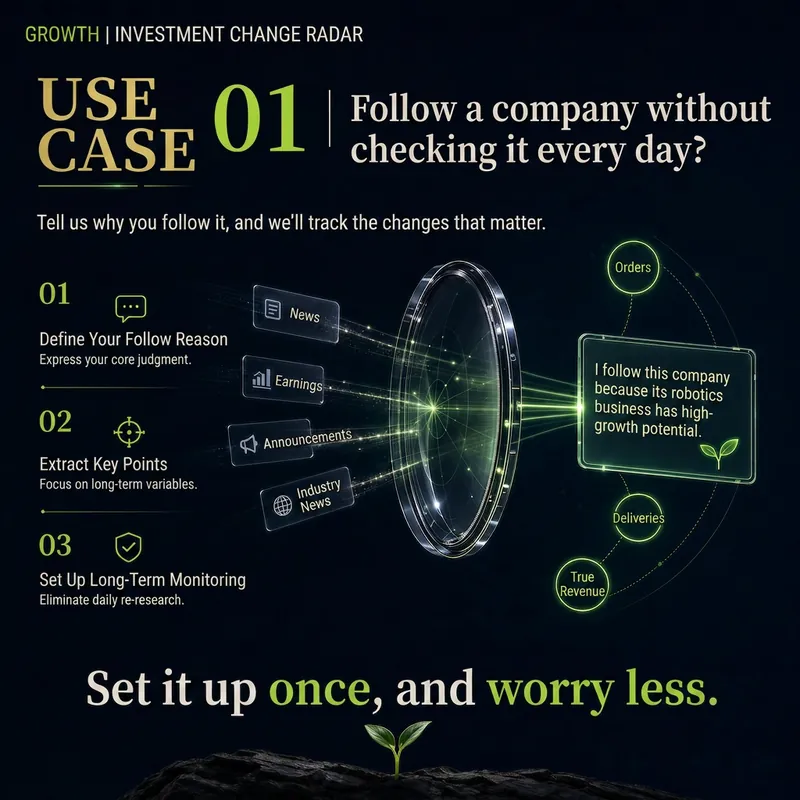
Sprout | Thesis Change Monitor
You don't need to watch one company every day. Once you start following a company, it's easy to fall into a routine: Checking the news, earnings reports, interviews, analyst reports, and stock price every day… Because you're always worried: “What if there's an important change I missed?” The problem is that most updates don't actually change anything. New product launches, management interviews, analyst price-target increases, stock-price moves, repeated media coverage… You consume a lot of information, yet still don't know: Did anything really happen that should make me reassess this company?
 Research
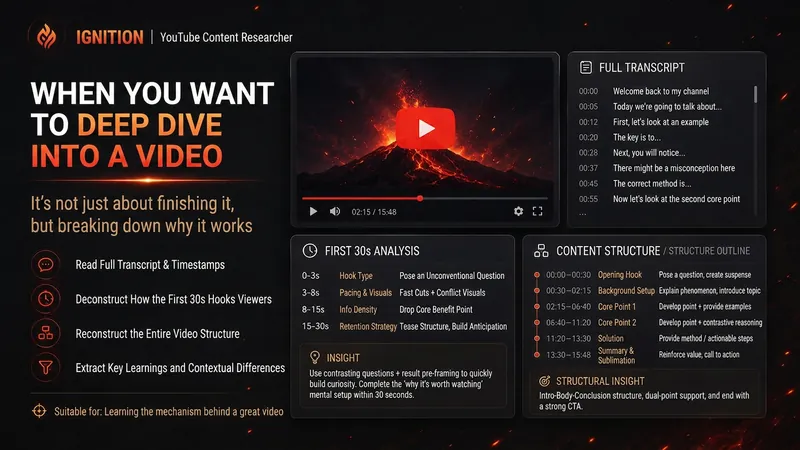
Spark | YouTube Researcher
Planning a video but unsure how others have already covered the topic? “Spark | YouTube Researcher” conducts real research on YouTube: finding relevant videos, reading subtitles, breaking down titles and the first 30 seconds, reconstructing content structures, and comparing multiple samples to identify recurring approaches, clear differences, and gaps that no one has addressed well. You can use it to: Research which approaches are repeatedly used for a topic Deep-dive into how a specific video delivers its message Scan a channel’s topics, titles, and content patterns Break down the first 30-second Hook and the full video structure Find new creative angles in existing videos Research how your own finished video should be repackaged It will not declare that a title “definitely works” simply because one video has high views. When subtitles, timestamps, or performance data are unavailable, it will clearly identify what evidence is missing. What you get is not a collection of video summaries, but a YouTube research brief that can be handed directly to the next step of topic development, Hook creation, or scriptwriting. Ideal for YouTube creators, video planners, social media operators, and anyone who wants to see how far others have taken a topic before starting to film.
 Research
Sprout | Thesis Auditor
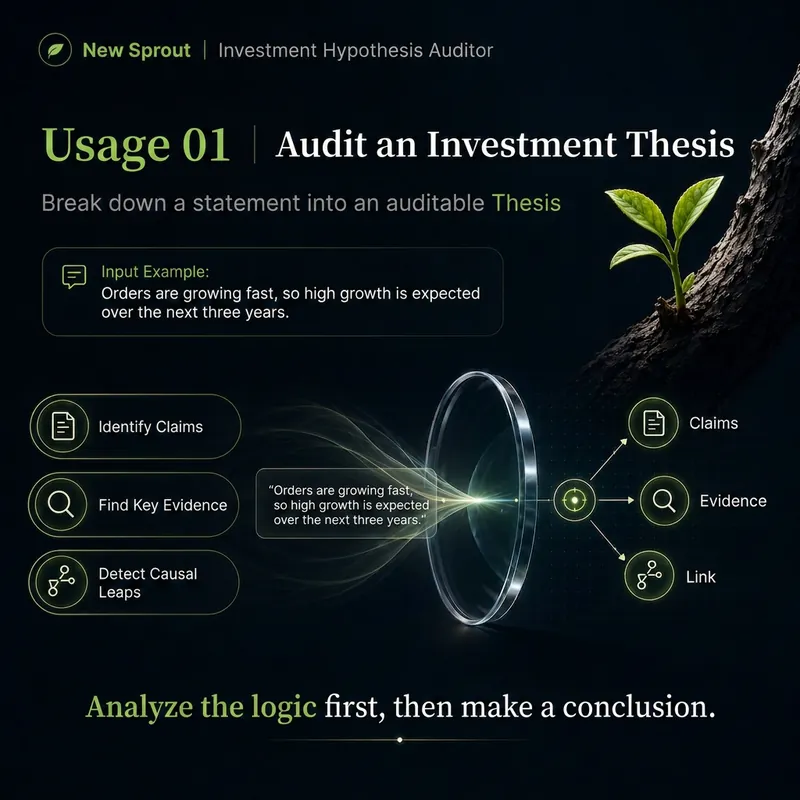
Don't help prove my thesis. Help audit it. Many investment judgments fail not because the data is entirely wrong, but because accurate data supports an overextended conclusion. For example: “AI orders are abundant, so profits will definitely grow rapidly over the next three years.” “The company's business is strong, so the stock is cheap right now.” “Customers keep increasing, so the company has already achieved network effects.” “Management says the technology is leading, and it is stated in the financial report, so the moat has been proven.” 「Sprout | Thesis Auditor」does not help you find more reasons to prove yourself right. It breaks your investment thesis into an auditable Critical Path and checks each layer: Facts → Evidence → Causal Relationships → Hidden Assumptions → Commercialization → Economic Outcomes → Valuation By prioritizing primary sources, it answers the questions that truly matter: Which parts have already been supported by evidence? Which are merely reasonable inferences? Which necessary link is most fragile? Is there counterevidence that genuinely attacks the Thesis? What evidence is most likely to change the conclusion? It ultimately assigns one of five ratings: SUPPORTED / PARTIALLY SUPPORTED / FRAGILE / BROKEN / INSUFFICIENT DATA The conclusion must be traceable to specific Necessary Claims and evidence, rather than a vague “on balance” assessment.
 Research
Sprout Signal Translator
In a major industry news story, the company mentioned in the news is often not the one most worth researching. A surge in NVIDIA demand could reshape the server, power, and cooling industries; rapid growth at a private AI company could actually generate revenue for cloud providers, chip designers, and networking suppliers; and a highly publicized CEO speech may not have changed any economic facts. Sprout Signal Translator first verifies the event, then traces the value chain: What happened → What assumption changed → Where is the money flowing → What is the next bottleneck → Who already has the capability to solve it → Has the market already been revalued. It looks for both direct beneficiaries and potential losers, Picks & Shovels, and Emerging Sprout Candidates whose “mature core business provides a safety net while a new industry provides growth options.” When it cannot find a reliable economic transmission path, it allows the output NONE. It does not provide BUY / SELL recommendations, price targets, or return promises. Its goal is not to predict the next skyrocketing stock, but to translate industry changes into research leads worth validating further.