Spark | Video Hook Analyzer
Map reference videos into reusable structures
Spark | Video Hook Analyzer
Map reference videos into reusable structures
Showcase
Description
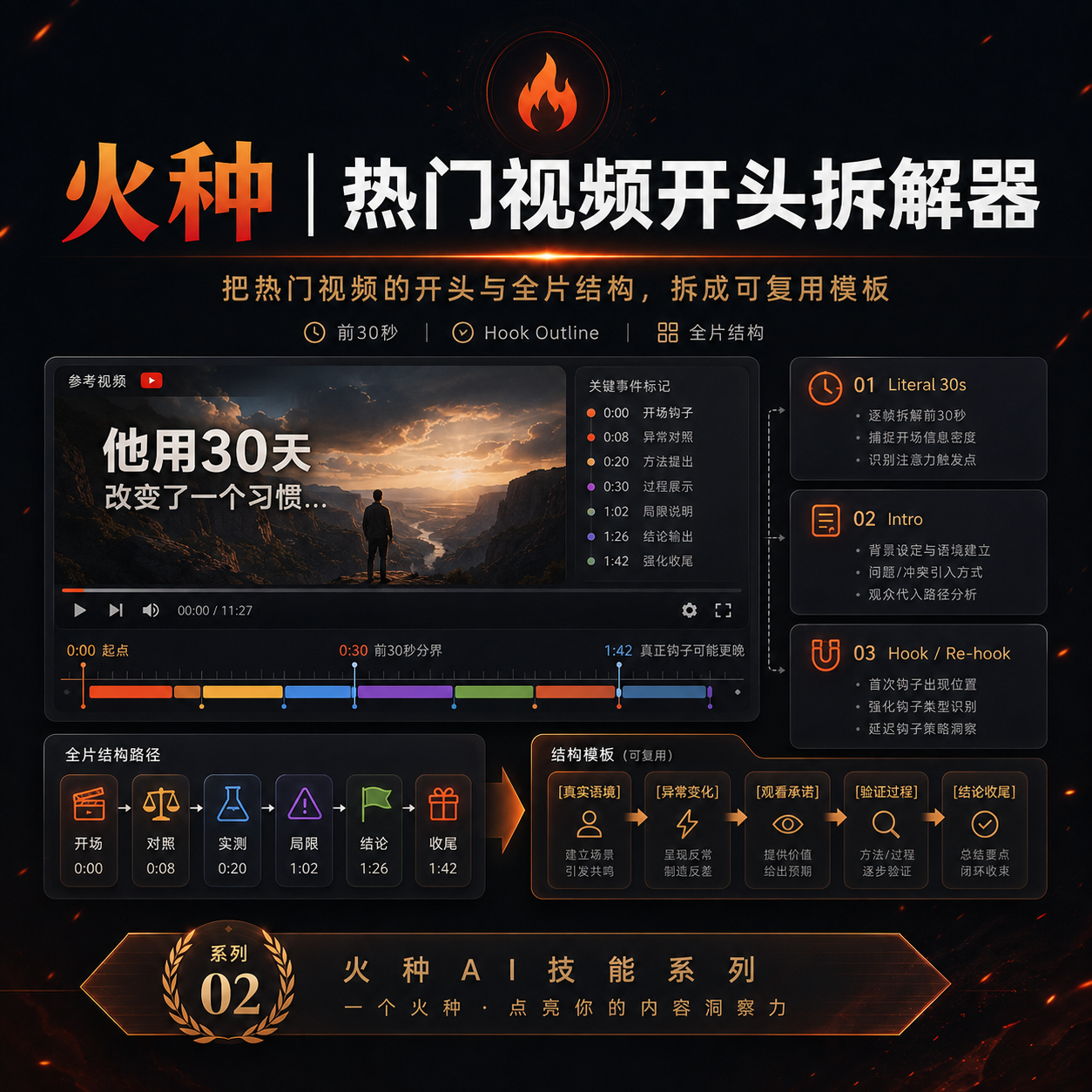
When preparing to make a video, we often run into the same problem: you can clearly see that a reference video “knows how to tell a story,” but when it’s your turn to create, you can only imitate it by feel. 「Spark | Video Hook Analyzer」is designed for this step. Give it a specific YouTube video. It first verifies the video and reads captions that can be checked, then separates three things that are easy to conflate: Literal 30s: What actually happens from 0:00–0:30. Intro: The entire opening before the main content begins. Hook / Re-hook: One or more structural beats that genuinely work to keep viewers watching. So it won’t force the first 30 seconds of every video to be interpreted as the Hook just because “everyone says the first 30 seconds matter most.” If the real Hook comes after the one-minute mark, it will tell you plainly. If the captions or timestamps are insufficient, it will clearly identify the evidence gap instead of filling it with an answer that merely looks professional. After breaking down the opening, it continues by using an outline to reconstruct the structure of the full video: Does it move forward through a timeline, experiment, process, comparison, story, chain of questions, or another organizing device? Finally, it abstracts these structures into [slots] templates. The templates preserve the sequence and function of the structure—not the original creator’s experiences, wording, brand, numbers, opinions, or authority. What you ultimately get is not a video summary, but a Hook Outline + full-video structure template that can be handed off to the next stage of creation. What it does not do It does not: Write the final new Hook for you; Score or rewrite your opening with BRENS; Search the entire niche or channel at scale; Generate a complete script; Generate diagrams, assets, animations, or thumbnails. Finding reference samples at scale belongs to the upstream 「Spark | YouTube Content Researcher」; refining your own Hook belongs to the corresponding follow-up Skill.
Recommended by
nene@YouMind
Why we love this skill
Evidence-first analysis that separates the first 30 seconds, Intro, Hook, and full-video structure, then turns real opening beats into reusable templates without guessing or copying.
Related Skills
View all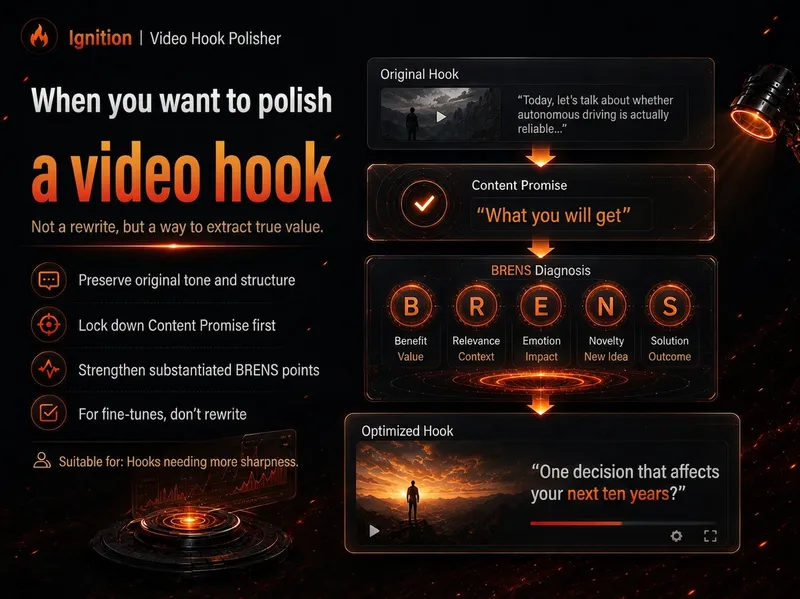 Video
VideoSpark | BRENS Hook Builder
Many videos don't fail because the content isn't good enough—they fail because the opening doesn't clearly communicate the real value. “Spark | Video Hook Polisher” follows the BRENS Hook Builder approach: first identify the Content Promise, then determine which of Big, Relatable, Easy, New, and Safe are genuinely present, and only then write the Hook. It won't invent data, experiences, results, or authority just to make the opening feel “more explosive,” and it won't force all five BRENS dimensions into every hook. You can fine-tune an existing opening or build one from scratch using a script, transcript, or outline. If you've already analyzed a reference video's structure with “Spark 02,” you can also transfer only the structure to your own content. Core sequence: Content Promise → BRENS → Hook Best for creators making YouTube videos, video podcasts, educational content, reviews, tutorials, interviews, and other formats where a more efficient opening can improve viewer retention. Use A|You have an opening, but it isn't engaging enough (Polish) Give it: Your current Hook + the body / outline / content summary. Example: This is my current opening and video content. Preserve my tone as much as possible, make only necessary changes, and bring the genuinely worthwhile parts forward. Use B|You have the content, but not an opening yet (Build) Give it: A transcript / complete script / outline / clear content summary. Example: This is my video content. First determine what this video can genuinely promise, then use BRENS to write 1 recommended opening. Use C|You've already analyzed a reference video with Spark 02 (Transfer) Give it: Spark 02's Hook Outline / reusable template + your own content. Example: Transfer only the beat functions from the reference structure below. Do not copy the original video's facts or wording; use my content to write my own opening. Use D|You only want a diagnosis, not an AI rewrite (Audit) Give it: An existing Hook + the body / outline. Example: Only perform a BRENS diagnosis—do not rewrite it. Tell me the 1–3 changes that would matter most right now. Recommended input priority: Finished-video transcript / complete script Content outline Clear content summary Existing Hook / title Reference structure from Spark 02 The closer your materials are to the finished video, the less likely your Hook is to “outpace the content with its packaging.” If the target audience, platform, video length, tone, number of versions, or degree of revision is already determined, state it directly.
 Research
Spark | YouTube Researcher
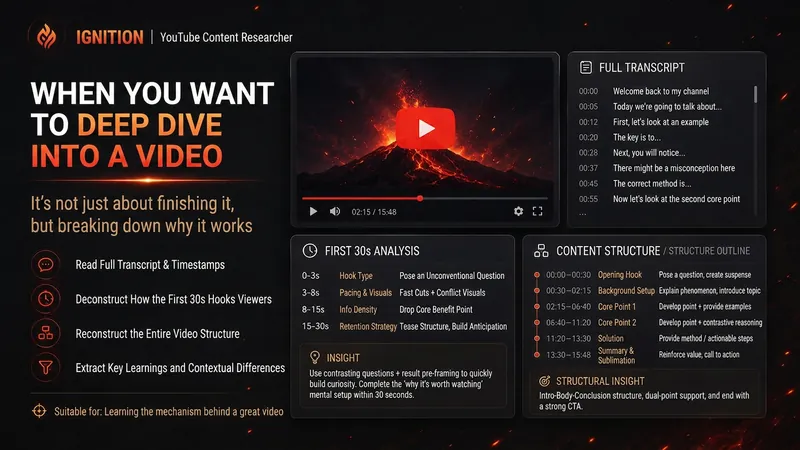
Planning a video but unsure how others have already covered the topic? “Spark | YouTube Researcher” conducts real research on YouTube: finding relevant videos, reading subtitles, breaking down titles and the first 30 seconds, reconstructing content structures, and comparing multiple samples to identify recurring approaches, clear differences, and gaps that no one has addressed well. You can use it to: Research which approaches are repeatedly used for a topic Deep-dive into how a specific video delivers its message Scan a channel’s topics, titles, and content patterns Break down the first 30-second Hook and the full video structure Find new creative angles in existing videos Research how your own finished video should be repackaged It will not declare that a title “definitely works” simply because one video has high views. When subtitles, timestamps, or performance data are unavailable, it will clearly identify what evidence is missing. What you get is not a collection of video summaries, but a YouTube research brief that can be handed directly to the next step of topic development, Hook creation, or scriptwriting. Ideal for YouTube creators, video planners, social media operators, and anyone who wants to see how far others have taken a topic before starting to film.
 Video
VideoSpark | Video Asset Finder
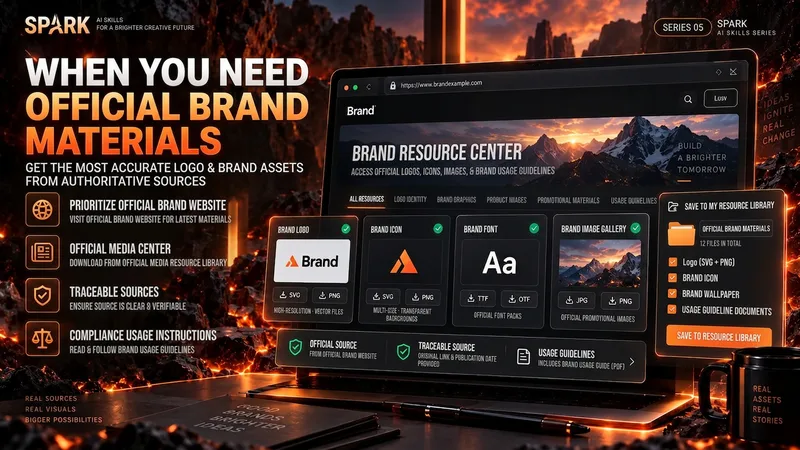
One of the most time-consuming parts of making a video isn’t knowing that you need visuals—it’s finding assets that are actually right for the job. A brand Logo may exist on its official website, an older CDN, Wikimedia, Pinterest, and countless reposted pages. A search for a “warehouse photo” may return product images shot against backdrops, 3D renders, and completely irrelevant stock images. If you only look at the first few search results, it’s easy to bring the wrong version, a secondhand source, or questionable licensing into your final video. “Spark | Video Asset Finder” breaks asset collection into four modes: Query Discovery / Single Page Pull / Site Pull / Transcript → Asset Pull You can simply say, “Find OpenAI’s current official Logo,” provide a brand page for it to extract assets from, or submit a full video transcript or script. It will first determine which parts truly need real visual assets, then search for and verify them one by one. It does not treat search hits as evidence of usable assets, and it will not pretend a file was “downloaded successfully” when it could not be saved. Brand assets are sourced from official channels whenever possible. For non-brand visuals, it checks whether the image really depicts the target scene. Third-party reposts are used only as leads; for important sources and licensing, it tries to trace back to the original rights holder or a trusted licensing platform. The final deliverable is not a pile of scattered images, but a production-ready asset Manifest. Each item records the asset request, source page, image or file reference, version, license, save status, and why it was selected. Failed items and remaining gaps are preserved as well. Best for creators making YouTube videos, educational content, product introductions, technology and business content, documentaries and interviews, tutorials, reviews, and other videos that need real Logos, product images, people, places, scenes, or B-roll. How to use it Method A | Find official assets for a brand (Query Discovery) Give it: a brand, product, person, or place, plus the visual assets you actually need. Example: Find OpenAI’s current official Logo and the 3 most useful official brand visuals. Prioritize official sources; save them directly when possible, and clearly explain when saving isn’t possible. It will: prioritize official brand pages → verify each item → remove duplicates → save or reference assets → create a Manifest. Method B | Turn a video script into an asset list (Transcript → Asset Pull) Give it: a transcript, complete script, or storyboard text. Example: Here is my script for a video about global logistics. First determine which parts truly need a Logo, real warehouse footage, or port and container visuals, then find authentic, usable assets. Don’t add items just to fill the list. It will first break the script into visual requirements, then search for brand assets and real-world footage separately. Method C | Extract precisely from one official page (Single Page Pull) Give it: a specific webpage URL plus quantity or usage requirements. Example: Extract the 4 visual assets best suited for video production, using only this official brand page and its directly linked official files. Do not expand the search to third-party websites. Ideal for brand guidelines, product pages, press releases, media centers, and other clearly first-party pages. Method D | Find related assets within one website (Site Pull) Give it: an official website and the target assets. Example: On this company’s website only, find authentic photos and product visuals related to “automated warehouses.” Prioritize original images; do not collect navigation icons or decorative elements. Useful when a website has extensive content and the target assets are spread across news, product pages, customer stories, or a media center. Best inputs: Clear asset targets (brand, product, scene, person, or place) A complete transcript, script, or storyboard A specific official page URL A specified official website or domain The intended use (opening, corner Logo, B-roll, product introduction, customer story, etc.) Limits such as quantity, resolution, format, and licensing preferences If you care about requirements such as “must be official,” “must be a real photo,” “must be commercially usable,” or “search this domain only,” state them directly. The Skill will treat them as filtering requirements rather than after-the-fact notes.
Information
- Version
- v5
- Last updated
- Runtime credits
- Usage-based
- Models
- Auto
