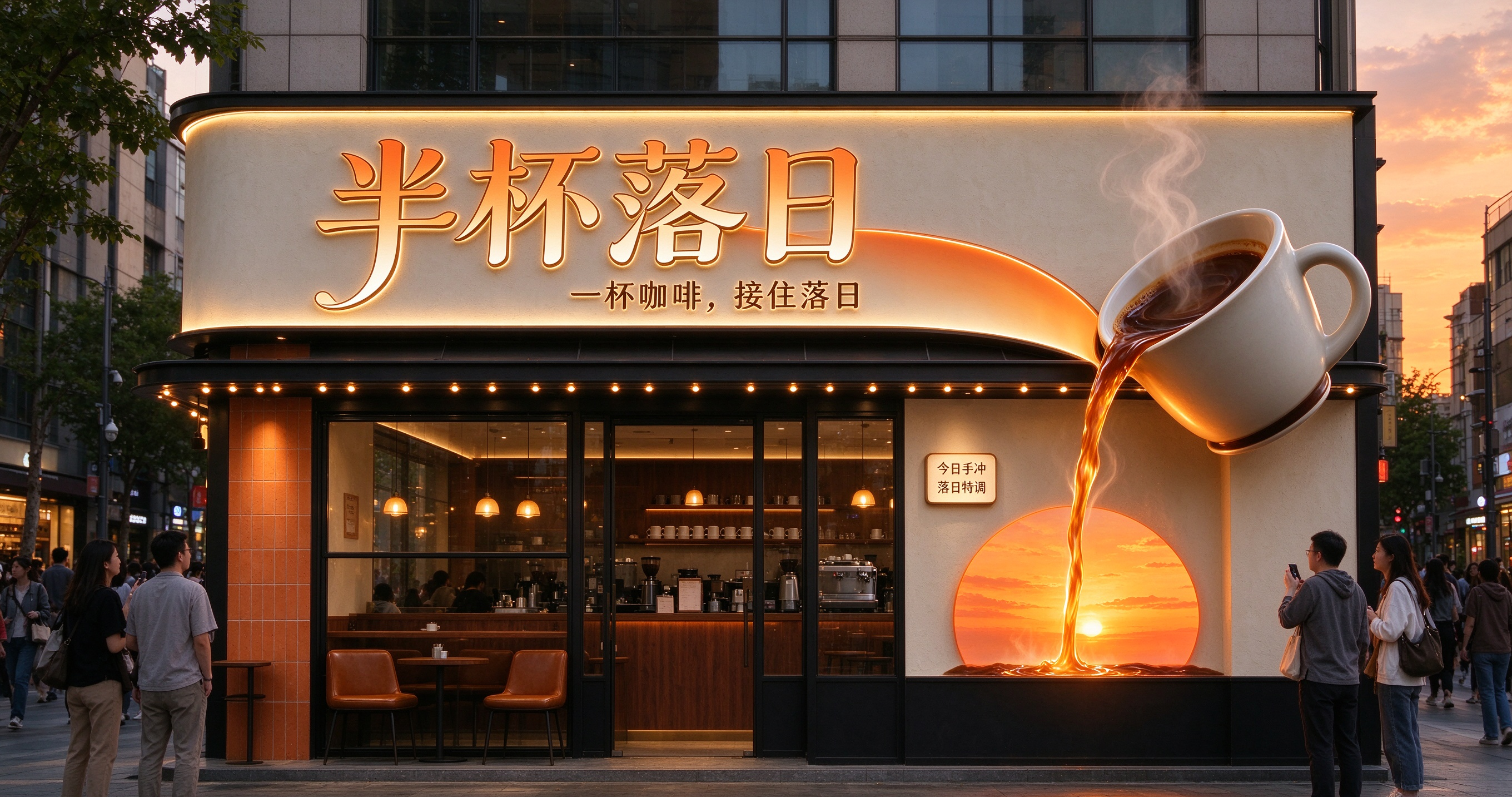
Storefront Sign AI Wordsmith
Generate storefront signs for any business
Storefront Sign AI Wordsmith
Generate storefront signs for any business
Showcase
Description
A professional prompt generator for commercial storefront signs, designed for aspiring business owners and designers. Provide your store category and name, then optionally add a style, slogan, or IP elements. It automatically creates standardized English image-generation prompts compatible with leading AI image models such as Qwen Image, GPT Image, and Nano Banana. Core capabilities ・Automatically lays out a three-layer storefront structure: primary sign text, 3D sculptural IP elements, and storefront materials and surroundings ・Optimizes Chinese sign text rendering to greatly reduce AI typos and distorted lettering ・Recommends an image model based on your needs ・Uses a 16:9 landscape composition by default, suitable for realistic storefront photos and trendy, social-media-ready store concepts ・Supports custom styles, including night-market stalls, neighborhood shops, trendy cafés, hot pot restaurants, and tea drink shops Best for: brick-and-mortar entrepreneurs, advertising and storefront sign designers, and AI art enthusiasts who want to quickly generate storefront concepts for previewing designs before opening and comparing sign proposals.
Recommended by
Dancang
Why we love this skill
Combines industry positioning, Chinese sign copy, 3D landmark elements, and realistic commercial scenes into ready-to-use prompts, with model recommendations and stronger Chinese text rendering.
Related Skills
View all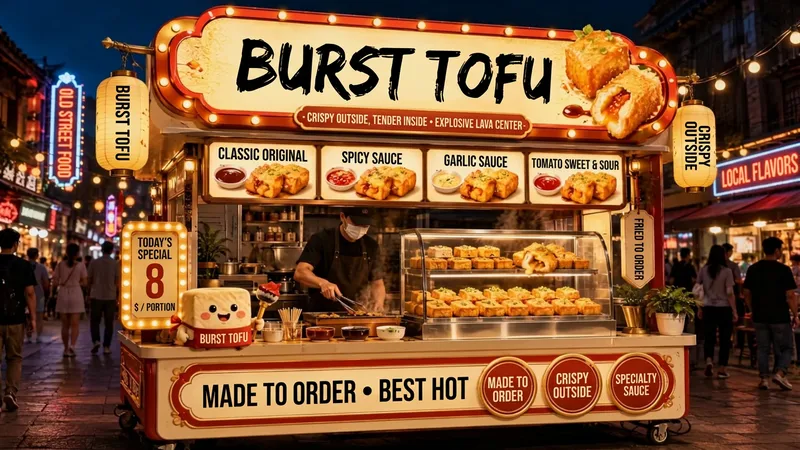 Image
Street Stall Sign Design
Street Stall Sign Designer: Create a complete sign design for stalls and carts in any industry, including food and dining, snacks, barbecue, milk tea, fruit, haircuts, repairs, flower shops, and more. Trigger this skill when users say things like “Design a street stall sign,” “Make a sign for my stall,” “Snack cart sign design,” “Street stall lightbox,” “Sign design,” “Food cart sticker design,” “Night market stall sign,” or “Cart advertising design.” Core formula: a three-wheel food cart plus a three-layer information structure (product name → preparation in action → selling-point badge). The industry style, cart, and placement can all be changed. The default format is horizontal 16:9. Outputs include ready-to-use image prompts in Chinese and English, industry style comparisons, and adaptation formulas for non-food businesses. Works for any industry.
 Image
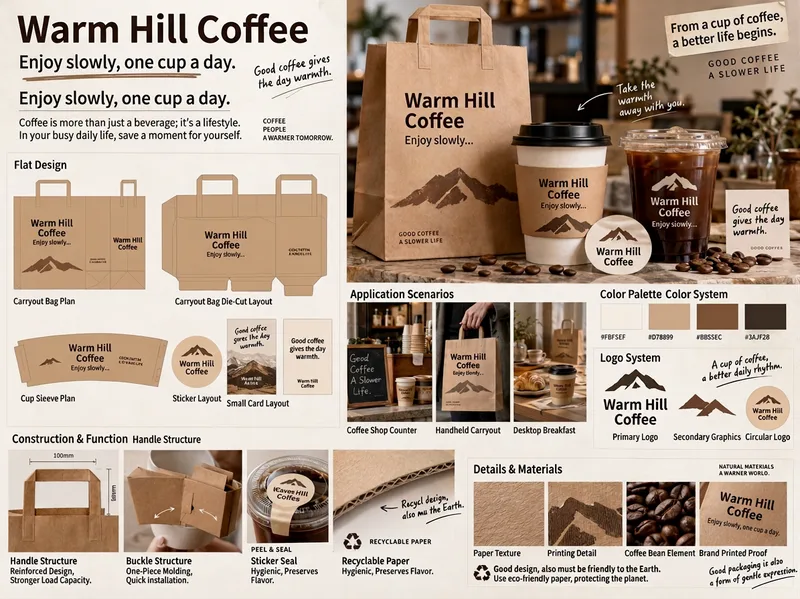
AI Store Packaging Designer
Designed for physical stores, dining, beverage, bakery, and food e-commerce brands. Enter your brand's Chinese and English names, slogan, category, primary and secondary colors, style, and packaging needs, and the AI automatically generates a complete packaging proposal board. It includes three modes: store take-out packaging system proposals, multi-layout tote bag grid proposals, and full SKU packaging proposals for snacks and food. The visuals are consistent throughout, with professional layout partitioning suitable for brainstorming, previewing concepts, and communicating with manufacturers.
 Image
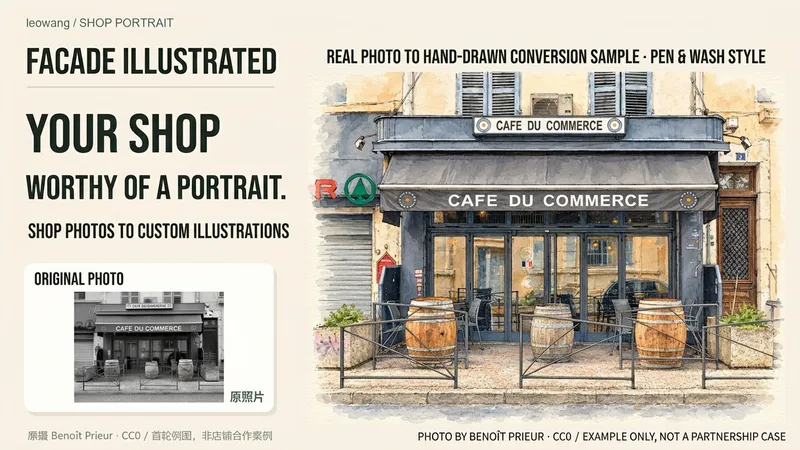
Storefront to Hand-Drawn Illustration
Upload a photo of your shop's storefront to transform the familiar place into a collectible illustration. Ideal for coffee shops, flower shops, bookstores, bakeries, and guesthouses to use as social media graphics, store stories, commemorative postcards, or promotional materials. It first analyzes the doors, windows, signs, awnings, color scheme, and key furnishings in the original photo before designing the artwork. The primary style is pen-and-wash: varied line weights, translucent color washes, subtle textures, and natural paper white. Other styles can also be specified, with actual results depending on the final output. The focus is on keeping the original shop easily recognizable. The count and placement of key objects, the relationship between doors and windows, and the main sign are individually checked. Any typos, obstructions, or redrawing discrepancies will be noted. When precise store names are needed, you can combine this with original lettering or post-processing layout. By default, it first generates a clean main illustration, and then creates a promotional layout using your exact copy if needed. It will not automatically add fictitious storefronts, business information, or promotional watermarks. A pen-and-wash API sample has already been completed using a real CC0 photo, showing some furnishing redrawing discrepancies; it has not yet been test-run within YouMind. Actual image generation relies on the host image tool, and installation does not include runtime credits. Product and workflow design by leowang.
Information
- Version
- v2
- Last updated
- Runtime credits
- Usage-based
- Models
- Auto
