Sticker Effect Generator
Sticker Effect Generator
Showcase
Description
Create sticker-style Skills to give your materials a cool upgrade~ Remember to replace the content in 【】 with your own product, ~ such as small clips, cola, coffee.
Related Skills
View all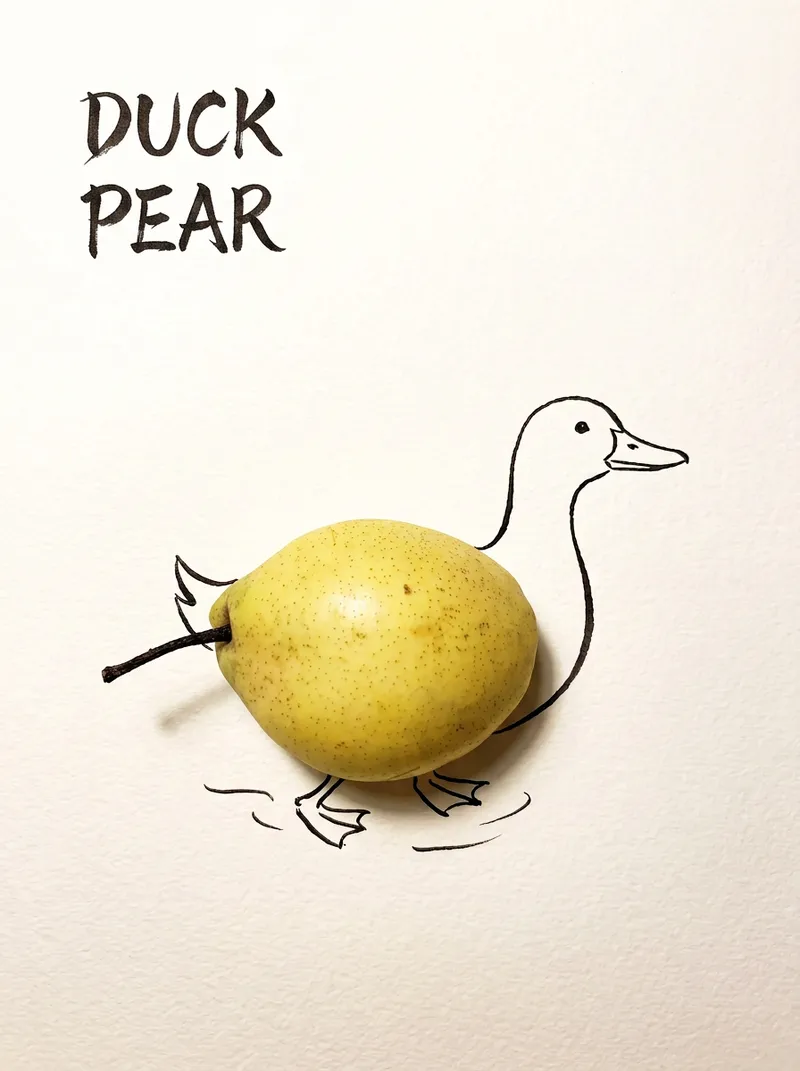 Image
Bring Objects to Life
Best for: Xiaohongshu / Douyin creators Turn everyday objects into posters and create a consistent "bring-to-life series" with highly engaging content Food and lifestyle creators Turn ingredients into cover images that make your work more memorable Illustrators / designers Find inspiration quickly and test the "real object + line art" creative direction Teachers / parents Create materials for arts and crafts lessons, helping children make up stories with objects around them Businesses / brand operators Create creative hero images, holiday posters, and packaging inspiration for produce, fruit, and snacks Cultural creative brands, stationery shops, and coffee shops Design merchandise, postcards, stickers, and menu illustrations Everyday enthusiasts Photograph something nearby and share an "artwork" on social media Everything you photograph is hiding another character. "Bring Objects to Life" is a creative poster generator that combines real-object photography with minimalist line art. Just upload a photo of an object, and AI will automatically do three things: 🔍 Read the shape: Analyze the object's outline, curves, and texture to find what it most resembles ✏️ Add line art: Use dark ink pen lines to draw in a head, limbs, a human figure, ropes, and more, fitting the lines precisely to the object's edges 🖋 Turn the idea into a phrase: Create a 2–4-character Chinese pun title and arrange it in the empty space in an artistic typeface The finished image preserves the object's real colors and texture. The background is clean, warm-white watercolor paper, with at least 40% negative space. The result feels calm and refined: recognizable at a glance, then delightfully witty once you see the idea. The default format is a 3:4 vertical layout, suited to Xiaohongshu, Moments, and Douyin image posts. The aspect ratio, font, and title can all be customized.
 Image
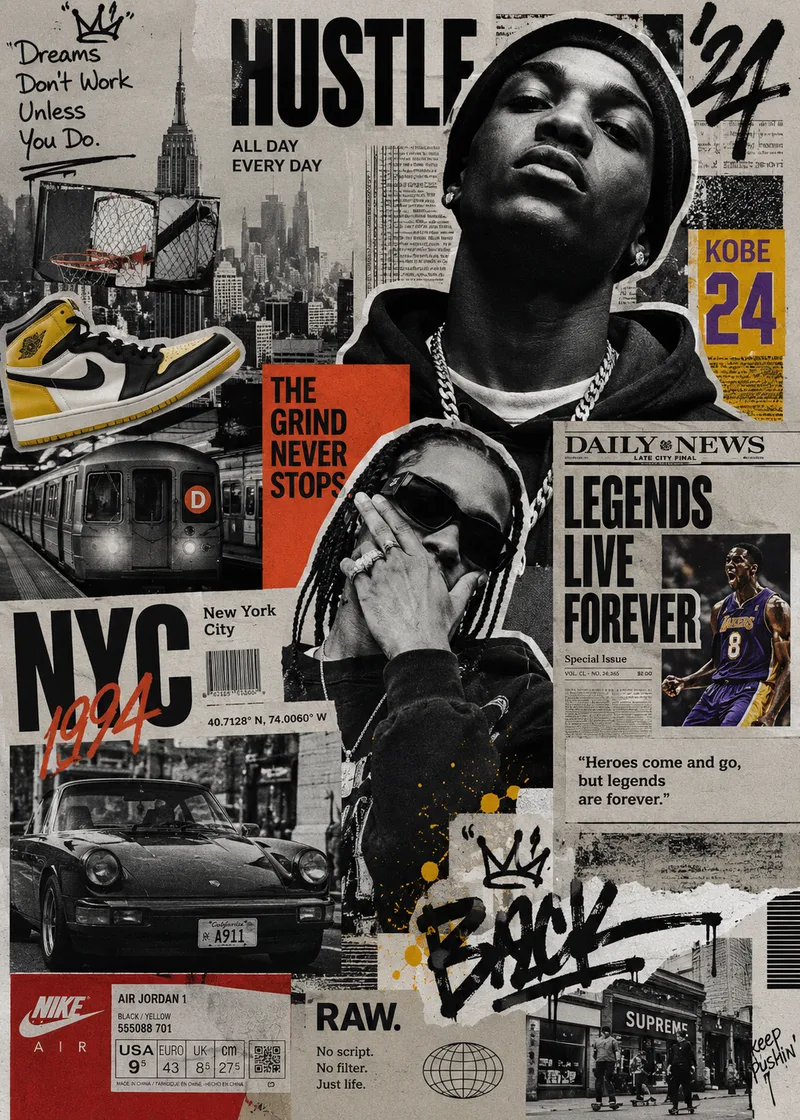
Street Culture Collage
A Skill for generating street culture editorial collages. It recombines user-provided portraits, products, sneakers, cars, posters, text, and other custom assets with elements from magazines, newspapers, zines, street photography, Hip-Hop, sports, music, and fashion culture to create highly layered Editorial Collage artwork. The Skill supports multiple color modes, including black and white, black and white with selective accent colors, and vintage full color. Through techniques such as subject cutouts, cropped assets, cross-page layering, oversized typography, handwritten doodles, newspaper details, film grain, and printed-paper textures, it creates asymmetrical collages with a nostalgic street culture feel. Users can let AI generate assets based entirely on a theme or freely specify and customize their own, so every piece maintains a cohesive visual language while expressing a distinctive theme.
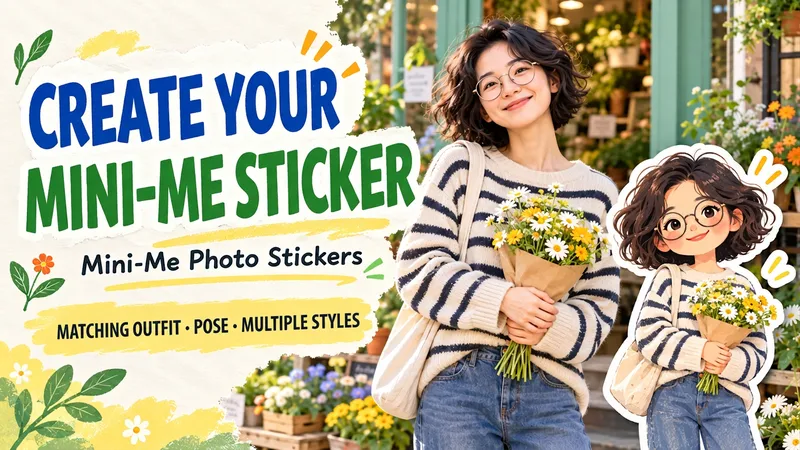
Photo Avatar Sticker
Upload a photo and add a miniature sticker of the person featuring the same outfit and pose, with pixel, paper, or clay styles available. Upload a portrait photo to turn your hairstyle, glasses, outfit, expression, and handheld items into an illustrated miniature avatar placed right next to your real photo. Great for travel memories, daily outfits, friend keepsakes, and profile pictures. Jump right in with three styles: • Pixel Arcade: Crisp pixels and retro color blocks to make everyday life look like a video game frame. • Paper Illustration: Layered paper and warm lines to turn photos into handmade stories. • Clay Doll: Matte textures and rounded details for a cute little miniature you. By default, each photo generates a "real photo plus avatar" image without added text, keeping the original photo's aspect ratio. You can adjust the avatar position, orientation, and short title, or request a standalone avatar sticker. If you don't have a photo, you can describe a fictional character for a demo. You can say: "Use this photo to make a pixel avatar, keep the clothes and camera, no text." or "Make a paper illustration, put the small avatar in the bottom left, and don't block my hand." The process checks visible features, clothing colors, poses, and props, then verifies avatar placement and material. Requires an environment with image generation or reference editing capabilities. Generative editing may alter original details, and similarity depends on the photo and model. Maintaining original pixels and separate transparent PNGs depends on the environment's compositing and transparency output.
Information
- Version
- v2
- Last updated
- Runtime credits
- Usage-based
- Models
- Auto
