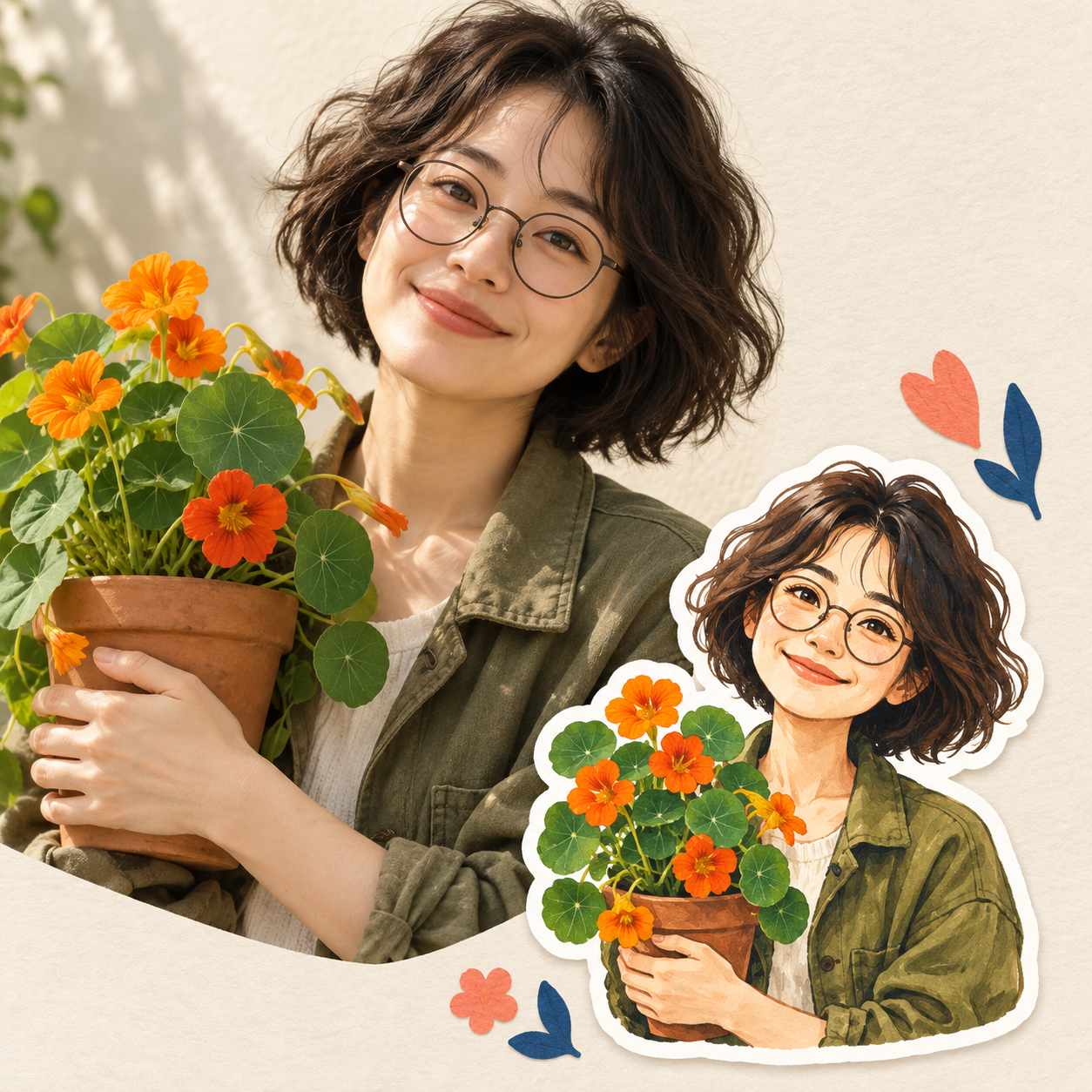
Photo Avatar Sticker
Add a matching avatar sticker to your photo in pixel, paper, or clay style.
Photo Avatar Sticker
Add a matching avatar sticker to your photo in pixel, paper, or clay style.
Showcase
Description
Upload a photo and add a miniature sticker of the person featuring the same outfit and pose, with pixel, paper, or clay styles available. Upload a portrait photo to turn your hairstyle, glasses, outfit, expression, and handheld items into an illustrated miniature avatar placed right next to your real photo. Great for travel memories, daily outfits, friend keepsakes, and profile pictures. Jump right in with three styles: • Pixel Arcade: Crisp pixels and retro color blocks to make everyday life look like a video game frame. • Paper Illustration: Layered paper and warm lines to turn photos into handmade stories. • Clay Doll: Matte textures and rounded details for a cute little miniature you. By default, each photo generates a "real photo plus avatar" image without added text, keeping the original photo's aspect ratio. You can adjust the avatar position, orientation, and short title, or request a standalone avatar sticker. If you don't have a photo, you can describe a fictional character for a demo. You can say: "Use this photo to make a pixel avatar, keep the clothes and camera, no text." or "Make a paper illustration, put the small avatar in the bottom left, and don't block my hand." The process checks visible features, clothing colors, poses, and props, then verifies avatar placement and material. Requires an environment with image generation or reference editing capabilities. Generative editing may alter original details, and similarity depends on the photo and model. Maintaining original pixels and separate transparent PNGs depends on the environment's compositing and transparency output.
Best for
Great for travel memories, outfit records, friend mementos, and personal profile pictures.
How to use this Skill
Provide your input
Upload a portrait photo and optionally specify pixel, paper, or clay style, avatar position, aspect ratio, and whether to add a short title. You can also request a standalone avatar sticker.
Run the Skill
Creates a matching illustrated avatar based on the photo's hairstyle, outfit, expression, pose, and props, placing it next to the real person or outputting it separately.
Review your result
Receive a photo featuring the real person alongside the avatar, or a standalone avatar sticker. Photos generally retain their original aspect ratio.
Related Skills
View all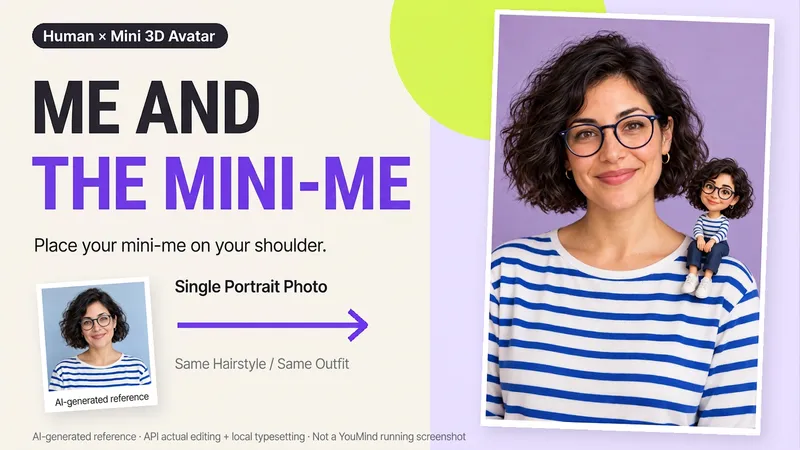 Image
Me and My Mini Me
What would it look like to have a tiny version of yourself sitting on your shoulder? Upload a clear photo of one person to create a creative portrait featuring the real person alongside a mini 3D double. One keeps the look of a photograph, while the other becomes a detailed little designer toy, with matching hair, glasses, and outfit so the two forms feel connected. What you can get: ① Shoulder companion: By default, the double sits on your shoulder, with you and your mini self looking at the camera together. ② Matching features: Focuses on visible details from the reference, including hairstyle, glasses, accessories, clothing colors, and patterns. ③ Clean final image: Defaults to a 2:3 vertical format, a soft studio background, and no text—one image to start. ④ Further adjustments: Ask to change the background or adjust the double’s size or pose, with priority given to continuing the version you already approved. Great for personal profiles, birthday keepsakes, and social sharing. The double is an artistic miniature version of the same person, not a real parent-and-child photo. You can also create fictional characters from text. The final image depends on the image tools and usage available on the current platform. Generative editing may change details of the person; exact preservation of the original photo, 100% likeness, and flawless hand structure are not guaranteed. If the tool is unavailable, this will be stated clearly and a complete prompt will be provided.
 Image
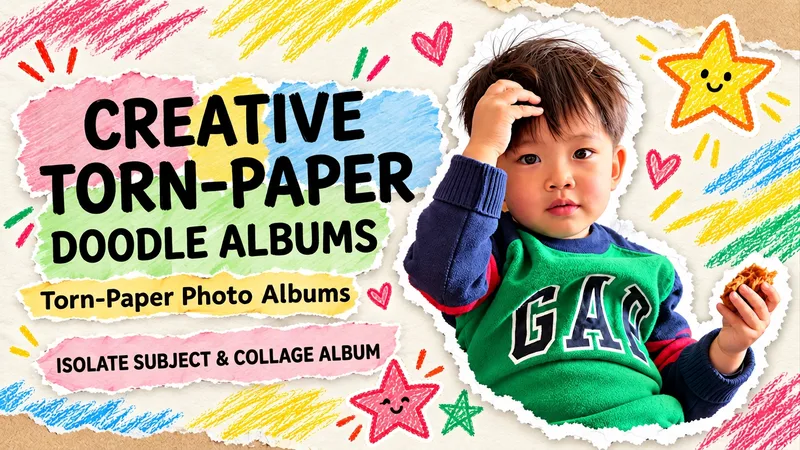
Torn Paper Dotted Photo Album
Upload a photo to turn people or pets into scrapbook stars, complete with torn paper edges, handwritten doodles, and vintage paper textures. Upload an original photo, and the subject (whether a person, pet, or main object) is automatically extracted with the original background removed. Group photos retain all individuals by default. Recognizable facial features, hairstyles, clothing, poses, and handheld items are kept, surrounded by natural white torn-paper furry edges, a cream-colored paper background, colored crayon stars, and handwritten short phrases. Generates a 3:4 vertical album image by default. Supports text-free versions, short Chinese phrases, fewer doodles, color adjustments, and landscape or portrait aspect ratios. Text-free means no added album text, though original clothing text is preserved. When parts of the body are obscured in the original photo, an appropriate half-body composition is used without inventing hidden limbs. Full-photo mode is available when explicitly requested. Great for everyday portraits, friend group photos, pet memories, and journal illustrations. Image editing may introduce subtle changes to faces or other details and does not guarantee 100% facial replication. The final image is checked against the original photo. This Skill is free to install. Image generation or editing quota consumption is subject to platform and model terms. Displayed examples show photo editing effects; complete image generation within YouMind has not been fully tested yet.
 Image
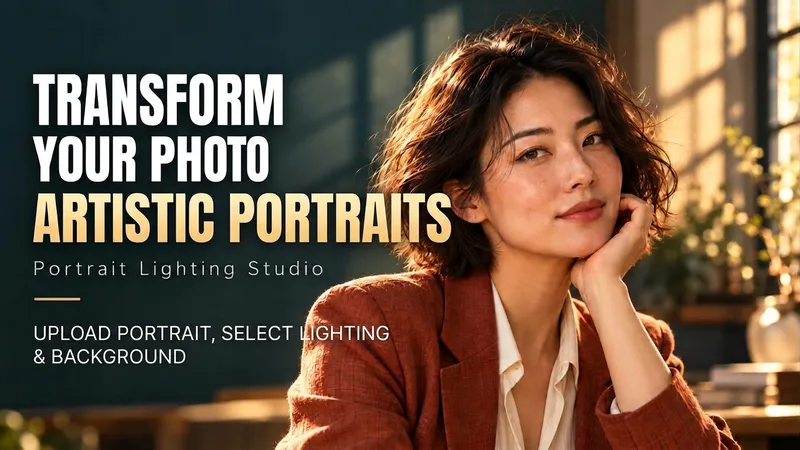
Portrait Light & Shadow Studio
Upload portraits, adjust lighting, poses, and backgrounds to generate window soft-light, night scene, or studio-style portraits. Upload a portrait photo or describe a fictional character to create photographic avatars, personal portraits, and magazine-style portraits. The Skill combines the subject's visible features to arrange poses, lighting, framing, clothing, and environment, ensuring natural hand gestures, grounded body posture, and directional lighting. Three original scenes are ready to use: • Warm Pottery Window: Terracotta and warm wood tones, with a natural medium shot near a studio window. • Rainy Night Set: Warm light in a movie theater porch, cold wet street tones, and expressive gazes. • Coastal Golden Breeze: Sunset rim lighting, sea breeze, and relaxed full-body travel portraits. Professional headshots, solid-color studios, black-and-white portraits, and custom themes are also supported. Uploading a photo preserves primary clothing and accessories by default; to change outfits, backgrounds, or poses, simply specify your request. By default, it generates one 3:4 vertical text-free image per run; you can change the aspect ratio, create a series, or request Chinese, English, or bilingual prompts. Multiple images are generated separately, and after generation, subject recognition, hands, feet, support points, and lighting are verified. You can say: "Use this photo for the rainy night set, keep the hairstyle, and change to a dark jacket." or "Create a mature woman with short curly hair walking naturally in the coastal sunset."
Information
- Version
- v6
- Last updated
- Runtime credits
- Usage-based
- Models
- Auto
- Use cases
- Images & designLifestyle & entertainment
- What you get
- Image
- Visual styles
- 3DPixel artPaper art
