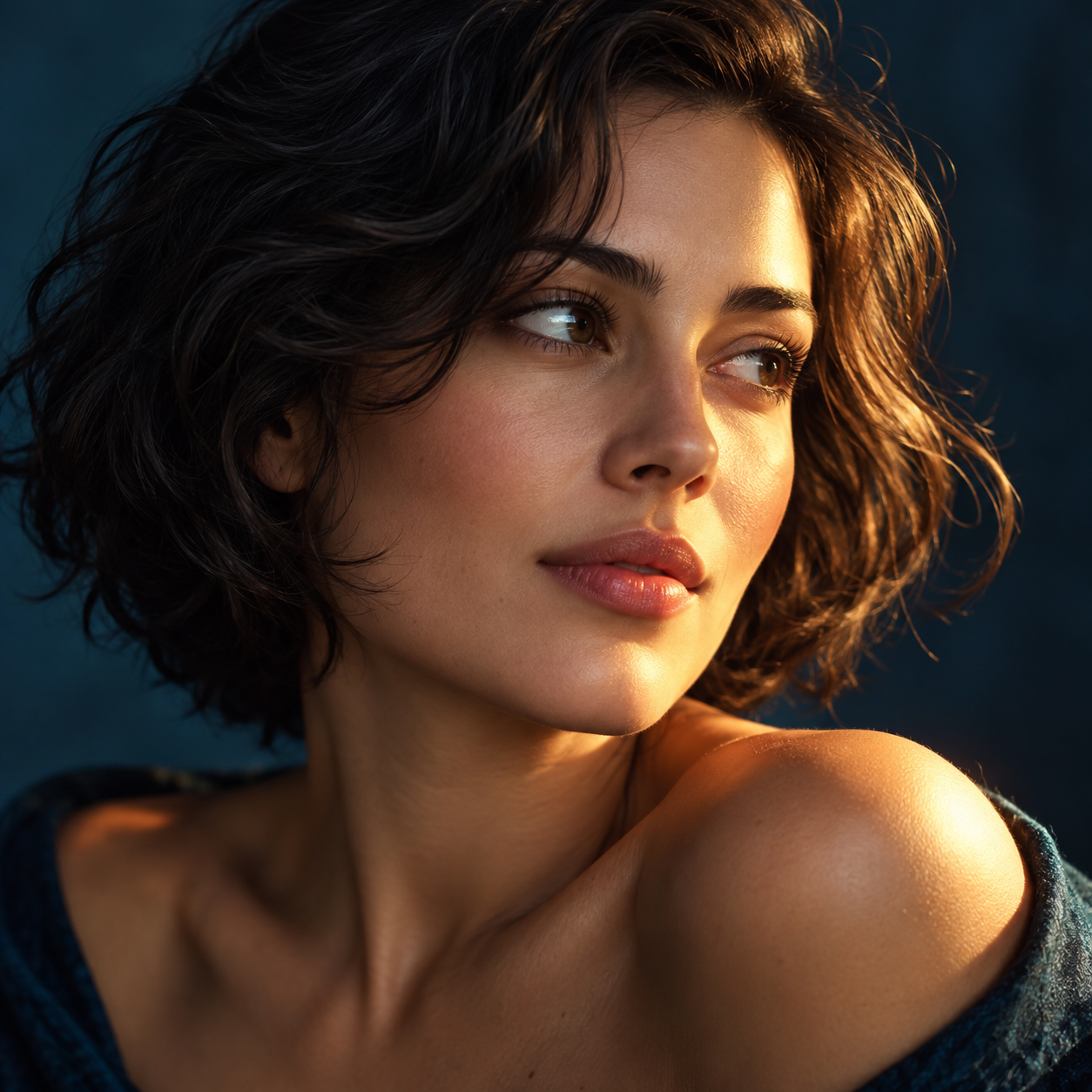
Portrait Light & Shadow Studio
Transform portraits with custom lighting, poses, and backgrounds.
Portrait Light & Shadow Studio
Transform portraits with custom lighting, poses, and backgrounds.
Showcase
Description
Upload portraits, adjust lighting, poses, and backgrounds to generate window soft-light, night scene, or studio-style portraits. Upload a portrait photo or describe a fictional character to create photographic avatars, personal portraits, and magazine-style portraits. The Skill combines the subject's visible features to arrange poses, lighting, framing, clothing, and environment, ensuring natural hand gestures, grounded body posture, and directional lighting. Three original scenes are ready to use: • Warm Pottery Window: Terracotta and warm wood tones, with a natural medium shot near a studio window. • Rainy Night Set: Warm light in a movie theater porch, cold wet street tones, and expressive gazes. • Coastal Golden Breeze: Sunset rim lighting, sea breeze, and relaxed full-body travel portraits. Professional headshots, solid-color studios, black-and-white portraits, and custom themes are also supported. Uploading a photo preserves primary clothing and accessories by default; to change outfits, backgrounds, or poses, simply specify your request. By default, it generates one 3:4 vertical text-free image per run; you can change the aspect ratio, create a series, or request Chinese, English, or bilingual prompts. Multiple images are generated separately, and after generation, subject recognition, hands, feet, support points, and lighting are verified. You can say: "Use this photo for the rainy night set, keep the hairstyle, and change to a dark jacket." or "Create a mature woman with short curly hair walking naturally in the coastal sunset."
Recommended by
Dancang
Why we love this skill
Goes beyond background and filter swaps to direct the entire scene—from character features and postural support to lighting logic—producing natural and credible window light, rainy night narratives, or studio portraits that preserve authentic age, skin texture, and identity.
Best for
Users who need to create avatars, personal portraits, or photographic visual assets.
How to use this Skill
Provide your input
Upload a portrait photo or describe a fictional adult's appearance, clothing, setting, and mood, and specify what to keep or adjust.
Run the Skill
Select lighting, pose, background, aspect ratio, or portrait theme, or directly request an outfit change, pose adjustment, series, or prompts only.
Review your result
Receive a photographic portrait image or copyable Chinese, English, or bilingual prompts. Supports avatars, personal portraits, professional headshots, and custom themes.
Related Skills
View all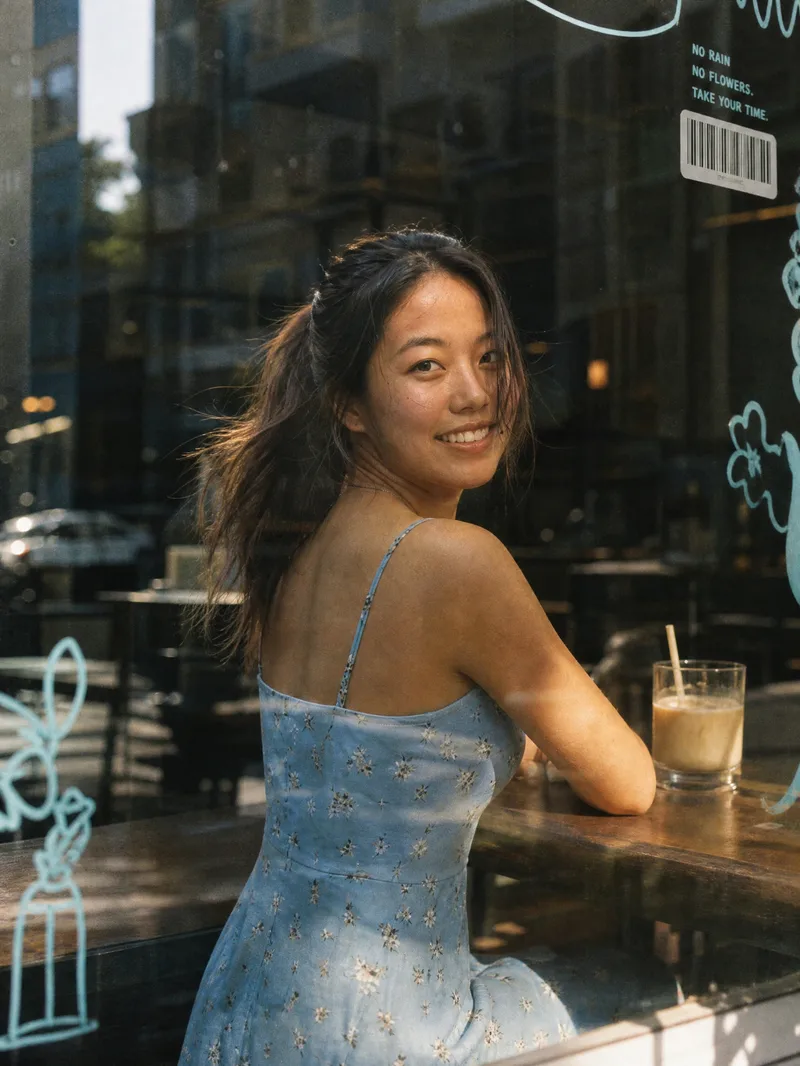 Image
Window Film Portrait Generator
Core Advantages: 1. Accurate Face Preservation: Strictly maintains the face shape, facial features, hairstyle, and skin tone from the uploaded photo without face-swapping, distortion, or excessive skin smoothing. 2. Clothing Retained: Automatically keeps the clothing from the uploaded photo by default, with an option to specify new ones. 3. One-Click Generation: Features a default 3:4 vertical composition that generates immediately upon upload, requiring no prompt writing. 4. Flexible Customization: Supports changing aspect ratios, scenes (bookstores, flower shops, convenience stores, subway windows), lighting (warm twilight, cool overcast, night neon), expressions, and glass decoration styles. Product Description: Upload a portrait photo to automatically generate a Korean-style film street portrait shot through a café window. The image features realistic glass textures: subtle reflections, street scene mirror images, dust, fingerprints, and water spots. The edges of the glass are adorned with blue hand-drawn doodles, barcode stickers, Polaroids, and small English lettering. The background is a blurred city street with soft, transparent lighting, low-saturation tones, warm highlights, and subtle film grain, resembling a casual everyday snapshot taken by a friend. Best For: Ideal for profile pictures, social media covers, lifestyle portraits, blogger persona photos, and creator branding images.
 Image
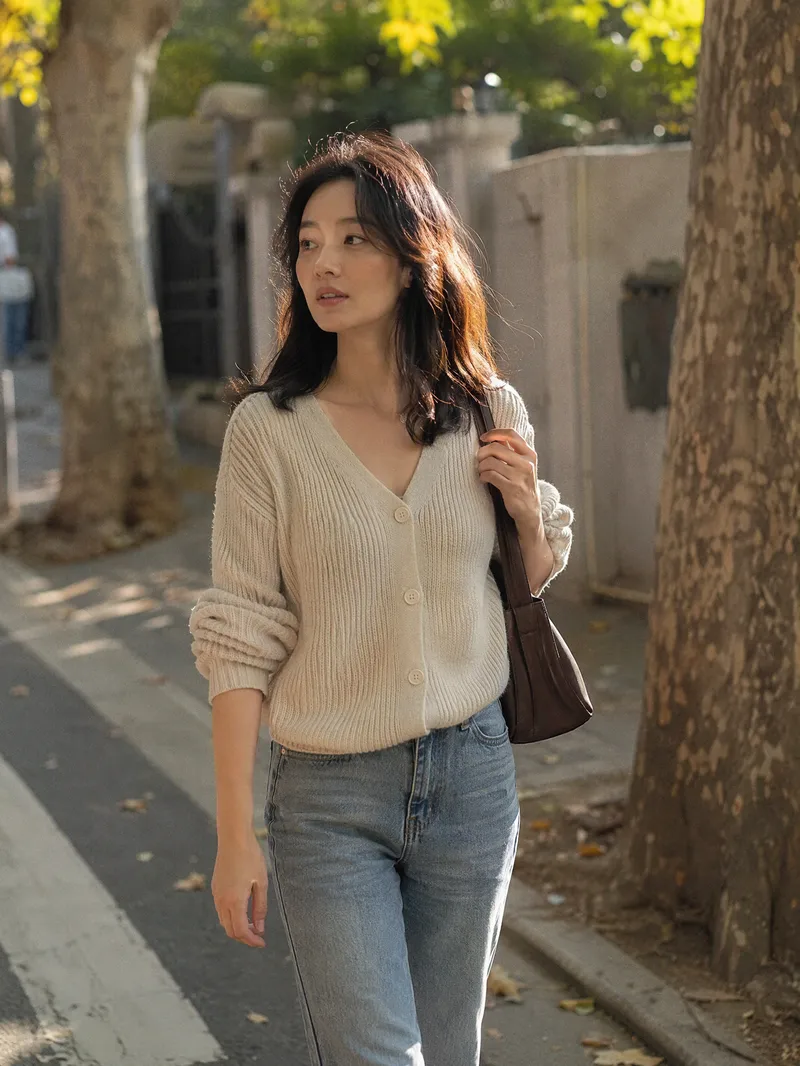
Candid Highlights Pro
Your photo deserves a naturally occurring highlight moment. Upload a clear portrait, and Candid Highlights designs a street photography scene around your expression, outfit, and pose—capturing moments like brushing back your hair, glancing sideways while walking, or just beginning to smile as an original portrait with a realistic photographic feel. • Identity reference: Preserves recognizable facial features and a natural sense of age from the uploaded photo. • Scene customization: Choose directions such as city streets, tree shadows, the seaside, post-rain settings, and night scenes. • Motion control: Choose low, medium, or high motion to balance a clear subject with a dynamic background. • Outfit options: Keep the original outfit by default or specify a change. • Dual use: Create a portrait only or a cover poster with an original short line. • Series creation: Make multi-scene sets featuring the same person and request local revisions as needed. The default is one 3:4 image; you can specify the aspect ratio and number of images. Suitable for social profile pictures, personal content covers, and portrait creation. AI generation may produce identity or limb inaccuracies. Results depend on the reference photo and account capabilities and still require manual review. Installation and redemption cost 3,366 points; runs and additional generations are charged separately under platform rules. This does not represent a real visit or on-site photo shoot.
 Image
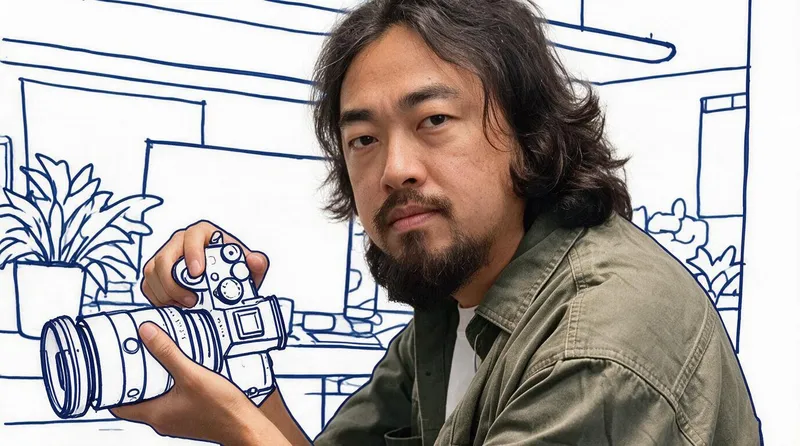
Real-Person Doodle Portrait
Blend your real-person photo into a room or scene drawn with bold hand-drawn lines, creating a creative portrait that places a real person alongside a doodle environment. The person retains realistic photographic texture, facial features, clothing, and lighting, while the environment uses monochrome marker sketches to outline furniture, walls, and spatial contours. The result creates a striking visual effect of a “real person floating in a line-art world,” making it suitable for profile pictures, social cards, and stylized portrait artwork. You can upload a headshot, half-body photo, or full-body photo, then describe the living room, bedroom, study, café, studio, balcony, or other scene you want, along with the person’s clothing, pose, and expression. If you only have a headshot, the image can complete the body and place it in the specified space. If the original photo already includes a real environment, you can also keep the person unchanged while converting the background furniture, floor, walls, or street scene into a simple doodle line drawing, while maintaining the original composition. Deep ocean blue, burgundy, charcoal black, and other line-art colors are supported, with suitable aspect ratios matched to indoor portraits, open outdoor scenes, sports, or spacious environments. The setting will not be filled with excessive detail. Instead, it selects a few key objects and preserves negative space, making the contrast between the real person and the hand-drawn room clearer and more thoughtfully designed.
Information
- Version
- v6
- Last updated
- Runtime credits
- Usage-based
- Models
- Auto
- Use cases
- Images & designLifestyle & entertainment
- What you get
- ImagePrompt
- Visual styles
- CinematicPhotorealisticBlack and white
