Real-Person Doodle Portrait
Blend real photos into doodle line-art scenes
Real-Person Doodle Portrait
Blend real photos into doodle line-art scenes
Showcase
Description
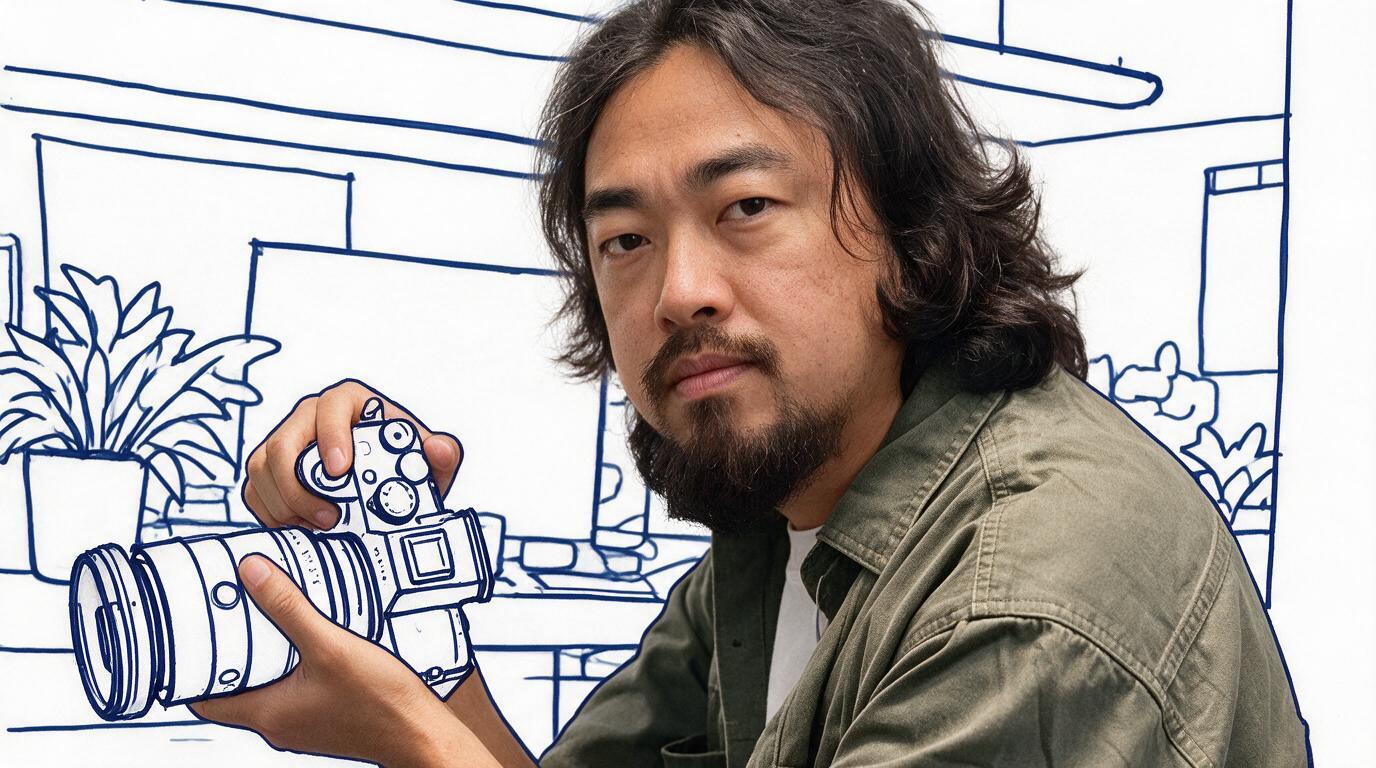
Blend your real-person photo into a room or scene drawn with bold hand-drawn lines, creating a creative portrait that places a real person alongside a doodle environment. The person retains realistic photographic texture, facial features, clothing, and lighting, while the environment uses monochrome marker sketches to outline furniture, walls, and spatial contours. The result creates a striking visual effect of a “real person floating in a line-art world,” making it suitable for profile pictures, social cards, and stylized portrait artwork. You can upload a headshot, half-body photo, or full-body photo, then describe the living room, bedroom, study, café, studio, balcony, or other scene you want, along with the person’s clothing, pose, and expression. If you only have a headshot, the image can complete the body and place it in the specified space. If the original photo already includes a real environment, you can also keep the person unchanged while converting the background furniture, floor, walls, or street scene into a simple doodle line drawing, while maintaining the original composition. Deep ocean blue, burgundy, charcoal black, and other line-art colors are supported, with suitable aspect ratios matched to indoor portraits, open outdoor scenes, sports, or spacious environments. The setting will not be filled with excessive detail. Instead, it selects a few key objects and preserves negative space, making the contrast between the real person and the hand-drawn room clearer and more thoughtfully designed.
Recommended by
淡苍
Why we love this skill
Juxtaposes photographic realism with bold monochrome doodle spaces, using minimal line art, negative space, and hand-drawn strokes to create a distinctive visual contrast.
Related Skills
View all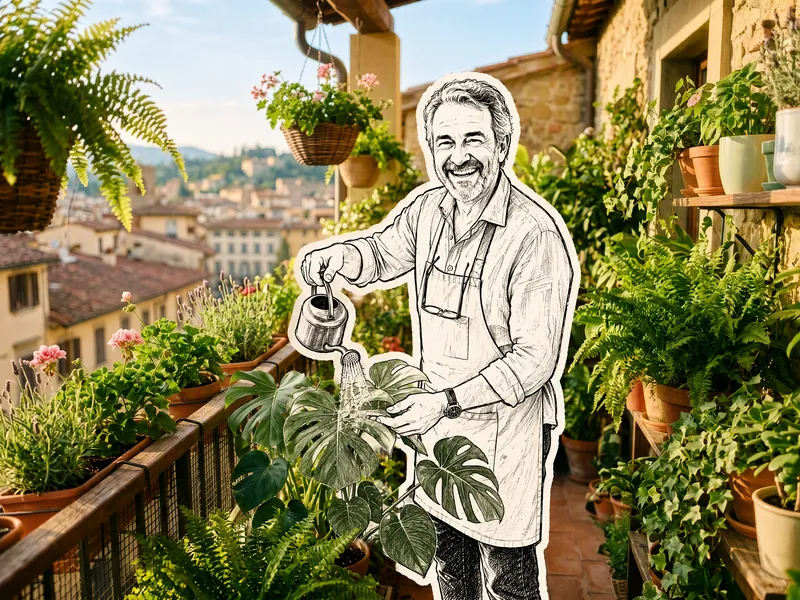 Image
ImageHand-Drawn Doodle Sticker
Upload a photo to transform its subject—a person or pet—into a black-and-white hand-drawn doodle sticker illustration: thick black ink outlines, an off-white fill, sparse crosshatching, subtle line variation, and imperfect hand-drawn strokes. A thick, irregular off-white sticker border is added around the subject's outline. The real environment is preserved in full—furniture, objects, background, lighting, shadows, reflections, materials, camera angle, depth of field, and composition remain exactly as in the original photo. The result is a clean, editorial black-and-white doodle sticker character that blends seamlessly into a completely unedited real-photo background. The style is fixed by default, with optional adjustments to line width, fill color, hatching density, and more.
 Image
ImagePhotorealistic Head, Drawn Body
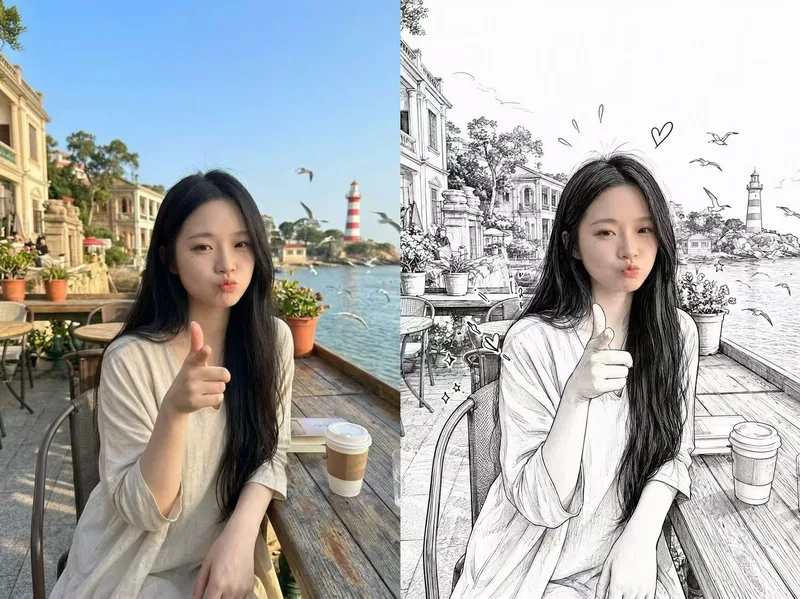
Upload a real photo—no target image needed—to automatically create a finished mixed-style image with a photorealistic head and black-and-white hand-drawn illustration. The head retains photo-realistic texture and recognizable facial features (facial features stay the same, while the expression may be subtly adjusted). Everything else—including the hair and hairstyle, body and build, clothing, pose, background, and decorative elements such as hearts, stars, sparkles, and motion lines—is transformed into a black-and-white hand-drawn illustration. The body keeps realistic proportions, while the original hairstyle and pose are preserved. Ideal for turning a single photo of a person or pet into a creative image featuring a photorealistic head and hand-drawn elements in the same frame.
 Image
ImageSeamless Photo–Illustration
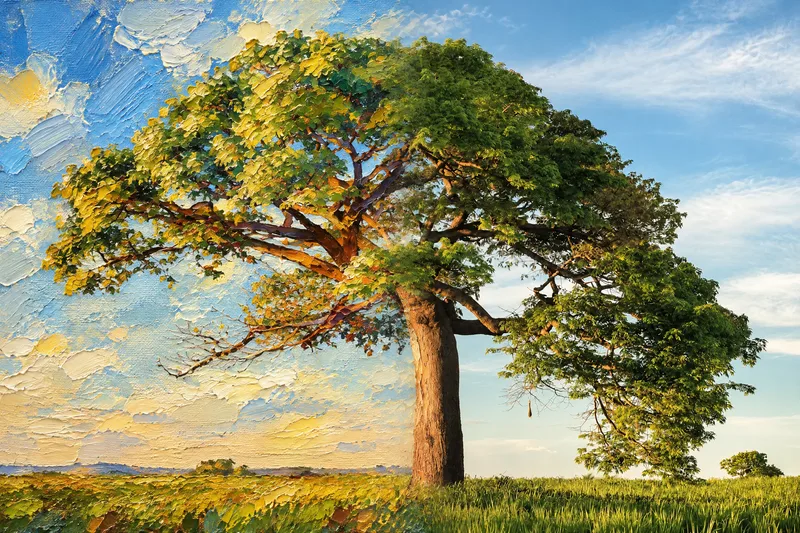
Transform photos of people, animals, pets, cars, buildings, products, food, plants, or scenes into dual-visual artwork featuring the same subject and composition in both realistic and illustrated form. One side preserves photographic texture, natural lighting, and material details, while the illustrated side clearly reflects a hand-drawn, anime, comic, watercolor, oil painting, clay, or vector illustration medium—not a simple filter effect. You can specify whether the visuals are arranged left and right or top and bottom, define where the realistic and illustrated areas appear, choose an illustration style, and set the aspect ratio. The subject’s pose, expression, facial features, structure, clothing, colors, and relationship to the scene remain coherent. People, animals, and objects transition according to their own visual centers, allowing both treatments to occur naturally within the subject rather than mechanically splitting the image. The final image emphasizes seamless integration: photographic texture gradually becomes lines, color blocks, or brushstrokes, while contours and lighting connect naturally. There are no dividing lines, hard edges, collage seams, torn-paper effects, or glowing boundaries. You’ll get a dual-visual image where the difference between the real world and the illustrated world is clear, yet no exact dividing point can be found.
Information
- Version
- v4
- Last updated
- Runtime credits
- Usage-based
- Models
- Auto
