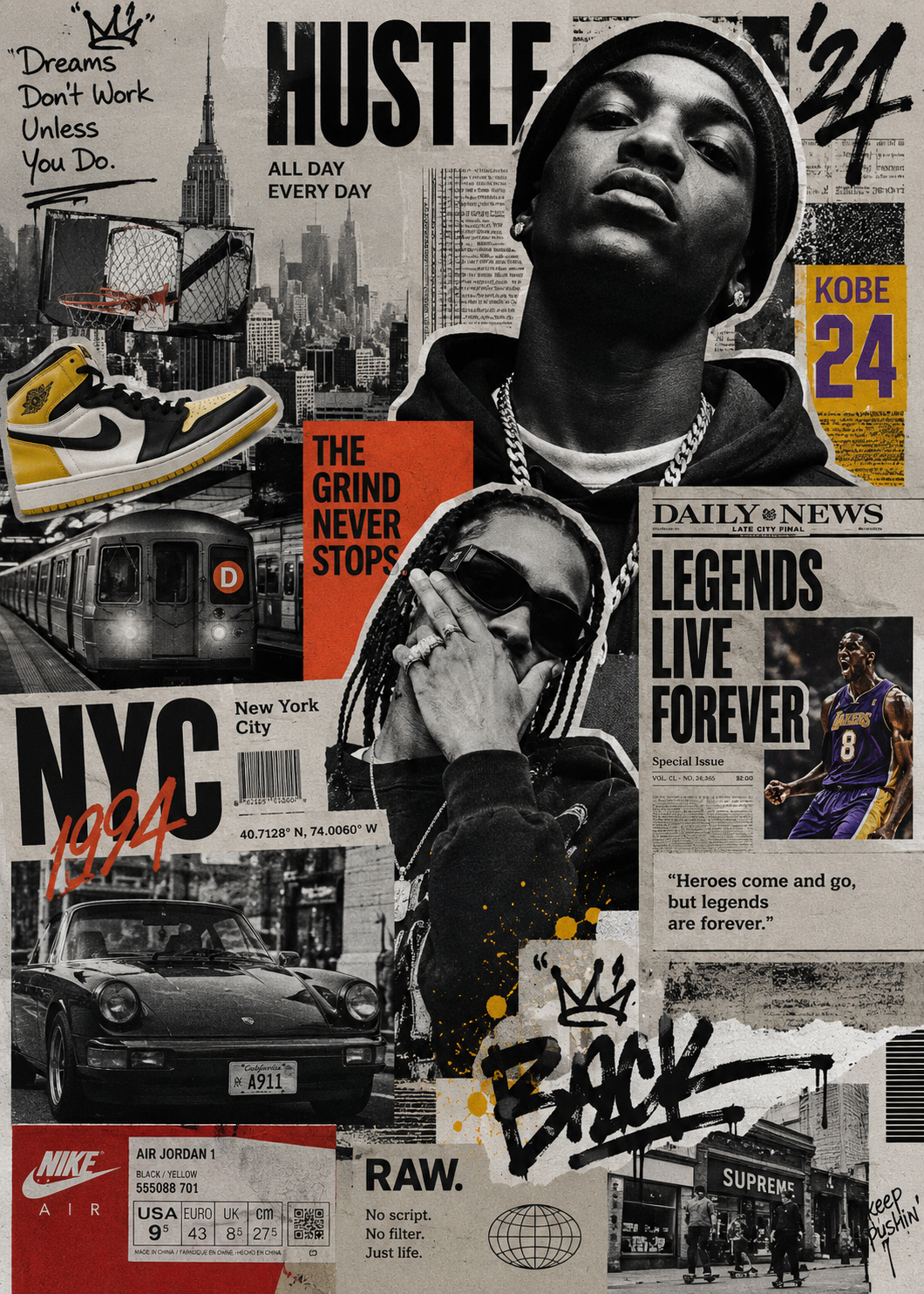
Street Culture Collage
Street culture × editorial collage
Street Culture Collage
Street culture × editorial collage
Showcase
Description
A Skill for generating street culture editorial collages. It recombines user-provided portraits, products, sneakers, cars, posters, text, and other custom assets with elements from magazines, newspapers, zines, street photography, Hip-Hop, sports, music, and fashion culture to create highly layered Editorial Collage artwork. The Skill supports multiple color modes, including black and white, black and white with selective accent colors, and vintage full color. Through techniques such as subject cutouts, cropped assets, cross-page layering, oversized typography, handwritten doodles, newspaper details, film grain, and printed-paper textures, it creates asymmetrical collages with a nostalgic street culture feel. Users can let AI generate assets based entirely on a theme or freely specify and customize their own, so every piece maintains a cohesive visual language while expressing a distinctive theme.
Recommended by
淡苍
Why we love this skill
Weaves people, photos, text, and cultural symbols into genuinely editorial street collages—not ordinary photo grids—with layered composition, bold type, handwritten marks, and tactile print textures.
Related Skills
View all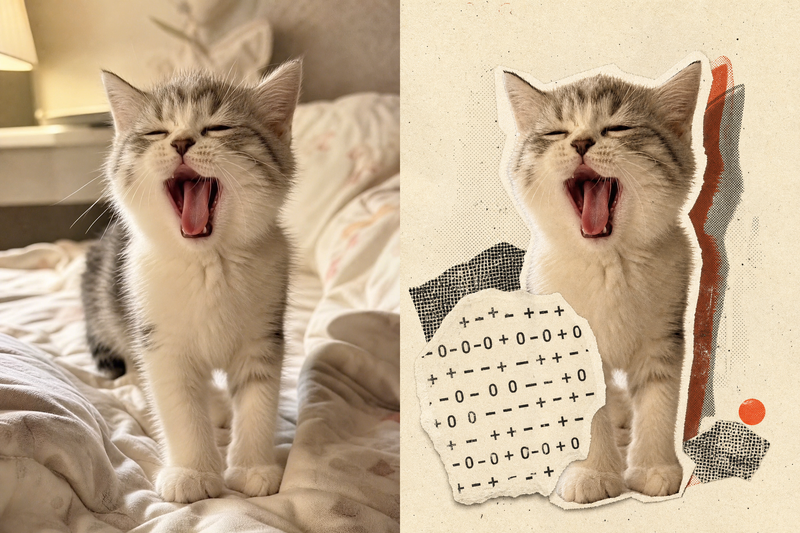 Image
ImageRetro Collage Art
This Skill transforms your uploaded photos into visually striking vintage archival artworks, with a particular focus on portraits, still lifes, and landscape photography. Using distinctive “garbled sticker” and “print glitch” styles, it creates a dynamic visual reinterpretation while carefully preserving the original subject’s outline, pose, and position. The system precisely identifies the main subject and uses warm-white, fibrous-paper garbled silhouettes, halftone dot backdrops, and offset same-shape patches to create the visual rhythm of a handmade collage. Visually, this Skill aims for an authentic archival feel, with fine paper grain, screen-printed ink marks, and photocopy noise. Subtle registration shifts and localized fading add the warm, oxidized feeling of an old archive, while retaining about half of the original colors and key visual cues. This approach keeps the subject recognizable while using the contrast of black, warm white, and accent colors from the original image to create a visual style that feels both avant-garde and nostalgic. It is ideal for creating distinctive art posters, personalized social media avatars, or design-forward visual assets.
 Image
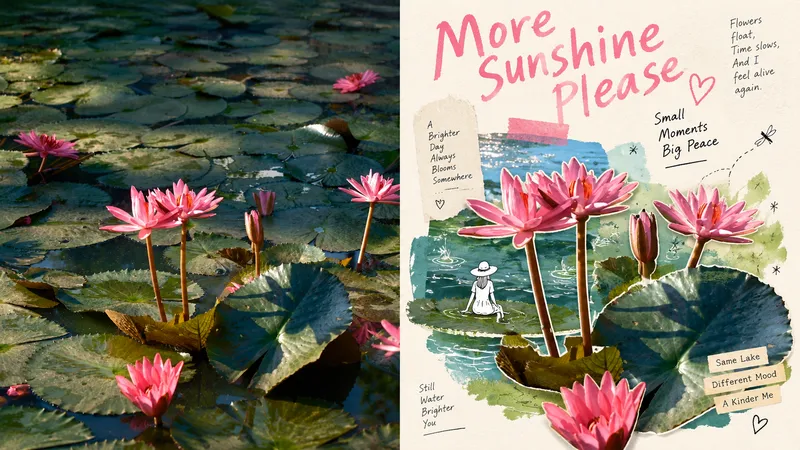
ImageGPT2 x Mingkuai Digital Collage
Suitable for organizing personal photography, independent publishing, exhibition exercises, and lifestyle-focused visual creation. Even when the original composition is ordinary, the background is cluttered, or the subject is too small, you can reestablish a focal point through subtraction, rearrangement, cropping, and changes in scale—instead of simply applying a filter to the photo. The overall look combines authentic photographic cutouts, hand-drawn doodles, paper collage, mismatched scales, generous negative space, and editorial-style layouts of images and text to create a refined mixed-media aesthetic. Whether the subject is a person, building, animal, plant, object, food, vehicle, or natural landscape, its clear identity and original narrative should remain intact, while re-editing and visual metaphors create a new expression. Avoid fully redrawing the subject, overcrowding the composition with assets, ordinary framed collages, cartoonization, complex UIs, overly realistic shadows, and templated commercial posters.
 Image
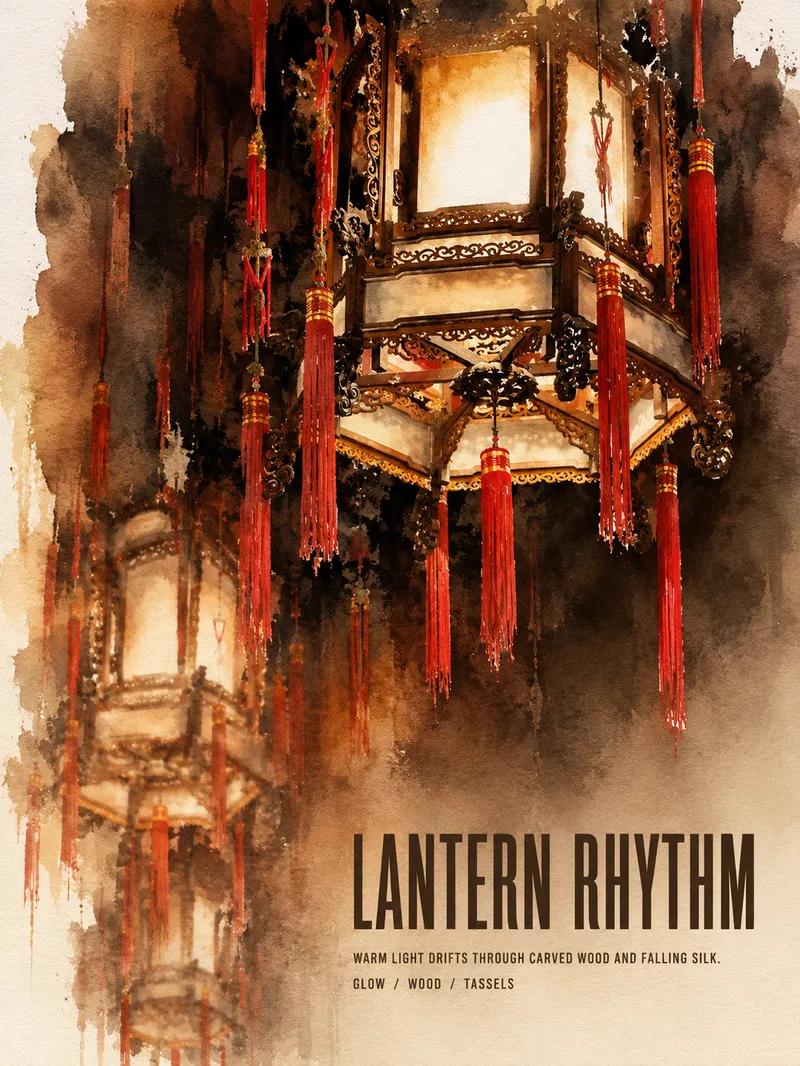
ImageTurn Photos into Art Posters
Upload a photo of a person, pet, building, travel scene, street view, vehicle, product, still life, or everyday moment. The Skill first identifies the details that matter most to preserve, then automatically selects an artistic approach—such as translucent watercolor, coarse screen printing, knife-mark rubbing, impasto, or conceptual collage—based on the composition, colors, lighting, and mood. It rearranges the subject’s scale, negative space, material field, and English headline so text and imagery weave together naturally, generating a 3:4 vertical art poster with a clear visual focal point and collectible appeal. You can also specify the artistic material, an English or Chinese title, aspect ratio, color direction, mood, intended use, or a text-free mode. If you don’t specify, the Skill will decide automatically and generate the poster directly.
Information
- Version
- v3
- Last updated
- Runtime credits
- Usage-based
- Models
- Auto
