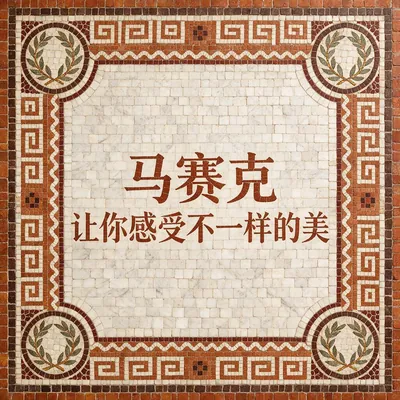
Photo & Text Mosaic Art
Turn photos or text into mosaic art
Photo & Text Mosaic Art
Turn photos or text into mosaic art
Showcase
Description
A studio for transforming and generating mosaic art. Supports more than 15 historical and contemporary mosaic styles, including Byzantine, Soviet Socialist Realism, Gaudí Trencadís, Islamic Zellij, Ancient Roman, Renaissance, Mexican mural, Art Deco, and contemporary abstract styles. Use it when you want to transform an image, photo, or portrait into a mosaic style; generate mosaic artwork from a text description; explore different mosaic styles; or work with concepts such as mosaic,碎瓷砖拼贴, or glass tessellation. Users can specify a style, or let AI recommend the most suitable mosaic style based on the image content or scene description. Built-in full-frame, no-exceptions mosaic processing handles high-realism risk areas such as people's eyes, skies, metal, and glass.
Recommended by
淡苍
Why we love this skill
Transforms photos or text into full-image mosaic art across 15+ historical and contemporary styles, with intelligent recommendations that preserve the subject while handling realistic details like eyes, skies, and glass.
Related Skills
View all Image
ImageReal-Person Doodle Portrait
Blend your real-person photo into a room or scene drawn with bold hand-drawn lines, creating a creative portrait that places a real person alongside a doodle environment. The person retains realistic photographic texture, facial features, clothing, and lighting, while the environment uses monochrome marker sketches to outline furniture, walls, and spatial contours. The result creates a striking visual effect of a “real person floating in a line-art world,” making it suitable for profile pictures, social cards, and stylized portrait artwork. You can upload a headshot, half-body photo, or full-body photo, then describe the living room, bedroom, study, café, studio, balcony, or other scene you want, along with the person’s clothing, pose, and expression. If you only have a headshot, the image can complete the body and place it in the specified space. If the original photo already includes a real environment, you can also keep the person unchanged while converting the background furniture, floor, walls, or street scene into a simple doodle line drawing, while maintaining the original composition. Deep ocean blue, burgundy, charcoal black, and other line-art colors are supported, with suitable aspect ratios matched to indoor portraits, open outdoor scenes, sports, or spacious environments. The setting will not be filled with excessive detail. Instead, it selects a few key objects and preserves negative space, making the contrast between the real person and the hand-drawn room clearer and more thoughtfully designed.
 Image
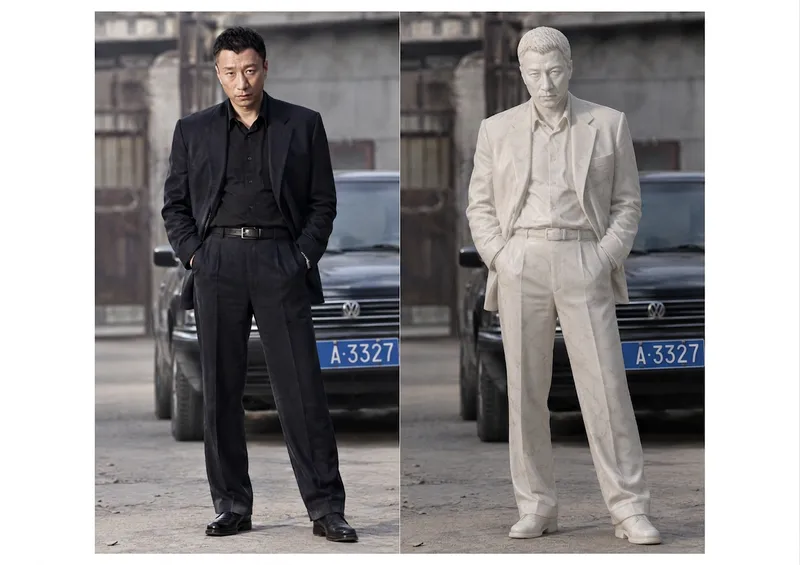
ImageMarble Sculpture Generator
Transform a clearly defined subject from a reference image—such as a person, group photo, animal, pet, doll, illustrated character, car, building, piece of furniture, musical instrument, or other object—into a marble sculpture with convincing three-dimensional form and believable carving logic. It prioritizes preserving the subject’s identity, species or product characteristics, silhouette, pose, proportions, expression, clothing, accessories, props, and original composition, so the result looks like it was actually carved by a sculptor rather than simply covered with a white filter. Clothing and accessories are translated into stone-carved details, animals retain their breed and body structure, and objects preserve their most recognizable design features wherever possible. The eyes are rendered as opaque, matte marble integrated with the face, using shallow eye sockets, subtly raised irises, and carved pupils to convey expression while avoiding glass eyes, glossy eyeballs, or a plastic appearance. Hair, skin, and fabric are unified into continuous sculpted forms while retaining their original contours and details. By default, the reference image’s background, viewpoint, subject placement, and aspect ratio are preserved, with restrained mineral textures, natural stone variation, chisel marks, realistic thickness, contact shadows, and soft lighting added. You can also specify a museum gallery, sculpture pedestal, or colonnade, or choose a sculptural style such as Ancient Greek, Roman, Renaissance, or Neoclassical. Without a reference image, it can generate an original marble statue from a text description and adjust the pose, setting, material tones, and aspect ratio to suit your needs.
 Image
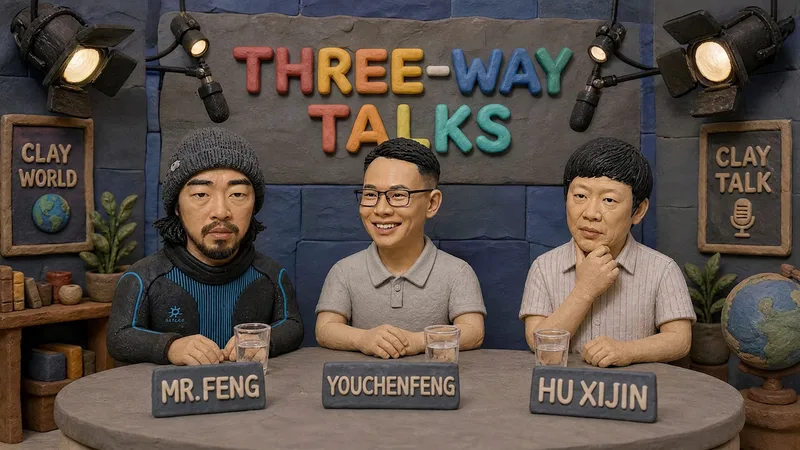
ImageHandmade Clay Image Maker
Turn text descriptions, people, animals, objects, or reference images into handmade clay-style artwork that truly looks molded, pressed, and assembled by hand. Rather than simply applying a clay texture, this style gives characters, scenes, props, buildings, and text the soft, dimensional volume of physical clay, with natural finger presses, hand-shaped edges, kneading marks, and subtle asymmetry for a detailed, matte, warm, and tactile handmade feel. Whether you need clay characters, miniature worlds, art illustrations, posters and ads, product visuals, or clay typography and lettering, the style automatically matches the colors, composition, and spatial depth to the subject. When you upload a photo of a person or animal, it aims to preserve recognizable features such as facial structure, hairstyle, body shape, clothing, and distinctive accessories, then reimagine them as a cohesive clay art figure. When text is requested, it is also integrated into the scene as dimensional clay lettering. You can specify the aspect ratio, color direction, subject pose, scene elements, or strength of the handmade effect, or simply describe the theme you want. The result is a complete clay-style image, along with the mode, colors, composition, and key visual settings used for generation, making it easy to continue refining the result toward a macaron, candy, retro, Japanese low-saturation, earth-tone, or warm storybook direction.
Information
- Version
- v5
- Last updated
- Runtime credits
- Usage-based
- Models
- GPT Image 2
