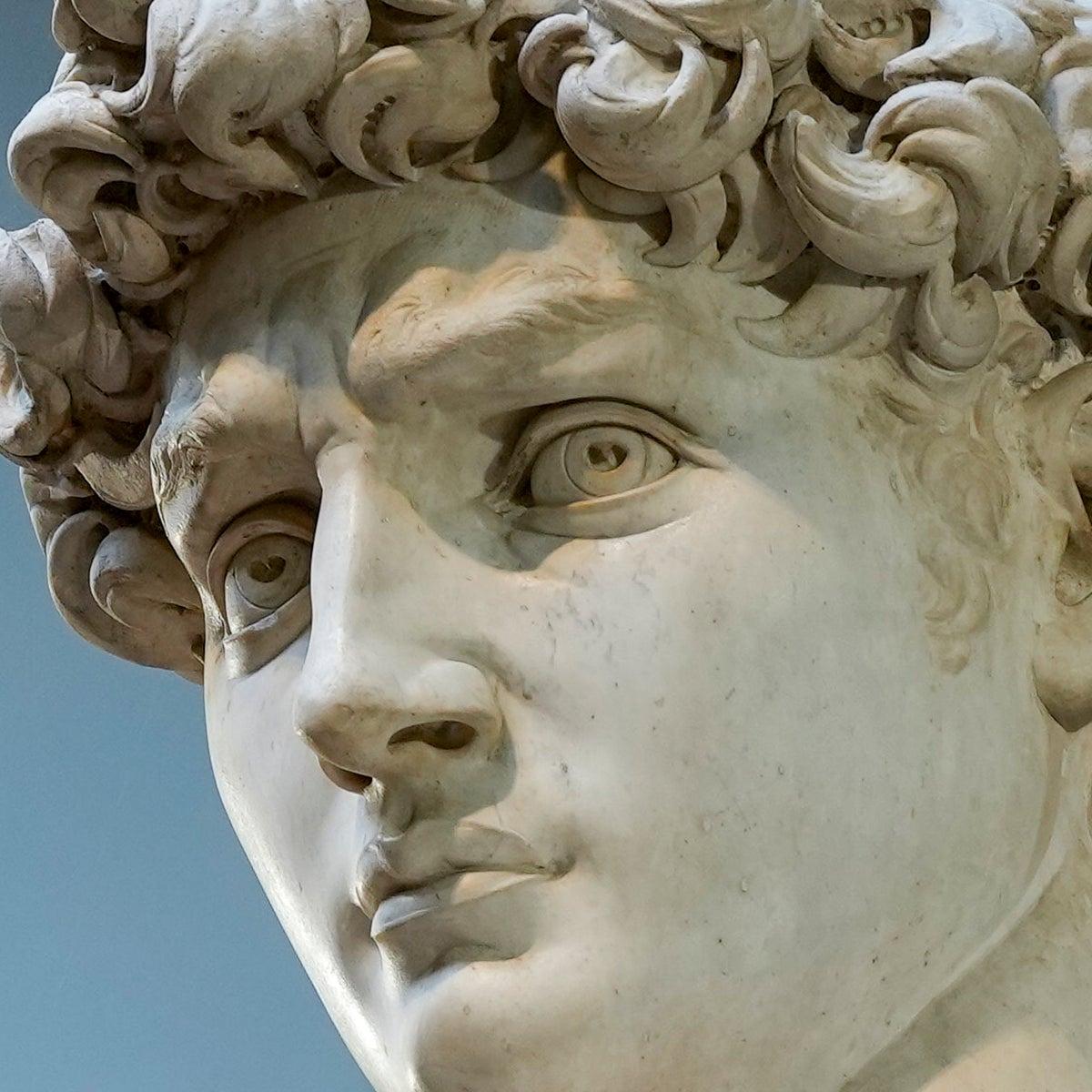
Marble Sculpture Generator
Turn images into realistic marble sculptures
Marble Sculpture Generator
Turn images into realistic marble sculptures
Showcase
Description
Transform a clearly defined subject from a reference image—such as a person, group photo, animal, pet, doll, illustrated character, car, building, piece of furniture, musical instrument, or other object—into a marble sculpture with convincing three-dimensional form and believable carving logic. It prioritizes preserving the subject’s identity, species or product characteristics, silhouette, pose, proportions, expression, clothing, accessories, props, and original composition, so the result looks like it was actually carved by a sculptor rather than simply covered with a white filter. Clothing and accessories are translated into stone-carved details, animals retain their breed and body structure, and objects preserve their most recognizable design features wherever possible. The eyes are rendered as opaque, matte marble integrated with the face, using shallow eye sockets, subtly raised irises, and carved pupils to convey expression while avoiding glass eyes, glossy eyeballs, or a plastic appearance. Hair, skin, and fabric are unified into continuous sculpted forms while retaining their original contours and details. By default, the reference image’s background, viewpoint, subject placement, and aspect ratio are preserved, with restrained mineral textures, natural stone variation, chisel marks, realistic thickness, contact shadows, and soft lighting added. You can also specify a museum gallery, sculpture pedestal, or colonnade, or choose a sculptural style such as Ancient Greek, Roman, Renaissance, or Neoclassical. Without a reference image, it can generate an original marble statue from a text description and adjust the pose, setting, material tones, and aspect ratio to suit your needs.
Recommended by
淡苍
Why we love this skill
Preserves the subject first, with carefully controlled eyes, clothing, and accessories for realistic, museum-quality marble sculptures.
Related Skills
View all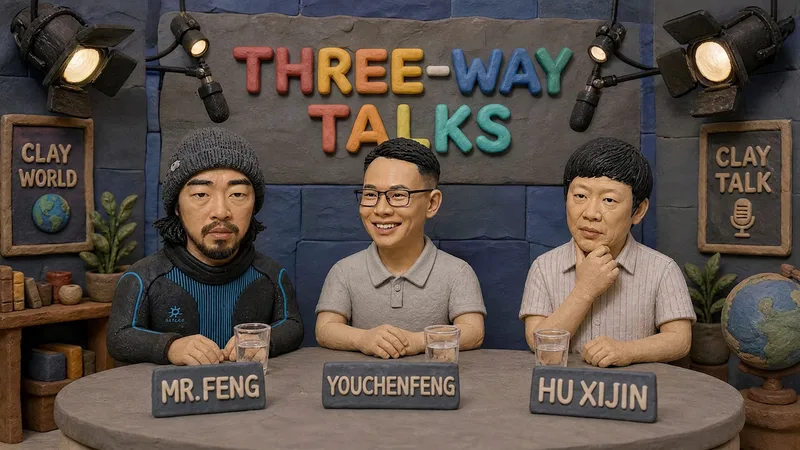 Image
ImageHandmade Clay Image Maker
Turn text descriptions, people, animals, objects, or reference images into handmade clay-style artwork that truly looks molded, pressed, and assembled by hand. Rather than simply applying a clay texture, this style gives characters, scenes, props, buildings, and text the soft, dimensional volume of physical clay, with natural finger presses, hand-shaped edges, kneading marks, and subtle asymmetry for a detailed, matte, warm, and tactile handmade feel. Whether you need clay characters, miniature worlds, art illustrations, posters and ads, product visuals, or clay typography and lettering, the style automatically matches the colors, composition, and spatial depth to the subject. When you upload a photo of a person or animal, it aims to preserve recognizable features such as facial structure, hairstyle, body shape, clothing, and distinctive accessories, then reimagine them as a cohesive clay art figure. When text is requested, it is also integrated into the scene as dimensional clay lettering. You can specify the aspect ratio, color direction, subject pose, scene elements, or strength of the handmade effect, or simply describe the theme you want. The result is a complete clay-style image, along with the mode, colors, composition, and key visual settings used for generation, making it easy to continue refining the result toward a macaron, candy, retro, Japanese low-saturation, earth-tone, or warm storybook direction.
 Image
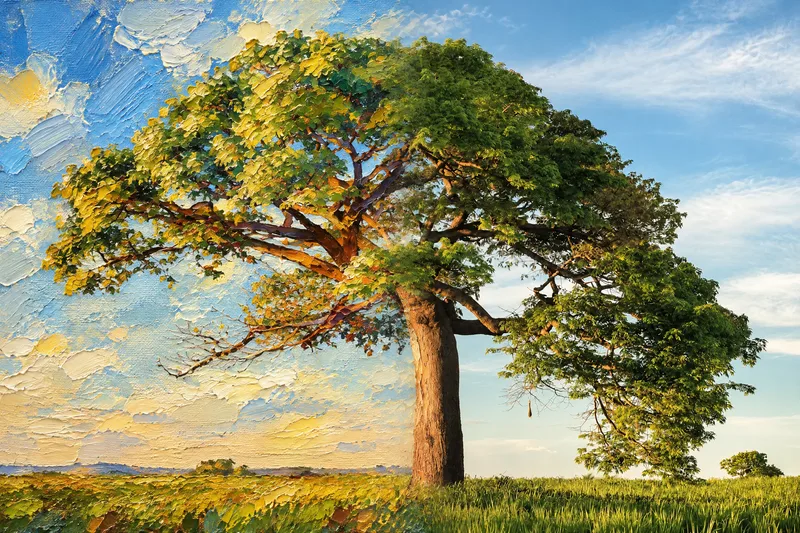
ImageSeamless Photo–Illustration
Transform photos of people, animals, pets, cars, buildings, products, food, plants, or scenes into dual-visual artwork featuring the same subject and composition in both realistic and illustrated form. One side preserves photographic texture, natural lighting, and material details, while the illustrated side clearly reflects a hand-drawn, anime, comic, watercolor, oil painting, clay, or vector illustration medium—not a simple filter effect. You can specify whether the visuals are arranged left and right or top and bottom, define where the realistic and illustrated areas appear, choose an illustration style, and set the aspect ratio. The subject’s pose, expression, facial features, structure, clothing, colors, and relationship to the scene remain coherent. People, animals, and objects transition according to their own visual centers, allowing both treatments to occur naturally within the subject rather than mechanically splitting the image. The final image emphasizes seamless integration: photographic texture gradually becomes lines, color blocks, or brushstrokes, while contours and lighting connect naturally. There are no dividing lines, hard edges, collage seams, torn-paper effects, or glowing boundaries. You’ll get a dual-visual image where the difference between the real world and the illustrated world is clear, yet no exact dividing point can be found.
 Image
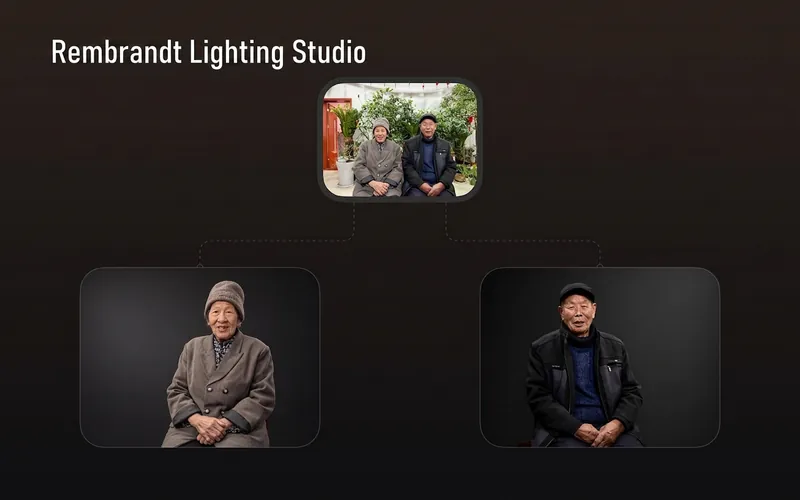
ImageRembrandt Studio Portrait
Transform ordinary photos of people or pets into Rembrandt-lit portraits with realistic studio lighting, strong chiaroscuro shaping, and a cinematic look. The skill automatically selects lighting suited to the original photo, based on a person’s frontal, profile, or three-quarter view, or on a pet’s facial and fur structure. It will not distort the nose shadow or facial features just to create a “Rembrandt triangle of light.” By default, people retain their identity, age, expression, skin tone, clothing, and accessories. Pets retain their breed, coat color, markings, ears, eyes, and body structure. Small adjustments to the camera angle, shoulder line, head direction, and composition are allowed to make an ordinary photo feel like a genuine new studio session, while avoiding a stiff, cutout, or memorial-portrait look. The original photo’s aspect ratio and orientation are preserved by default; a 1:1 headshot is not required. The skill also supports 1:1 headshots, 4:5 social portraits, 3:4 classic portraits, 2:3 print formats, 3:2 photographic landscapes, 4:3 general landscape images, and 16:9 cinematic covers. When the aspect ratio must change, it prioritizes cropping irrelevant background. If hair, ears, chin, hands, paws, or tail might be cut off, it extends the clean studio background instead. The background uses a clean, smooth, noise-free gradient from deep charcoal gray to inky black, aligned with the direction of the key light. Film grain, sensor noise, mottling, paper texture, smoke, glow, banding, and AI-generated compositing textures are explicitly prohibited. Suitable for: people portraits, pet portraits, profile photos, social media covers, editorial portraits, family photo upgrades, and cinematic studio transformations.
Information
- Version
- v5
- Last updated
- Runtime credits
- Usage-based
- Models
- GPT Image 2.5 Flare
