(Viral) Scenic Portrait Guide
Travel portrait poses, angles & settings
(Viral) Scenic Portrait Guide
Travel portrait poses, angles & settings
Showcase
Description
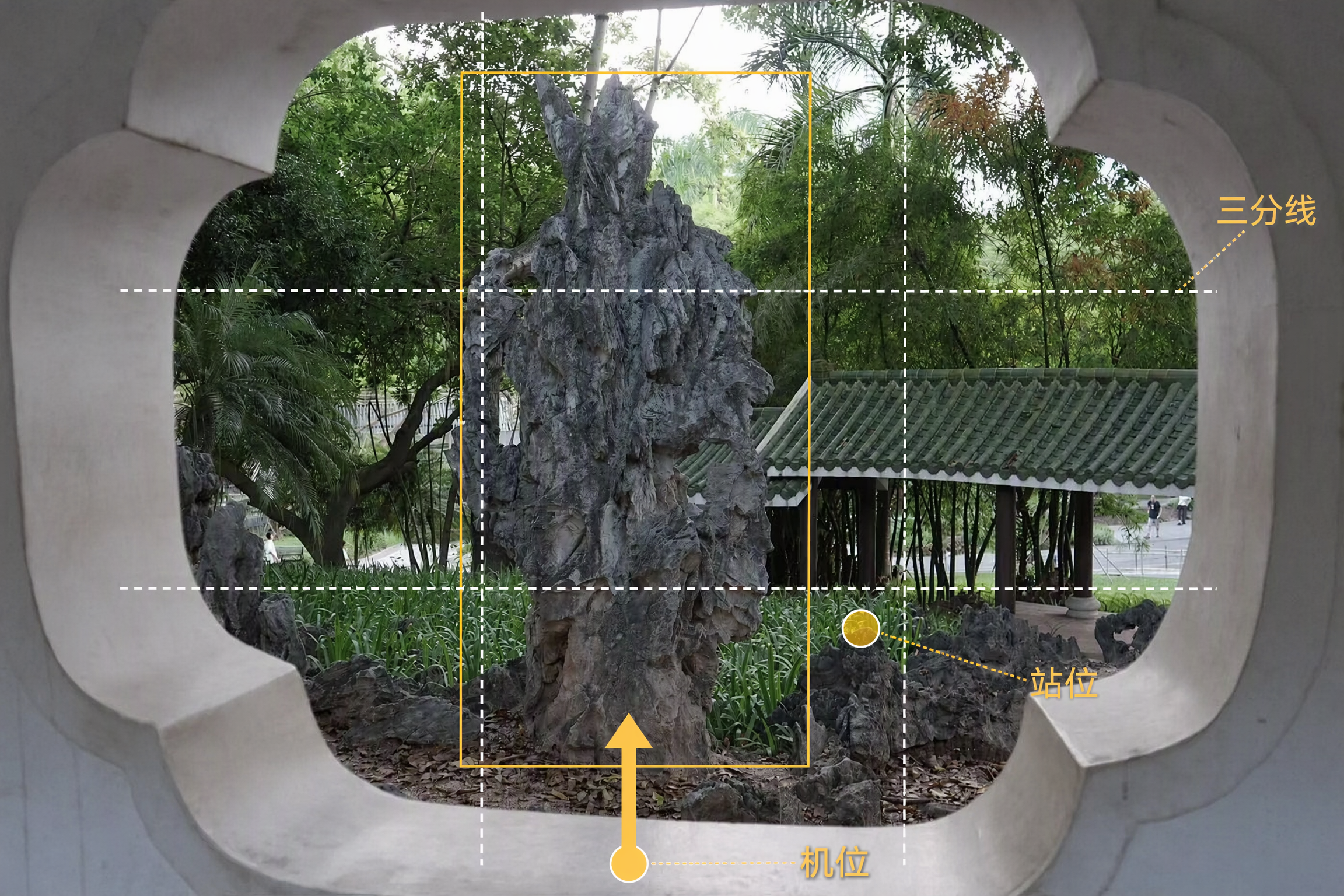
Upload a landscape photo to get a scenic portrait shoot plan tailored to the environment. The person being photographed will know how to pose, while the photographer will know where to stand and how to compose the shot. With a phone or camera, you can more easily capture natural-looking, flattering travel portraits. Even without details about the number of people, style, or equipment, the Skill makes reasonable judgments from the image and provides phone settings by default. The Skill analyzes the lighting, colors, foreground, leading lines, and negative space in settings such as beaches, mountains, flower fields, forests, cities, and historic architecture. It then designs poses for individuals, couples, or groups, explaining body orientation, hand placement, gaze direction, and interaction with the surroundings, while also flagging stiff poses to avoid. For the photographer, it provides suggestions for camera height, shooting angle, composition, focal length, and shooting distance. Based on the lighting and equipment, the settings section provides adjustment ranges for aperture, shutter speed, ISO, white balance, and exposure compensation, along with the reasons they apply and ways to fine-tune them on location. In addition to written plans, it can generate previews showing people naturally placed in the original landscape, as well as camera-position diagrams marked with where to stand, shooting direction, and composition references—so you can follow the guidance directly while traveling.
Recommended by
Dancang
Why we love this skill
Turn a landscape photo into an actionable travel-shoot script with tailored poses, camera positions, compositions, settings, previews, and diagrams.
Related Skills
View all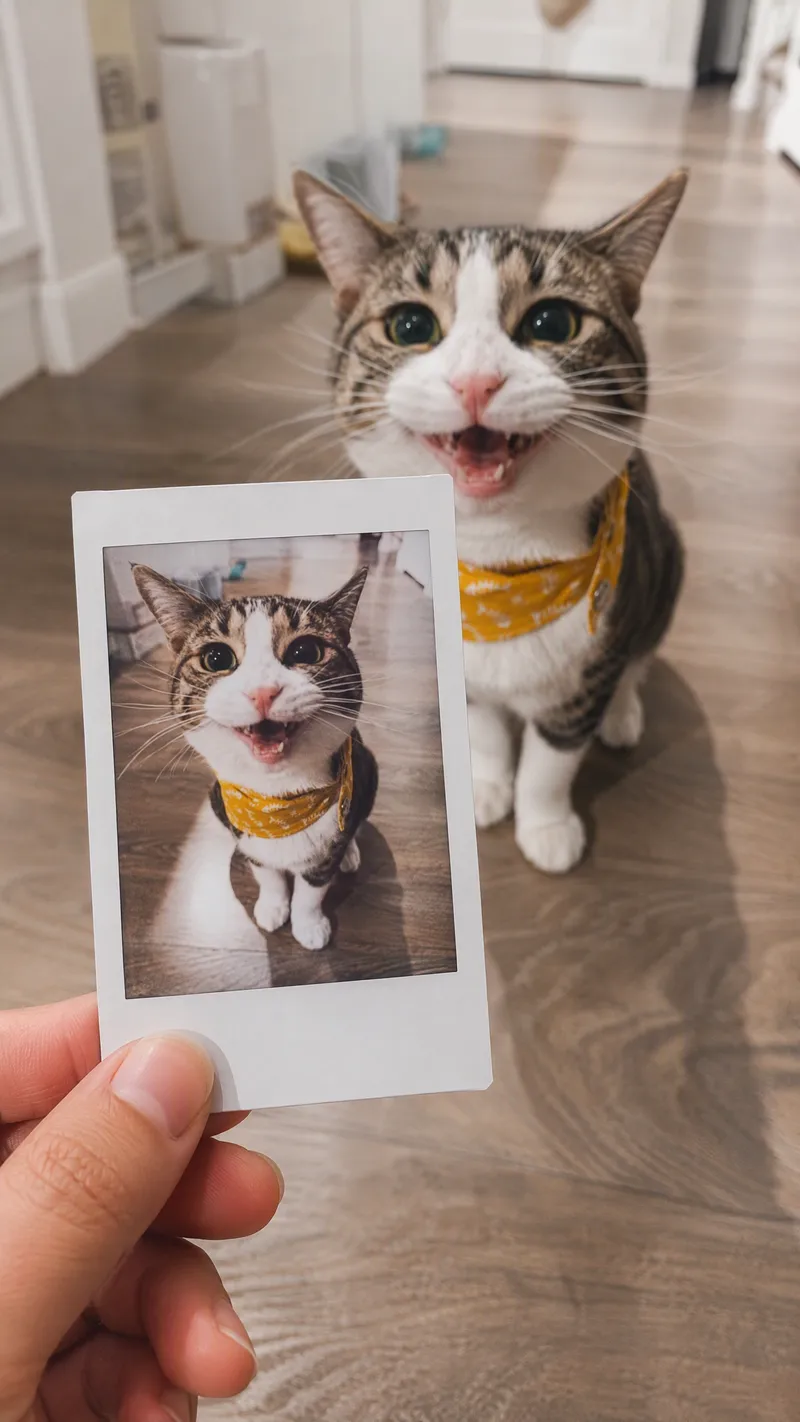 Image
Same-Scene Instant Photo
Turn an image or natural-language scene description into a realistic, natural-looking handheld instant photo: a hand holds a physical white-bordered instant print in the foreground, while the real scene from the same place and moment appears in the background, creating a coherent picture-within-picture effect. Whether the subject is a landscape, urban architecture, person, animal, car, product, or everyday object, the image preserves its key appearance and places it in a plausible real-world setting—not simply pasted into a frame. The results emphasize authentic photographic qualities, including natural perspective, paper texture, contact shadows, hand details, moderate depth of field, and the casual feel of a phone snapshot. Mountains, buildings, people, animals, and other subjects in the instant photo correspond to the background, allowing viewers to directly compare the image inside the print with the real scene outside it. Unnatural elements such as floating cards, digital collages, design lines, and excess text are avoided. The composition automatically adapts to landscape, portrait, or square formats based on the original image or your specified aspect ratio, while keeping the instant photo in your hand aligned with the final image. You can also use natural language to adjust the photo’s position, tilt, size, background clarity, lighting, and overall style. It’s suitable for travel photography, life documentation, and scene images with a convincing realistic illusion.
 Image
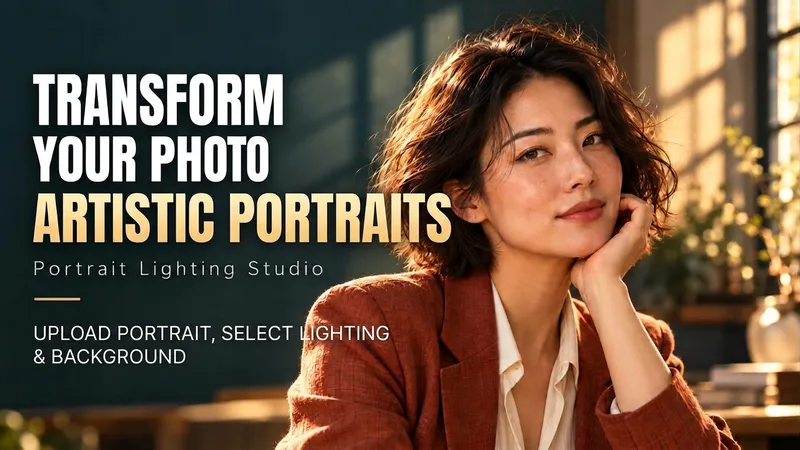
Portrait Light & Shadow Studio
Upload portraits, adjust lighting, poses, and backgrounds to generate window soft-light, night scene, or studio-style portraits. Upload a portrait photo or describe a fictional character to create photographic avatars, personal portraits, and magazine-style portraits. The Skill combines the subject's visible features to arrange poses, lighting, framing, clothing, and environment, ensuring natural hand gestures, grounded body posture, and directional lighting. Three original scenes are ready to use: • Warm Pottery Window: Terracotta and warm wood tones, with a natural medium shot near a studio window. • Rainy Night Set: Warm light in a movie theater porch, cold wet street tones, and expressive gazes. • Coastal Golden Breeze: Sunset rim lighting, sea breeze, and relaxed full-body travel portraits. Professional headshots, solid-color studios, black-and-white portraits, and custom themes are also supported. Uploading a photo preserves primary clothing and accessories by default; to change outfits, backgrounds, or poses, simply specify your request. By default, it generates one 3:4 vertical text-free image per run; you can change the aspect ratio, create a series, or request Chinese, English, or bilingual prompts. Multiple images are generated separately, and after generation, subject recognition, hands, feet, support points, and lighting are verified. You can say: "Use this photo for the rainy night set, keep the hairstyle, and change to a dark jacket." or "Create a mature woman with short curly hair walking naturally in the coastal sunset."
 Image
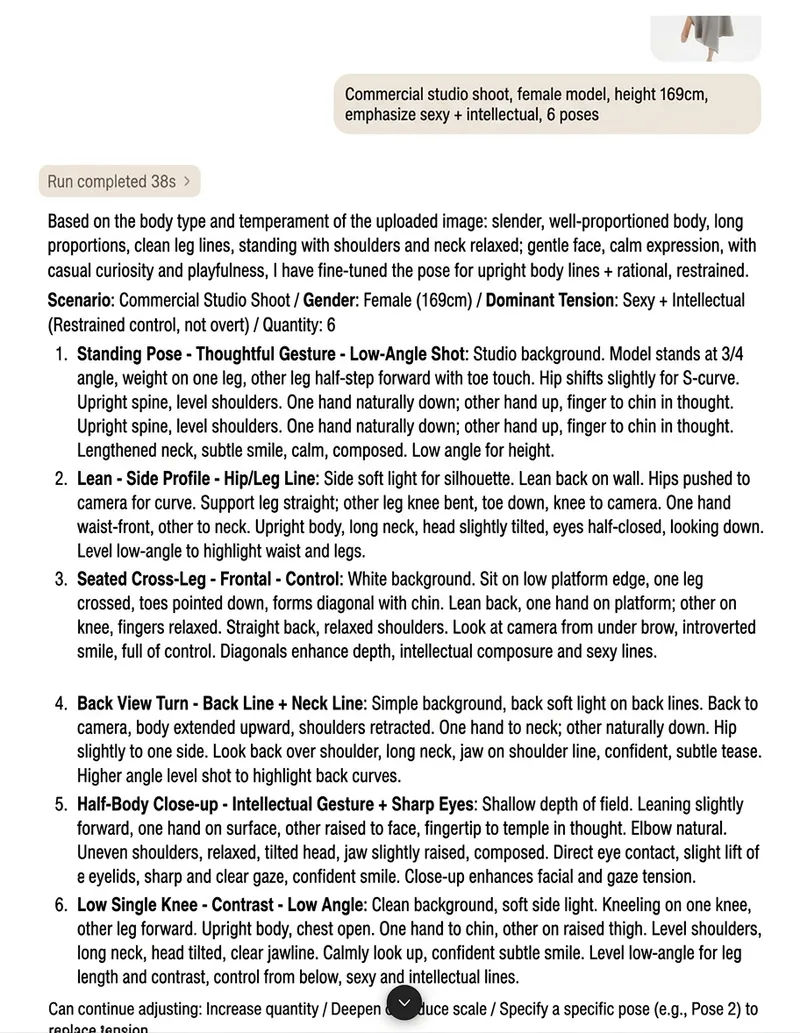
Portrait Tension Poses
Provide the scene, model's gender, desired tension, and number of poses to receive a set of professional Chinese pose prompts ready for portrait photography. Whether the setting is a studio, outdoor location, street, home, pool, or stage, each pose is shaped around the requested qualities—such as sensuality, cool restraint, elegance, wildness, grace, edgy confidence, or languid ease—with specific guidance on camera position, composition, body axis, center of gravity, shoulder-to-hip relationship, arm and leg lines, and neck and head angles. Each pose also comes with a tailored expression derived from it. Following the chain of “pose → emotion → expression,” the prompts specify gaze direction, eyelid opening, eyebrows, lips, and subtle facial expressions. These details bring out the pose’s emotion and tension while giving each option its own distinct mood and avoiding repetitive expressions. After you upload a model image, the skill can also adjust pose lines and expressions based on body shape, proportions, facial contours, and overall presence. The clothing, makeup, hairstyle, accessories, and setting in the image do not limit the style direction you specify. The generated options aim to vary body positions—standing, sitting, kneeling, lying down, and leaning—as well as camera views such as eye-level, high-angle, low-angle, side, back, and close-up shots. This helps avoid repetitive, stiff, or lifeless posing and makes the prompts suitable for portrait photography, model direction, and AI image prompt preparation.
Information
- Version
- v2
- Last updated
- Runtime credits
- Usage-based
- Models
- Auto
