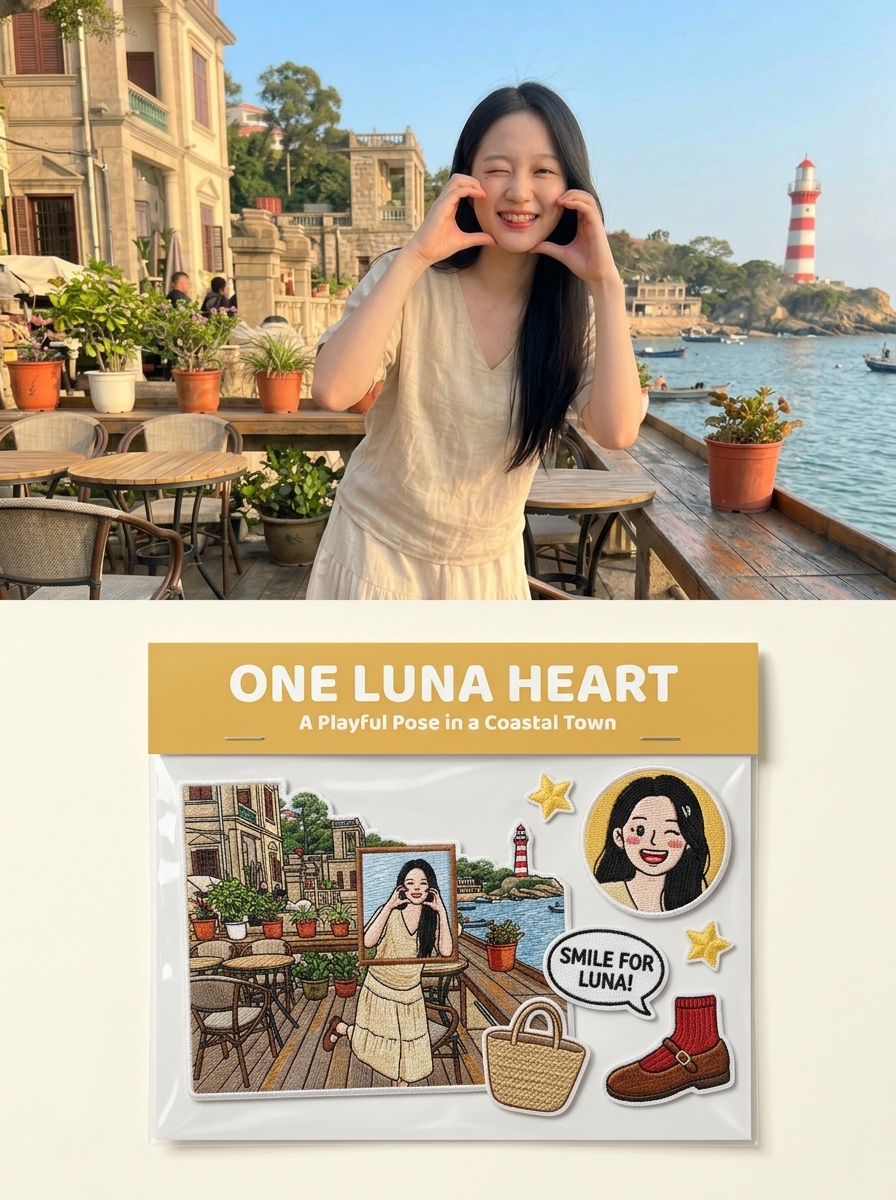
Photo to Embroidered Patches
Create custom merch to sell
Photo to Embroidered Patches
Create custom merch to sell
Showcase
Description
Suitable for: growing a Xiaohongshu account, taking custom merchandise orders, and selling customized digital materials. Upload one or more photos to independently generate a 3:4 product photography-style image for each one: the original photo in the upper half, and a custom embroidered patch set based on the photo in the lower half (transparent plastic bag + header card + 5–7 embroidered patches), with realistic embroidery texture and a cultural-creative e-commerce product detail image style.
Recommended by
Dancang
Why we love this skill
Turn a photo into commission-ready embroidered patch merch, with the original image above and custom packaging, themed copy, and a unique patch set below.
Related Skills
View all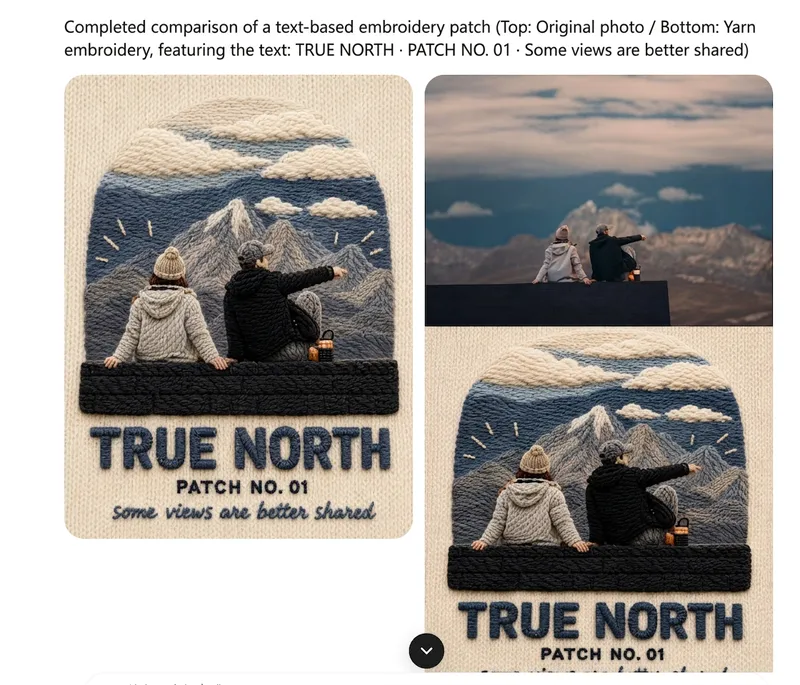 Image
One-Click Yarn Embroidery
Turn a single photo into a vertical, top-and-bottom comparison image: the top half is a pixel-level reproduction of the original, while the bottom half is a three-dimensional embroidered recreation made from physical yarn. The two sections are equal in width and height and joined seamlessly. Supports two modes: embroidery with three lines of text, or pure embroidery without text. You can also override the craft, material, and visual style as needed. (If you need to fit the Skill field length limit, you can use this existing sentence: Upload one image to generate a vertical, seamless comparison image with an exact recreation of the original on top and a three-dimensional yarn-embroidery recreation below; supports embroidery with three lines of text or pure embroidery without text, and allows the craft, material, and visual style to be overridden as needed.) Suitable for launching a Xiaohongshu account with visual posts, sharing images on WeChat Moments, and adding images to WeChat Official Account posts.
 Image
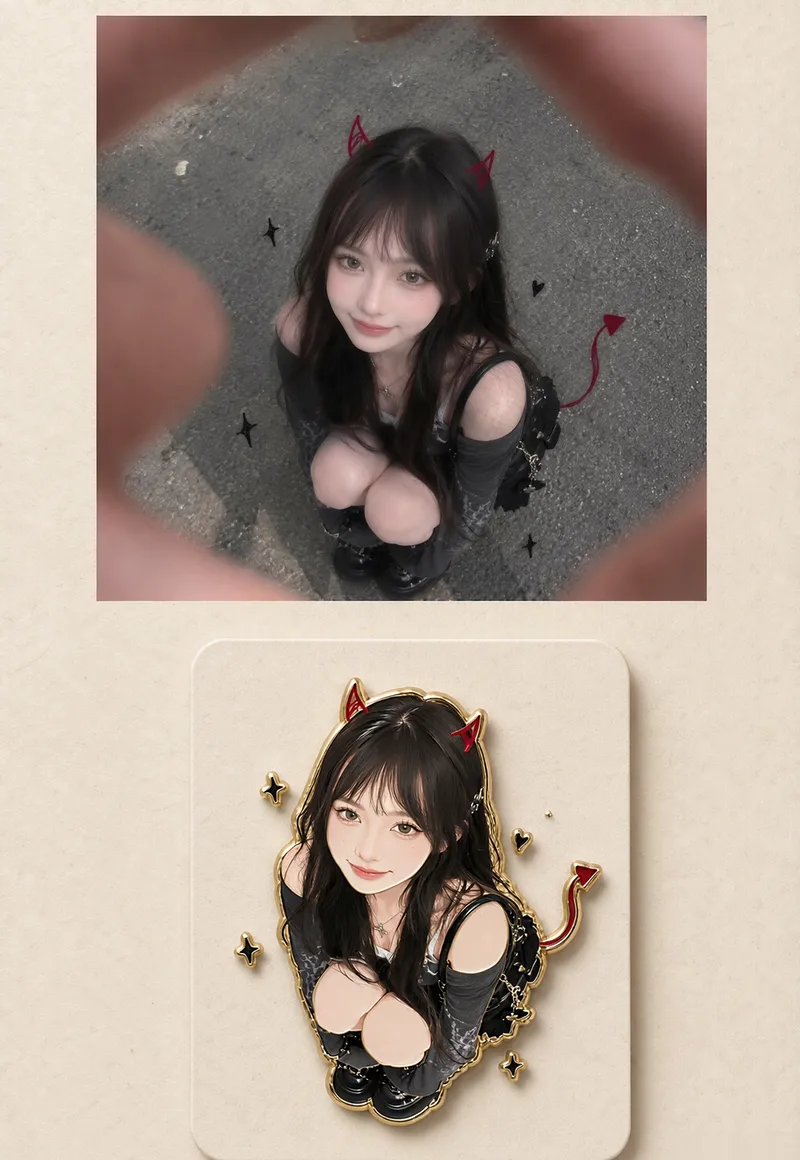
Photo to Enamel Badge
Commercial-grade cultural and creative design display image featuring a top-and-bottom dual-layer structure against a minimalist warm white rice paper texture background. Photo to Enamel Badge turns a single photo into two outputs: a ready-to-share realistic photo on top and a ready-to-produce merchandise design on the bottom. ✦ Output Structure · Top | Realistic Restoration: Strictly preserves the original characters, outfit, props, background, and lighting atmosphere, keeping film, vacation, or pastoral vibes intact. · Bottom | Enamel Badge Adaptation: Transforms the same look into a collectible hard enamel metal badge with a vector illustration style, gold plating, and glossy enamel surface, presented 3D-style on a beige paper backing card with drop shadows. · Default 3:4 portrait, adjustable to 1:1 product main image or 9:16 mobile wallpaper; badge can be round or square, with optional pets, bouquets, or props. ✦ Three Iron Rules 1. The top only restores without beautification—if the person doesn't look like the original, it's rejected. 2. The bottom is a badge adaptation of the "same person," and outfit colors and poses must match. 3. Zero text and zero watermarks in the entire image, ready for direct publishing or prototyping. ✦ Target Audience · Merchandise Collectors: Turn selfies, idols, or favorite characters straight into merchandise drafts. · Creators: Publish "realistic + merchandise" visual sets that naturally drive collection desire. · Independent Merchandising & Badge Shops: Mockups and detail page headers for new releases. · Wedding, Pet, and Family Keepsakes: Turn important people into wearable small items. · Tourism and Brands: Merchandise proposal graphics for scenic spots, stores, and IPs.
 Image
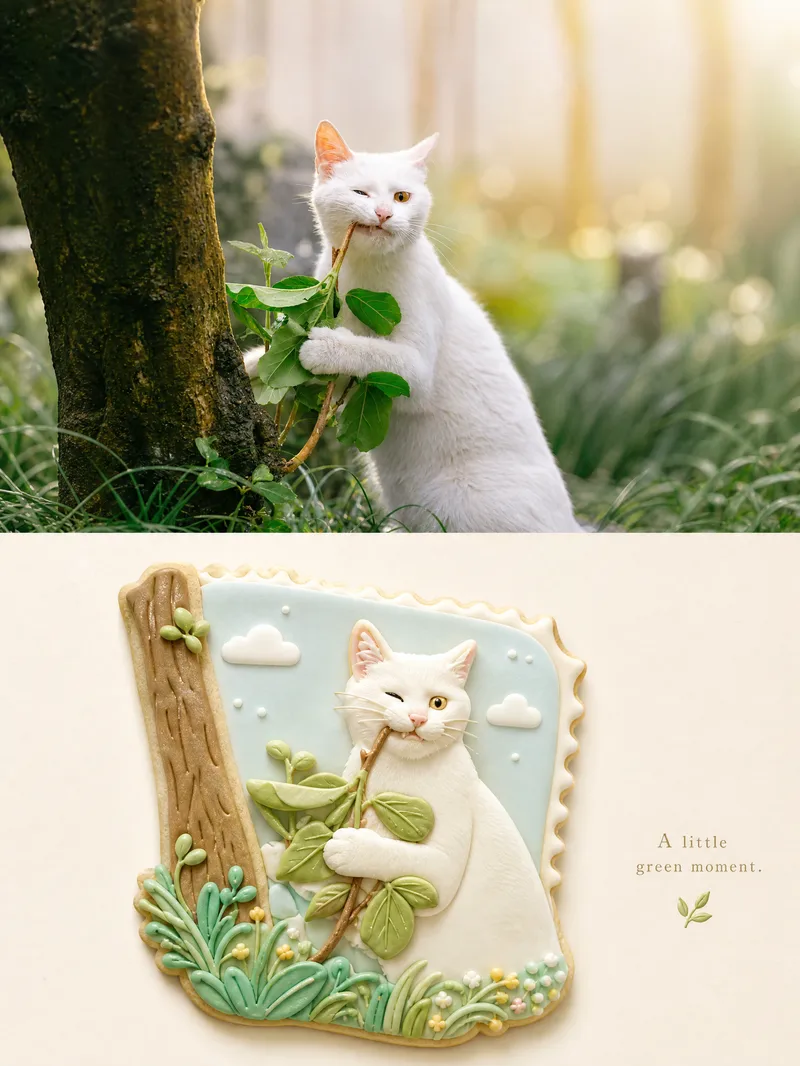
Split-Material Photo Poster
Upload one photo to create a premium 3:4 top-and-bottom split poster: the top half faithfully preserves the original photo with light color grading, while the bottom half uses semantic compression and visual metaphor to rebuild it as a complete, cohesive miniature bas-relief world in one unified material—such as frosted cookies, wool felt, layered paper cutouts, polymer clay, embroidery, stained glass, or mosaic tiles—or a material of your choice. By default, it outputs a single poster. You can change the material and the whitespace ratio: more whitespace creates a more collectible feel, while less whitespace is more eye-catching. When needed, lock the top half and color palette, replace only the material, and generate a series of “one poster a day” designs. Ideal for transforming ordinary photos into series-based visual content for covers, merchandise, and interior pages.
Information
- Version
- v3
- Last updated
- Runtime credits
- Usage-based
- Models
- Auto
