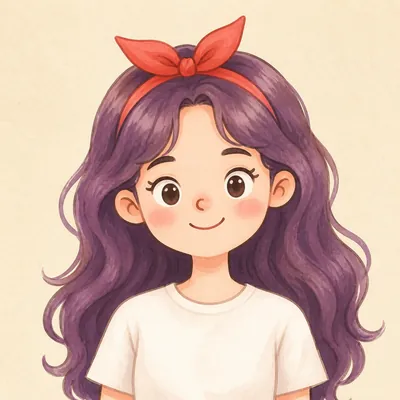
Your Custom Cartoon Avatar
Turn one photo into a reusable cartoon character
Your Custom Cartoon Avatar
Turn one photo into a reusable cartoon character
Showcase
Description
Turn a photo of a person into a custom hand-drawn cartoon character. Choose your favorite from 4 candidates with different poses and expressions, then finalize the design using one of 3 standard reference sets, each featuring three views and 6 commonly used expressions. You can download and save the reference images, or continue using them for article illustrations, Xiaohongshu posts, profile pictures, covers, sticker packs, nine-grid WeChat Moments posts, and custom scenes. Each task is linked to one character; when switching to a different person, we recommend creating a new task to avoid mixing up characters.
Recommended by
淡苍
Why we love this skill
Turn one photo into a downloadable, reusable cartoon character, with a structured process that helps maintain consistency across illustrations, covers, stickers, and custom scenes.
Related Skills
View all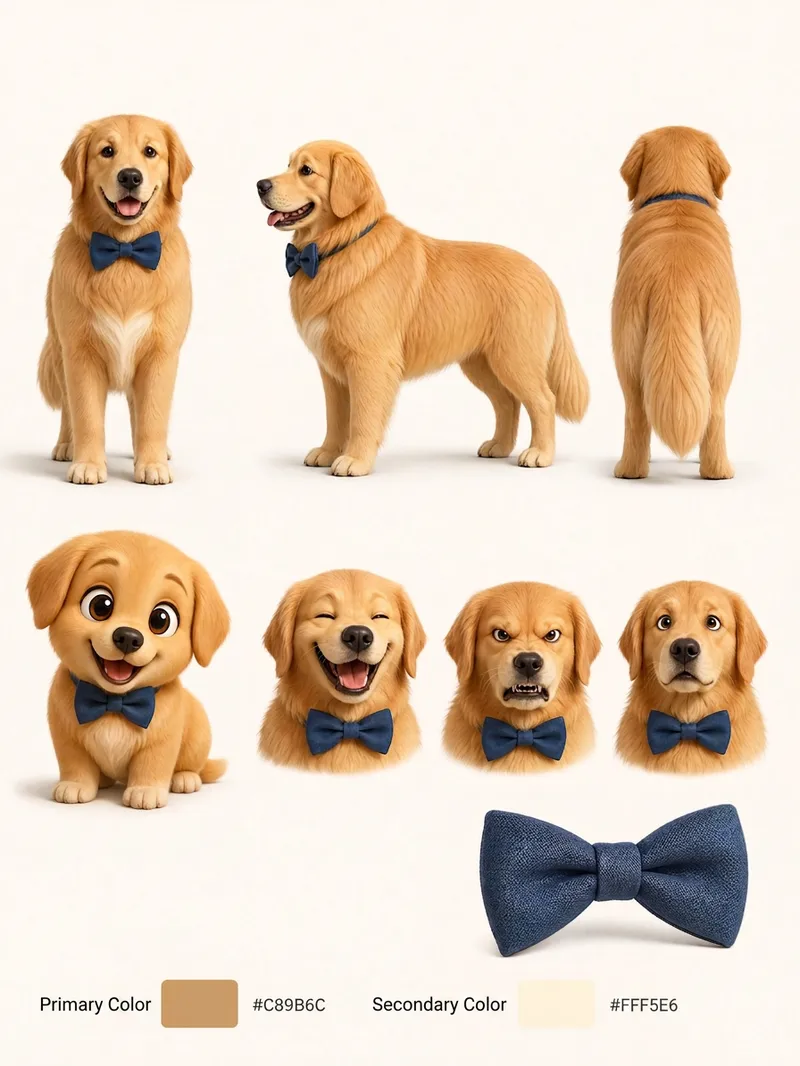 Image
ImagePet Cartoon Character Sheet
Turn an existing realistic depiction of your pet into a consistent, expandable cartoon character sheet. Use it as a stable visual reference for creating stickers, memes, comics, or animations. Before using this Skill, prepare a pet profile with realistic reference images, fur color, body type, distinctive features, accessories, and other details. The generated result will aim to preserve the character’s recognizability and maintain consistent details. The final result is a multi-view character sheet featuring front, side, and back views, a full-body chibi view, different emotional expressions, and signature accessories such as collars or tags. It also preserves the relationships between the primary and secondary colors. You can choose a 2D flat cartoon style, suitable for memes, stickers, and comics, or a 3D cartoon rendering style, suitable for animation, games, or 3D merchandise. If no style is specified, 2D is used by default. The generated cartoon character is also recorded in the pet profile, making it easier to maintain the same art style, fur colors, and accessory settings in future meme creation. This helps prevent character distortion or inconsistent styling from one creation to the next.
 Image
ImagePrecise AI Character Images
Turn the character you envision into ready-to-use prompts and finished images. Start with a seed description or a broad theme, then define key details step by step, including hairstyle, hair accessories, clothing, expression, pose, camera, lighting, and setting. Whether you’re creating a classical Chinese woman, a cyberpunk girl, a Japanese-style character, a realistic portrait, or a custom character concept, you can develop a cohesive visual direction based on the character’s overall mood. Choose Quick Image Generation to let AI complete the character design automatically, or use Fine Control to adjust each element through selections or custom input. Results include structured prompts in both Chinese and English, along with a matching Negative Prompt, making them easy to understand and reuse with leading models such as FLUX, Midjourney, and SDXL. You can also generate the finished character image with AI. After generating an image, continue fine-tuning specific dimensions, such as hairstyle, expression, pose, camera angle, lighting, setting, or art style. Regenerate while keeping the other details unchanged, with each modification clearly identified. Ideal for character design, character concept art, avatar creation, illustration planning, and exploring visual directions.
 Image
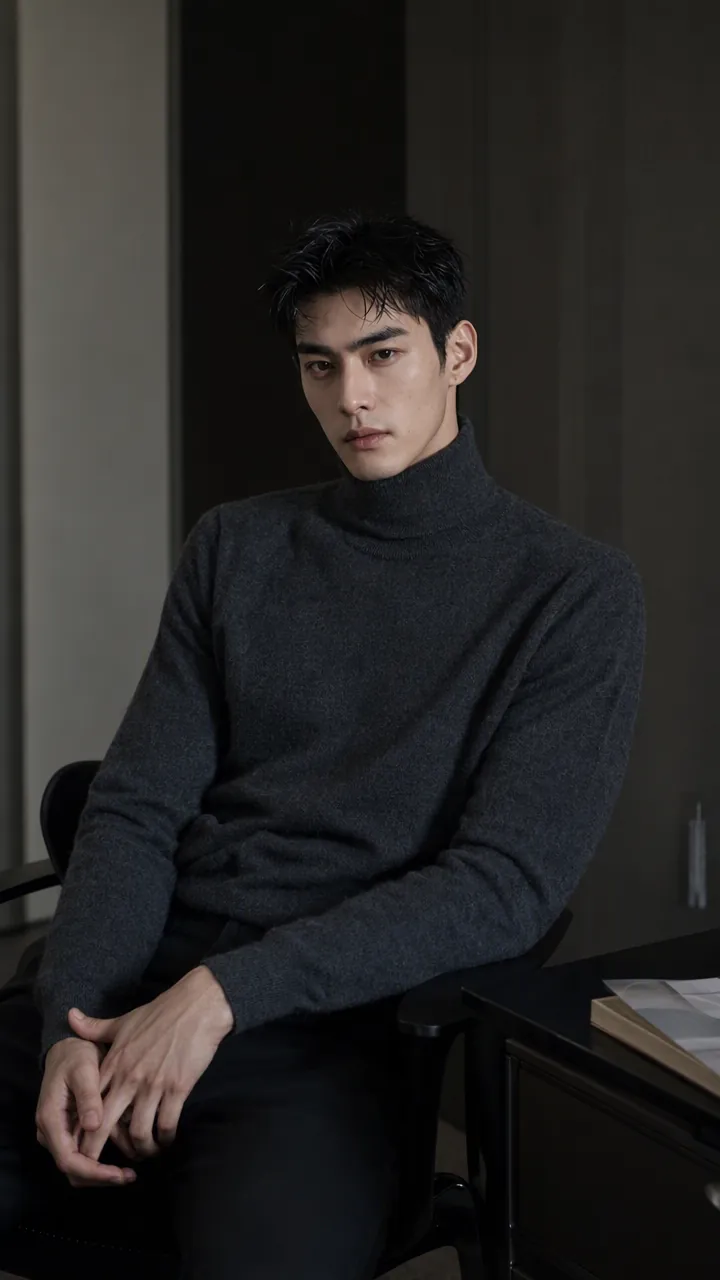
ImageReal-Person Doodle Portrait
Blend your real-person photo into a room or scene drawn with bold hand-drawn lines, creating a creative portrait that places a real person alongside a doodle environment. The person retains realistic photographic texture, facial features, clothing, and lighting, while the environment uses monochrome marker sketches to outline furniture, walls, and spatial contours. The result creates a striking visual effect of a “real person floating in a line-art world,” making it suitable for profile pictures, social cards, and stylized portrait artwork. You can upload a headshot, half-body photo, or full-body photo, then describe the living room, bedroom, study, café, studio, balcony, or other scene you want, along with the person’s clothing, pose, and expression. If you only have a headshot, the image can complete the body and place it in the specified space. If the original photo already includes a real environment, you can also keep the person unchanged while converting the background furniture, floor, walls, or street scene into a simple doodle line drawing, while maintaining the original composition. Deep ocean blue, burgundy, charcoal black, and other line-art colors are supported, with suitable aspect ratios matched to indoor portraits, open outdoor scenes, sports, or spacious environments. The setting will not be filled with excessive detail. Instead, it selects a few key objects and preserves negative space, making the contrast between the real person and the hand-drawn room clearer and more thoughtfully designed.
Information
- Version
- v2
- Last updated
- Runtime credits
- Usage-based
- Models
- Auto
