Neon Anime Pet Portraits
Create split posters with anime and real pet photos
Neon Anime Pet Portraits
Create split posters with anime and real pet photos
Showcase
Description
Upload pet photos to create split posters one by one, with a clean magazine-style neon anime portrait on the left and the original photo on the right. The left side automatically removes cluttered backgrounds and replaces them with a simple studio color field and restrained layout, while preserving each cat, dog, bird, rabbit, or reptile’s coat colors, patterns, eyes, pose, and accessories—without mixing images or changing the pet’s identity.
Recommended by
Dancang
Why we love this skill
Turns each pet photo into an approximately 3:4 diptych poster, pairing a clutter-free neon glitch anime magazine portrait with the faithfully preserved original. The side-by-side contrast balances visual impact with recognizability.
Related Skills
View all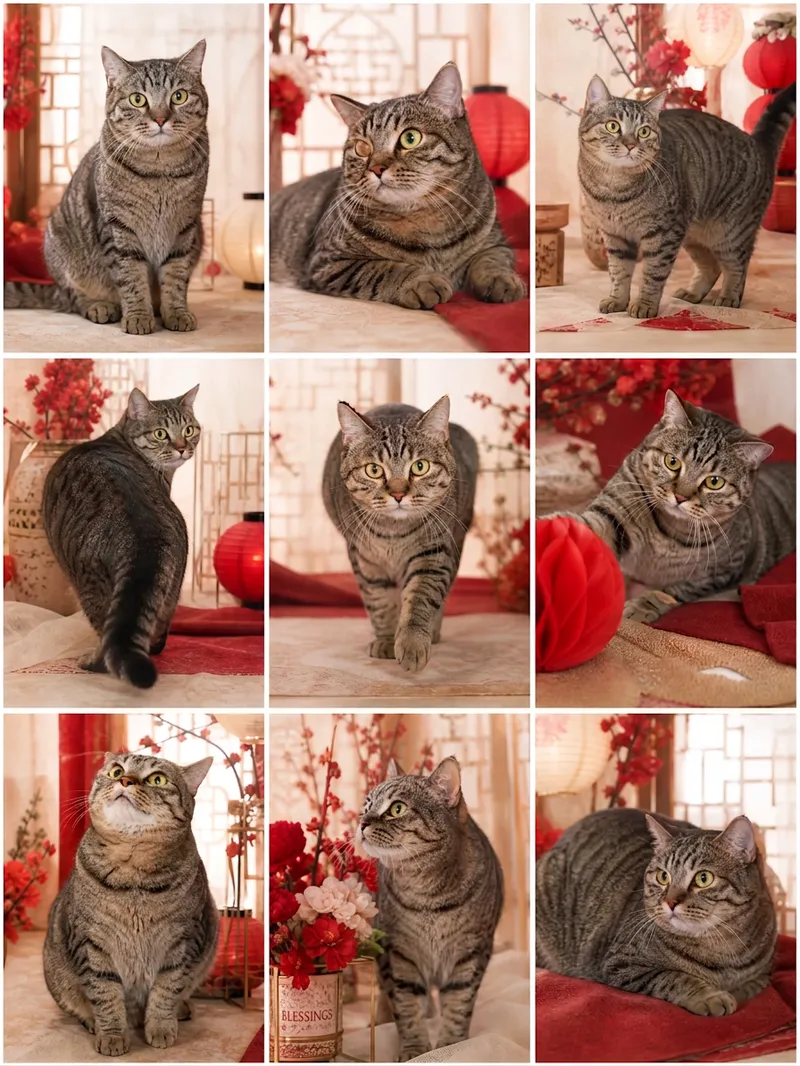 Image
Pet New Year Portraits
Transform your pet photos into exclusive New Year portraits with a Spring Festival atmosphere while preserving their recognizable facial features, fur color, markings, and build as much as possible. Whether for cats, dogs, or other pets, you can design coordinated and varied festive photography scenes based on your preferred colors, zodiac themes, backgrounds, props, outfits, aspect ratios, and quantities. It does not copy reference images directly, nor does it add people, other pets, or text elements without authorization. Creation typically starts with a 3x3 grid preview so you can intuitively view different poses, framing, backgrounds, and New Year settings, allowing you to choose your favorite frames or confirm the generation of the entire set. Selected frames are produced as independent portraits rather than simple cropped collages. Each image focuses on pet likeness, facial clarity, natural movement, image completeness, and a festive Spring Festival vibe. If photos are unclear or pet identity cannot be confirmed, you will be asked for additional information first; the generation process will also clearly state the image aspect ratio, quantity, and any potential detail variations.
 Image
12-Frame Funny Pet Portrait
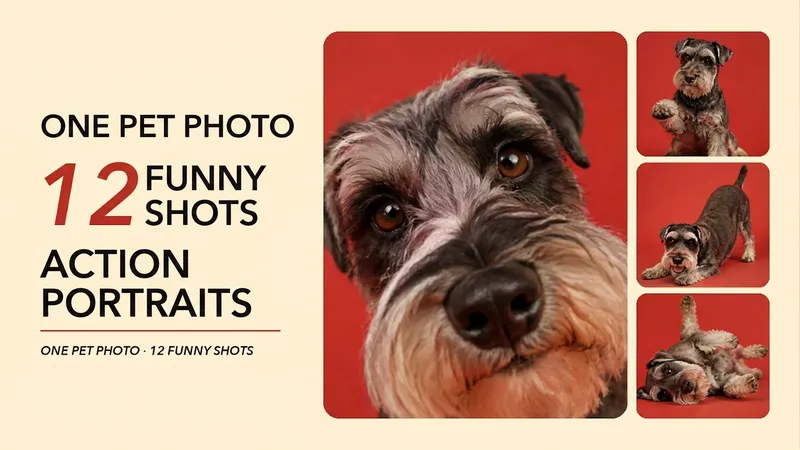
Which shot would your pet steal? Upload one photo and see them sniff the lens, tilt their head, or let out a huge yawn. Get a 12-frame studio photo sheet with a different pose or expression in each frame and your pet’s recognizable markings. Customize the backdrop and poses. Works in English and Chinese. Which shot would your pet steal? Upload one photo and see them sniff the lens, tilt their head, or let out a huge yawn. Get a 12-frame studio photo sheet with a different pose or expression in each frame and your pet’s recognizable markings. Customize the backdrop and poses. Works in English and Chinese. Showcase images depict fictional pets. Installation costs 3,000 credits. Image generation is billed separately by YouMind.
 Image
Fuzzy Pet Portraits
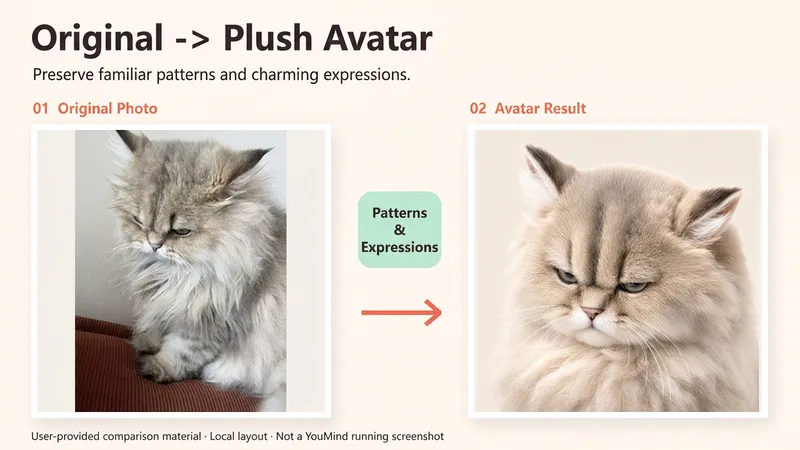
Your pet deserves a portrait of its own. Upload a cat or dog photo and turn it into a soft, dimensional plush 3D portrait. Preserve the forehead markings, familiar ears, and little collar that make your pet recognizable, so its cuteness stays uniquely theirs. You can get: ① Signature details: Focus on coat color patterns, facial markings, ear shape, eye color, and visible accessories. ② Plush little star: Soft short fur and natural lighting, while preserving your cat or dog's original muzzle, nose, and expression. ③ Profile composition: A default 1:1 layout with a clean background color and no text, leaving room for ear tips and circular cropping. ④ Further adjustments: Change the background, reduce exaggeration, or adjust accessories while prioritizing continuity with the version you already approved. Ideal for personal social profile images, pet accounts, and everyday keepsakes. The default is one pet in one image, but you can also create a fictional cat or dog from a description. Actual generation depends on the image tools and usage available on the current platform. Markings and details may vary; the original photo is not guaranteed to remain unchanged, and a successful result is not guaranteed on the first try. A background color is used by default—it does not imitate a transparent sticker. If the tool is unavailable, this will be stated clearly and a complete prompt will be provided.
Information
- Version
- v6
- Last updated
- Runtime credits
- Usage-based
- Models
- Auto
