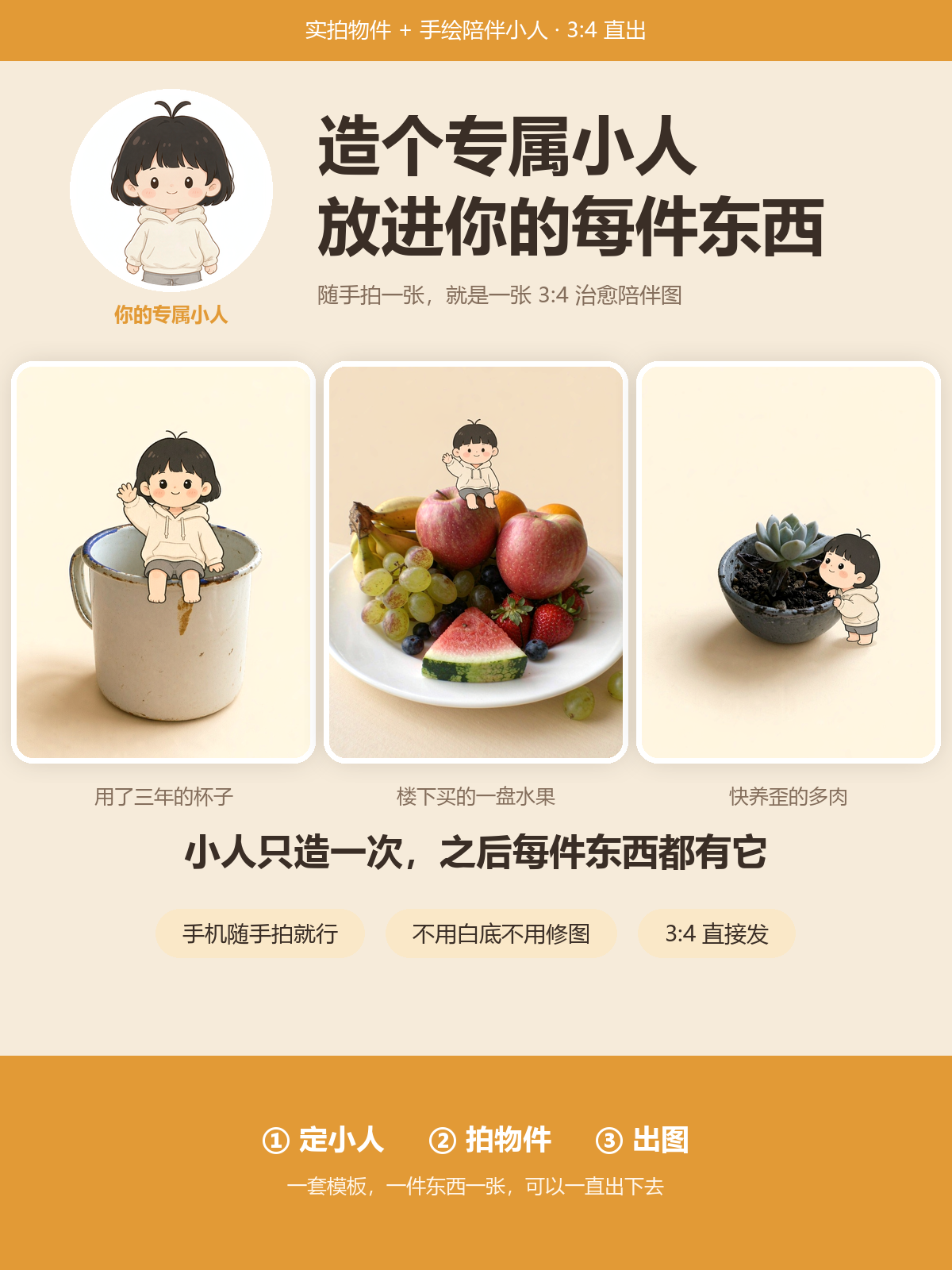
Custom Companion Character
Put your hand-drawn character into real photos
Custom Companion Character
Put your hand-drawn character into real photos
Showcase
Description
First, create a custom "companion character," then place that character next to your real photos of everyday objects—an old cup, an unsent note, or a succulent. Transform them into 3:4 comforting companion images that you can keep making with new items. Upload a photo or description to generate your custom character, then create a new image for every item you photograph. Many people have small objects with stories—a worn cup, an unsent note, a struggling succulent, a basket of fruit. You may have tried using AI to generate "objects with a little character," but it often misses the mark in five ways: 1. **Others give you random images, but you want "your character"**: Every generation looks different today versus tomorrow, preventing a coherent set. -> This skill does the reverse: **create a custom character first** (reference portrait + appearance card), then reuse the exact same character for every item. **Your asset is the character, not just the image.** 2. **Change the image, and the character changes face**: No matter the description, AI draws different faces each time. -> The solution here is **"ten-point appearance cards" verbatim reuse**—head shape, hair, eyes, blush, expression, top, bottom, body type, and feet, without changing a single character. Fully consistent across images. 3. **The character looks too human, or the objects look too cartoonish**: The two most jarring inconsistencies. -> This skill locks down two "don'ts": **objects cannot be cartoonized (preserving real photo texture), and characters cannot be made realistic (preserving hand-drawn illustration style)**. The contrast between reality and illustration creates the comforting feel. 4. **My photos are just casual snapshots with clutter on the desk, can I use them?**: Yes. -> Dedicated **"purification" formula** (keeping only the object + excluding clutter + clean background), clearing clutter while keeping the object intact. **No staging, no white background, no editing needed**—just the casual photo already on your phone. 5. **My phone is mostly full of food**: Fruit platters, a bowl of noodles, strawberries, freshly baked bread—**combination objects work too**. -> This skill features a "multi-object naming method": listing every item in the combination (red apples, yellow bananas, grapes, oranges, watermelon, strawberries, blueberries), ensuring no fruit is missing and apples don't deform. Food photos don't involve portrait rights, require no staging, and are your easiest material type. **Simple input**: 1. Create a character (photo of yourself or a doll, text description, or default character) 2. An object photo (casual smartphone snap is fine) 3. Choose a theme. **Output**: 1. Your **character reference portrait + appearance card** (made once, reusable forever) 2. A 3:4 comforting companion image (make another with a new item to build a set) 3. A 3-frame storyboard if you want a complete story.
Recommended by
Dancang
Why we love this skill
Build a reusable custom hand-drawn character and let it accompany everyday real objects. It uniquely preserves the traces of daily life, using the contrast between illustration and realism to capture personal thoughts and continuously produce cohesive, heartwarming visual content.
Best for
Ideal for putting a custom hand-drawn character into real object photos to create comforting visual content.
How to use this Skill
Provide your input
Provide a photo or text description of a character, doll, or other figure, along with an object photo and a theme, plus optional settings.
Run the Skill
Creates the character appearance card, extracts object features and themes, and generates consistent companion image prompts and copy.
Review your result
Receive character reference prompts, appearance cards, image prompts, companion copy, and layout recommendations.
Related Skills
View all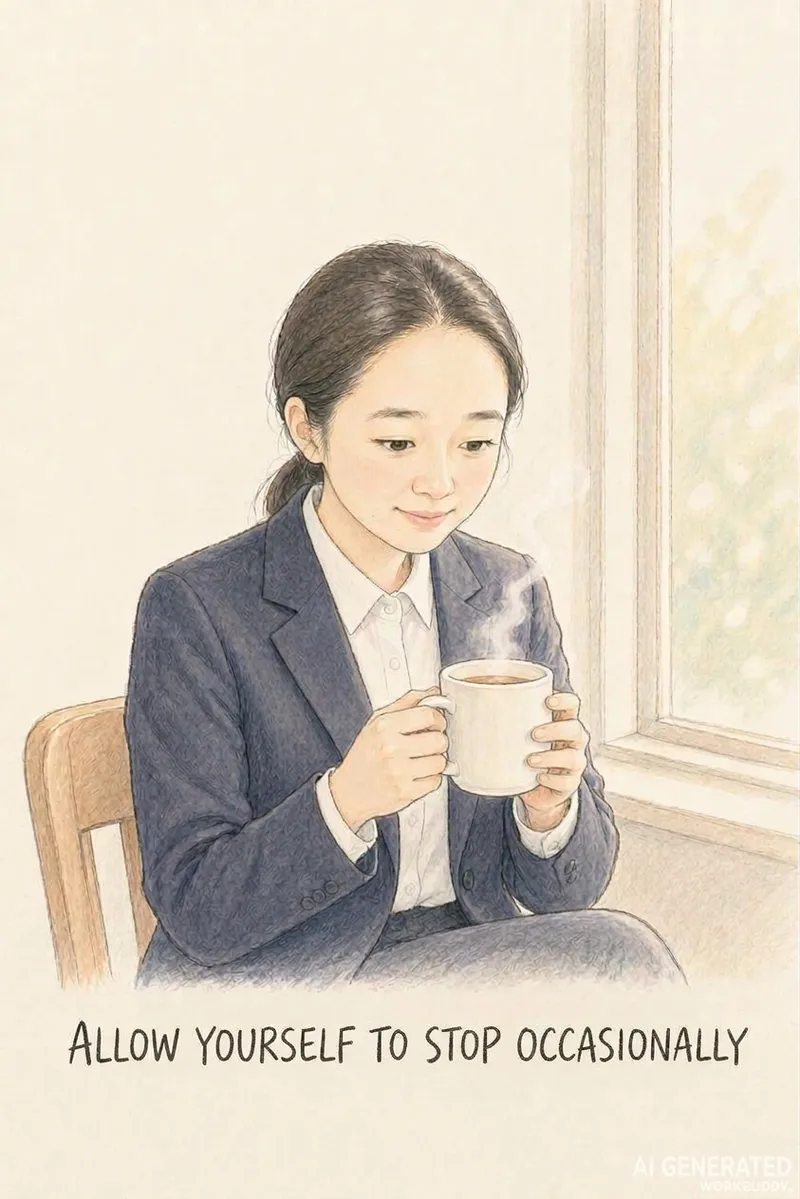 Image
Turn Photos into Healing Comics
Turn a casual photo into a healing comic post centered around a theme like women's growth or rediscovering oneself. Upload a photo, theme, and content type or size, and the AI automatically generates a complete package with copy and visuals. Use this when users want to turn photos into healing comics, create casual snapshots into posts, make Xiaohongshu content with photos, create healing photo comics, make women's growth posts, turn photos into comic notes, or tell a theme through photos. 1.0.0 Do you ever have a casual photo you want to turn into a relatable post, but get stuck because you cannot draw, cannot write copy, or find that the character's face changes on every page, and memorable quotes just will not fit? This Skill turns 1 photo and 1 theme into ready-to-publish healing comic content, solving three major pain points: 1. **On-point messaging**: You provide a theme like women's growth, rediscovering oneself, or taking it slow, and the AI extracts emotional viewpoints and impactful quotes without making things up. 2. **Consistent faces**: The person in the photo maintains facial consistency across pages so they look like themselves, creating a continuous story unlike standard photo-to-anime tools that only output a single avatar. 3. **Ready to publish**: Generates images in Xiaohongshu 3:4, WeChat long image, or Douyin 9:16 formats without layout issues, featuring clear quotes that are easy to search and share. ✅ Tested example: A plain ID photo becomes Grown-up isn't becoming someone else, it's finding yourself, with a locked-in face across pages—including challenging angles like tilting the head or looking back—with natural poses and embedded quotes, ready for direct publishing. ✅ A guided workflow that utilizes free AI tools to run smoothly without consuming any platform credits. ✅ Includes a 9-page storyboard template, character locking terms, image generation instructions, and a platform size guide so you can replicate results instantly. Ideal for Xiaohongshu users, creators, individuals building a personal healing IP, and reading or personal growth bloggers looking for visual content.
 Image
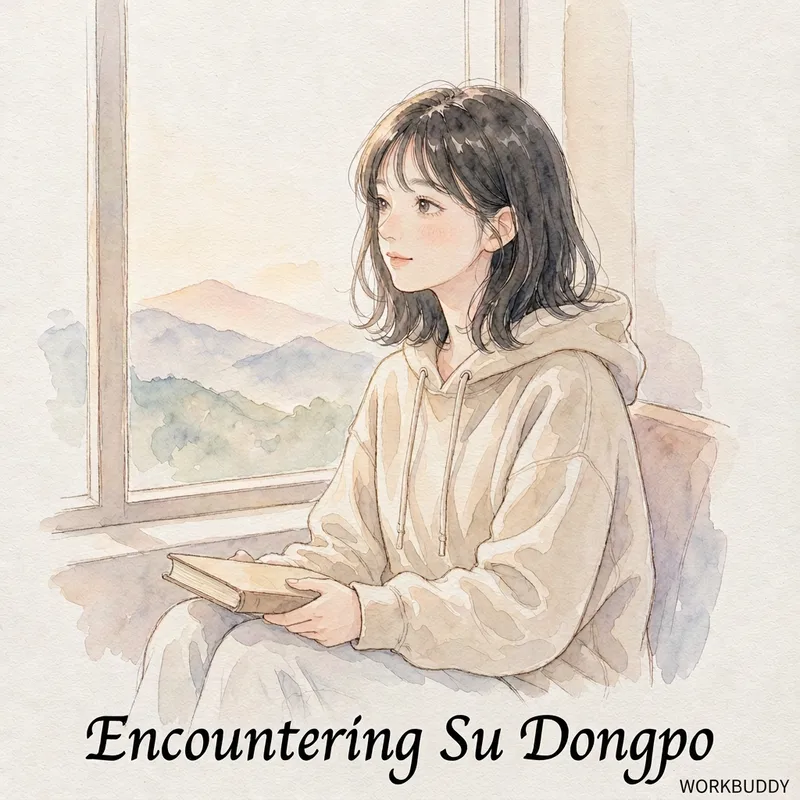
Book-to-Comic Notes
Quickly transform a book into healing hand-drawn comic style illustrated notes: upload the book title and core content, and the AI automatically extracts knowledge points, generates storyboard scripts featuring the book's protagonist with you standing nearby, and creates complete sets of image prompts, producing publish-ready posts for social media in minutes. Use when users say "turn this book into comic notes", "books into comics", "how to make book blogger illustrations", "healing reading comics", "snap a book to generate posts", "how to turn a book into social media posts", or "turn a biography into a comics". 1.0.0 Do you find yourself in this situation: you read a great book you want to share, but get stuck because you can't draw, struggle with copywriting, and the protagonist's face changes on every page of the generated images? This skill turns "a snapshot of a book + a few instructions" into a set of publishable healing comic illustrated notes, specifically solving three pain points: 1. **Stays on Track**: Requires you to provide the book's core content (excerpts / table of contents / golden quotes) for AI extraction, preventing it from making things up; 2. **Consistent Faces**: The protagonist's face is locked across pages, keeping the storytelling continuous; 3. **Ready to Publish**: Outputs images in standard social media aspect ratios without messy sizing. ✅ Tested Example: Yi Gongzi's "Life Encounter with Su Dongpo" — Su Dongpo acts out his life while you stand by the side like watching a movie, with his original quotes on every page (e.g., "This heart at ease is my homeland", "With bamboo staff and straw shoes, who fears? A life in misty rain"), with a consistent face across pages, ready to publish directly. ✅ Guidance-based, designed to run flexibly with free AI tools (DeepSeek for scripts, Doubao / Jimeng for images) without spending platform credits. ✅ Includes a 9-page storyboard template + protagonist locking keywords + image generation prompts + platform dimension table, just copy to generate images. Suitable for: book bloggers, knowledge creators, content creators, and social media users who want to share book reviews.
 Image
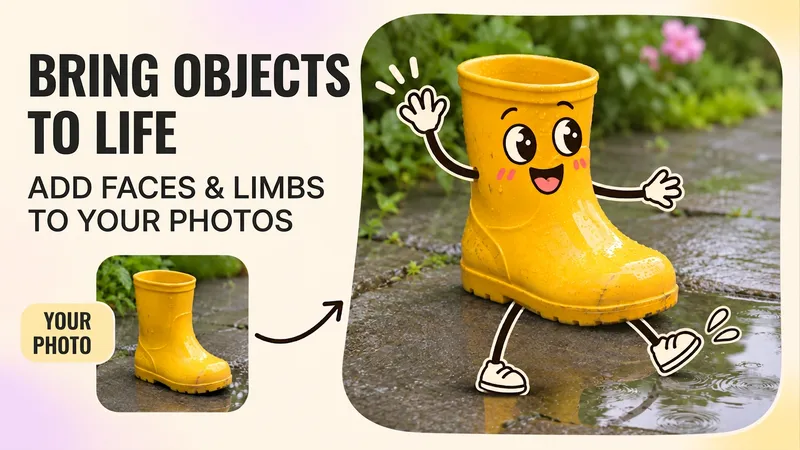
Object Animator
Your kettle is already waiting to clock off work? Upload a photo of any object, add big eyes, cute expressions, and simple line limbs to turn everyday items into characters with personality. The real textures and original setting stay in the frame, making the ordinary adorable with just a few doodles. Here is how you can play: • Rainboots in a puddle: Smiling and waving, with one leg happily lifted. • Kettle waiting for water: One hand on the hip, one hand checking a watch, pouting anxiously. • Stapler feeling sleepy: Resting its chin and yawning, just like you on a Monday afternoon. Cups, fruit, bags, stationery, furniture, electronics... Pick an object around you and tell it how it feels today. You can also just upload a photo and let the skill arrange the expressions and actions. By default, it generates a single static image without added text, matching the original photo's aspect ratio. You can adjust expressions, actions, limb styles, quantity, and background. When you don't have a photo, you can create new characters using text. If you only want ideas, just say "prompts only". Try: "Add cute expressions and limbs to this object, have it wave happily, keep the original background, and no text." Supports both Chinese and English communication within the same skill. Display images are original AI-generated assets, including before-and-after editing examples of rainboots.
Information
- Version
- v3
- Last updated
- Runtime credits
- Usage-based
- Models
- Auto
- Use cases
- Writing & contentImages & design
- What you get
- Social postPromptPlan
