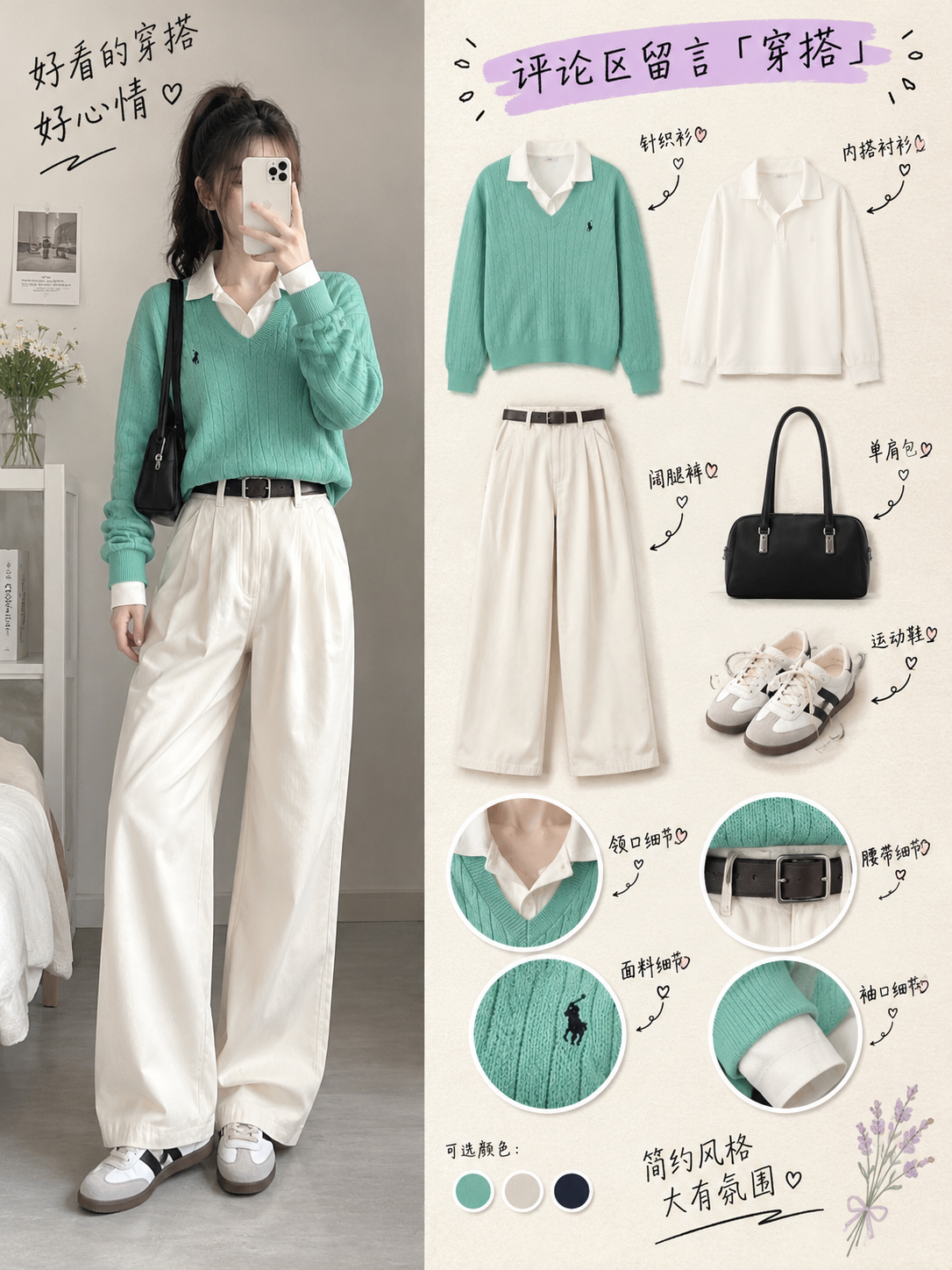
OOTD Flat-Lay Annotated Poster
Turn outfit photos into a split-layout poster
OOTD Flat-Lay Annotated Poster
Turn outfit photos into a split-layout poster
Showcase
Description
Turn uploaded clothing photos into an “outfit breakdown poster”: the left side shows a mirror selfie of a model wearing the outfit with a phone covering their face, while the right side is a cream-beige collage area with flat-lay item photos, circular detail close-ups, a color palette, and handwritten marker annotations. Accurately preserve the clothing’s style, colors, fabric textures, and details such as buttons, belts, necklines, and cuffs—without changing the design or colors. Customize the output ratio, text language, and comment prompts. You can also upload a person’s photo to use as the model.
Why we love this skill
Creates ready-to-post outfit breakdown posters with a real-life model shot, flat-lay items, detail close-ups, color palettes, and handwritten annotations—faithfully preserving fabric and design details.
Best for
For content creators and fashion enthusiasts who want to turn clothing photos into outfit showcases or social media inspiration posters.
How to use this Skill
Provide your input
Upload 1–4 clothing or accessory photos, with optional model photo, output ratio, text language, comment prompt, and copy.
Run the Skill
Creates a split-layout outfit breakdown poster: a phone-covering-face outfit photo on the left, with flat-lay items, detail close-ups, a color palette, and handwritten annotations on the right.
Review your result
Get one publish-ready outfit breakdown poster featuring the model’s outfit, clothing details, accessory information, and guiding copy.
Related Skills
View all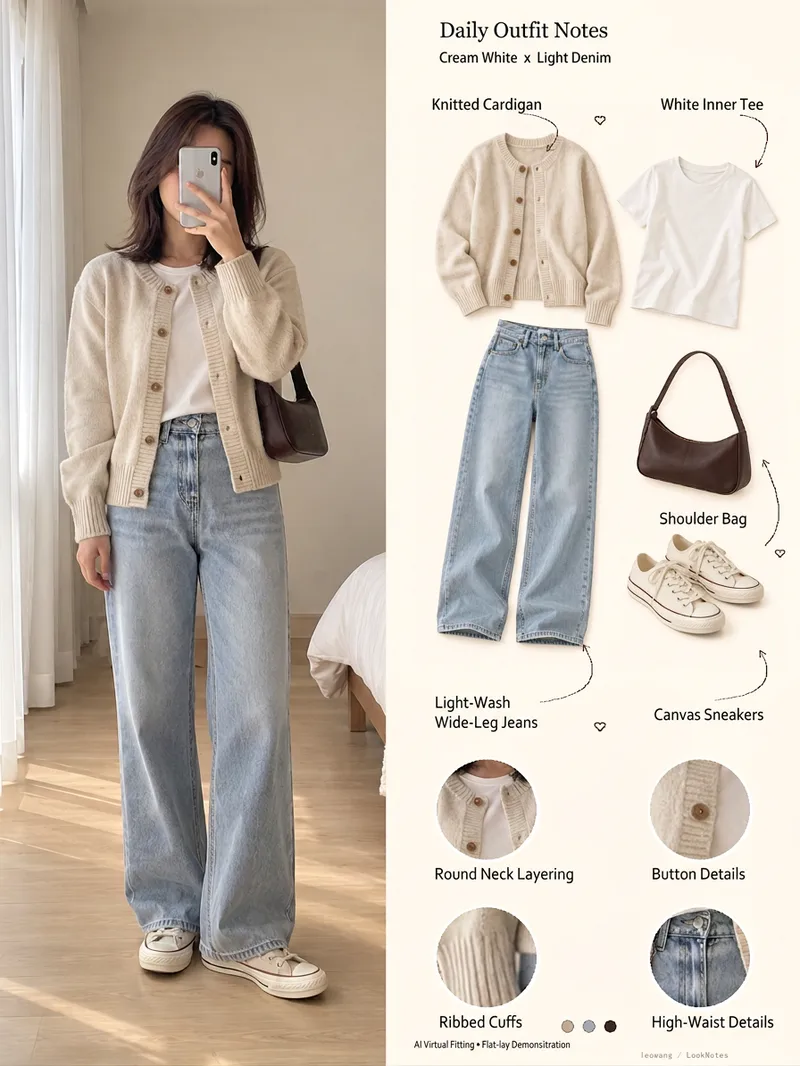 Image
Outfit Breakdown Poster
Upload an outfit photo to organize it into a lightweight Xiaohongshu outfit journal: the left side keeps the full-body look, while the right side displays item flats, original-photo detail circles, visible color schemes, and handwritten-style notes. Great for outfit sharing, wardrobe logs, and fashion content creation, defaulting to Chinese and a 3:4 light cream background. It also supports workflows for generating virtual adult model illustrations from individual item photos. Includes actual 1200x1600 English and Chinese examples: natural selfies, five item flats, four original detail callouts, and localized typography. Flat layouts are illustrative rather than actual product photos or exact pattern reproductions. The virtual try-on mode for item photos has not been fully tested yet. Image tools and credits are provided by the host; runs are not executed automatically in-platform, and results are not auto-published. Product and workflow design by leowang.
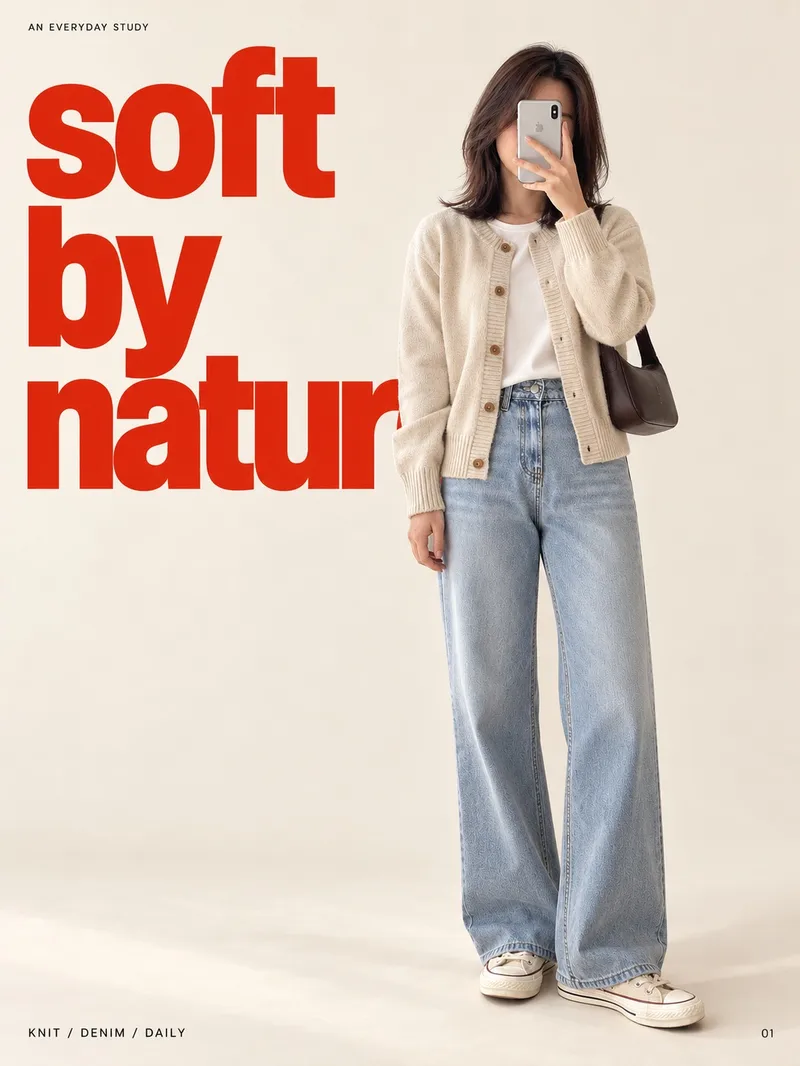
Outfit to Magazine Spread
Upload an outfit photo to create a balanced, spacious, and striking single-page fashion magazine layout centered on the subject, clothing, and overall mood. It defaults to one large image, a short title, and an accent color. Detail shots, color palettes, and notes are added as needed rather than filling every module by default. It supports Chinese or English titles, custom aspect ratios, and reference styles, defaulting to 3:4. It prioritizes preserving the original photo and outfit. If background cleanup is needed, it checks for clothing changes and clearly explains the processing method. It does not guess brands, fabrics, or prices from the photo. The classic outfit journal and flat-lay diagram modes are still supported. Product design by leowang. Actual execution relies on host image and file capabilities.
 Image
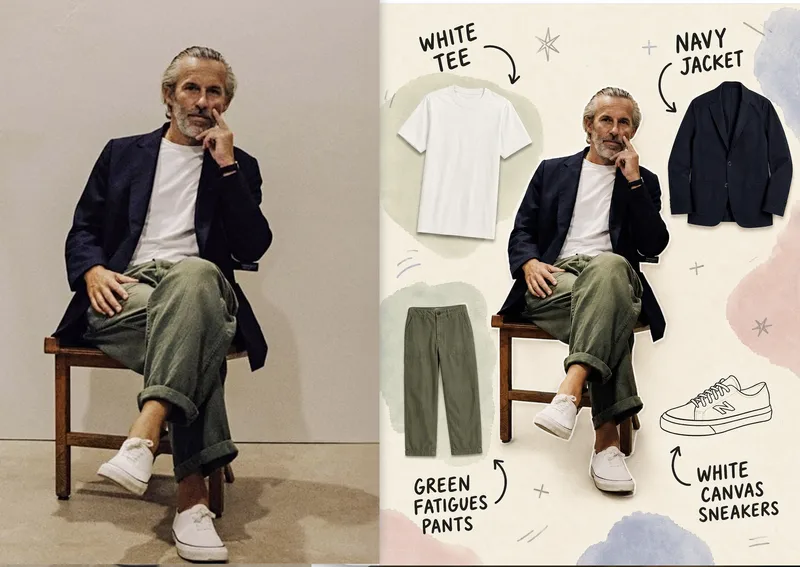
Annotated Outfit Breakdown
Turn a single outfit photo into a clear, easy-to-read outfit breakdown image—ideal for outfit sharing, fashion editing, styling records, and social media posts. The image preserves the person’s facial features, pose, and original outfit, while separating the jacket, top, bottoms, shoes, and visible accessories into individual product-style item images arranged naturally around the centered subject, making the full look easy to understand at a glance. Each item is labeled with handwritten doodle-style text and curved arrows that accurately identify its color, category, and material. Brand information is included only when you provide it and is never guessed. The overall design combines a warm off-white paper background, soft watercolor blocks, and a few hand-drawn symbols with a realistic person and clean item images, creating a relaxed, editorial collage effect while avoiding obstruction of the subject or inventing clothing that does not appear in the original photo. You can also adjust the label language, item-image style, color palette, number of items, and aspect ratio to better match your personal taste and publishing context.
Information
- Version
- v4
- Last updated
- Runtime credits
- Usage-based
- Models
- Auto
- Use cases
- Images & designMarketing & growth
- What you get
- Image
- Visual styles
- MinimalistCollagePhotorealistic
