Pull My Face Personal Page
Make your personal page more interactive
Pull My Face Personal Page
Make your personal page more interactive
Showcase
Description
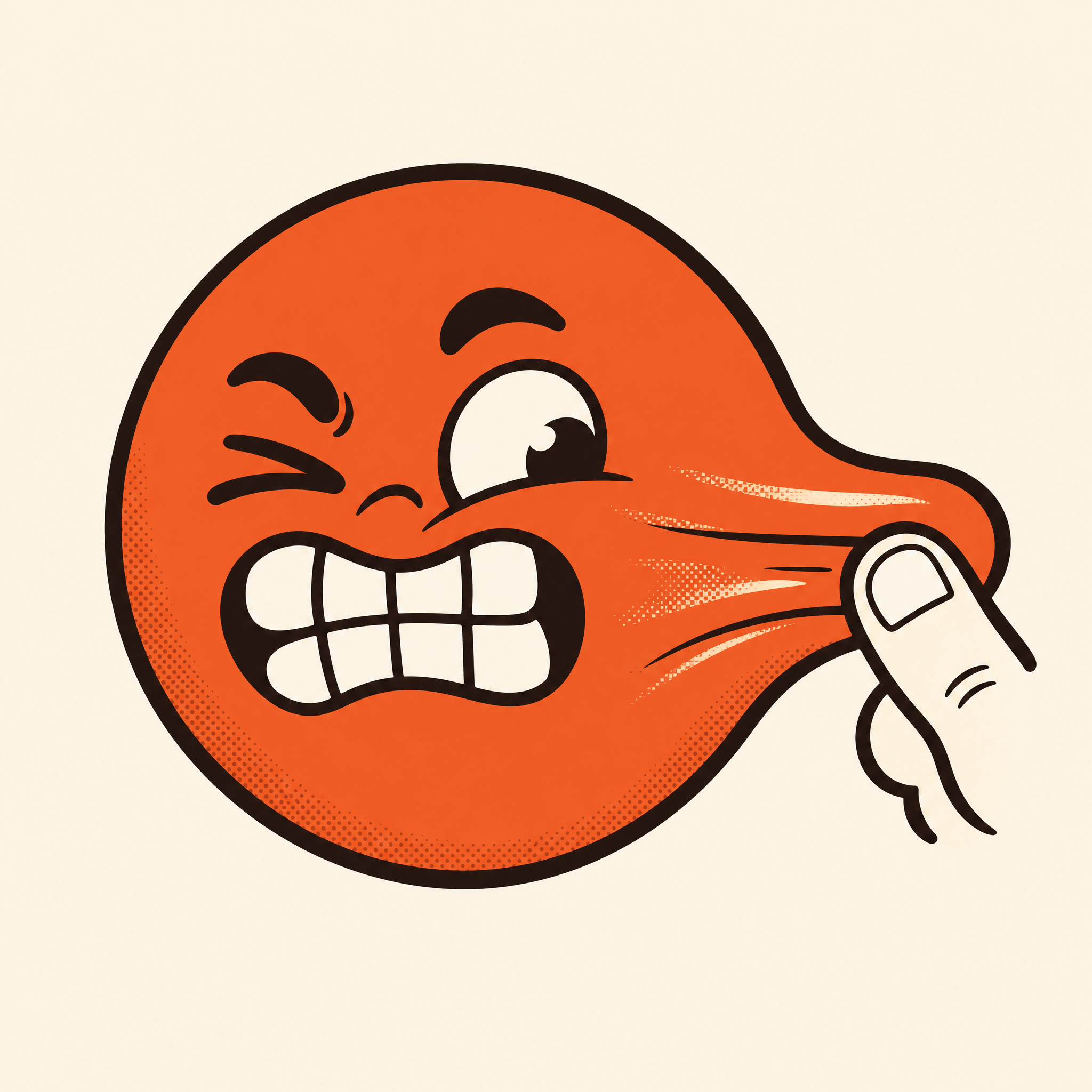
Upload a front-facing photo to generate a variety of expressive interactive effects. Add a short bio, and AI will turn your photo into a clean green-screen avatar before generating a complete set of reaction templates: looking sideways in annoyance on hover, getting startled when grabbed, grimacing in pain when pulled, feeling dizzy after release, and looking speechless after being pulled three times consecutively, while blinking when idle. The face on the hero section can be grabbed and stretched locally, complete with wave-like skin ripples, stretched lighting effects, and head swaying, springing back like soft rubber when released. Two templates are available: Classic (off-white with orange highlights) and Halloween Vintage Ticket—featuring aged parchment, an ADMIT ONE stub with barcode, a blood-red stamp name, a BOO stamp, woodcut titles, typewriter body text, bat/moon/ghost/pumpkin silhouettes, and a witch's hat that sways with the head. Visitors can switch back to the classic style in one click. Once the website is built, it asks if you want to share it on social media, creating a high-definition short video showcasing the stretching animation tailored to your chosen platform (such as TikTok, Xiaohongshu, Reels, X, or LinkedIn).
Recommended by
Dancang
Why we love this skill
Turn your personal homepage into a playful brand memory point: upload a front-facing photo to generate a 'pull-face' interactive component supporting multiple expression states, a complete homepage, and standalone embed code.
Best for
Independent developers and content creators looking to showcase their personal brand with unique interactive effects.
How to use this Skill
Provide your input
Upload a clear front-facing photo and provide your name or nickname, along with optional details like a bio, portfolio, social links, and theme preferences.
Run the Skill
The system processes your details, builds an interactive pull-the-face effect, and designs the page and sharing assets based on your chosen theme.
Review your result
Receive a previewable interactive personal page, embeddable website code, and on-demand social sharing images or short videos.
Related Skills
View all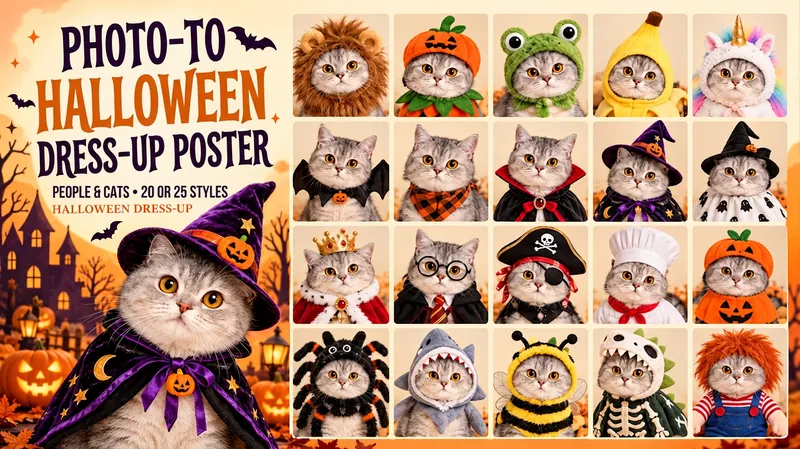 Image
Halloween Dress-Up Poster
Upload a person or cat photo and turn it into one poster with 20 or 25 Halloween looks. Choose Chinese labels, English labels or a text-free layout. One familiar face, a whole page of costumes: lion mane, pumpkin, pirate, witch, royal cape and more. Each look pairs its hat, cape, collar, glasses and clothing as a complete outfit. Choose Classic 20, Playful 20 or the complete 25-look collection. Human portraits stay human; cats keep their coat colors and markings. Customize colors, expressions, backgrounds, titles and framing, or pick a single costume. Default: one 2:3 portrait poster, with numbered cells and short labels. Try: “Use my photo to create the classic 20 Halloween looks in one poster. Keep my face. English labels.”
 Image
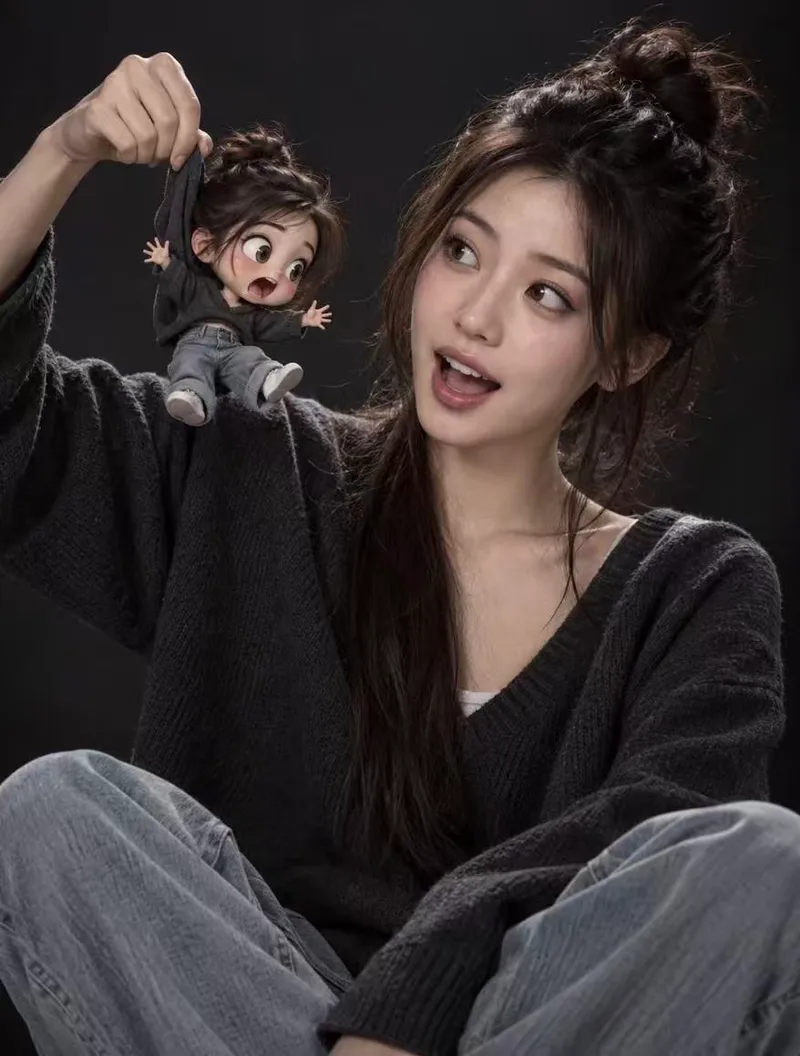
Mini Avatar Photo
Using your uploaded real photo as the sole base, the real person's features—face, expression, pose, clothing, background, and lighting—remain completely unchanged. A 3D-rendered chibi mini-me is added with physically plausible interactions, such as fabric deformation, limb swinging, contact shadows, and proper occlusion, creating a striking contrast between real and cartoon textures. By default, the mini avatar is styled with fluffy space buns, a dark gray V-neck sweater, light blue jeans, a 3-4 head-body ratio, large round eyes, a matte plastic figurine finish, Pixar-style rendering, and soft studio lighting. The default interaction shows a hand holding the mini avatar's hoodie collar with its limbs dangling. You can also customize it to rest on your shoulder, stand in your palm, or peek out from a pocket. The skill uses top-tier image generation models with your original photo as a reference, making it perfect for profile pictures, social media posts, pet-style mini avatars, and IP character photo-ops.
 Image
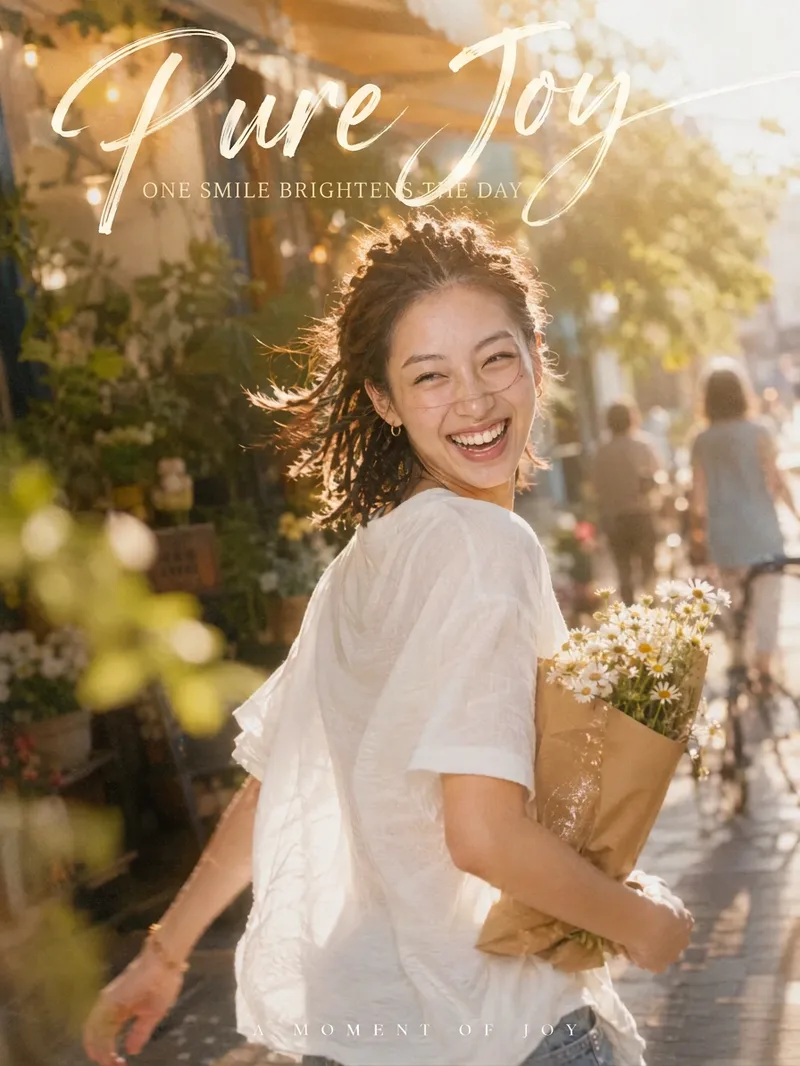
Candid Cinematic Shots
Your photo isn’t missing beauty—it’s missing "that second." 「Candid Cinematic Shots」first reads the person in your photo—their presence, outfit, setting, and mood—then designs a natural candid moment just for them. It might capture wind-tossed hair as you glance back, the instant bright light makes you squint mid-laugh, or your back as you walk past a street corner with a book in your arms. The image features an authentic handheld feel, film grain, backlight glow, and motion-blurred surroundings, keeping the subject sharp while the world moves around them. Add hand-lettered typography and Chinese-English captions, and one image takes on the polished feel of a magazine cover. Core highlights: 🎬 Truly candid: No posing or forced smiles—the expression and movement are captured in a moment of change 🎯 Made for you: Poses, props, settings, and captions are designed from your photo, so every generation is different ✍️ Artistic captions: A handwritten headline with short Chinese-English copy that fits your image instead of using a template 📐 3:4 portrait by default: Ideal for Xiaohongshu, WeChat Moments, and Douyin covers; the aspect ratio can be customized 🎛️ Adjustable: Choose the level of candidness, motion intensity, copy direction, and Chinese-English pairing Best for: Xiaohongshu, Douyin, and WeChat Channels creators: Make covers and personal-brand visuals Content creators in AI art and AI portrait photography: Create viral before-and-after videos Personal-brand and knowledge creators: Make profile photos and promotional graphics
Information
- Version
- v20
- Last updated
- Runtime credits
- Usage-based
- Models
- Auto
- Use cases
- Images & designWeb creationMarketing & growth
- What you get
- WebpageImageCode
- Visual styles
- MinimalistRetroPaper art
