Mini Avatar Photo
Add a 3D mini avatar to real photos
Mini Avatar Photo
Add a 3D mini avatar to real photos
Showcase
Description
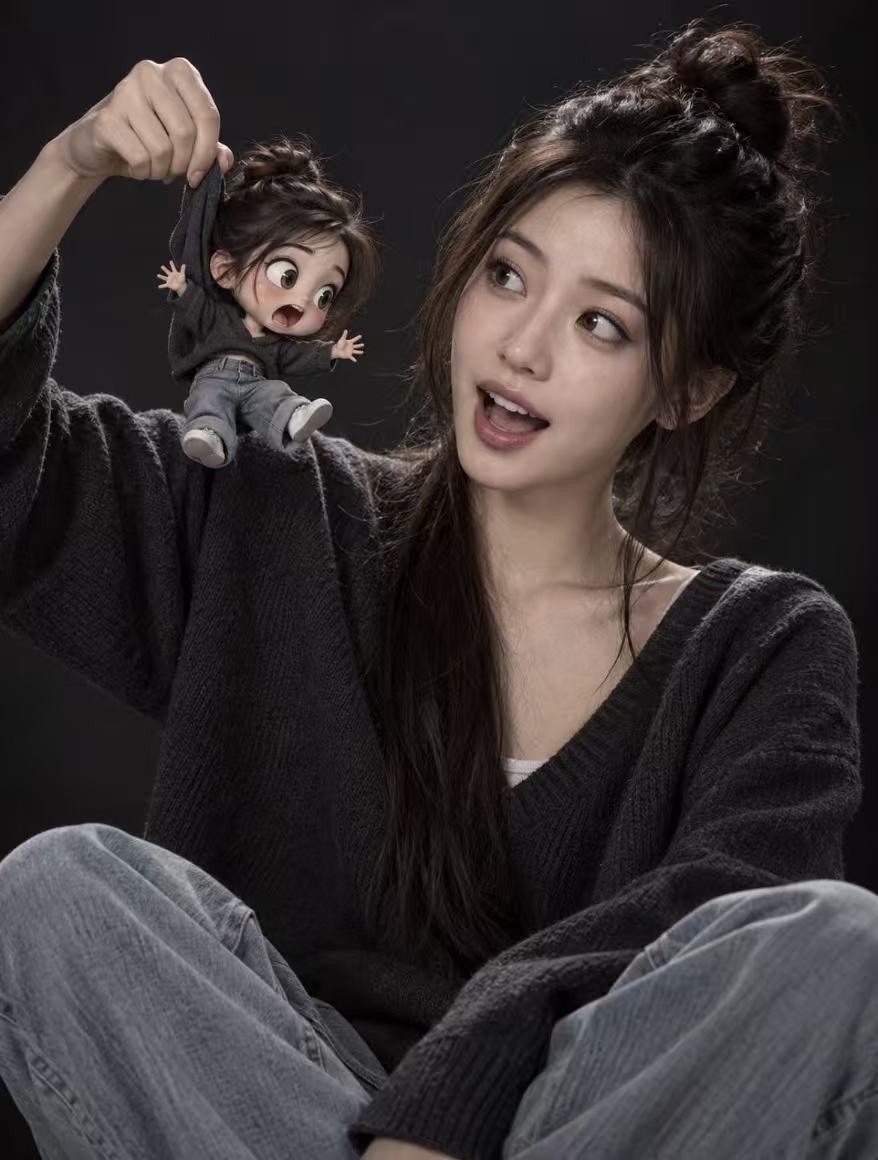
Using your uploaded real photo as the sole base, the real person's features—face, expression, pose, clothing, background, and lighting—remain completely unchanged. A 3D-rendered chibi mini-me is added with physically plausible interactions, such as fabric deformation, limb swinging, contact shadows, and proper occlusion, creating a striking contrast between real and cartoon textures. By default, the mini avatar is styled with fluffy space buns, a dark gray V-neck sweater, light blue jeans, a 3-4 head-body ratio, large round eyes, a matte plastic figurine finish, Pixar-style rendering, and soft studio lighting. The default interaction shows a hand holding the mini avatar's hoodie collar with its limbs dangling. You can also customize it to rest on your shoulder, stand in your palm, or peek out from a pocket. The skill uses top-tier image generation models with your original photo as a reference, making it perfect for profile pictures, social media posts, pet-style mini avatars, and IP character photo-ops.
Recommended by
Dancang
Why we love this skill
Keeps real photos intact while adding a responsive 3D chibi mini-me, creating believable interaction through contact points, occlusion, shadows, lighting, and inertia. This is a precise blend of real photography and cartoon figurine textures rather than a simple sticker overlay.
Best for
Ideal for content creators and everyday users looking to make personalized avatars, social media images, or mini avatar photos.
How to use this Skill
Provide your input
Upload a clear photo with visible body proportions, and optionally specify the mini avatar's appearance, interaction style, aspect ratio, or count.
Run the Skill
Uses the original photo as a base, adds a 3D cartoon mini avatar interacting with the person, and matches the lighting, scale, shadows, and occlusion.
Review your result
Receive a composite image featuring the authentic original person alongside a 3D cartoon mini avatar.
Related Skills
View all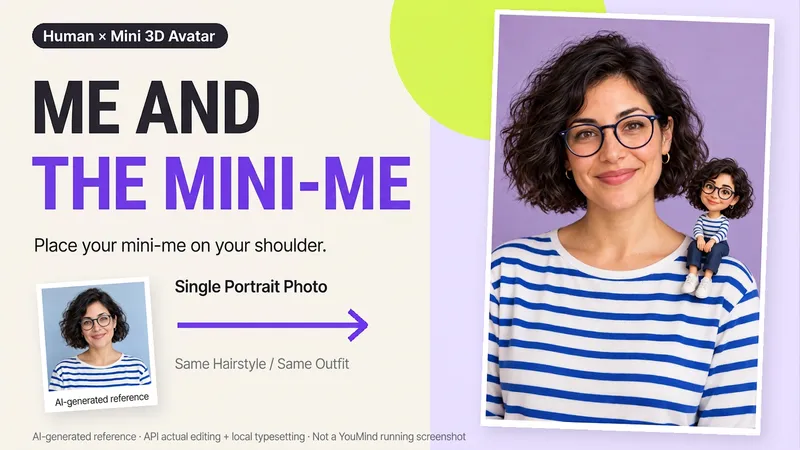 Image
Me and My Mini Me
What would it look like to have a tiny version of yourself sitting on your shoulder? Upload a clear photo of one person to create a creative portrait featuring the real person alongside a mini 3D double. One keeps the look of a photograph, while the other becomes a detailed little designer toy, with matching hair, glasses, and outfit so the two forms feel connected. What you can get: ① Shoulder companion: By default, the double sits on your shoulder, with you and your mini self looking at the camera together. ② Matching features: Focuses on visible details from the reference, including hairstyle, glasses, accessories, clothing colors, and patterns. ③ Clean final image: Defaults to a 2:3 vertical format, a soft studio background, and no text—one image to start. ④ Further adjustments: Ask to change the background or adjust the double’s size or pose, with priority given to continuing the version you already approved. Great for personal profiles, birthday keepsakes, and social sharing. The double is an artistic miniature version of the same person, not a real parent-and-child photo. You can also create fictional characters from text. The final image depends on the image tools and usage available on the current platform. Generative editing may change details of the person; exact preservation of the original photo, 100% likeness, and flawless hand structure are not guaranteed. If the tool is unavailable, this will be stated clearly and a complete prompt will be provided.
 Image
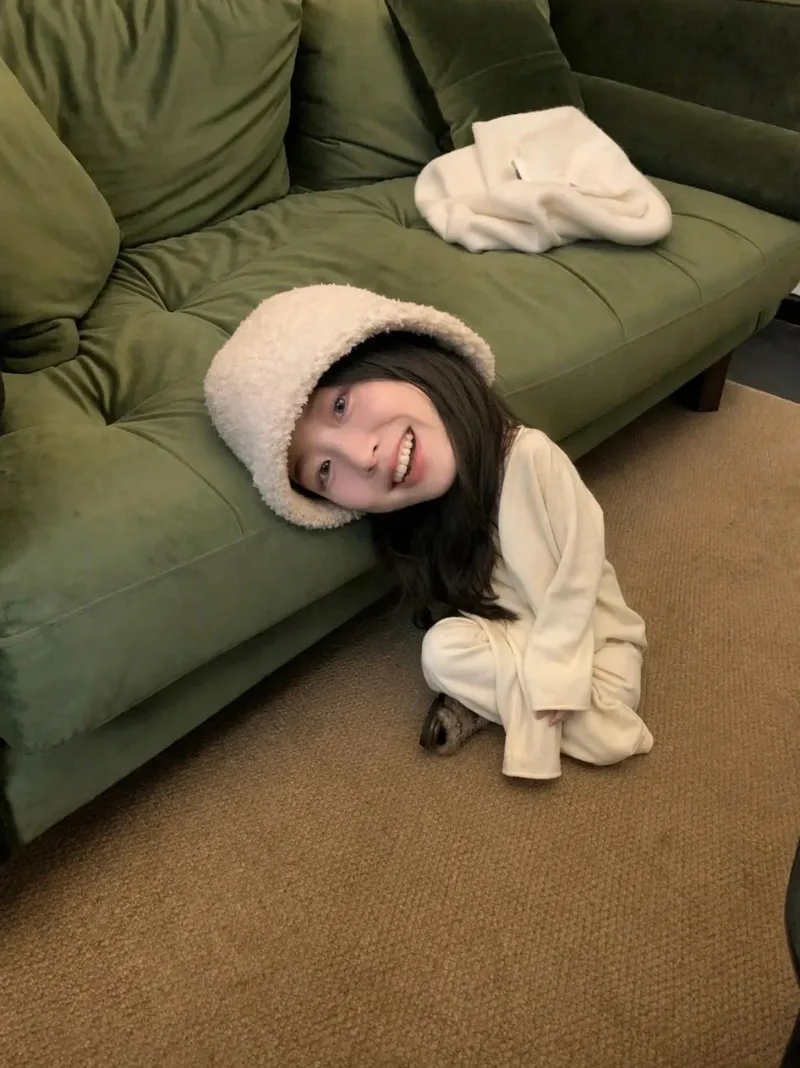
Miniature Portrait
Users upload a photo of a person, and the skill preserves the face, hairstyle, and skin tone while reconstructing the body into a miniature proportion of about 1.5 heads tall, placing them into a realistic living scene (defaulting to a beige fabric upholstered sofa, warm indoor lighting, and a peace sign). It outputs finished images with 100% realistic photographic quality. Clothing, scene, pose, lighting, aspect ratio, and number of images can all be fine-tuned upon request, using the current best image generation model by default.
 Image
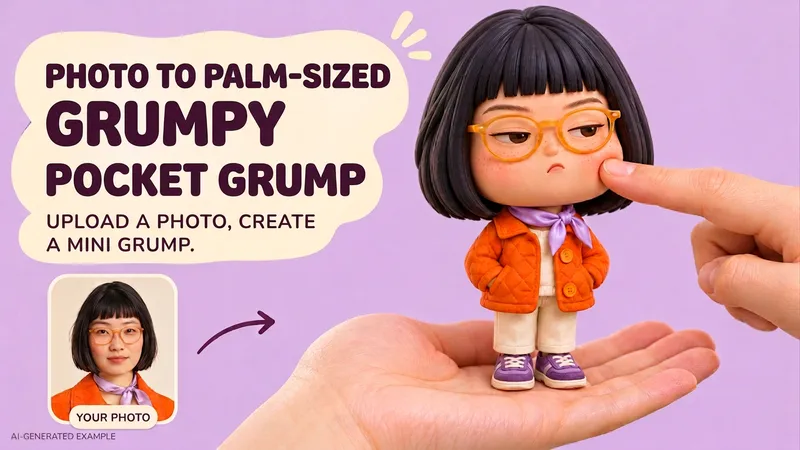
Pocket Grump
Upload a portrait photo to generate a cute chibi doll standing on a realistic palm and being gently poked in the cheek by a finger, keeping the original photo's background scene by default. Retains recognizable face shape, eyebrows, eyes, hairstyle, glasses, smile, and clothing, using rounded soft vinyl or polymer clay styling with a large head, small body, and tiny hands and feet for a cute feel. The default expression stays close to the original photo; you can also specify a pouty, pouting, or other expression. Backgrounds prioritize keeping the environmental elements, color scheme, and lighting from the original image, with moderate blurring and completion of areas blocked by the figure only when needed. If you prefer to change to a simple background that matches the clothing, you can state that directly. Delivers a 3:4 vertical static image by default, supporting Chinese and English input; aspect ratios like 1:1 or 9:16 can be requested. The final image has no text by default, making it ideal for profile pictures, social media posts, and fun commemorative images. Examples: • Turn me into a cute palm-sized cheek-poke doll, keeping the background and smile from the photo. • Make it even cuter, keep my eye shape and hairstyle, and make the body shorter and rounder. • Change to a light background that matches the dark green top, and make it a square image. Showcase images feature original AI-fictional characters, demonstrating optional studio background and expression effects. Installation costs 3,000 credits, and runtime usage is calculated based on platform display. Pocket Grump | Photo to Cute Palm-Sized Cheek-Poke Toy Upload a portrait to create a soft, cute chibi collectible standing on a realistic palm while a fingertip gently dimples one cheek. The original photo's setting is retained by default. Keep recognizable face shape, eyes, brows, hair, glasses, smile and outfit through a rounded, sculpted vinyl/clay toy design with a large head and tiny body. The default expression follows the photo; a grumpy pout or another expression can be requested. Preserve the source scene, recognizable background elements, colors and lighting. Use gentle background blur or limited completion of hidden areas only when the composition needs it. You can also request a fresh background coordinated with the outfit. Get one 3:4 still image by default. Chinese and English requests are supported, with optional square or 9:16 framing. Artwork has no added text by default. Example: “Turn me into an extra-cute palm-sized cheek-poke toy. Keep my smile, glasses and original woodland background.” Showcase artwork uses original AI-generated fictional people and illustrates optional studio backgrounds and expressions. Installation costs 3,000 credits; runtime usage follows the platform pricing shown.
Information
- Version
- v3
- Last updated
- Runtime credits
- Usage-based
- Models
- Auto
- Use cases
- Images & designLifestyle & entertainment
- What you get
- Image
- Visual styles
- 3DCartoonPhotorealistic
