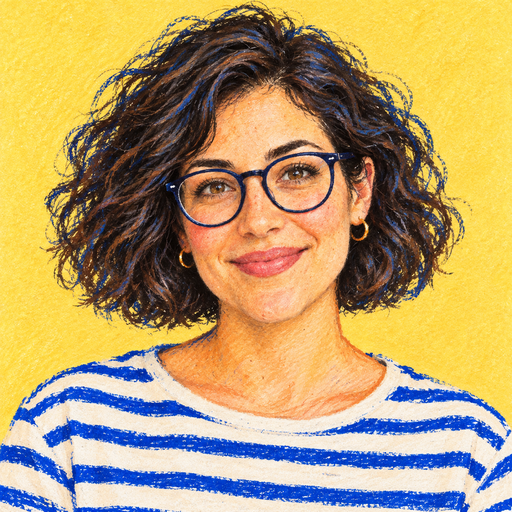
Photo to Hand-Drawn Avatar
A clear hand-drawn avatar from one photo
Photo to Hand-Drawn Avatar
A clear hand-drawn avatar from one photo
Showcase
Description
Want a hand-drawn avatar while keeping your hairstyle, glasses, and distinctive expression? Upload a clear photo of one person, then choose a warm crayon or cool marker style to create a square avatar for WeChat, social accounts, and personal homepages. You can also start without choosing a style; warm crayon is used by default. You can get: ① One hand-drawn avatar: clean background, head-and-shoulders composition, and no text by default. ② Preserved features: focuses on the hairstyle, glasses, face shape, and noticeable accessories to reduce a generic look. ③ Avatar-friendly composition: designed for circular cropping and recognizability at small sizes; when supported by the tool, the thumbnail and circular preview are checked. ④ Targeted edits: when changing the background, expression, or accessories, the previously approved version is prioritized for continuity. Photo conversion is supported, as is creating fictional avatars from text descriptions. Delivery is one image by default; a full sticker pack is not generated automatically. The final image and edits depend on the image tools and usage limits available on the current platform, and exact consistency of personal features is not guaranteed. If an image cannot be generated, this will be stated clearly and a copyable conversion prompt will be provided; the prompt will not be presented as a finished avatar. Usage is calculated according to the platform's rules at the time.
Recommended by
Dancang
Why we love this skill
Turns real photos into small, clear hand-drawn avatars while preserving recognizable personal details and supporting both square layouts and circular cropping.
Best for
People who want to turn a personal photo into a clear, recognizable social avatar.
How to use this Skill
Provide your input
Upload a clear photo of one person or provide an appearance description. You can specify a style such as warm crayon or cool marker, along with any edits.
Run the Skill
Turn the photo or description into a square hand-drawn avatar that preserves the hairstyle, glasses, face shape, and expression, using a head-and-shoulders composition and simple background.
Review your result
Get a hand-drawn avatar suitable for social accounts and personal homepages. If the image cannot be generated, receive a copyable prompt for image conversion.
Related Skills
View all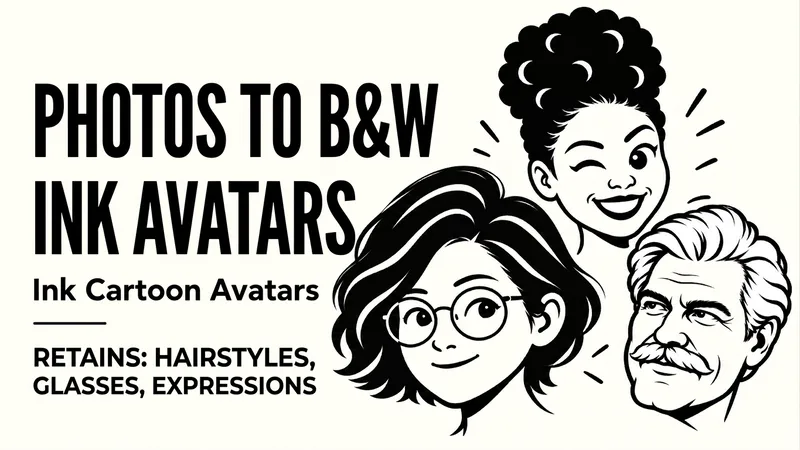 Image
B&W Cartoon Avatar
Upload a portrait to preserve defining features like hairstyle, glasses, and facial hair while generating a clean, recognizable black-and-white bold-line avatar. Upload a character photo to convert identifying features such as hairstyle, face shape, glasses, and facial hair into bold black outlines, black-and-white blocks, and expressive facial features. By default, it preserves the original orientation and natural expression, producing a text-free, 1:1 head avatar with a solid background. If you want a different mood, you can also say "playful wink," "calm and steady," or "make a set of expressions." For the same person, you can use the same hairstyle, frame, and face shape to create natural, playful, and steady looks respectively. It supports changing the background, aspect ratio, quantity, and creating truly transparent backgrounds when supported by the tool. Great for social media avatars, personal branding, community member icons, and digital sticker visuals. After generation, it checks against the original photo for hairstyle, glasses, facial hair, stray lines, and avatar cropping margins, making targeted corrections when clear issues arise. Examples: "Make a black-and-white avatar from this photo, keeping the round glasses and short curly hair, with a closed-mouth smile." "Keep the white hair and mustache, make a calm expression, no glasses."
 Image
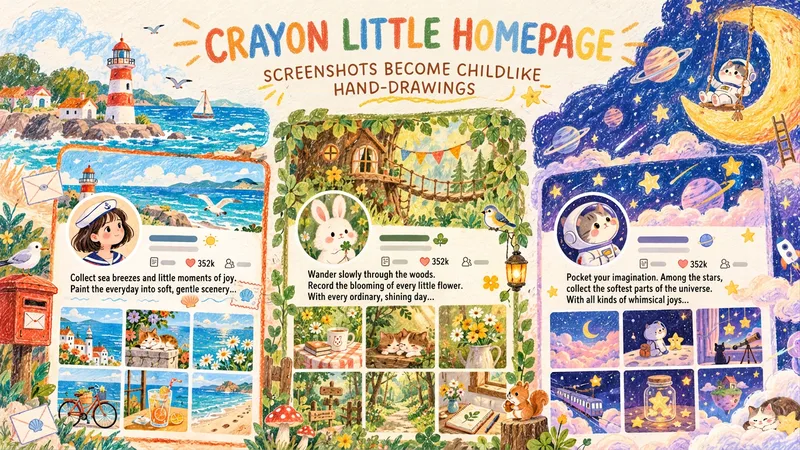
Playful Hand-Drawn Profile
Turn a familiar profile into a warm, crayon-drawn little world. Upload a social profile or personal card screenshot to preserve recognizable avatar features, the display name, and the main layout while transforming the banner, buttons, thumbnails, and decorations into a playful crayon illustration. Choose from Seaside Post Office, Forest Journal, and Space Playground, or customize the theme, colors, and canvas. Sensitive contact information is hidden by default; no account data or verification is fabricated. Multiple images can be created separately and delivered as downloadable files. Ideal for account showcase images, personal introduction graphics, and journal-style keepsakes. Small text may need review. This Skill creates static illustrations and does not modify real account pages. Showcase images use fictional characters and details as creative examples.
 Image
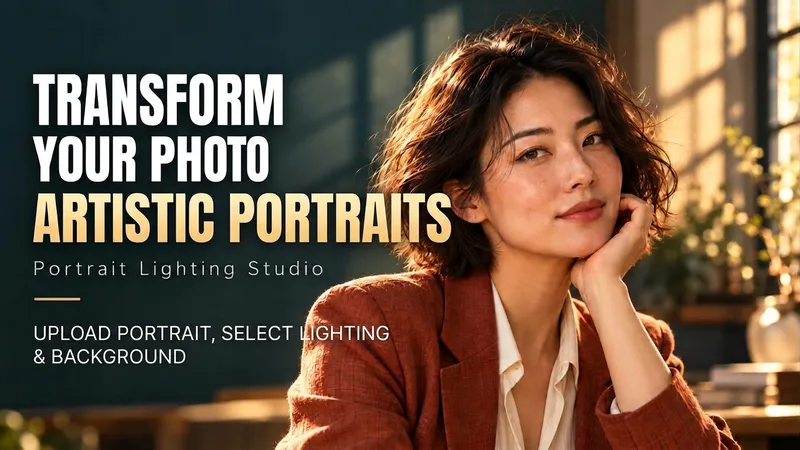
Portrait Light & Shadow Studio
Upload portraits, adjust lighting, poses, and backgrounds to generate window soft-light, night scene, or studio-style portraits. Upload a portrait photo or describe a fictional character to create photographic avatars, personal portraits, and magazine-style portraits. The Skill combines the subject's visible features to arrange poses, lighting, framing, clothing, and environment, ensuring natural hand gestures, grounded body posture, and directional lighting. Three original scenes are ready to use: • Warm Pottery Window: Terracotta and warm wood tones, with a natural medium shot near a studio window. • Rainy Night Set: Warm light in a movie theater porch, cold wet street tones, and expressive gazes. • Coastal Golden Breeze: Sunset rim lighting, sea breeze, and relaxed full-body travel portraits. Professional headshots, solid-color studios, black-and-white portraits, and custom themes are also supported. Uploading a photo preserves primary clothing and accessories by default; to change outfits, backgrounds, or poses, simply specify your request. By default, it generates one 3:4 vertical text-free image per run; you can change the aspect ratio, create a series, or request Chinese, English, or bilingual prompts. Multiple images are generated separately, and after generation, subject recognition, hands, feet, support points, and lighting are verified. You can say: "Use this photo for the rainy night set, keep the hairstyle, and change to a dark jacket." or "Create a mature woman with short curly hair walking naturally in the coastal sunset."
Information
- Version
- v2
- Last updated
- Runtime credits
- Usage-based
- Models
- Auto
- Use cases
- Images & design
- What you get
- ImagePrompt
- Visual styles
- Hand-drawn
