
City Landmark Diorama
Grounded sites, bold landmarks, airy color
City Landmark Diorama
Grounded sites, bold landmarks, airy color
Showcase
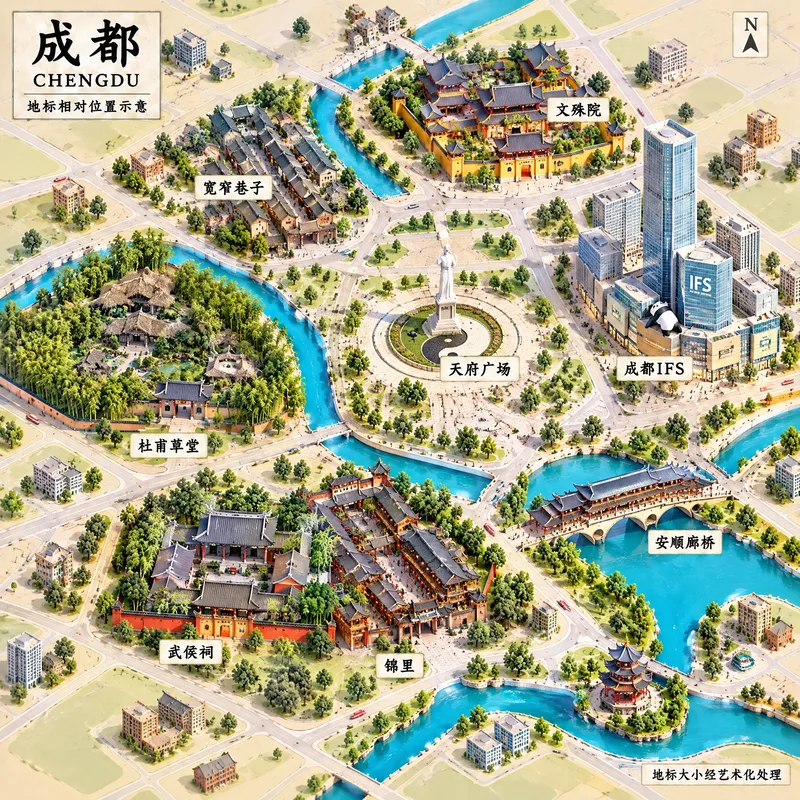
成都地标微缩景观
成都|城市地标微缩示意图
成都地标微缩景观
成都|城市地标微缩示意图
Description
Turn a city’s representative landmarks into a miniature map illustration that combines geographic grounding with visual appeal. Simply provide the city name along with any preferences for coverage, language, scale, or style. The Skill will organize the relative positions of around 5–8 key landmarks, riverbank relationships, roads, bridges, and distances between landmarks, while shaping the scene around local architectural character. The final result is a complete, ready-to-view city landmark diorama—not just a prompt or composition plan. The scene uses a full-frame warm-toned map surface, refined, colorful 3D diorama models, a small and varied selection of background buildings, and clear Chinese labels to emphasize the visual hierarchy of “large landmarks, small buildings.” It also retains a city title plaque in the upper left, a north arrow in the upper right, and necessary artistic annotations. This makes it suitable for city introductions, travel and cultural content, regional overviews, and visual presentations. After generation, it also checks landmark recognizability, relative positions, river and road relationships, label text, and compositional consistency, making corrections when needed. This is an artistic illustration of city locations and does not replace navigation, surveying, or a map with a precise scale. When web research and image-generation capabilities are available, it can include brief sources, the research date, and reusable prompts. If image generation is not currently available, it provides a complete image-generation prompt and a location list.
Recommended by
淡苍
Why we love this skill
It combines accurate relative locations with boldly exaggerated 3D landmarks in a cohesive warm-toned map layout, producing miniature city illustrations that are both visually appealing and geographically grounded.
Related Skills
View all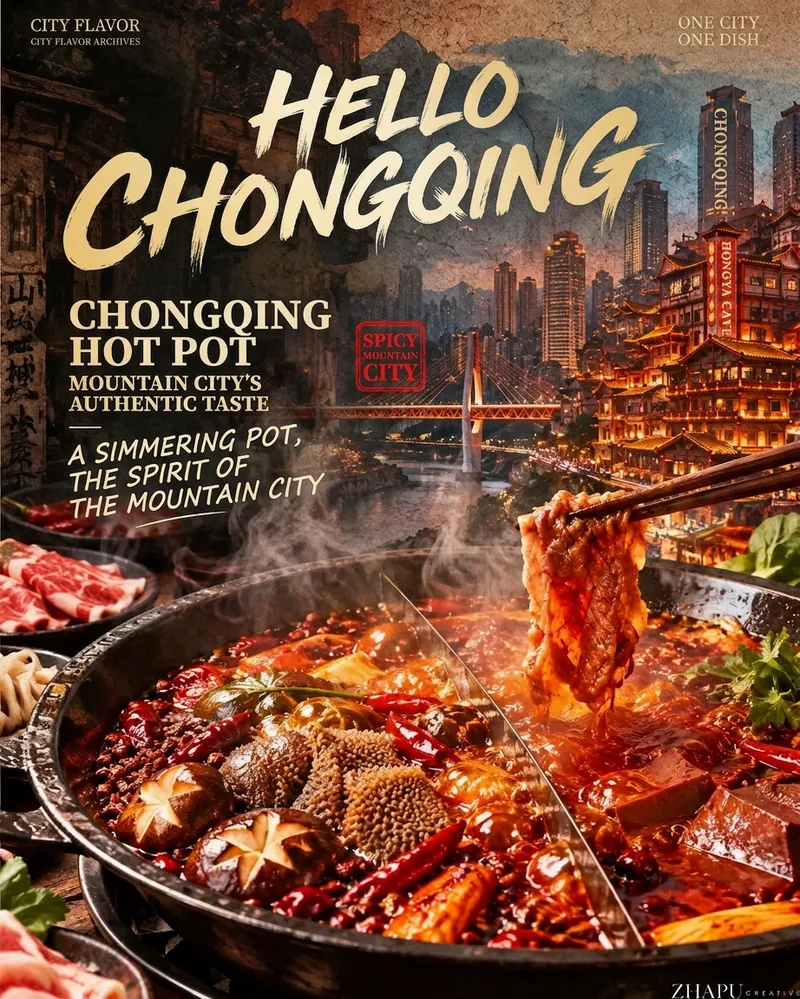 Image
ImageCity Flavor Poster
When a user enters a city or province, first search the web for local landmarks, daytime and nighttime views, tourist attractions, and representative foods. For each category, let the user select the single most recognizable option. Then recommend and confirm related poetic lines and footer credit text. Finally, combine the city landmark, local cuisine, and vintage layout to create a 9:16 portrait city flavor poster. The visual system keeps the series consistent across cities: the food takes up the largest visual area and remains vivid, glossy, and appetizing; city landmarks are layered semi-transparently into the background to tell a story; an oversized calligraphic “Hello, [City Name]” title, dish name, small English text, and red seal create recognizable visual markers. The background uses aged paper, halftone dots, and grain, while the food in the foreground stays clear and bright. You can add your name as the signature.
Hand-Drawn City Life Set
The visual style is distilled from Japanese illustrator 【shio】https://www.shiodrawing.com/about, who is currently based in London. This Skill was created by 【生图技能·祖师爷】https://youmind.com/skills/reference-image-skill-builder-RqmjHpF6UHmyjg?ref=DHFDMM Turn a country, city, and theme into a set of hand-drawn illustrations that capture the feel of everyday local life. Whether focused on daily routines, commuting, weekends, or nightlife, the set centers on authentic moments of ordinary people and distinctive settings such as cafés, public transit, street-side spaces, workplaces, and parks—not just landmark views or tourist snapshots. Generate 1–10 illustrations, with 6 by default. Each image is different while maintaining a consistent portrait composition, an observational view of people, low-saturation colors, and clean, smooth flat-color textures. The set is suitable for city-themed content, lifestyle features, social media visuals, editorial publishing, or organizing personal inspiration, presenting rich and natural urban moments across indoor and outdoor spaces, solitude and group settings. The first image can serve as a cover, with the option to add the title “People in [City]”, or the entire set can be created without text. If you provide only a city, the Skill can also fill in basic details based on context and generate a corresponding set of everyday city-life illustrations.
 Image
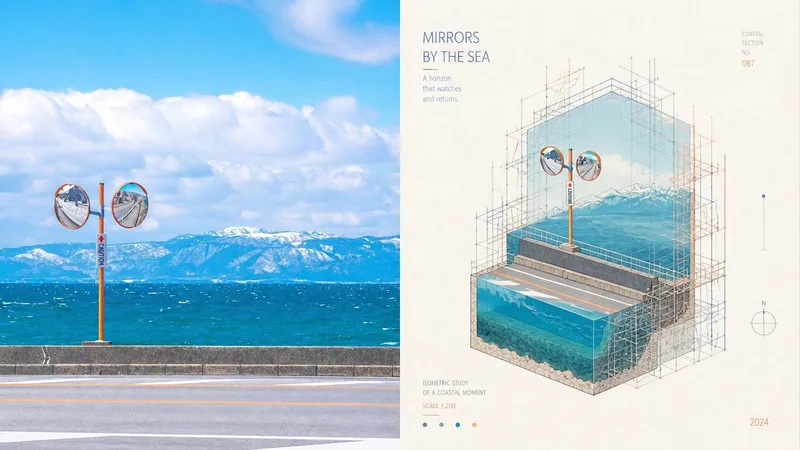
ImageXiaodong x Miniature P073
Ordinary miniature scenes can end up looking like nothing more than cute models; scaffolding is also often treated as decorative lines with no structural role, making the spatial relationships unable to withstand close inspection. Panel 073 compresses the subject into a cutaway isometric miniature architectural landscape, presented through underwater-continental-shelf-like sections and layered space. The detailed scaffolding is not mere decoration: it genuinely wraps around, supports, frames, or intervenes in the subject along its contours, turns, and cutaway sections, making the image feel like an architectural study in progress—being constructed, repaired, surveyed, or displayed. White textured paper, vivid and transparent colors from the source image, and restrained editorial annotations give the finished work both the precision of an architectural diagram and the lightness of an art poster. Suitable for these situations Need accurate isometric and cutaway space: Views, layers, and sectional relationships remain clear without using incorrect perspective to create a false sense of depth. Want scaffolding with real logic: Horizontal and vertical components, along with connecting nodes, serve to wrap, support, repair, or survey the structure. Like architectural research posters: Miniature models, fine-line diagrams, white textured paper, and restrained annotations create the order of an exhibition catalog. Need flexible delivery: Supports top-and-bottom, left-and-right, standalone designs, multiple aspect ratios, and four-edge wallpapers, and can also process image directories in batches.
Information
- Version
- v5
- Last updated
- Runtime credits
- Usage-based
- Models
- Auto
