鲜核桃
 Image
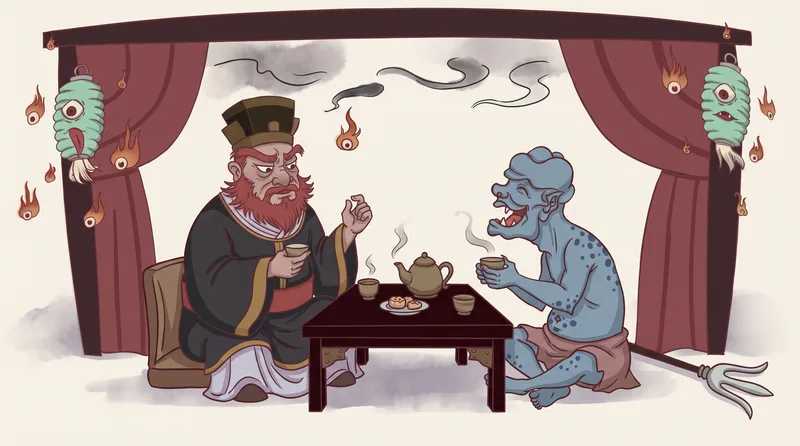
Satirical Illustration
Using user-provided illustrations from Stories of Laughs as a reference, this turns classical jokes into freehand comics. It combines character designs, scenes, and actual generation results to add art-style prompts as needed.
 Video
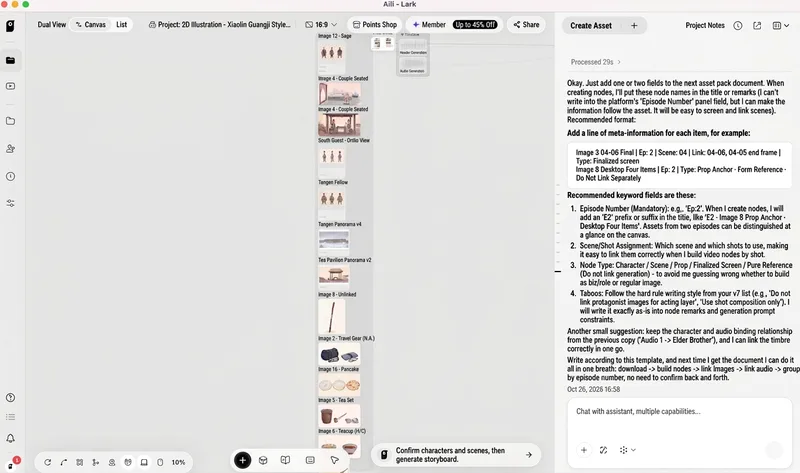
xiaoxiaodong Video Pack
Based on the confirmed script, character designs, voices, props, and camera blocking, this skill organizes asset packages and node-based video generation prompts for Xiaoyunque, verifying assets, dialogue, audio, duration, and continuity.
结论先行:全片只有两个人声,区别只做在“怎么发音”上,不做方言词、不做滑稽腔。北客是四十上下的北方男声——低、厚、省力,儿化重、句尾往下沉、字咬得实、不拖腔;南客是三十五六的南方男声——偏薄偏亮、快半拍,平翘舌不分、尾音往上飘。两人都讲普通话,每个字观众都听得懂,只觉得“这人不是本地长大的”。口音浓度控制在 20–30%,宁可少,不可多。
底稿=@《南北两慌》短片剧本(定稿)。全片 132 秒;镜头编号跟《导演调度方案 v2》走,生成节点跟 《生视频提示词 v3》的 7 个长节点走(旧 20 节点版已归档,勿再对照)。
现实层口径(2026-10-24 已同步):路边施茶亭,北客画左、南客画右,隔一张旧方桌对坐,从坐下到片尾不离座;桌上两只粗碗,开场冒热气、结尾剩大半碗已凉,两人全片不喝。所以现实层的人声都是坐着说的,动作音只来自木棒、折扇、皮袄、行囊和进场那一下的茶缸、竹舀子——清单见第五节末「现实层动作音」。
现状:音频1(北客)、音频2(南客)两段音色小样还没录、板内还没有,录法见第七节。v3 每条提示词都要挂这两段音频。
一、总原则(四条)
只调发音,不改词汇。 台词已经是《笑林广记》的白话,不再塞“俺/咱/啥子/阿拉”这类词。口音体现在声母韵母、语调、语速、气口上,词一个字不换。
口音是背景,不是笑点。 观众笑的是吹牛的内容,不是他们的口音。所以不许有“学方言”的表演感,不许夸张拖腔、不许学滑稽戏。
音色先定死,情绪再分档。 每个角色只给一套底音,几种情绪在同一套底音里做变化,不能一场一个嗓子。
两个人声线必须错开。 北客低厚,南客薄亮;北客字往下落、南客尾音往上飘;北客一句一句隔开说,南客在别人句尾上咬进来。只听声音、不看画面,也要能分出谁在说话。
二、北客 · 声音卡
一句话音色:四十上下的北方男人,中低音,胸腔共鸣厚,声音里有一点沙,音量不大但结实,像在冷天里省着力气说话。
发音坐标(借河北—山东交界的普通话底,不演具体某地方言):
-
舌尖后音(zh ch sh r)卷得实、偏重,“人”读得靠后。
-
儿化音多而自然:“这儿”“那边儿”“带棒儿”。
-
句尾一律往下沉,陈述句砸下去,疑问句也只抬一点点,绝不往上飘。
-
语速正常,字咬得实、一句是一句,不拖腔、不沉吟;句内不停,句间敢停——说完先闭嘴,看着对方,再开口。他的分量在停顿上,不在拖字上。
四种情绪
-
得意:下巴抬着,声调反而更平,不加重音,靠停顿显得有底气(“也听说南边有位,更能说”“撒尿都要带棒儿”)。
-
压低:接近耳语,气流多、唇几乎不动,音量降到刚好听得见(“人就粘在墙上了。跟墙,冻在一处”)。
-
干哑:一句话说完喉咙发紧,尾音直接断掉,不拖(“猪已如此”)。
Short Film Voice & Dubbing
Establish voice casting for dialogue-driven short films. Enter the lines and characters from your script, director's script, or storyboard to generate an eight-field voice profile for each character (character concept, voice, speed, tone, accent, prohibitions, two example lines, and bilingual prompts). It standardizes the film's speech rate, pauses, emotion, and ambient sound standards across the board, followed by a complete workflow of voice tests, single-line reruns for fallback, and subtitle alignment. Get your audio right on the first try without endless random generation or editing visuals for a single line.
约 2 分 12 秒|16:9|清代笑话改编
画风:细柔深棕描边、平涂柔暗部、米白纸底留白。
1 外·施茶亭 晨(初冬·干冷)
土路从画面两头伸进来,一左一右。天干冷,地上只有踩实的干土和贴地的枯草,草根上结着一层薄霜,路边一道薄冰。路当中一座草顶施茶亭:亭里一张旧方桌、左右两条长凳,亭柱脚下一口带盖的粗陶茶缸,缸沿挂着一只竹舀子,桌上倒扣着几只粗碗;亭子四周是空地,右后方隔着土路、远远立着一截低矮残缺的夯土墙,墙头一层薄霜。
两个背着行囊的人从两头往这座亭子走,一深一浅,谁也不看谁,鼻子里都冒着白气。
北客先到,裹着皮袄,手里拄一根旧木棒。他把行囊往左边凳头一搁,掀开缸盖舀了一碗茶,在桌子左边坐下,木棒立在膝边。
南客随后到,长衫下摆带着一路的土色,折扇收着、拿在手里。他在亭口站了一下——亭里只有这一张桌子。他把行囊搁在右边凳头,也舀了一碗,在桌子右边坐下。两人隔着一张桌子,碗口都冒着热气。
南客先低头看了一眼自己的鞋:鞋头磨得发白;又抬眼扫了一下对方脚上的泥。两人同时拱手,同时开口。
南客、北客(同时):久仰。
两个字撞在一处。两人都停了半拍,谁也不补第二句。
南客(拱手):北边的?
北客(拱手):南边的?
南客(笑):久闻北边有位——最能说。
北客(下巴一抬):也听说南边有位,更能说。
两人对看一眼,谁也不躲。
北客的眼睛从南客的瓜皮小帽一路看到脚上:白布袜、软底布鞋、鞋头磨得发白、裤脚扑着一路的干泥。他隔着桌子探过身,捏了一下对方的袖口,指尖一捻,竹布薄得透光,风一吹就贴在胳膊上。他坐回去,没说话,只摇了摇头。
南客(把扇子换到另一只手,笑):闻得贵处冷——冷到怎样?
北客(把木棒往地上一顿,抬起下巴):撒尿都要带棒儿。
说完他不动,眼睛盯着南客的嘴。
Short Film Script
Transforms source text or story outlines into complete short film scripts with full dialogue, actions, and scenes, without using tables or repetitive dialogue lists. The script aligns with characters, scenes, props, and audio settings, while specific shot blocking and video node durations are finalized in later production stages.
结论先行
-
坐位:路边施茶亭,两人隔一张旧方桌侧身对坐,北客画左、南客画右,不是正对正,也不是并排朝观众;各朝对方转一半、再朝观众敞开一半。从坐下到片尾都不离座。
-
说话:说的人只看对方、不看镜头,说完闭嘴盯着对方。听的人不插嘴,只用一个小动作回应。北客靠木棒表态,南客靠扇子表态,两人的下巴高度就是比分牌。
-
镜头分工:交代关系、换人上场、开头和结尾用双人镜;说台词、给反应用单人镜。
-
听的人怎么演:每一轮吹完都切听的人的脸。演绎中间另插 1 秒听的人的反应,全片共插 2 处(墙根、长街)。
-
演绎层:不管主角,怎么好笑怎么拍。方法是夸张的预备动作、卡着音效剪、快慢对比、最后一下定格,越吹越动;化灰那一镜忽然不动,作为收束。
-
体量:132 秒不变,台词一字不动;29 个镜头,27 次生成(含 2 条反应素材包)。⚠️ 这是导演细分方案,用来定镜头、坐位和剪辑逻辑,不是实际生成次数;实际生成以《生视频提示词 v3》的 7 个长节点为准(合计生成 143 秒,成片剪用 132 秒)。
底稿=剧本 01a161c1(唯一源头)。本方案只定机位、坐位、表演和切点,不改情节。
一、两个人怎么坐
1. 平面图(俯视,全片不变)
        【施茶亭 · 草顶四柱】  茶缸在左侧亭柱脚;矮残墙在右后方路对面远处

   行囊▣                                    ▣行囊
 (左凳头)  北客 ▶  ┏━━ 旧方桌 ━━┓  ◀ 南客  (右凳头)
            (左长凳) ┃碗        碗┃ (右长凳)
                       ┗━━━━━━━━━━━┛
   ═══════════════ 轴 线 ═══════════════

          B 机                    A 机
       (拍南客)              (拍北客)
Shot List & Camera Angles
Transform director scripts into machine-ready shot lists: map overhead layouts, establish axis lines and camera numbers, arrange seating/standing positions and facing directions, split single and two-shots, write reaction shots and prop language, determine cut points and pacing, and finally calculate duration sheets with split and merge recommendations. This directly solves the problem where a script reads well, but generation fails due to unclear camera placement and pacing.
 Image
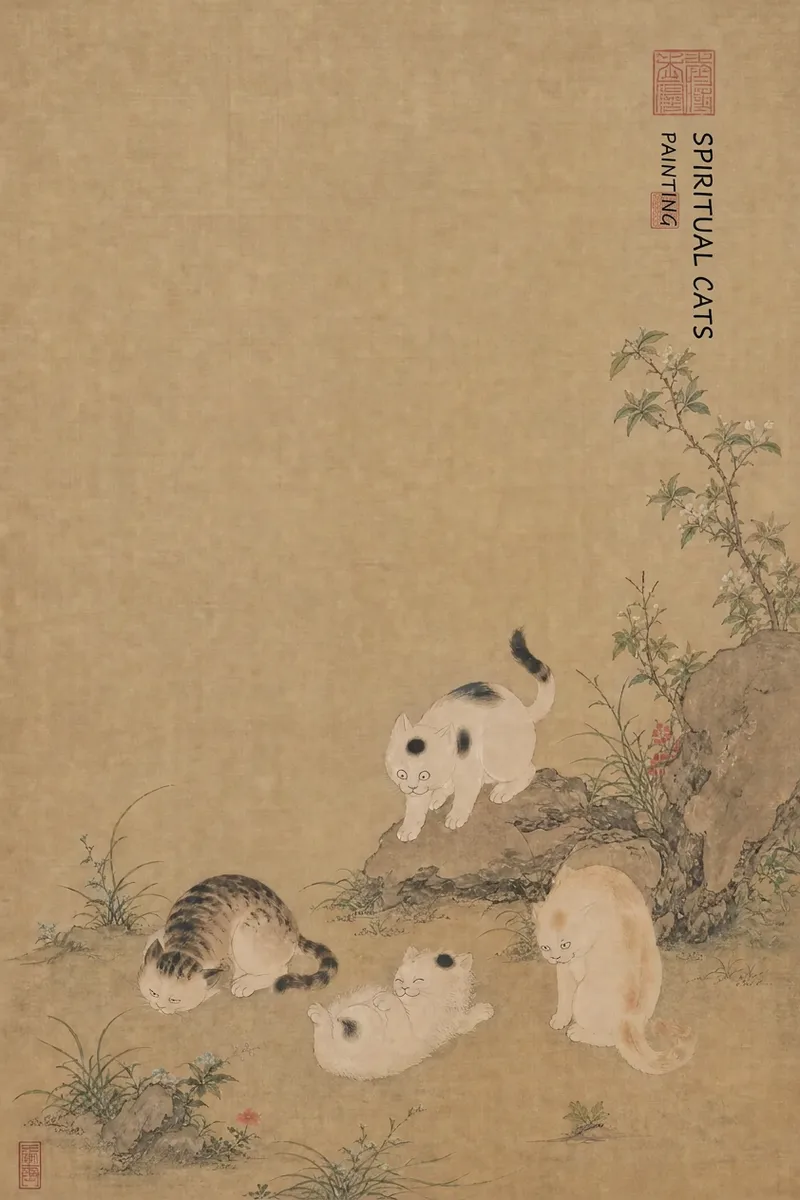
Ancient Chinese Cat Painting
Emulating the painting style of Ming Dynasty Emperor Zhu Zhanji, this skill uses traditional Chinese ink and wash coloring, fine fur texturing, and antique expressive cat faces as a fixed style to create cat paintings or painting prompts based on text or reference images.
 Write
Conversational Writing
When you chat with the agent, it automatically records what you say as facts or opinions and asks thoughtful questions to help you fully develop your ideas. After you choose one fact or opinion to explore in depth, the agent uses the complete record to write an article in a WeChat public-account style. When specialized concepts arise, it explains them in two layers—a beginner’s perspective and an expert’s perspective—so they are easy to understand.
 Video
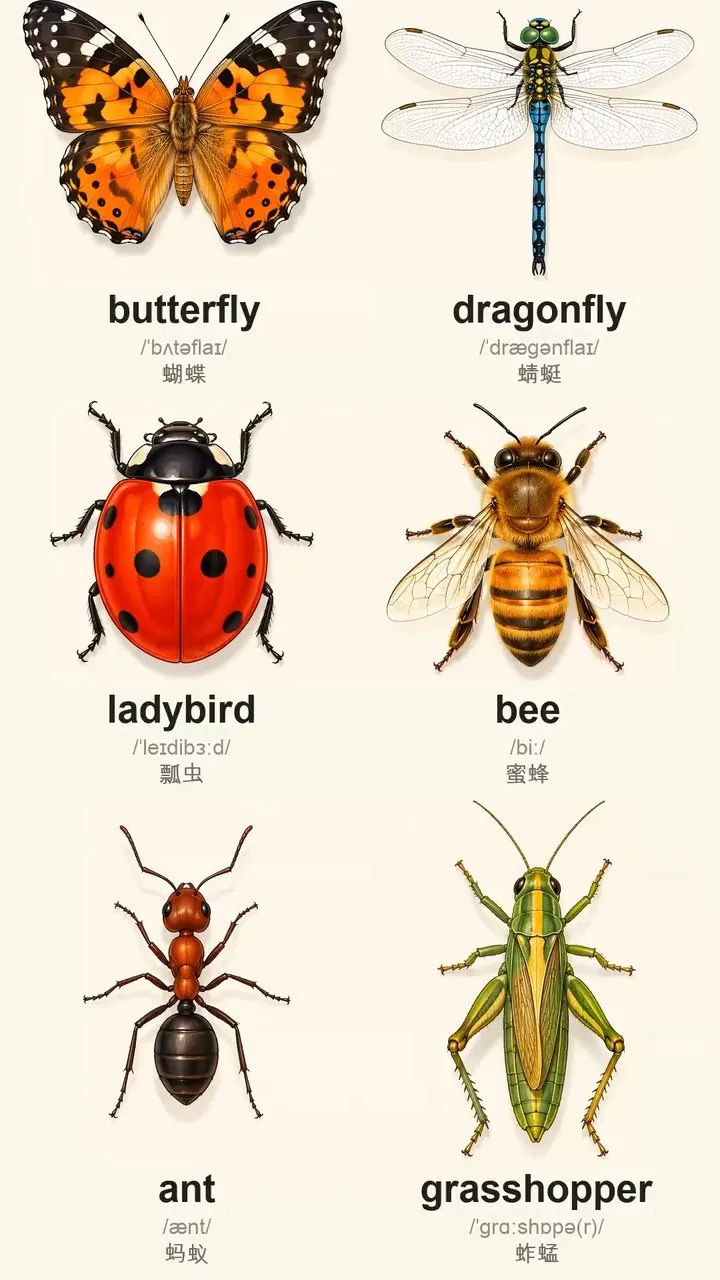
English Word Video Maker
Turn an English word list or topic into a 9:16 vertical vocabulary video with audio: first, use a grid to create a text-free illustrated background, then overlay real text with the English word, British phonetics, and Chinese definition to prevent AI spelling errors. Add a British male voice that reads each word twice, with the second reading slower. As each word is read, its text gently enlarges and bounces while the background and all other elements remain pixel-perfect still. Hard-cut the word clips together in order into one editable long video. Ideal for viewing and sharing on mobile phones.
 Image
Festival Greeting Poster
Based on the festival entered by the user (such as Mid-Autumn Festival, Chinese New Year, or Dragon Boat Festival), generate a festive greeting poster: a fantasy world made entirely of iconic foods associated with that festival, overlaid with a festival greeting. Supports custom greetings (or automatic generation if none is provided), aspect ratios (landscape 16:9 / portrait 9:16 or 3:4), visual styles (3D miniature model / illustrated storybook), and fonts (brush calligraphy / regular script / seal script). Ideal for sharing and promoting holiday greetings.
 Research
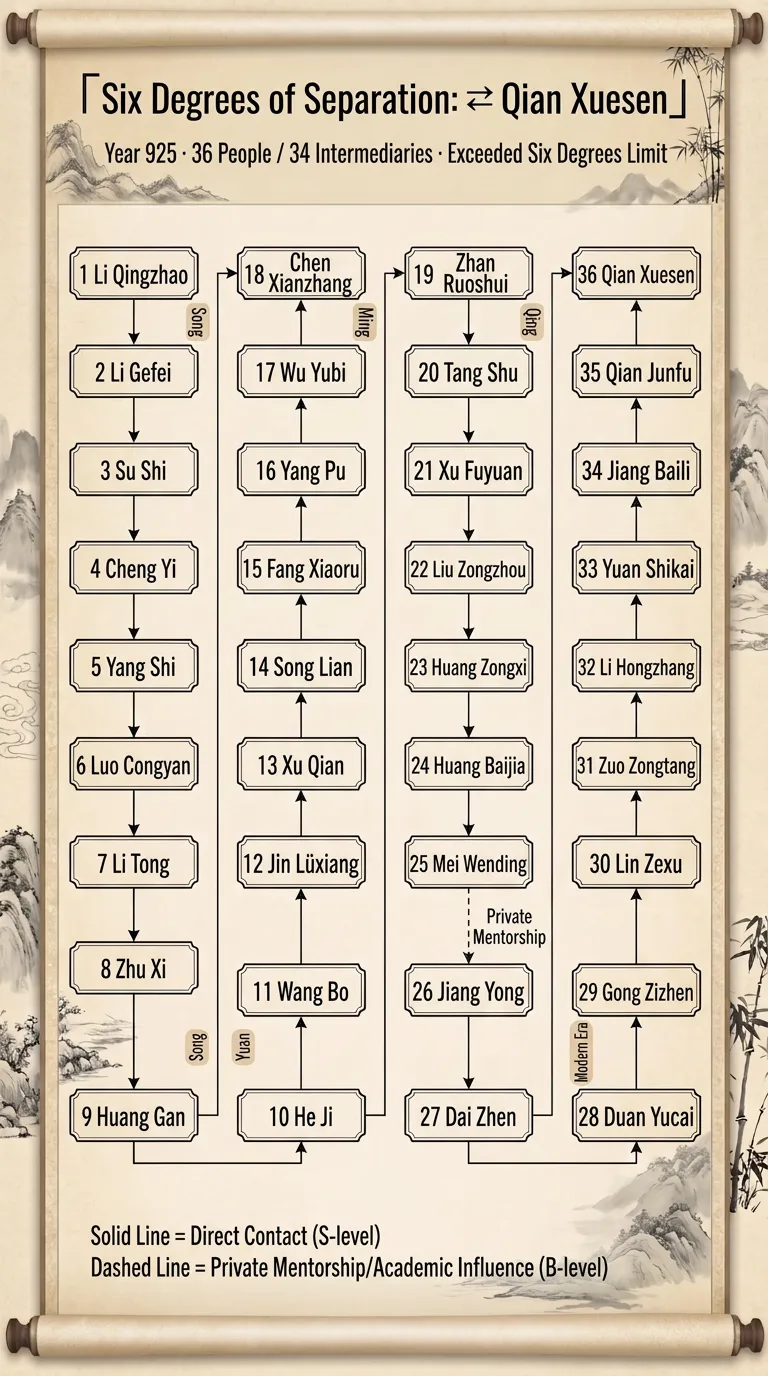
Six Degrees of Connection
Enter the names of two real people. Using bidirectional research and timeline-overlap checks, the Skill finds the real interpersonal connection chain linking them through the fewest possible intermediaries. Each link includes a relationship-strength label (strong/medium/weak) and verifiable sources. It first provides copy for review; after you approve it, the Skill generates a vertical, shareable long image. If the chain cannot be completed within six degrees, it does not force a match—it honestly reports the fewest number of links found and explains that the six-degree limit was exceeded. If you enter a legendary, mythical, or fictional figure, such as He Xiangu or Sun Wukong, it does not run a connection search or create an image; instead, it produces an explanatory document labeled “Not a Six-Degrees Chain.” For cross-country pairings, three additional rules apply: first anchor each person to their original-language name to avoid transliteration differences being mistaken for two people; remove links based solely on written media; and exclude circulating anecdotes that appear only in commemorative articles. The image-generation stage follows version-control rules: for text-heavy images, it prioritizes a text-free background plus a separate text layer to avoid typos, and saves only the final proofread version to the canvas—not discarded drafts.
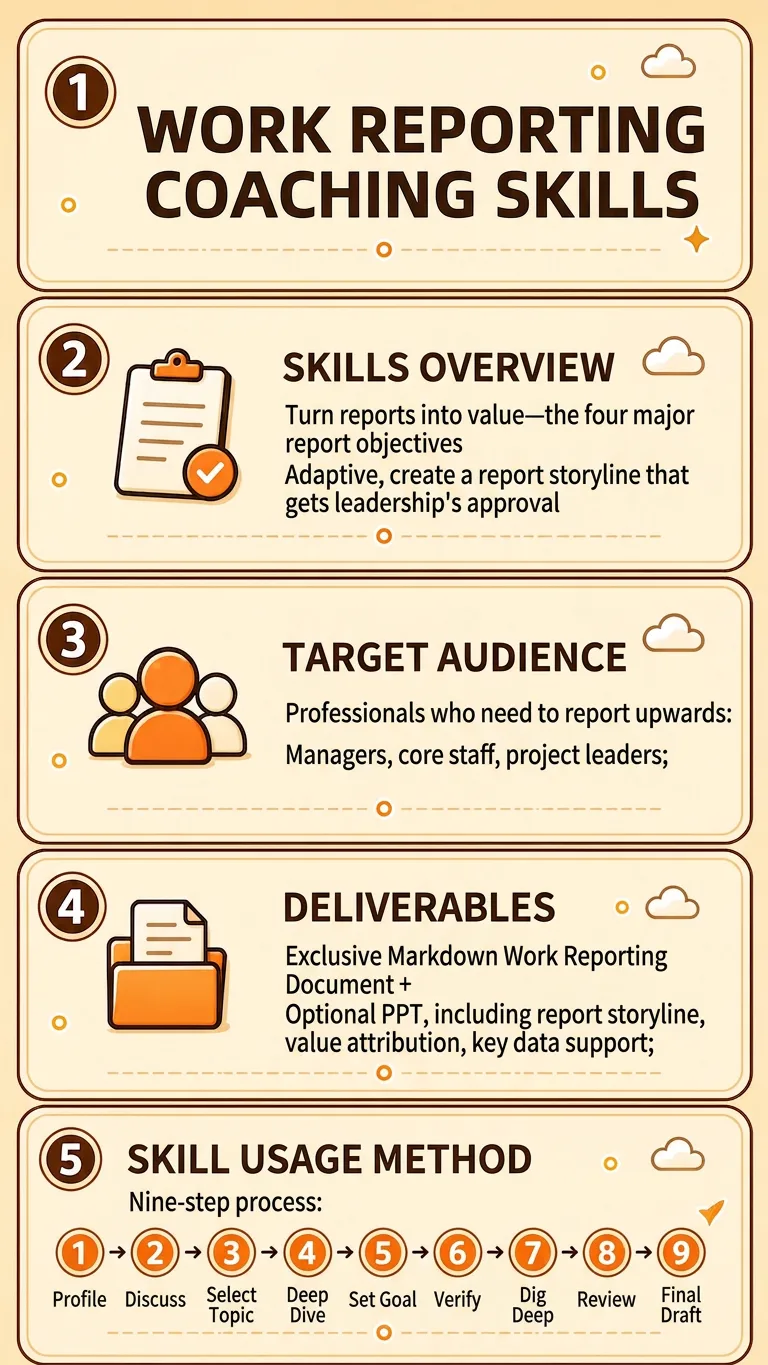
Work Update Coach
A reporting coach based on a two-way, win-win communication model. It supports four key reporting goals—showcasing results, seeking help with problems, managing progress and risks, and aligning with strategy—by using conversation to organize facts and perspectives, uncover root causes and cross-domain solutions, and produce highly persuasive reporting documents, with the option to convert them to Slides. It also captures your style and builds a profile of your leader.
 Research
Skill Evaluator
Enter the name, link, or instructions for the AI Skill to evaluate, then conduct an evidence-based initial quality review in real-world usage scenarios. Keep the six-question quick test (4 positive, 1 negative, and 1 ambiguous), and separately verify automatic selection and execution after explicit invocation; successful manual invocation does not count as successful automatic triggering. Use direct scoring across five dimensions: triggering 30%, execution 25%, cost 15%, robustness and boundaries 15%, and safety 15%. Distinguish between evidence from this test, historical run evidence, static checks, and unverified items. Do not provide an overall score or star rating when key evidence is incomplete. Assess safety based on data access, external transmission, and operational authorization—not on the author's identity or endorsement. Block recommendations in cases of serious unauthorized access. Produce a one-page, conclusion-first report showing the tested scope, unverified items, and prioritized improvement suggestions, and automatically create a record. Say “deep review” to add independent repeat tests and source checks; the budget will be confirmed before execution. This Skill only evaluates and provides recommendations; it does not automatically modify the Skill being evaluated. Suitable for quality checks of self-created Skills, rechecks of installed Skills, and pre-installation screening of marketplace Skills; the six-question results do not represent full certification.
 Video
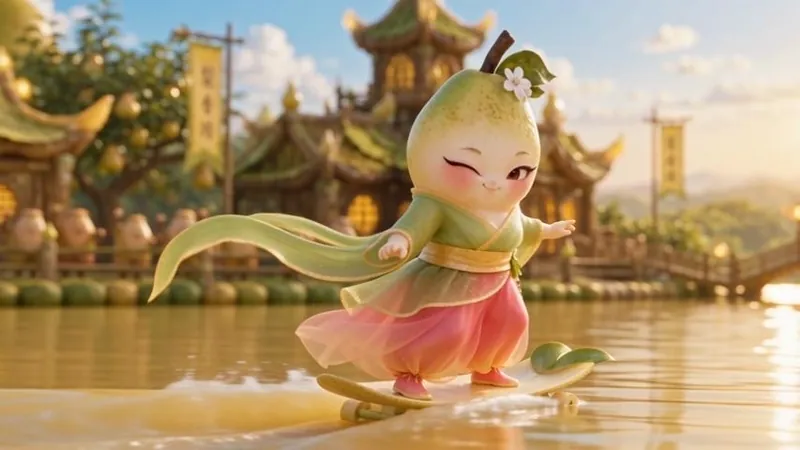
Daily Fruit Animation Videos
An end-to-end production plan for daily animations in the “Fruit Micro World” series, using a **six-step decoupled workflow with confirmation at each step**: ① organize the fruit knowledge card → ② story outline → ③ script → ④ production plan → ⑤ asset list and prompts → ⑥ shot-by-shot script for video generation. Each step produces only its corresponding single document, which is submitted for user approval before moving on; never generate everything in batches, and never create images or videos ahead of time. Strictly follow the material conversion, silhouette method, naming, and image-quality standards in the *Fruit World · Style Guide*. The primary goals are one episode per day, lightweight production, low credit usage, and fast completion.
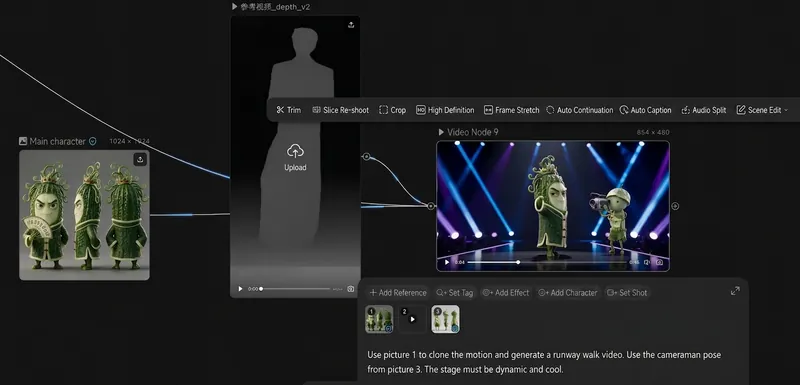
B&W Depth Video Maker
Convert any video into a black-and-white (grayscale) depth video that works directly with libTV (LiblibAI’s node-based AI video tool): near areas are bright, distant areas are dark, and depth remains temporally consistent across frames. Drop it into depth-control nodes and use it right away. Use this when you need to prepare depth video assets for libTV or encounter errors such as unrecognized depth nodes, excessive resolution, or failed video generation.

Skill Icon Generator
Enter a skill name and one-sentence use case. xiaoxiaodong rolls a four-dimensional die to set the visual direction, then first generates a 1:1 skill avatar icon. After you approve it, the icon becomes the sole anchor image for the entire workflow. Cover artwork (16:9) is generated with the anchor image as a reference. The header image for the mobile promotional long image (9:16) uses the original cover artwork directly, without model redraw, to prevent visual drift. The information section is generated separately and then composited. The three-piece set maintains strictly consistent styling, colors, and outlines. Designed specifically for skill avatar slots, cover slots, and mobile promotion. When you only need a single icon or already have established visual guidelines, the three-piece workflow is not started. If the environment does not support automatic compositing, you’ll first be asked whether you want a header image; if not, you’ll receive a promotional long image containing only the information section.
 Image
Snowland Tibetan Blessings
Enter a Chinese blessing message and choose a third language. Using a fixed style reference image, this Skill generates a 9:16 vertical Tibetan blessing card. Share auspicious wishes with friends around the world.