WeChat Article Formatter
WeChat Article Formatter
Showcase
Description
Format Markdown, Word, PDF, or plain text articles into HTML suitable for the WeChat Official Account editor. It offers one-click copy and preview when supported, along with theme selection by genre and automated one-click styling.
Recommended by
Dancang
Why we love this skill
Reliably converts original text into inline HTML tailored for WeChat copy-and-paste while strictly preserving content, code, images, and structure. It stands out by balancing theme design, author signature placeholders, preview copying, and integrity verification, while clearly distinguishing verified from unverified sections.
Best for
Ideal for content creators and operators who need to format articles into HTML for WeChat Official Account publishing.
How to use this Skill
Provide your input
Provide Markdown, Word, PDF, plain text, or a readable web article. If the original text is missing, please supply the article content or file first.
Run the Skill
Organizes the article structure into HTML suitable for the WeChat Official Account editor, applies a consistent layout style based on the topic, and preserves original text, images, lists, tables, code, and links.
Review your result
Outputs clean HTML article body ready to copy; provides a standalone preview page and copy method when supported by the environment, along with details on theme selection, placeholder info, and validation status.
Related Skills
View all
WeChat Article Formatting
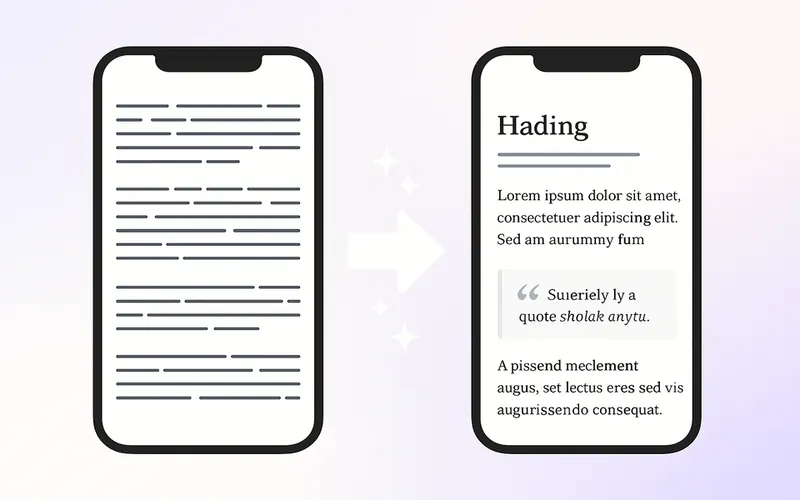
A formatting engine for WeChat Official Account articles that converts Markdown to HTML directly pasteable into the WeChat editor. Supports 6 curated themes + 17 extended themes, automatic chapter numbering, keyword underline marking, quote cards, table of contents navigation, code blocks, images/GIFs, and author signatures. Supports Markdown / Word / PDF / plain text input, as well as one-click auto-formatting. Also supports generating custom theme component libraries based on user descriptions or reference images. Trigger scenarios: (1) User mentions 'WeChat Official Account formatting', 'WeChat article', 'WeChat layout', or 'gzh'; (2) User wants to convert an article to WeChat HTML; (3) User says 'auto-format' or 'one-click formatting' for WeChat content; (4) User wants to 'generate a new theme/custom style' for WeChat formatting. Not for generating regular web pages, landing pages, or PPTs.
WeChat Article Formatter
Turn Markdown, plain text, or existing HTML into WeChat Official Account articles that are easy to read on mobile. Preserve the original viewpoints, facts, numbers, and citations, with support for six base styles and copyable brand profiles. By default, you’ll receive complete inline HTML and checking instructions. When the environment supports live rendering, a mobile preview is also included. No scripts are needed on the author’s local machine. Wide tables can be rearranged into lists or narrow tables while preserving all data. Static checks, live rendering, and pasting into the WeChat Official Account backend are reported separately. Try it with a book note, an industry analysis, or your next article using an existing brand profile. Open the preview and copy the rendered body, then check images, links, and the mobile appearance in the WeChat Official Account backend. This Skill does not publish automatically. Companion tools: use Infographic Maker for data visuals and One Fish, Many Uses to adapt body copy for multiple platforms.
 Webpage
Black-Gray Numbered Long Form
1. Automatically apply article content to the theme's WeChat official account formatting template, generating a preview webpage with a 'Copy Rich Text' button. After copying, the content can be pasted directly into the WeChat official account editor, preserving all formatting styles. Note: Due to WeChat editor limitations, images need to be added manually. 2. Different models may produce varying quality.
Information
- Version
- v2
- Last updated
- Runtime credits
- Usage-based
- Models
- Auto
- Use cases
- Writing & contentWeb creation
- What you get
- DocumentWebpage
- Visual styles
- Minimalist
