Wall Selfie & Mural Photo
Turn selfies into street mural photos
Wall Selfie & Mural Photo
Turn selfies into street mural photos
Showcase
Description
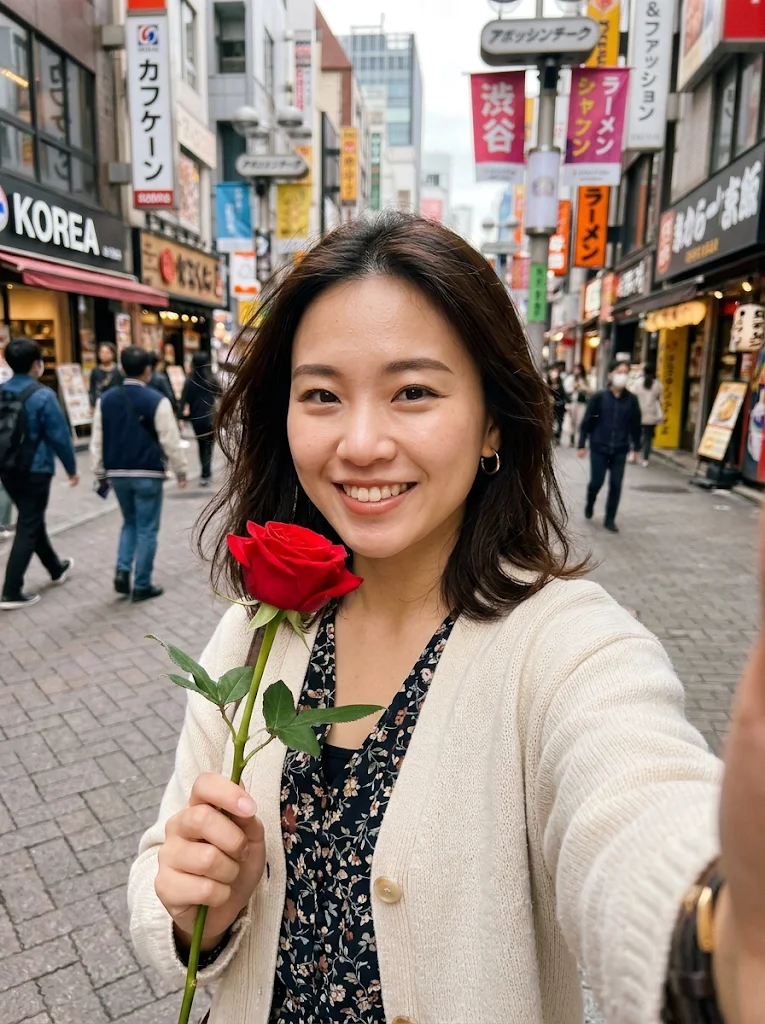
Upload a selfie, and AI helps you generate a creative street photo of a real person and a giant wall doppelganger: you stand in front of a graffiti brick wall, interacting across space with an identical version of yourself, making a complete heart shape with your gestures. ✅ Strictly locks in your facial features so the real person and wall art instantly look like the same individual ✅ 4 customization options: outfit, mural style, graffiti text, and interactive gesture ✅ Default 3:4 vertical image, supporting custom ratios and output quantities ✅ Perfect for Xiaohongshu covers, moments, avatars, and couple or best friend interaction images
Recommended by
Dancang
Why we love this skill
Turns a selfie into a street photo featuring a real person and an identical giant mural. The key feature strictly controls facial features, hairstyle, and outfit to make the cross-wall interaction look natural. The realistic old brick wall, stickers, and spray-paint details further enhance the fusion of real street photography and artistic murals.
Best for
Great for users looking to create personalized street photo composites, social media covers, or profile pictures.
How to use this Skill
Provide your input
Upload a clear single-person selfie and optionally specify the outfit, mural style, graffiti text, interaction gesture, image aspect ratio, and quantity.
Run the Skill
After you submit your photo and preferences, it generates a street photo of you interacting with a giant matching wall mural of yourself.
Review your result
Receive one or more vertical creative photos: you and the wall art completing an interaction gesture together, set against a graffiti brick wall with stickers and street details.
Related Skills
View all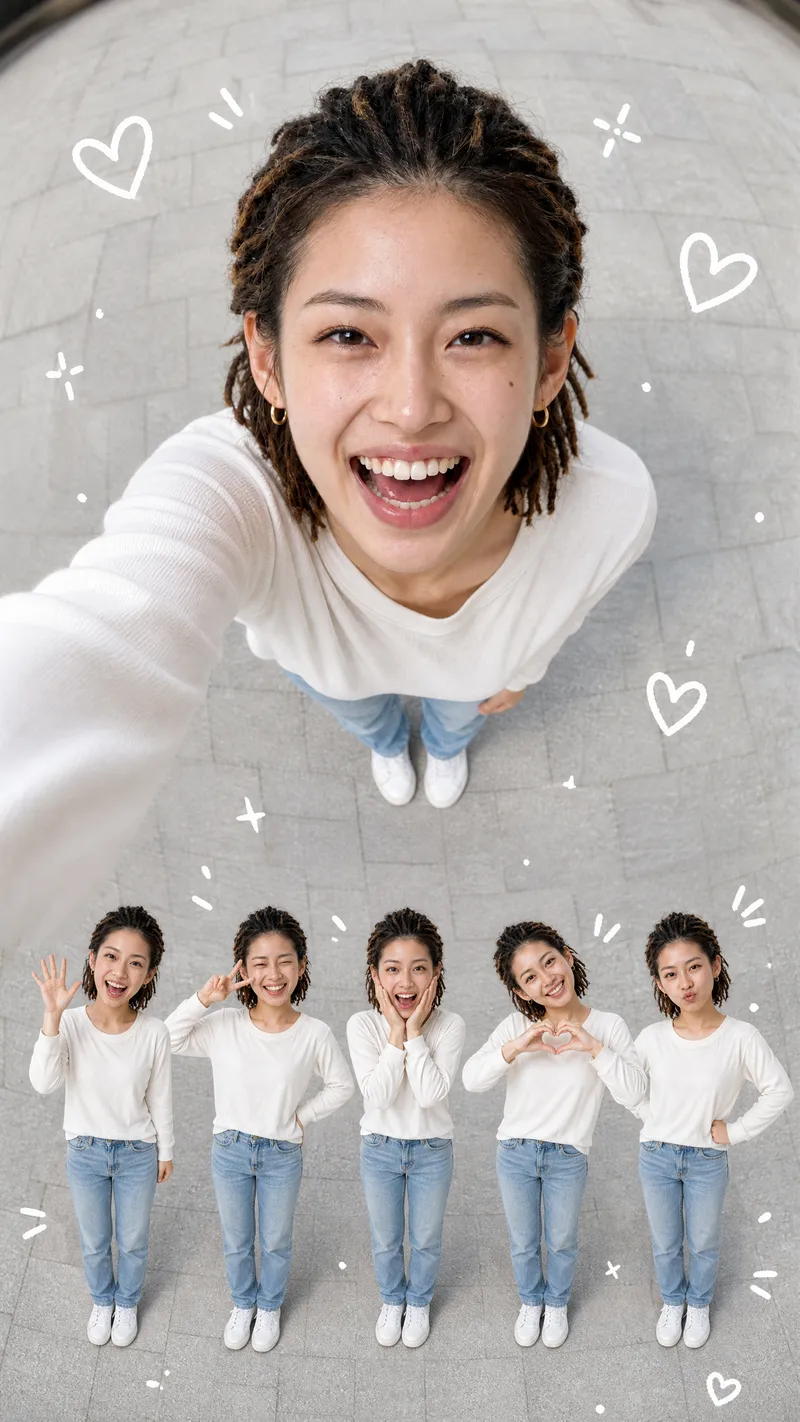 Image
Low-Angle Selfie & 5 Figures
Generate popular wide-angle low-angle selfie portraits with five expressive mini figures in one click. ✦ Face fidelity: Strictly preserves your facial features, face shape, and hairstyle. Wide-angle framing only changes composition, not your appearance. ✦ Default outfit preservation: Keeps the clothing from your uploaded photo by default, or you can customize it. ✦ Diverse expressions: The 5 mini figures feature different expression and gesture combinations every time, avoiding repetitive sets. ✦ Default 9:16 vertical format: Perfect for Moments, Xiaohongshu, and Douyin covers, with customizable ratios. ✦ Switchable scenes: Easily change to stone tile ground, rainy night streets, café floors, grass, or beaches with a single sentence. Ideal for selfie bloggers, fashion bloggers, avatar and cover creation, commemorative photos, and daily social media sharing.
 Image
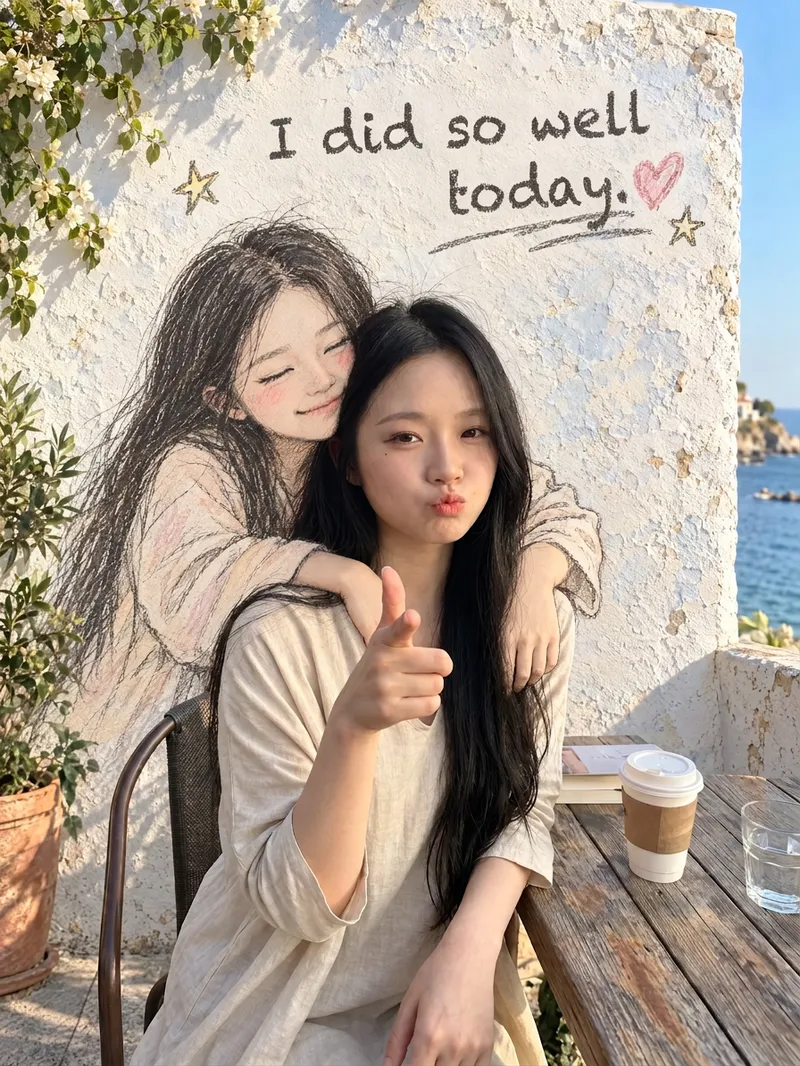
Healing Avatar Generator
Upload a portrait photo and generate a viral "my sketched self hugs me" wall-art portrait with a native-language handwritten caption, 8 wall styles, 6 sketch styles, default 3:4. Upload one portrait photo and get a viral "my sketched self hugs me" wall-art portrait with a native-language handwritten caption, 8 wall styles, 6 sketch styles, default 3:4. Wall styles (8): exposed concrete, weathered street cement, white plastered wall, light brick wall, dark chalkboard wall, pastel macaron wall, graffiti street wall, warm sunset yellow wall. Sketch styles (6): pencil, charcoal, pen and ink, watercolor pencil, chalk doodle, comic lines. Default aspect ratio is 3:4, adjustable to 1:1, 4:5, 2:3, 9:16, 16:9.
 Image
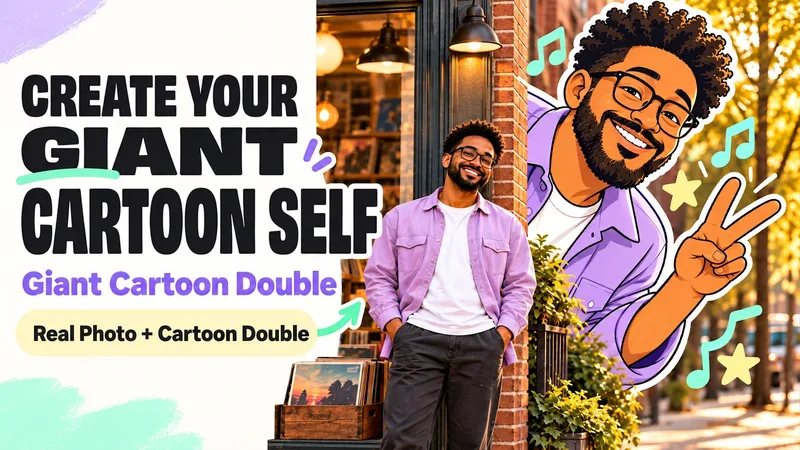
Giant Cartoon Double Photo
Upload a portrait photo, let a giant matching cartoon double appear on the streets, rooftops, or in travel scenery. A real person stands in the foreground while a giant cartoon double peeks from a street corner, leans over a roof edge, or waves from behind. Matching hairstyles, glasses, skin tones, and outfits create an instant connection, turning ordinary street photos into moments of meeting another self. Great for travel keepsakes, social sharing, friend photos, and personal creative posters. Upload a portrait to begin; use existing street views or create a new photographic scene. Supports single and multiple people, actions, color schemes, and custom aspect ratios, defaulting to one text-free 3:4 vertical image. Supports Chinese and English prompts, bilingual titles, or separate localized versions. Try: "Keep my short curly hair and round glasses, let my giant double peek out from behind a seaside café, accented with teal and coral, no text." One photo. You and your giant cartoon double. Meet the larger-than-life version of you. Keep a photographic you in the foreground while a giant flat cartoon double peeks around a café, leans over a ledge or waves behind you. Matching hair, glasses, skin tone and outfit colors make the connection instantly recognizable. Made for travel keepsakes, creative social posts, friendship portraits and personal posters. Upload a portrait or everyday photo. Keep your setting or create a new photographic scene. Customize the action, palette, aspect ratio and selected people. Default: one text-free 3:4 portrait image. Use Chinese or English, with optional titles or separate localized editions. Try: “Keep my short curls and round glasses. Let my giant cartoon double peek around a seaside café. Teal and coral accents, no text.”
Information
- Version
- v4
- Last updated
- Runtime credits
- Usage-based
- Models
- Auto
- Use cases
- Images & designLifestyle & entertainment
- What you get
- Image
- Visual styles
- Oil paintingPhotorealistic
