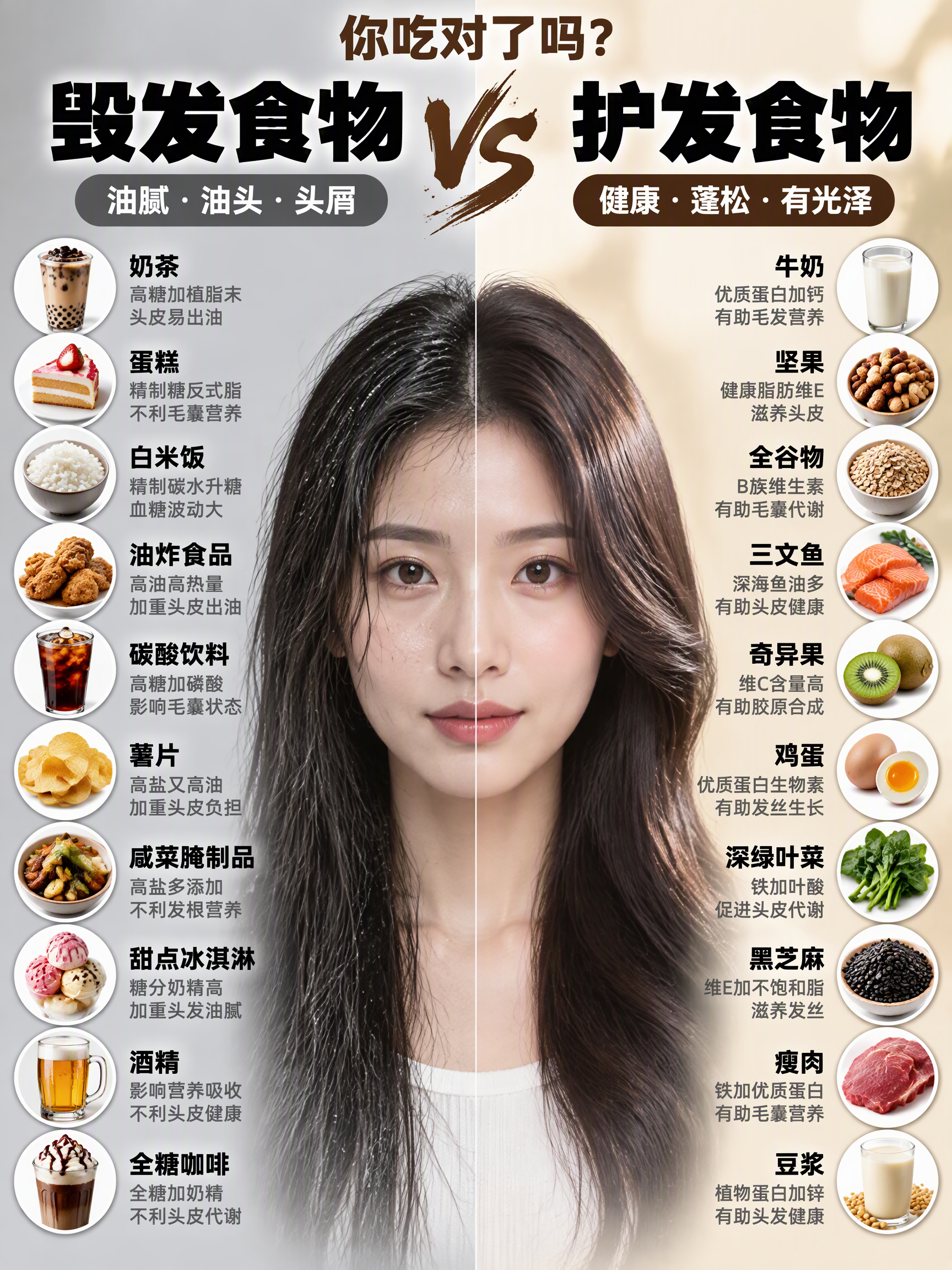
Viral Comparison Infographics
One word in, “Harm vs. Help” infographic out
Viral Comparison Infographics
One word in, “Harm vs. Help” infographic out
Showcase
Description
Best for: Wellness, food therapy, and health education creators; beauty, skincare, haircare, and appearance-care creators; and weight loss, blood sugar control, and nutrition creators. How to monetize: Create “wellness comparison” series for Xiaohongshu, Douyin, and WeChat Channels using graphic posts and short-video carousels. Promote health supplements, food, haircare, and skincare products through product sales, storefront commissions, sponsored campaigns, and livestream traffic. Advantage: Change the keyword and get a new piece of content, with extremely low daily production costs. Just enter a topic keyword, such as “haircare,” “blood sugar control,” “slimming the face,” or “eye care.” The skill automatically analyzes the topic, names the pros and cons, determines the visual subject, writes the content, and consolidates image-generation prompts to create a viral educational infographic featuring a “split-screen layout + real-person half-face comparison + two-column checklist.”
Recommended by
淡苍
Why we love this skill
Enter one topic to automate nutrition contrast planning, character-state design, and complete infographic generation. Its “Damage VS Protect” split-screen format combines readable food lists, approachable education, and shareable visuals while supporting compliance.
Related Skills
View all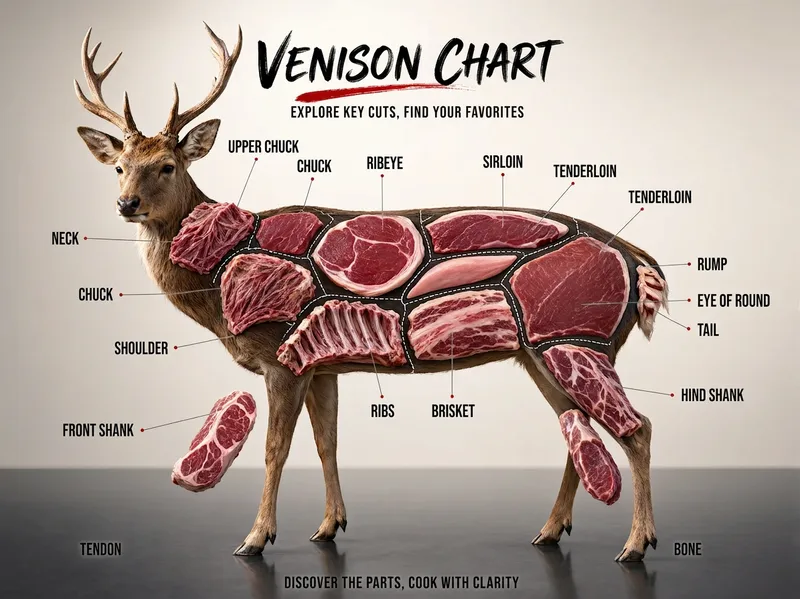 Image
ImageFood Parts Diagram Maker
Create a “food parts diagram” series for Xiaohongshu, Douyin, or WeChat Channels: beef, pork, lamb, chicken, fish, vegetables, and fruit—one subject can become one episode. Ideal for food, ingredient education, and cooking tutorial creators; fresh food e-commerce, butcher shops, supermarkets, and community group-buying operators; as well as restaurant owners and marketing staff in hot pot, barbecue, steak, braised food, Japanese cuisine, and other businesses. Simply enter the name of an animal, vegetable, or fruit, such as “beef,” “pork,” “lotus root,” or “watermelon.” The skill automatically identifies the type, plans the parts, names them in Chinese, and integrates image-generation prompts to create a commercial poster-quality “parts diagram”: a realistic subject, clear internal structure, leader-line labels, and all text in Chinese. Monetization options include fresh food, steak, hot pot ingredients, ready-to-cook meals, and kitchenware promotions; storefront commissions; and sponsored advertising. Advantage: This tool-focused visual content is likely to be saved and shared. Its “check while grocery shopping” utility can help an account attract long-tail traffic.
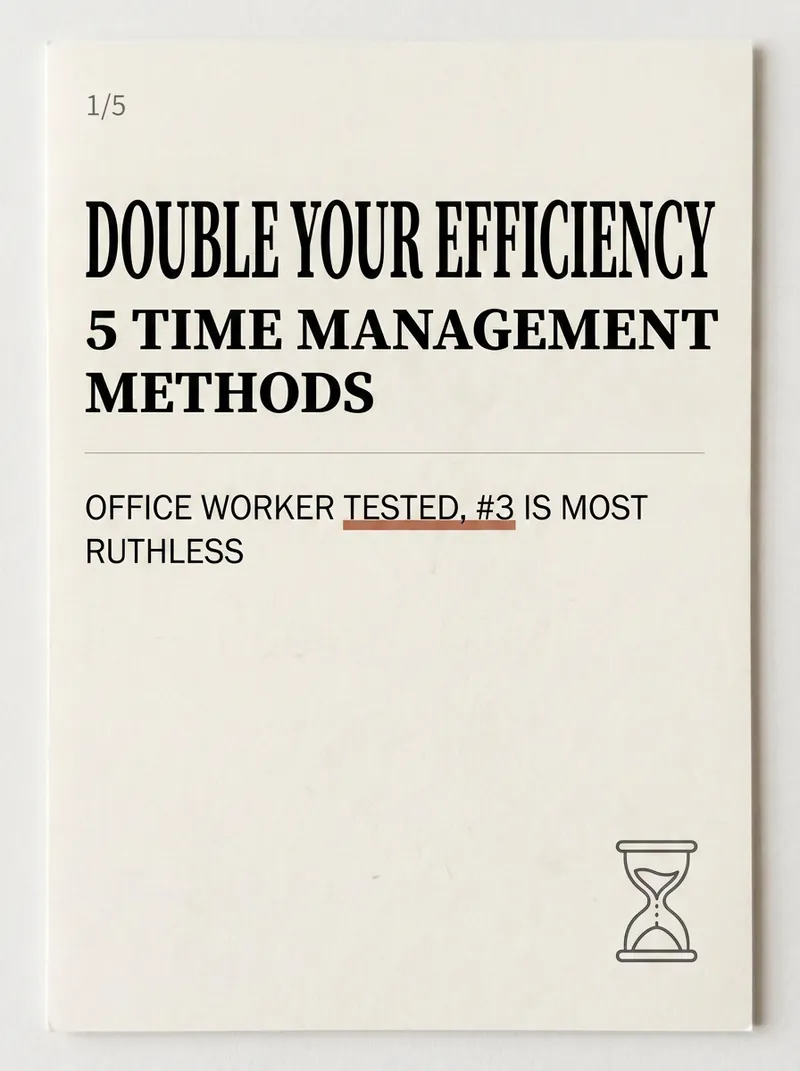
Xiaohongshu Card Generator
Being a Xiaohongshu knowledge blogger, the hardest part isn't writing content—it's formatting it into card images that people want to click and save. Searching for templates, adjusting fonts, colors, alignment—a single set can take two hours, and it still often has that AI-generated tacky feel. The Xiaohongshu Viral Knowledge Card Generator compresses this into one minute: input a topic or text, and it automatically splits into cover + inner pages, applies layouts that match real Xiaohongshu aesthetics, and generates a complete set of vertical cards ready to publish. ✨ Core Capabilities 1. 6 combinable layout types—cover hook cards, checklist cards, step-by-step cards, comparison cards, quote cards, and knowledge point breakdown cards—covering almost all informative posts. 2. 5 native styles—Cream Magazine, Morandi Minimalist, High Saturation Pop, Sticker Journal, Business Premium Gray—switch styles with one click, no rework needed. 3. 3 sizes—Xiaohongshu vertical 3:4, square 1:1, story 9:16—one input, multiple uses. 4. Cover formula—number hook + pain point + benefit, specifically designed to solve 'no one clicks'. 5. Anti-AI guardrails—rejects standard fonts, purple-white gradients, and rigid symmetry to deliver an authentic blogger feel. 📱 Applicable Scenarios Workplace, study, finance, science, and education bloggers' value-packed collections, knowledge sharing, list recommendations, opinion quotes; also works for WeChat Official Account headers and WeChat Moments infographics. Input a topic, leave the rest to it—make your notes irresistible at first glance.
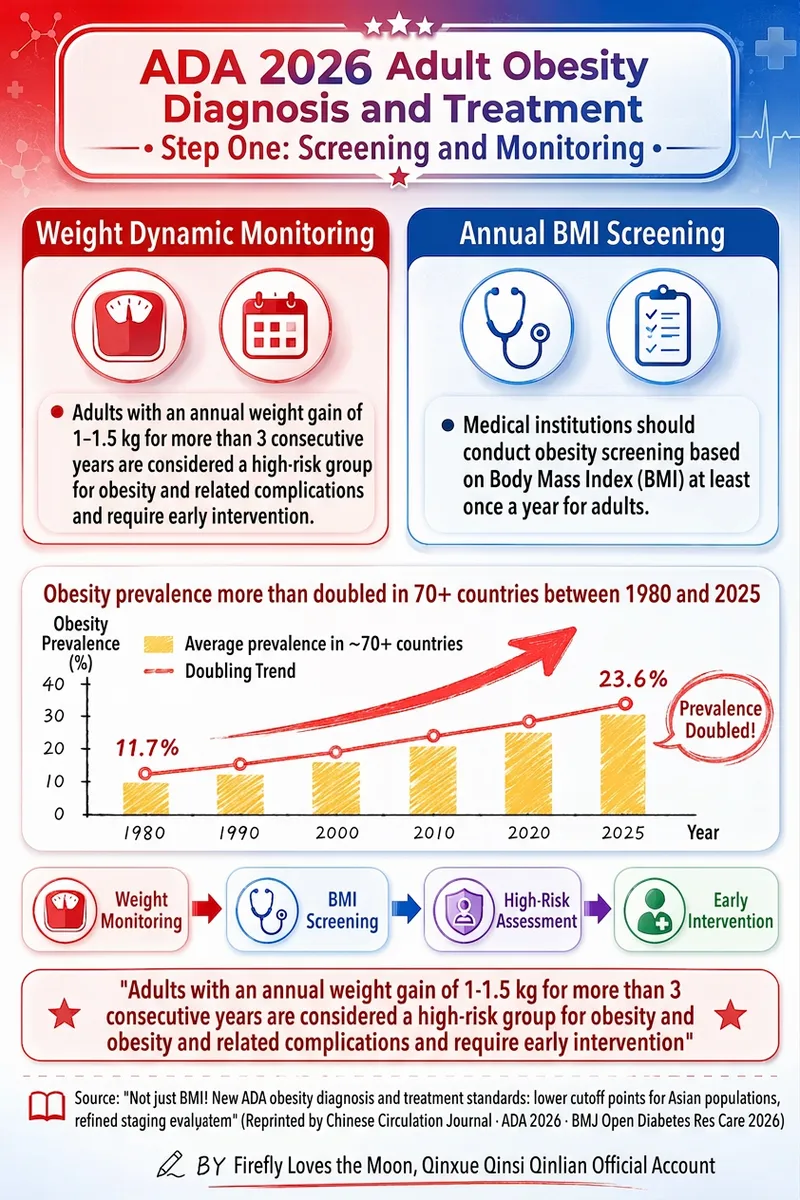
One-Click Medical Infographics
Medical professionals and science communicators, take note: I can faithfully distill medical source text into classic red-and-blue comparison-style health education posters and generate finished images in one click! Ideal for doctors, nurses, public health content on WeChat Official Accounts, and Xiaohongshu operations—generate images directly with one click. Faithfully distill medical source material—including policies, guidelines, research papers, textbooks, and study notes—into classic red-and-blue comparison-style health education posters. PDF text extraction, pasted text, and web links are supported. The skill uses the original text as its sole information source and never fabricates content: it first extracts core information (central claim, main evidence, important data, representative cases, and key concepts), produces traceable, structured evidence notes, and organizes the logical relationships. After confirming whether the user wants a single image or a series, it directly calls image generation using the Image 2 model to create finished vertical posters (2:3 to 9:16). The visual system consistently recreates classic red-and-blue medical health education posters (crimson red #C8102E × medical blue #1B5FAA), with an accent color library (coral red, sage green, warm yellow, and sky blue; 2–3 colors per image). Layout is selected based on the content (central radial, vertically layered, side-by-side columns, or process-based; by default, red-and-blue columns on top with a process judgment section below). Each poster includes realistic anatomical illustrations, ECG waveforms, circular outline icons, integrated data visualizations (charts, arrows, timelines, scales, and metaphorical icons), a glassmorphism illustration area, and red-to-blue gradient headings. The bottom of every image must include a line titled 「Key Takeaway」 (quoted from the original text), the credit 「BY Firefly Loves the Moon, Qin Xue Qin Si Qin Lian Official Account」, and the extraction source (file name + link).
Information
- Version
- v3
- Last updated
- Runtime credits
- Usage-based
- Models
- Auto
