
Tech Made Learnable
Turn technical documents into clear learning journeys
Tech Made Learnable
Turn technical documents into clear learning journeys
Showcase
Description
Technical documents are often hard to learn not because you lack ability, but because the language, terminology, and hidden assumptions make it difficult to build a clear mental model. Tech Made Learnable turns a complex document into a complete beginner-friendly learning path. First, it creates a structured Technical Reference Guide that protects the original meaning, important distinctions, rules, exceptions, and uncertainty. Then it creates a simplified, story-led Learning Guide that explains the topic step by step, using realistic scenarios, concrete examples, and visual thinking where they genuinely help. Next, it prepares copy-ready NotebookLM prompts for an explanatory audio dialogue and a visual learning video. The goal is to help you read, hear, see, and mentally picture how the topic works. Assessment comes last. After you finish learning, simply say you are ready for review. The Skill then creates a final quiz with clear answer explanations and directs you back to the exact concepts that need reinforcement. Best for technical manuals, standards, procedures, complex articles, professional training materials, software documentation, engineering topics, quality systems, and any subject that feels difficult because it was written for experts.
Recommended by
Shuting@YouMind
Why we love this skill
An editor’s pick for turning dense technical material into an accurate, beginner-friendly learning journey. It uniquely pairs a source-faithful reference guide with approachable lessons, visual and audio learning prompts, explicit uncertainty, and assessment that waits until the learner is ready.
Related Skills
View all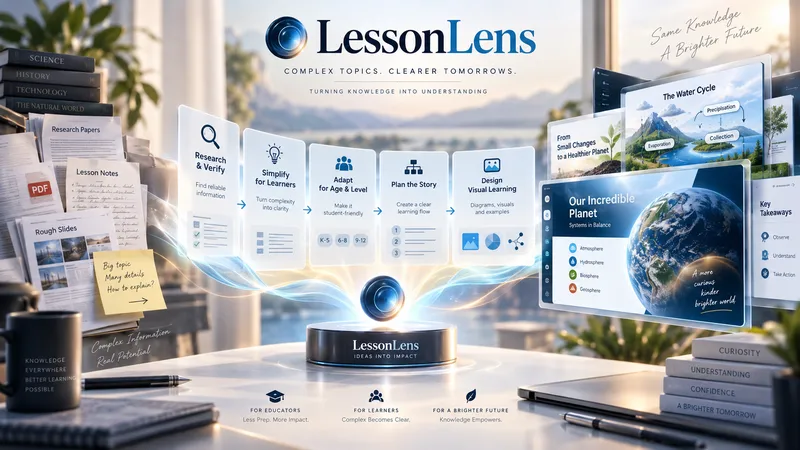
LessonLens
LessonLens turns complex topics, documents, research, and lesson notes into clear, visually engaging educational presentations built for real learners. It does more than convert text into slides. LessonLens can research and verify important facts, adapt the material to the learner’s age and prior knowledge, identify learning goals and likely misconceptions, and choose the most effective way to explain the topic. Depending on the content, it may use direct explanation, step-by-step teaching, comparison, diagrams, timelines, light storytelling, or other learning structures. Storytelling is used only when it improves understanding. The visual system is built around the lesson itself. LessonLens evaluates which visual approaches actually fit the topic, creates a consistent presentation direction, and writes detailed professional image prompts for every required visual. These visuals can include carefully designed learner-facing labels, arrows, short explanations, headings, and annotations so the final slides remain understandable without depending only on teacher notes. The result can include: a researched and age-adapted teaching plan a structured slide-by-slide learning flow professional visual direction detailed image prompts slide-ready educational visuals PowerPoint presentation teacher or presenter notes optional PDF output summaries, quizzes, or supporting learning material when useful LessonLens is designed for teachers, tutors, course creators, and educational content creators who want more than attractive slides — they want presentations that help students actually understand the subject.
 Image
ImageTechnical Document to Poster
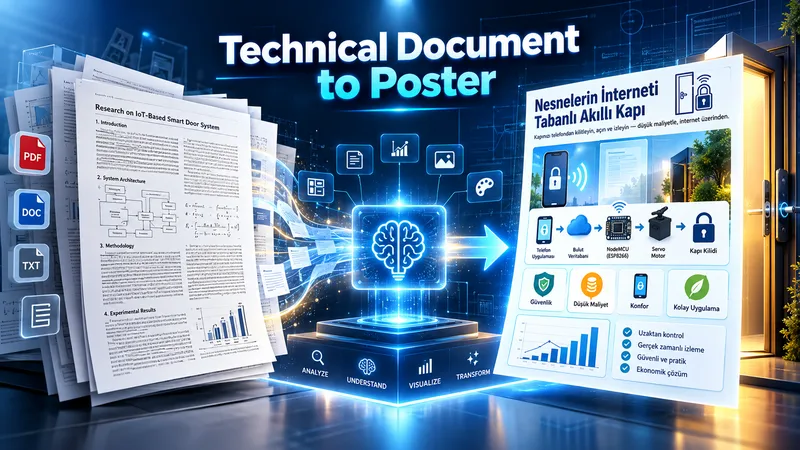
Transform technical documents into accurate, visually structured posters. Upload an academic paper, engineering document, technical report, manual, SOP, or other technical source. The skill analyzes the source, identifies the core message, prioritizes essential information, selects the best poster strategy, and determines the most suitable canvas based on the content. Before generation, it creates a poster plan for your approval. After approval, it produces three complete, standalone image-generation prompts: Strict Hierarchical, Creative Aesthetic, and Hybrid. Each prompt contains all required text, labels, technical relationships, diagram instructions, and source details, so it can be copied and used independently. You can choose a prompt yourself or let the AI select the most suitable one. Final image generation only happens after prompt approval. The workflow is designed to preserve technical meaning, avoid unsupported claims, reduce clutter, and turn complex information into clear visual communication.
 Image
ImageDevice Anatomy Poster Architect
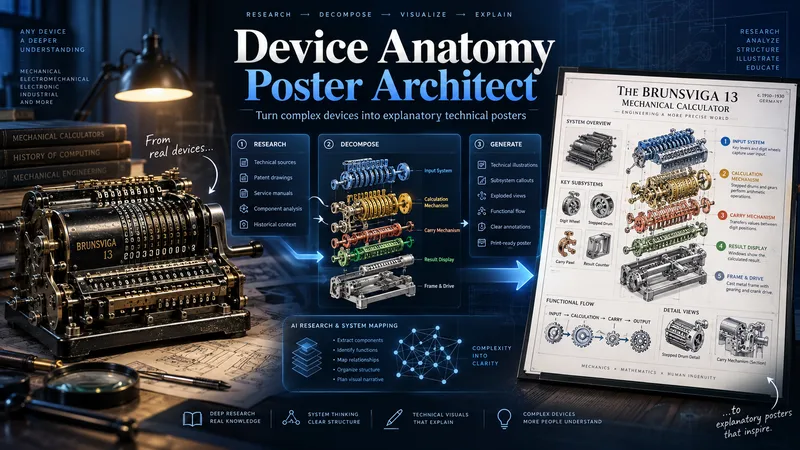
Turn complex machines, tools, and devices into clear, educational technical posters. Provide a device name, model, reference image, cutaway, or technical photo. The Skill first researches the device’s real structure and working principle, then identifies its critical components, functional subsystems, operating sequence, and relevant power, fluid, signal, or material flows. Instead of producing a generic labeled cutaway, it reconstructs the device for teaching: separating dense mechanisms, exposing hidden relationships, organizing subsystems, and adding focused detail views where needed. You receive three genuinely different visual directions: Clean Hierarchical — structured, precise, highly readable engineering infographic. AI Artistic Creative — dramatic, spatial, mechanism-driven technical visualization. Hybrid Technical — premium 3D realism combined with modular engineering-diagram clarity. Each direction comes with its own fully independent, detailed English production prompt. The prompts share the same verified technical foundation but use different compositions, viewpoints, decomposition strategies, and visual storytelling. The workflow and visible poster text follow your language by default. Image-generation prompts are written in English for stronger production reliability. Nothing is generated automatically: review the three directions, choose one or request revisions, then proceed to final poster generation and technical quality validation.
Information
- Version
- v5
- Last updated
- Runtime credits
- Usage-based
- Models
- Auto
