
LessonLens
Turn complex topics into visual lessons students understand
LessonLens
Turn complex topics into visual lessons students understand
Showcase
Description
LessonLens turns complex topics, documents, research, and lesson notes into clear, visually engaging educational presentations built for real learners. It does more than convert text into slides. LessonLens can research and verify important facts, adapt the material to the learner’s age and prior knowledge, identify learning goals and likely misconceptions, and choose the most effective way to explain the topic. Depending on the content, it may use direct explanation, step-by-step teaching, comparison, diagrams, timelines, light storytelling, or other learning structures. Storytelling is used only when it improves understanding. The visual system is built around the lesson itself. LessonLens evaluates which visual approaches actually fit the topic, creates a consistent presentation direction, and writes detailed professional image prompts for every required visual. These visuals can include carefully designed learner-facing labels, arrows, short explanations, headings, and annotations so the final slides remain understandable without depending only on teacher notes. The result can include: a researched and age-adapted teaching plan a structured slide-by-slide learning flow professional visual direction detailed image prompts slide-ready educational visuals PowerPoint presentation teacher or presenter notes optional PDF output summaries, quizzes, or supporting learning material when useful LessonLens is designed for teachers, tutors, course creators, and educational content creators who want more than attractive slides — they want presentations that help students actually understand the subject.
Related Skills
View all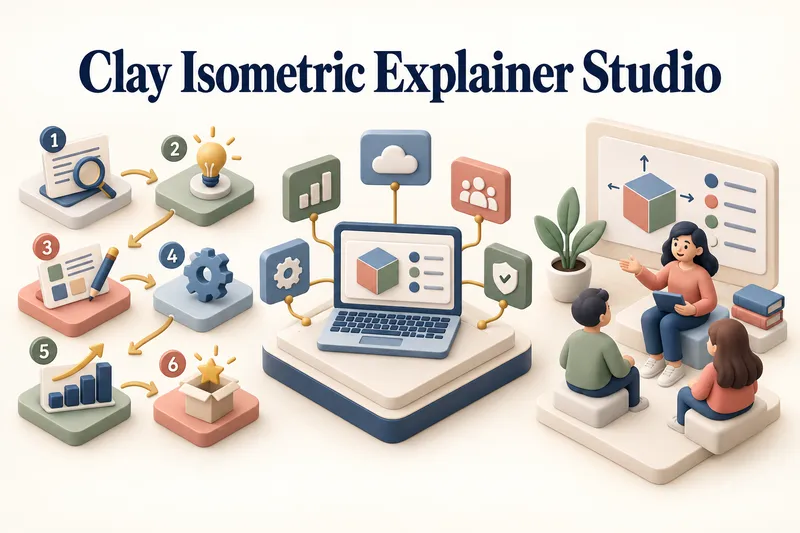 Image
Clay Isometric Explainer Studio
Turn any topic into a clear, memorable visual explanation. Clay Isometric Explainer Studio transforms products, processes, services, systems, and educational subjects into polished hybrid 3D clay and isometric visuals. You can start with only a topic. The Studio performs a focused research snapshot, identifies the core message, recommends the clearest visual direction, and guides you through the creative process step by step. It builds the information architecture, maps each idea to a visual object, defines a consistent style system, and prepares a complete production prompt. Titles, numbered stages, information cards, labels, and short explanations are planned and included directly during image generation. Choose an Explainer Scene, Process Flow, Product Feature Board, Educational Visual, or a coherent 3–5-piece Visual Series. After the still image is approved, optionally turn it into a short image-to-video animation with subtle object motion, natural clay character gestures, or guided focus through numbered stages. Ideal for presentations, websites, social posts, posters, PDF pages, product communication, onboarding, and learning materials. Not intended for decorative 3D scenes without an explanatory purpose, random visual elements, dense paragraphs inside images, or final editable design files.
 Slides
Presentation Architect PRO
Presentation Architect PRO turns any idea, document, business problem, research topic, or dataset into a complete, research-grounded presentation. It analyzes the objective, audience, and language; writes a short brief and states its assumptions; verifies material claims against trustworthy sources and cites them; selects the most suitable narrative framework (executive strategy, investor pitch, scientific research, sales, or educational); designs the deck slide by slide with an insight-driven headline, one key message, concise content, a recommended visual, design direction, speaker notes, and evidence; applies a premium visual system with an audience-appropriate theme; handles data visualization honestly; and self-audits across ten quality dimensions. The finished, editable deck is generated natively in YouMind. Supports operating modes such as /pitch, /executive, /research, /finance, /teach, /sales, /redesign, /document, /compare, and /keynote.
 Webpage
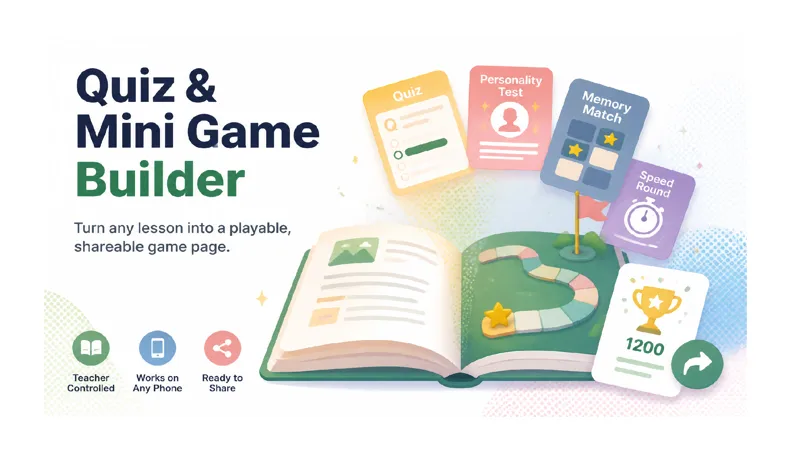
Lesson Arcade - Quiz & Mini Game Builder
Students scroll past worksheets. They don't scroll past a game their friend just challenged them to. Lesson Arcade turns your lesson notes, a PDF or just a topic into a playable web page that works on any phone and is ready to share as a link. CHOOSE YOUR GAME • Quiz: multiple choice with a short explanation after every answer • Personality Test: "Which scientist / planet / historical figure are you?", built from your topic • Memory Match: flip cards to pair terms with definitions, words with translations or dates with events • True/False Speed Round: 60 seconds, a streak counter and instant corrections HOW IT WORKS 1. Share your notes or topic and the grade or age. 2. The Skill suggests the mode that best fits your content. You can keep it or pick another. 3. You review every question, answer and result before anything is built. Change, add or remove items in plain words. 4. You get your game page, an answer key and ready-to-post captions. MADE FOR SHARING At the end of each game, players download a story (9:16) or post (1:1) result card with their score or result, an optional nickname and your handle. Each shared card can bring new players to your game. BUILT FOR CLASSROOMS • Content follows your notes. Nothing is added from outside your material. • Questions and wording are tuned to 5 levels, from early primary to university. • No sign-up, no ads, no data collection. Nicknames stay on the player's device. • 4 visual themes: Playful Pop, Clean Classroom, Neon Arcade, Notebook. • Works in your language and in your students' language. GREAT FOR Teachers (warm-ups, revision, homework), parents, students prepping for exams together and education creators. GOOD TO KNOW • One game mode per page. Make another mode from the same approved content. • If you only give a topic, please check the answer key before sharing. • Best for practice and fun, not graded exams: there are no shared leaderboards and answers aren't hidden from tech-savvy players.
Information
- Version
- v9
- Last updated
- Runtime credits
- Usage-based
- Models
- Auto
