
ShowHN to WeChat Deep Analysis
Auto-format Markdown and sync as WeChat draft
ShowHN to WeChat Deep Analysis
Auto-format Markdown and sync as WeChat draft
Showcase
Description
This is the companion publishing skill for the 'ShowHN Today Writing Pipeline', not a standalone general-purpose public account publisher. It reads ShowHN content that has already undergone research, writing, and quality checks in the same Board, and fully syncs deep analysis, Top 20 daily report, brand covers, and real product screenshots to your own WeChat Official Account draft box, automatically handling WeChat material upload, HTML formatting, draft creation, and read-back verification. It never auto-publishes; the final publishing decision is always yours. Before first use, run the 'ShowHN Today Writing Pipeline' on the target Board. The writing skill will automatically create the required directories and generate a quality-checked ReadyPackage in 05-Ready; then you must return to the same Board to run this skill. Users do not need to manually create directories or copy files. If the current Board is not yet ready, this skill will explain in simple language what is missing and what to do next, rather than displaying initialization issues as technical faults.
Related Skills
View all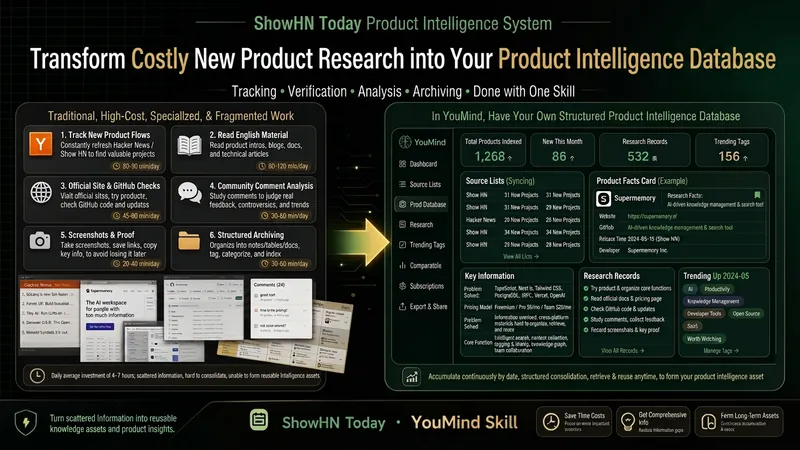
ShowHN Today Product Insights
Hacker News's Show HN is a key gateway for independent developers worldwide to launch new products. Continuously filtering English information, verifying official websites and repositories, sorting community opinions, capturing real screenshots, and structured archiving is costly. This skill helps you build your own global product intelligence system: daily collection of trending projects, preservation of original rankings and research evidence, production of in-depth single-project analysis and a Top 20 daily report, and continuous accumulation of intermediate materials into the current Board's knowledge base. No need to manually create directories on first run: the skill automatically creates and completes the folders 01-Raw through 06-Published in the current Board's root directory. After writing and quality checks pass, a ReadyPackage for the 'ShowHN WeChat Official Account Draft Publishing' skill will be generated in 05-Ready. Make sure both skills run in the same Board. You get more than just an article—you get a real product database that can be searched, compared, and reanalyzed. By adding your own industry judgment, product perspective, and technical preferences, you can create your own original content.

WeChat Viral Article Creator
Transform a topic into an in-depth article tailored for WeChat Official Account publishing, complete with cover images, formatting, and draft saving. It combines real-time trends and business context to write around clear viewpoints, supported by concrete business cases, factual data, and progressive analysis to help you produce insightful and readable long-form content. The writing style is concise, powerful, and viewpoint-driven, starting from phenomena or stories to extract core judgments and concluding with clear conclusions and actionable advice. The body text is structured around multiple sub-arguments with clear paragraphs and hierarchical headings, aiming for a length of 3,000 to 5,000 words, suitable for business trends, management thoughts, career growth, and brand marketing. Once the content is ready, it generates a matching cover image, applies basic formatting, and saves the article as a WeChat draft so you can log in and review or publish it easily. The final piece avoids unnecessary hashtags, excessive emojis, or formulaic engagement phrases at the end.
WeChat Article Formatter
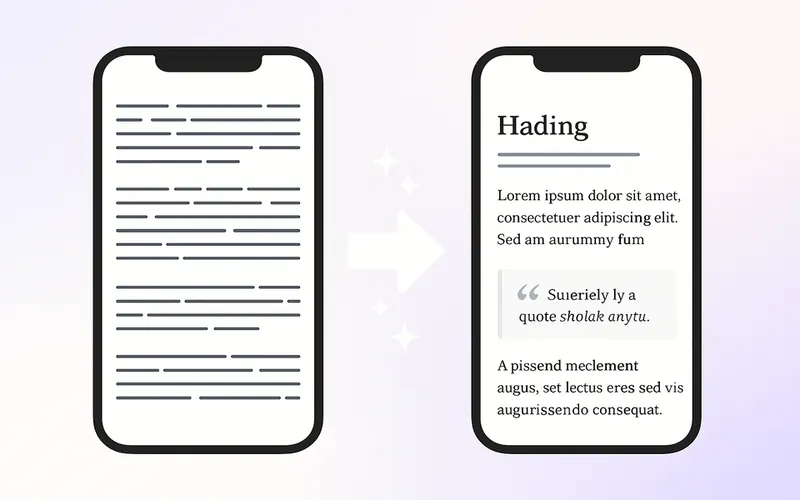
Turn Markdown, plain text, or existing HTML into WeChat Official Account articles that are easy to read on mobile. Preserve the original viewpoints, facts, numbers, and citations, with support for six base styles and copyable brand profiles. By default, you’ll receive complete inline HTML and checking instructions. When the environment supports live rendering, a mobile preview is also included. No scripts are needed on the author’s local machine. Wide tables can be rearranged into lists or narrow tables while preserving all data. Static checks, live rendering, and pasting into the WeChat Official Account backend are reported separately. Try it with a book note, an industry analysis, or your next article using an existing brand profile. Open the preview and copy the rendered body, then check images, links, and the mobile appearance in the WeChat Official Account backend. This Skill does not publish automatically. Companion tools: use Infographic Maker for data visuals and One Fish, Many Uses to adapt body copy for multiple platforms.
Information
- Version
- v11
- Last updated
- Runtime credits
- Usage-based
- Models
- Auto
