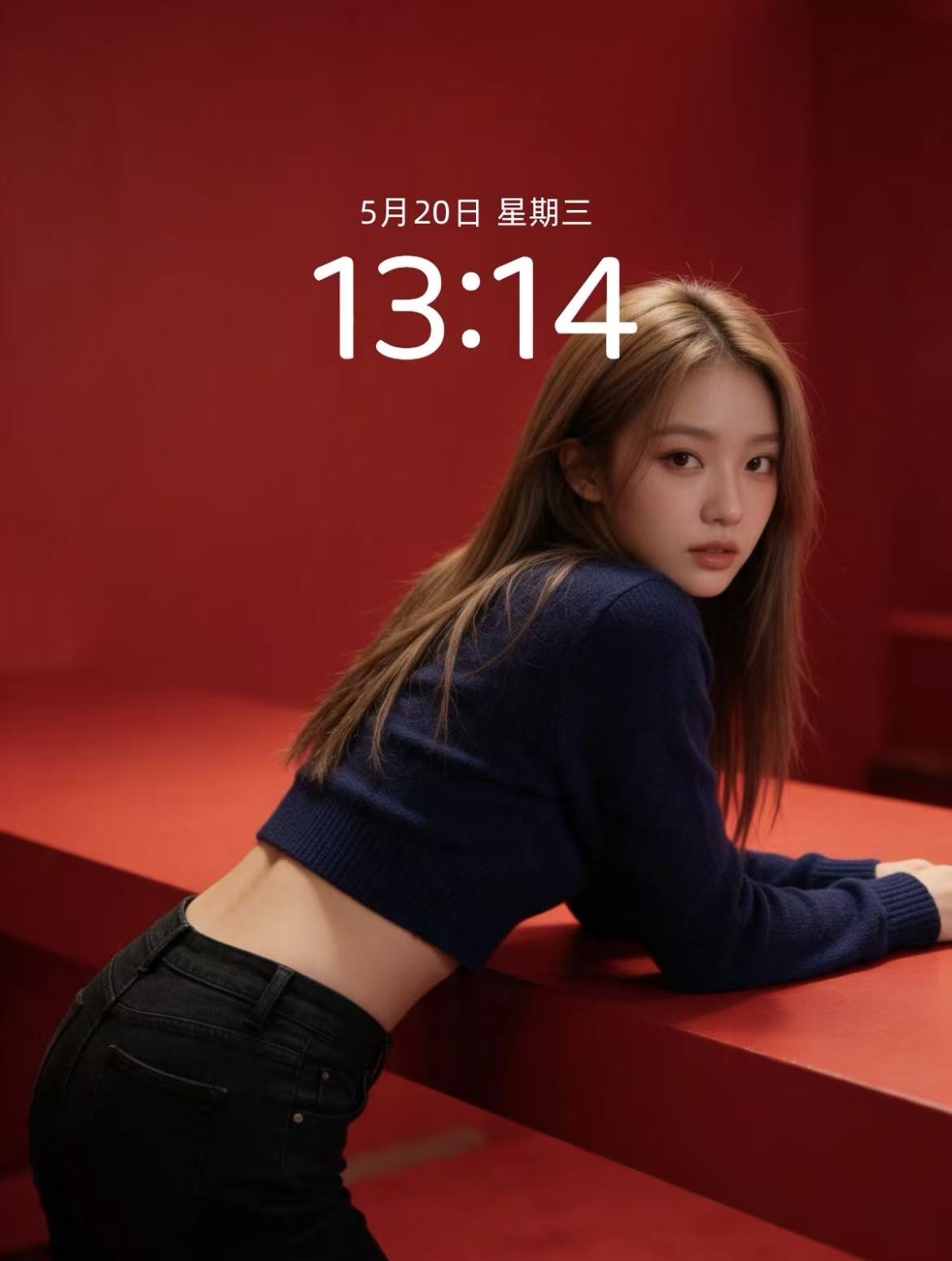
Red Immersive Fashion Portrait
Monochrome red steps scene for magazine-grade portraits
Red Immersive Fashion Portrait
Monochrome red steps scene for magazine-grade portraits
Showcase
Description
Turn any portrait description into a vertical magazine-grade fashion portrait. It applies a default baseline template: a minimalist red monochrome immersive scene with red steps and walls, soft studio lighting, realistic skin texture, film grain, top one-third negative space, and no text or watermarks. The portrait DNA (young Asian female, light brown long hair, dark blue cropped knit sweater, black jeans) is systematically reused to ensure the same face and styling across batches. You can customize the portrait appearance/clothing, wall material and red tones, number of steps, pose and gaze, lighting type, texture intensity, negative space position, aspect ratio, and quantity. Defaults to a 3:4 vertical format and 1 image, generated directly using the best image model.
Recommended by
Dancang
Why we love this skill
Combines a monochrome red space, step composition, and studio lighting into a ready-to-use fashion portrait template with locked portrait DNA for consistency.
Best for
Ideal for content creators and visual designers who need to quickly produce portraits with consistent character settings and high-end fashion ambiance.
How to use this Skill
Provide your input
Provide descriptions for the subject appearance, clothing, scene material, pose, gaze, lighting, aspect ratio, or count; or simply enter a short portrait request.
Run the Skill
Organizes your request into a red immersive fashion portrait composition, adds photographic texture, negative space, and image constraints, then generates the image.
Review your result
Receive a vertical magazine-style fashion portrait with consistent character settings, and flexibly adjust the scene, styling, pose, lighting, and aspect ratio as needed.
Related Skills
View all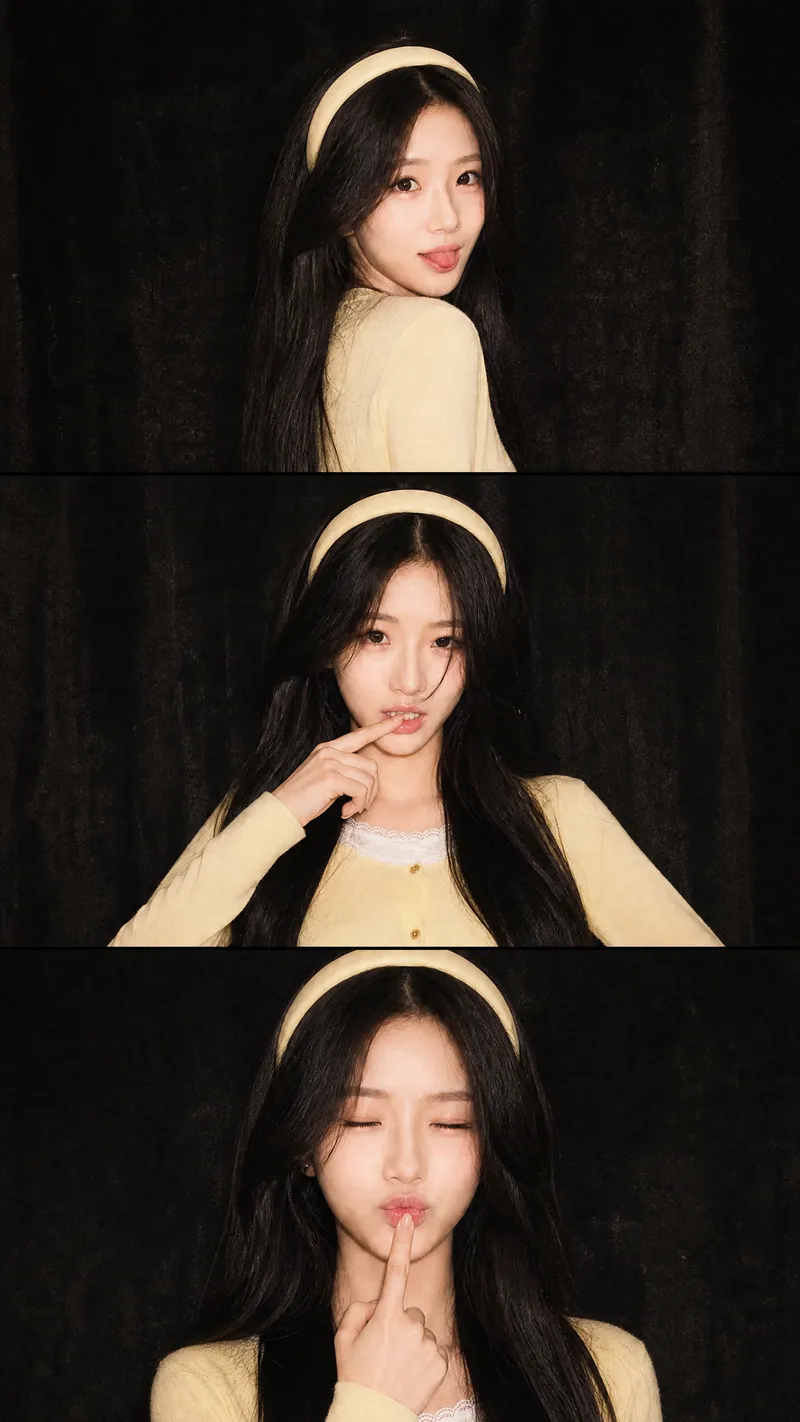 Image
Ins-Style Direct Flash Trio
Just upload a single portrait photo to generate a three-panel vertical photo collage of the same person featuring a black backdrop, on-camera direct flash, 2000s retro fashion magazine texture, dark tones, a laid-back vibe, and an edgy style. Default three-panel poses: · Top panel: Looking back over the shoulder, playfully sticking out the tongue · Middle panel: Index finger pulling the corner of the mouth, rebellious gaze · Bottom panel: Closed eyes and pouting, fingertips against the lips Core highlights: · Facial consistency: Strictly preserves facial features, face shape, and hairstyle/color across all three panels as the same person without face-swapping or distortion · Outfit retention: By default, uses the clothing from the uploaded photo, or can be customized · Realistic texture: Warm direct flash highlights, high-contrast shadows, and subtle film grain while preserving real skin texture · Flexible adjustments: Default is 9:16, changeable ratios, and customizable poses, backgrounds, nails, and accessories · Clean visuals: No text, watermarks, or logos Great for social media avatars, Moments and Xiaohongshu grid materials, personal photo shoots, and stylized portraits.
 Image
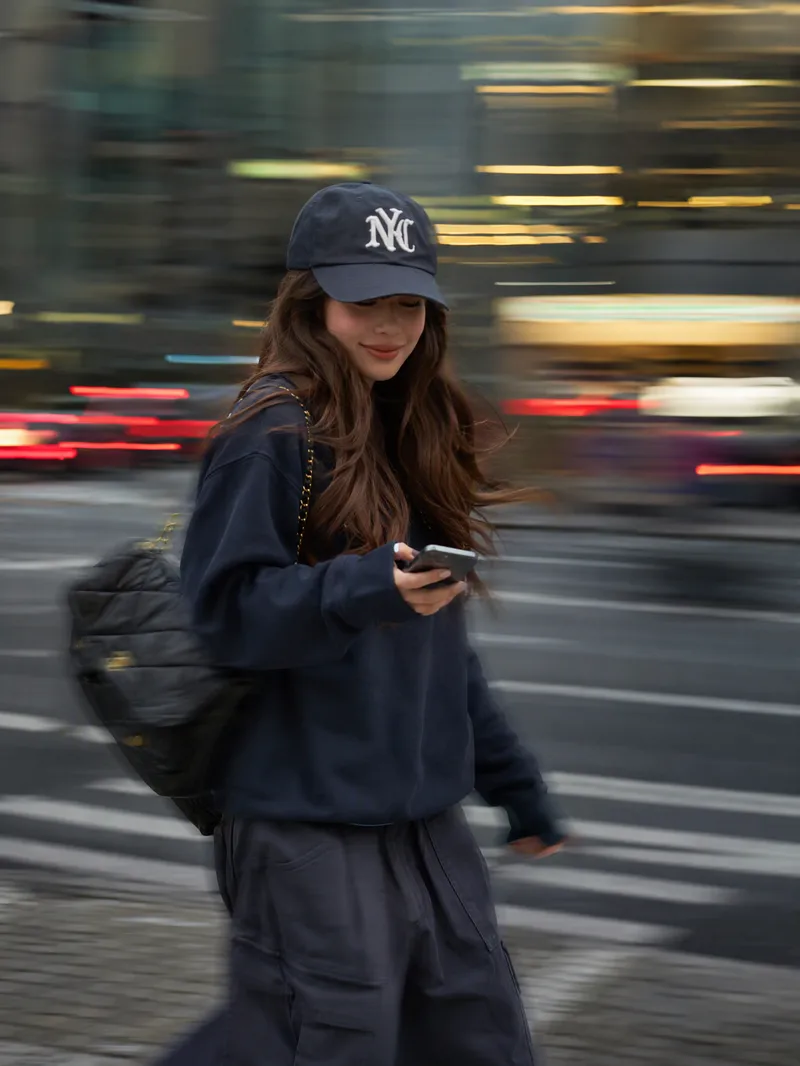
Instagram Street Snapper
Best for: Xiaohongshu and Instagram creators: Need polished personal photos and want to create cover images, profile pictures, and outfit photos in batches Everyday photography lovers, especially young women: Want a magazine-style look without the budget for a photographer Personal brand founders and professionals: Need photos for LinkedIn, WeChat Official Accounts, and personal introduction pages Outfit, fashion, and beauty creators: Want street-style content featuring products or clothing Small business and clothing store owners: Need affordable street-style model images for product listings Short-form video creators: Need video covers, persona images, and profile headers Upload one photo to automatically create a stylish street portrait with a panning slow-shutter effect: your face stays sharp and clear while the background becomes horizontal speed lines, with subtle motion trails on your hands, bag, and clothing—like a photographer catching a fleeting moment on the street. ✦ Still your face: Built-in identity preservation keeps your facial features, skin tone, and hairstyle. No face swapping or generic influencer look. ✦ Automatic outfit styling: Keeps your original clothing when it works; if it is unsuitable for street photography, such as pajamas or an ID photo, it switches to a polished urban look. ✦ Fresh poses every time: Take big strides, cross the street, glance back, carry a bag, hold coffee, and more. ✦ Three lighting moods: Cool gray-green overcast / warm orange dusk / cyan-blue backlight, matched to your overall look. ✦ Film color grading: Low saturation, cyan-tinted shadows, and warm highlights for a magazine-quality finish. ✦ Default 3:4: Ideal for Xiaohongshu and Moments, with custom ratios such as 9:16 also available.
 Image
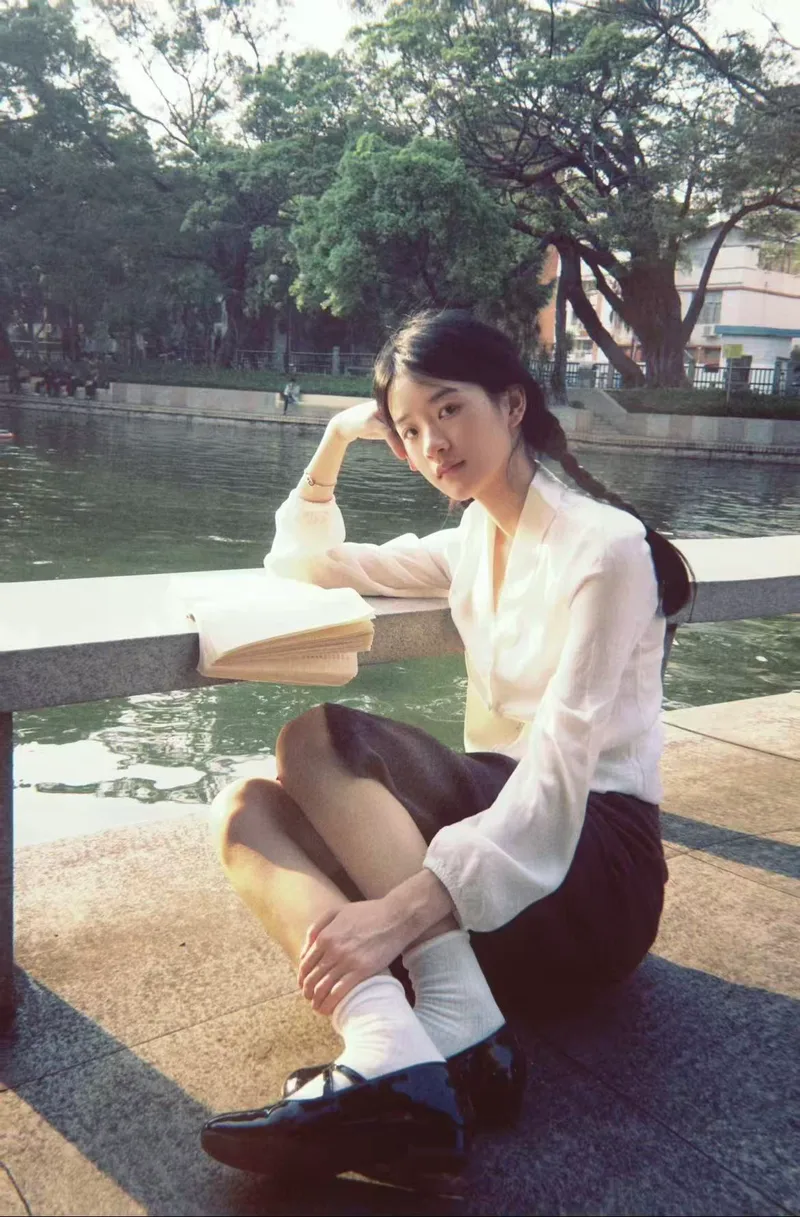
Retro Film Waterfront Portrait
Turn a single-sentence request into a 1990s film album-style afternoon waterfront portrait. It applies a default baseline template: stone platform by the water, white shirt, dark skirt, white socks and black shoes, low braided pigtails, an open book, warm slanted backlight, cyan-green water, and fine grain. Generates a 2:3 vertical portrait by default (1 image per run) using the best available image generation model. Characters, clothing, poses, scenes, lighting times, color tones, and aspect ratios can all be fine-tuned with a single sentence; any unmentioned details will fall back to the baseline template.
Information
- Version
- v3
- Last updated
- Runtime credits
- Usage-based
- Models
- Auto
- Use cases
- Images & design
- What you get
- Image
- Visual styles
- EditorialPhotorealistic
