
Product Update Video
Turn update notes into playable videos with captions
Product Update Video
Turn update notes into playable videos with captions
Showcase
Description
Suitable for creators, small teams, and educators who need to explain product changes. Provide a real update list, completed or planned status, authorized screenshots or prototypes, target audience, aspect ratio, and original audio. Missing dates, effects, and customer data will not be fabricated. Fictional product illustrations are clearly marked when you only have an idea. Input brief -> Verify facts and permissions -> Concise script and shots -> Actual voiceover or receive original audio -> Arrange subtitles and visuals based on actual audio -> Actual rendering -> Playback, visual and audio review -> Deliver MP4, SRT, script, and generated source projects. Real interfaces use original layouts only and are not sent for AI image generation. If rendering tools are missing, unrendered status is clearly stated. The four local examples are original fictional products: list filtering, calendar preview, pre-export check, and course progress. Using fixed Kokoro-82M version, zf_xiaobei local voice synthesis, HyperFrames 0.8.174, and Chrome/FFmpeg, outputting two 1920x1080, one 1080x1080, and one 1080x1920 videos, approx. 16.1-18.5 seconds; subtitles are scheduled based on actual audio sample durations without claiming mandatory word-level alignment. These are not live software, real customers, or actual learning outcomes. GPT is recommended for text planning. Core requirements include real files, animation or video rendering, FFmpeg/FFprobe, and available legal original audio or TTS. Instructions include a complete original local rendering assistant that only checks or renders existing HyperFrames projects and does not auto-generate UI or voiceover. You need to configure your own Node, HyperFrames CLI, and browser paths. Image tools are optional original aids; independent avatars are generated by ImageGen (model not returned) and are not case frames. Platform GPT-6.1 Sol is an optional setting and is not guaranteed to match local tools or models. Testing on YouMind did not consume credits, and installation does not guarantee these tools are immediately available. 299 credits cover installation only, excluding models, TTS, fonts, assets, third-party services, or hosting. Does not automatically clone voices, purchase services, or publish to other channels. Does not guarantee arbitrary input, zero errors, distribution, review, or commercial results. Current local examples have been genuinely rendered and played; independent audio track review is still pending and not treated as complete quality acceptance.
Recommended by
Dancang
Why we love this skill
Goes beyond storyboards or concept drafts to turn verified update materials into playable MP4s complete with voiceover, subtitles, source projects, and asset mapping, plus complete review and sync sign-off.
Best for
Ideal for creators, small teams, and educators who need to clearly explain product changes.
How to use this Skill
Provide your input
Provide product update notes, version status, authorized screenshots or original audio, target audience, aspect ratio, and duration details.
Run the Skill
Verify facts and usage rights, draft the broadcast script, arrange visuals and subtitles based on actual audio, then render and review the video.
Review your result
Receive a playable MP4, subtitles, script, and generated source project; missing rendering or synthesis conditions will be clearly noted.
Related Skills
View all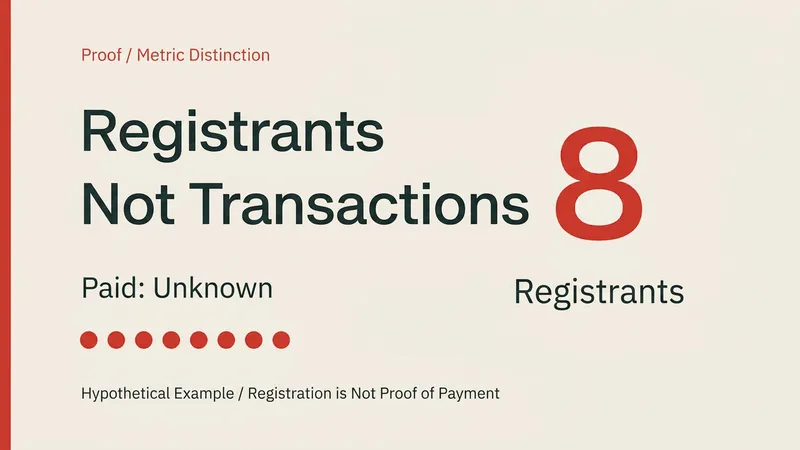 Video
HTML Animation to MP4 & Source
Suitable for text and graphic animations like knowledge diagrams, product concepts, data displays, and event trailers. Provide an HTML project, or supply text content, dimensions, duration, pacing, and audio requirements. Execution: verify content and assets -> plan timeline -> write editable HTML animations -> local check and HyperFrames frame-by-frame rendering -> FFmpeg encoding -> check real MP4, full playback, and audio track -> deliver video, source code, and verification records. Usage: send a brief and facts to retain, specifying landscape/portrait/square, duration, frame rate, and audio requirements; follow steps to check the local environment, then generate and check files. Defaults to 1920x1080 at 30fps; other dimensions require rearrangement. Local dependencies: Node 22 or higher, HyperFrames fixed 0.8.174, Chrome, Python 3, FFmpeg/FFprobe, and available fonts. GPT is recommended for planning and writing HTML; specific model IDs are not exposed and cannot be claimed as bound. Graphics are browser-rendered, not Image2/Seedance video generation; digital humans, voiceover services, or stock footage generation are not included. Dependencies and fonts are not distributed with the installation package, third-party calls and assets may incur separate charges, and the 299 credits do not cover these costs. Examples are 4 local 8-second animations with different custom inputs: metric differentiation, fictional product, archived data, and a fictional event; preview images come directly from encoded MP4 frames, preserving custom/concept notes, and are not client cases. The fourth case has only three custom sound effects with no voiceover. YouMind installation does not guarantee the presence of Node, a browser, or FFmpeg within the platform; the platform has not tested running with credits. If the runtime environment is missing, local tools must be configured before exporting, and code or still frames cannot be treated as a final video. Output is affected by content, fonts, and tool versions; playback, facts, and asset rights must be verified, and approval, distribution, or commercial results are not guaranteed. The current cases have been genuinely rendered, technically played back, and visually checked; independent listening review for the third audio prompt in the fourth case is incomplete and requires manual review. Not advertised as fully audiovisually approved.
 Video
Single-Image Video Generator
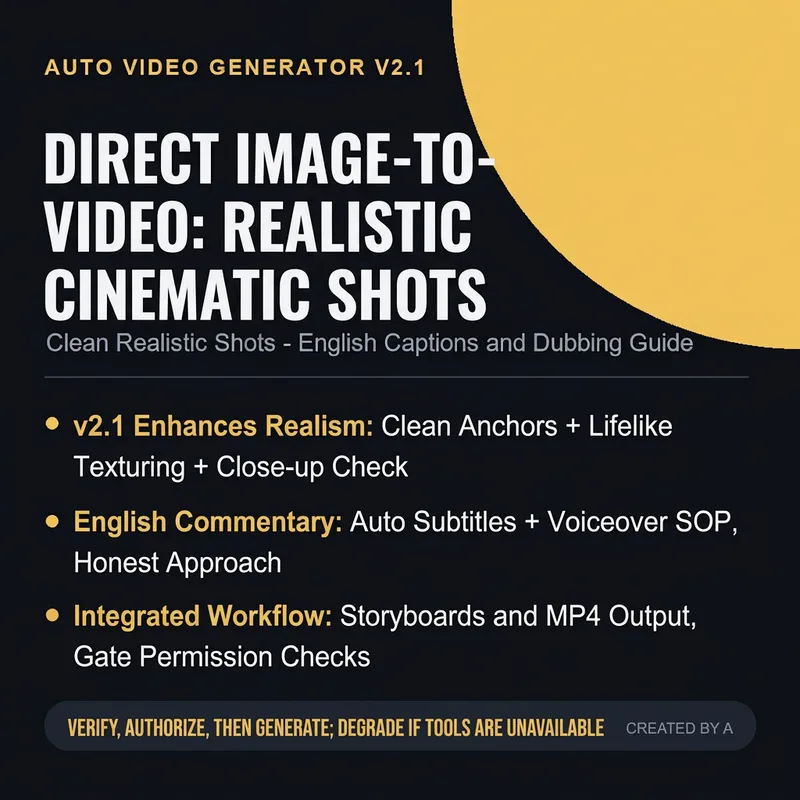
This Skill actively calls available image and video generation tools right inside the chat, delivering actual storyboard image files and stitched video files rather than just a sheet of prompt text. Starting from v2.0.0, models can also introduce products in English—not just moving their lips on screen, but actually building English voiceovers into the final output. ## Summary **Instead of giving you prompts to run yourself, it detects tools in the chat, gets your confirmation, directly creates storyboard images and a stitched MP4 file, and provides English subtitles plus step-by-step instructions for adding English vocals at the publishing stage.** ## Detailed Description When you upload an image, this Skill performs three tasks in the chat first: detects truly available image, video, and stitching tools in the current session; checks material ownership, trademark text, character compliance, authorization, content safety, advertising terms, AI labeling, and tool boundaries item by item; and clearly states how many times it plans to call tools and the resulting credit consumption, waiting for your explicit agreement before generating. Generation offers two paths. **Path A**: Generates six storyboard first-frame images, checks the subject, text, characters, and lighting frame by frame, turns each frame into a short clip, and finally stitches them into an MP4—preventing text drift and character shifting during the image stage. **Path B**: For single subjects, single actions, and no-text quick tests, use the input image plus a prompt to generate a video directly, falling back to Path A if it fails, avoiding repeated point consumption on a single path. Multiple neutral, fictional, or adult character descriptions can be applied to the same image. A sample video set is generated first for your confirmation before batch processing. Each batch ends with a report of actual tool calls and real file paths for easy consumption verification. **How English Narration Works (Tested and Honestly Explained)**: First, it locks in a verifiable product fact anchor (parameters, certifications, and prices that cannot be found are marked as "to be verified" without fabrication), then writes graded English scripts according to character tones—one for casual sharing, one for calm explanation, and one for professional review. Each sentence is 6 to 12 words and can be spoken within the corresponding shot duration. It creates an audio-video alignment table pinning down "which shot, what to say, where to place subtitles," checking English ad compliance sentence by sentence (zero tolerance for absolute terms, and parameters/certifications must have sources). **An Honest Platform Fact**: Video modes on platforms like YOUMIND only generate visuals, and audio tracks are usually background music, **without automatically generating English vocals**. Therefore, English narration is delivered in two layers: ① English subtitles are always generated and placed in the visual negative space as "visible English," independent of any voice tools; ② If no voice tool is detected in the current environment (common in YOUMIND), it provides you with the English script, alignment table, and step-by-step instructions for the publishing layer (paste English sentences into Jianying / CapCut's "Text to Speech," select an English voice, and trim/overlay according to the alignment table). **The final output video only contains subtitles, not English vocals, which you must add at the publishing layer**—it does not call background music English narration nor fake voiceovers. If the environment happens to have a voice tool, it directly generates and overlays the English audio track into the final video. **v2.1 Fixing "Grime" and "AI Look" (Fixed based on test feedback)**: Four layers of prompts add product clean anchors (clean, pristine, no smudges) and live-action texture anchors (natural skin texture, fabric weaves, handheld feel, natural light). The negative layer excludes stains, grime, wax skin, over-smoothing, plastic feel, and cartoon rendering. Close-up product shots are enlarged and checked shot by shot for cleanliness and realism. If dirty or too fake, anchors are added and re-adjusted, avoiding the delivery of dirty items or wax-like appearances as final work. **If the input image itself is dirty, please switch to a clean and clear product image first**—prompts cannot save a dirty image. **When no generation tools are available in the current environment, the Skill directly states "unable to automatically generate video" and provides a complete prompt package and storyboard table as a fallback delivery**. Regardless of the scenario, it never fakes generation, fakes voiceovers, or fabricates file paths. **It consumes credits**: Every image or video generation call incurs platform credit or subscription quota consumption, subject to the platform's current display. This Skill does not promise specific figures or claim zero cost. Generation results are probabilistic and do not guarantee one-shot success, viral hits, earnings, or platform approval. AI-generated content labeling is handled according to the target platform's current official requirements, with unclear rules marked as "to be verified." Available models and account status depend on your creation interface's real-time display. The Skill first detects tool support, and if unsupported, clearly states so and offers alternatives without faking the use of specified models. ## Three Selling Points 1. **Truly Produces Files**: Delivers storyboard images, video clips, and stitched MP4s, not just a sheet of prompt text. 2. **Reliable English Narration**: Fact anchors -> Graded English scripts -> Audio-video alignment -> Ad compliance -> Mandatory English subtitles + Publishing-layer English voiceover SOP. Honestly explains that the video itself does not speak English and vocals must be added later, avoiding treating background music as narration. 3. **Cures Grime and AI Look (v2.1)**: Clean anchors + Live-action texture anchors + Shot-by-shot enlarged QA ensure close-ups are clean and avoid plastic wax looks. It detects tools, passes 9 gates, reports consumption, and confirms before acting, gracefully falling back if tools are missing.
 Research
Interview Audio Transcriber
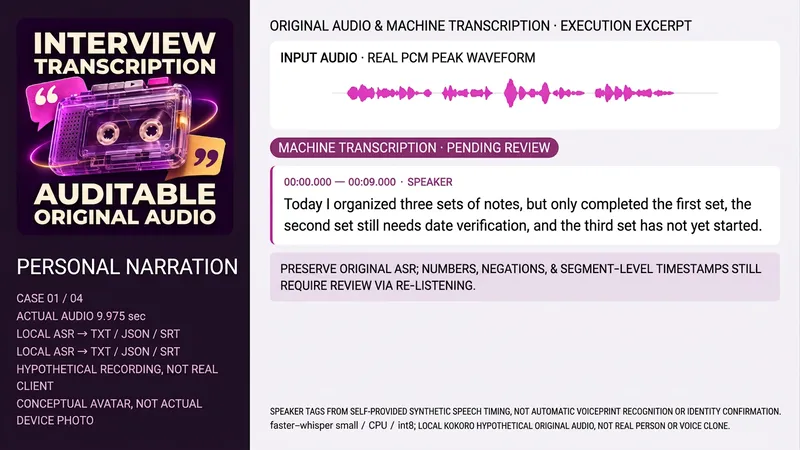
Ideal for anyone needing to organize authorized interview, meeting, or lecture recordings. Provide the source file, language, purpose, existing transcript, or trusted speaker time mapping. It cannot confirm identities by voice alone or treat scripts as actually heard content. Retains original audio and hash, reads duration and tracks, performs actual ASR, organizes by real timeline, labels anonymous speakers when evidence permits, cross-checks numbers, negatives, names, and doubts against the original audio, and delivers TXT, JSON, SRT, and coverage notes. Machine drafts, proofed drafts, and summaries are separated; unclear parts remain pending review without forced filler words. Untranscribed items are clearly noted if audio or ASR tools lack them. Includes a complete local Python assistant with Python3, FFmpeg/FFprobe, faster-whisper, and pre-configured small cache using CPU/int8 and local_files_only without auto-downloading weights. Trusted speaker-maps provide start/end and anonymous labels for window-based transcription and time mapping, defaulting to unknown when absent. The assistant does not perform automatic voice separation or identity recognition, and no weights, accounts, or keys are bundled. Four test samples include self-prepared Chinese monologue, Chinese dialogue, English lecture intro, and Chinese meeting, totaling about 40.875 seconds. Final audio uses locally synthesized Kokoro-82M fixed version under Apache-2.0 (zf_xiaobei, zm_yunjian, af_heart) and is not real or cloned voice. Models, voices, and samples are not distributed with the package. All four tests generate TXT/JSON/SRT via real ASR, with speakers derived from provided synthesized timing rather than diarization. First-draft divergences remain pending review rather than altered arbitrarily. Waveforms come from actual PCM peaks, not decorative visuals. Text organization is recommended for GPT, with ASR subject to actual tools. No OpenAI transcription APIs or upstream CLI are called locally. The avatar is an ImageGen concept visual without model return or Image2 claims. YouMind platform tools, caches, downloads, and bindings consume no test points, subject to environment confirmation. Transcription and speaker organization do not guarantee dependency-free execution post-installation. The 299 points cover the installation price only, excluding models, APIs, or third-party services, and will not auto-purchase or upload unknown tracks to external services. Zero errors, full recognition of any accent, noise, or overlap, legal identification, time efficiency, or commercial results are not promised. Independent audio proofing is pending, without claiming verified transcripts.
Information
- Version
- v2
- Last updated
- Runtime credits
- Usage-based
- Models
- Auto
- Use cases
- Writing & contentImages & designVideo & audio
- What you get
- DocumentVideoScript
