
Launch Film Studio
Paste your product URL, get a 30s launch video and posts
Launch Film Studio
Paste your product URL, get a 30s launch video and posts
Showcase
Description
Turn your website or app link into a polished launch video for X, Product Hunt, LinkedIn and your homepage, the kind studios charge $2,000+ for. Paste a URL (plus screenshots if you have them). Launch Film Studio reads your site, pulls your real product name, headline, features, logo colors and fonts, and writes a tight story: hook, the problem, your product in action, three key features, proof, call to action. You approve a shot-by-shot storyboard first. Then it builds a motion-design video in the Linear/Raycast/Apple launch style: kinetic typography, animated UI cards rebuilt from your real screens, smooth camera moves and beat-synced transitions, exportable as MP4 in 16:9, 1:1 and 9:16. You also get launch copy ready to post: an X thread, a Product Hunt tagline, description and maker comment, a LinkedIn post and a short email. Nothing is invented: no fake customers, user counts, logos, reviews or features. Built for SaaS founders, indie hackers, AI startups, app makers and agencies.
Related Skills
View all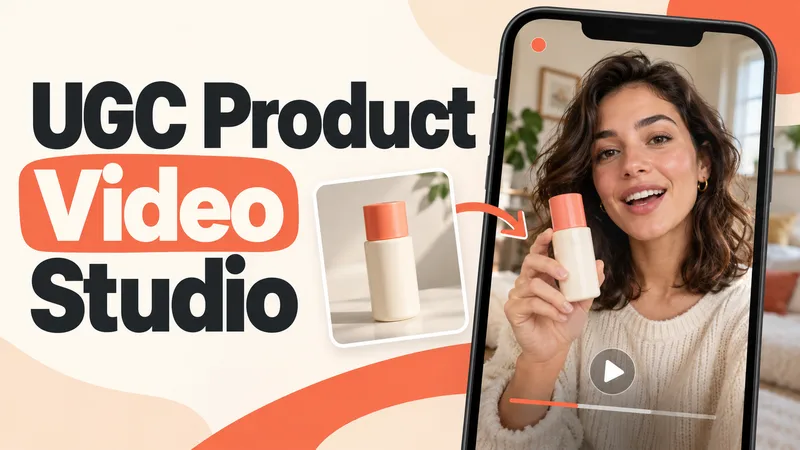 Video
UGC Product Video Studio
Turn a product photo into a complete UGC video workflow: a lifelike AI creator, a connected sequence of scenes, natural dialogue, and prompts tailored to your chosen video model. Built for product owners, marketers, and creators who want to show their product through a believable everyday story. You guide the creative decisions: • Design your character step by step. Approve the look, refine specific features, or request a different person. • Build a sequence of portrait shots, product details, demonstrations, location changes, and a product-only closing shot. • Explore image variations and approve the final scene set before the script is finalized. • Review the scenario and spoken text, then adjust the hook, tone, pacing, or closing line. Realism goes beyond skin texture. Prompts account for natural facial detail, smartphone framing, lighting, and character consistency. Images are checked for awkward grips, floating caps, nozzle direction, and other physical contradictions. Complex actions can be simplified or split into separate shots before animation. Choose your platform, video model, spoken language, and audio method: • Speech generated directly inside the video. • Separate speech text or audio for lip sync. • Off-screen narration. Prompts adapt to the selected model, with language and audio support checked for that route. After approval, generate the video in YouMind, prepare a prompt package for another platform, or stop with the production report. Receive complete image and video prompts, the approved script, reference mappings, timing, and quality-check notes. Your character. Your scenes. Your approval at every key stage.
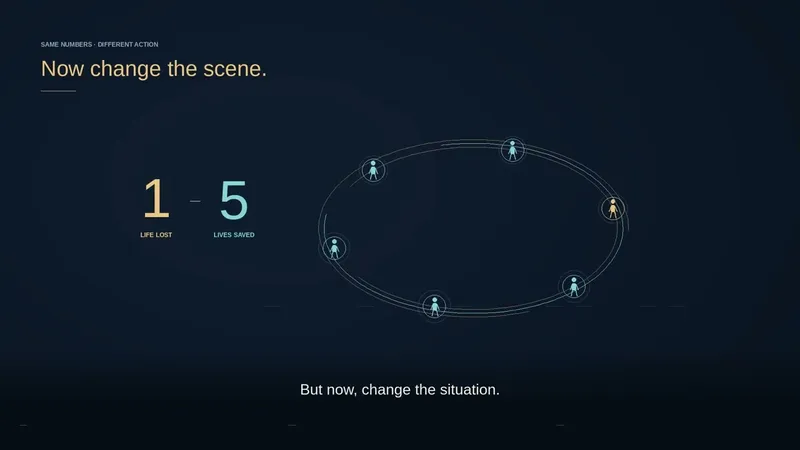
MotionCraft AI 2.0
Turn ideas, scripts, documents, images, charts, data, or audio into thoughtfully directed 2D explainer videos and motion graphics for education, science, technology, business, finance, history, product demonstrations, tutorials, public information, and storytelling. MotionCraft AI shapes each project around its core message, audience, and communication goal rather than forcing content into a generic template. You’ll get a clear Simplified Chinese narrative by default, supported by a coherent visual direction, detailed 2D illustrations, meaningful character and object animation, cinematic camera movement, diagrams, data visualization, and purposeful transitions. The studio also pays close attention to Chinese typography, readable on-screen storytelling, subtitle timing, music, sound effects, pacing, and platform-specific formats such as landscape or vertical video. Depending on the available production environment, MotionCraft AI can deliver a rendered MP4 with embedded Chinese subtitles, a separate SRT file, and a representative cover, or an honest, production-ready package containing the script, storyboard, shot list, timeline, visual specifications, animation directions, subtitle content, audio plan, and export guidance. Content accuracy, visual consistency, natural motion, and final quality are reviewed throughout so the result feels like a directed animated film—not a slideshow of unrelated images.
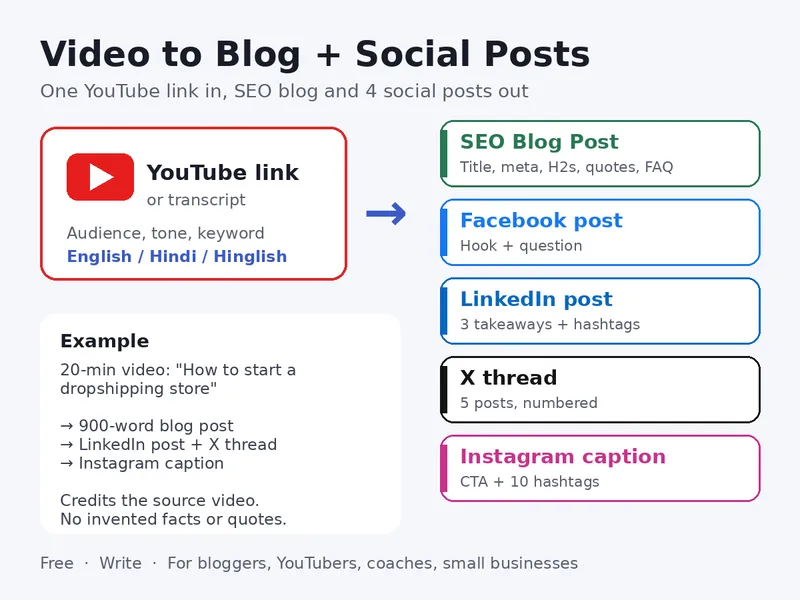
Video to Blog + Social Posts
Who it's for: bloggers, YouTubers, coaches and small businesses who want to repurpose one video into written content. What you provide: a YouTube link (or pasted transcript), who you're writing for, tone, an optional keyword, and output language (English, Hindi or Hinglish). What you get: an SEO blog post (title under 60 characters, meta description, H2 sections, key quotes with timestamps, FAQ), plus ready-to-post versions for Facebook, LinkedIn, X (a 5-post thread) and an Instagram caption with hashtags. Not for: copying someone else's video as your own; it credits the source video and never invents facts, numbers or quotes. Example: a 20-minute "How to start a dropshipping store" video becomes a 900-word blog post, a LinkedIn post, an X thread and an Instagram caption, all in Hinglish if you ask.
Information
- Version
- v2
- Last updated
- Runtime credits
- Usage-based
- Models
- Auto
