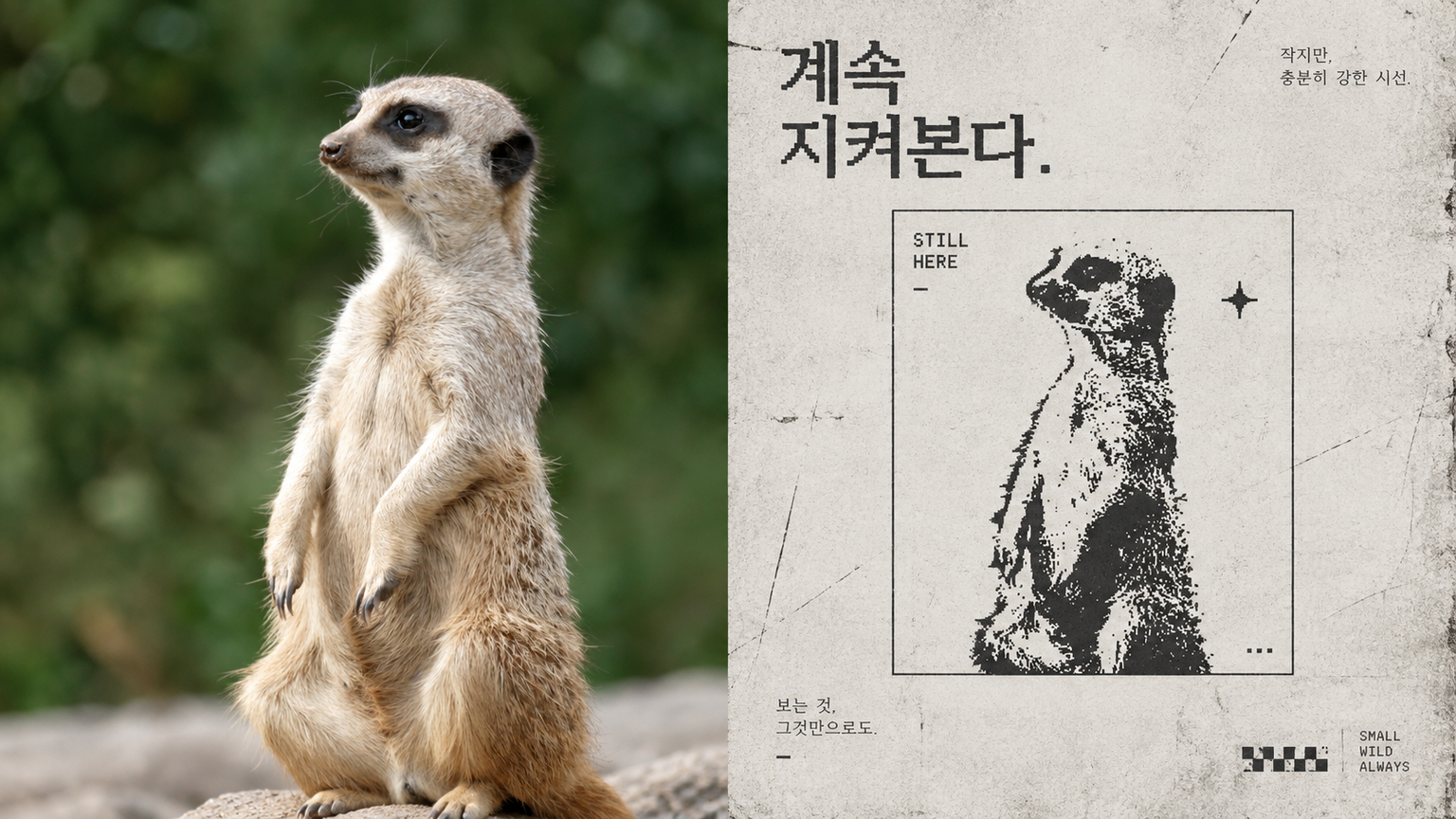
Pixel Fragment by xiaoxiaodong
Created by xiaoxiaodong
Pixel Fragment by xiaoxiaodong
Created by xiaoxiaodong
Showcase
Description
Transforms an ordinary photo into a street fragment dug out from the early internet and re-exhibited. The top half is the original photo; the bottom half features coarse black blocks, pixelated edges, and stencil silhouettes housed within a restrained box, complete with faint traces of outdated interfaces. Strength and fragility, detachment and emotion coexist, leaving vast areas of silence. The color palette consists of cool gray, charcoal black, warm gray, and aged white, with only a tiny anomalous color focal point (roughly 80% detachment, 15% coarseness, and a dash of accent color). Avoids glossy app icons, complete figures, nostalgic cartoons, and busy interfaces.
Recommended by
Dancang
Why we love this skill
Reconstructs user photos into pixel fragments excavated from early internet ruins, creating a unique street specimen feel through rough black blocks, glitch edges, and stark negative space. It rejects polished icons and crowded interfaces, preserving a fragile, restrained, and emotional visual tension.
Best for
Creators looking to turn ordinary photos into restrained, gritty retro internet street visual fragments.
How to use this Skill
Provide your input
Provide a photo or image as the original material.
Run the Skill
Transforms the material into a restrained street fragment composition with pixelated edges, rough black blocks, stencil silhouettes, and subtle traces of old interfaces.
Review your result
Receive a finished PNG art image featuring cold whitespace and a tiny accent color focal point.
Related Skills
View all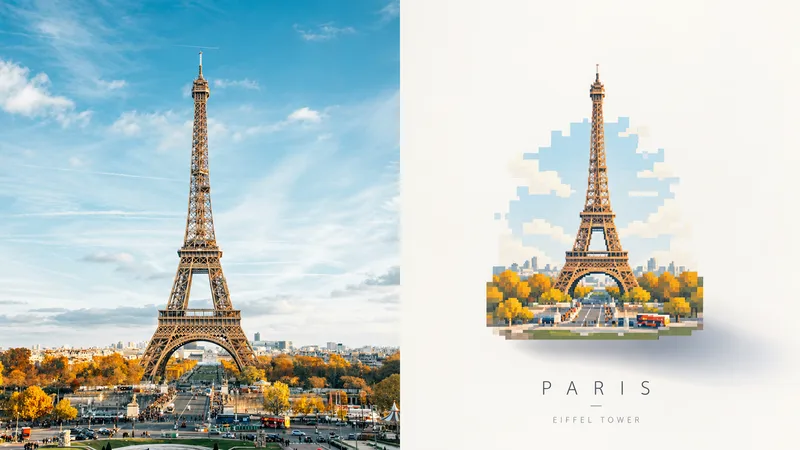 Image
Floating Pixel Art by xiaoxiaodong
Perfect for turning photo subjects into a floating, pastel pixel art piece. The top half shows the original photo; the bottom half redraws the subject as a self-contained small art piece centered in a large expanse of light negative space, with a soft shadow offset from the piece at the bottom right that fades into the distance. The artwork uses uniform pixel grids, breaks curves into horizontal and vertical steps, merges details into grouped rectangles, and features no black outlines. Colors are sampled from the photo into four to six high-lightness pastel shades, with a small amount of muted dark tones and a single highlight, resulting in clean and flat color blocks. A thin, light sans-serif caption may appear outside the artwork. Avoid photos that require clear facial recognition or fine textures, scenes intended to fill the entire frame, or cartoon styles, smooth curves, plastic textures, and old paper textures.
 Image
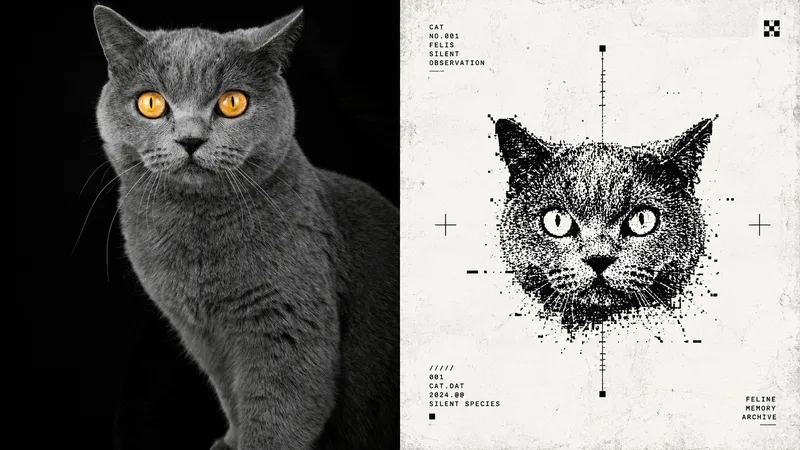
Relic | xiaoxiaodong P301
Ideal for turning an ordinary photo into something between an early computer icon and an underground magazine mark. The top half is the original image; the bottom half is an anonymous digital relic in pure black and white, with coarse dithering, halftone dots, jagged low-resolution edges, and a touch of information loss. Keep only the strongest identifying feature as a totem. The symbol should be small and centered, with clean space around it, while the text resembles an old system label. The mood is calm, mysterious, and restrained. Avoid complex illustrations, game scenes, cartoon logos, gradients, colorful interfaces, modern commercial icons, and 3D.
 Image
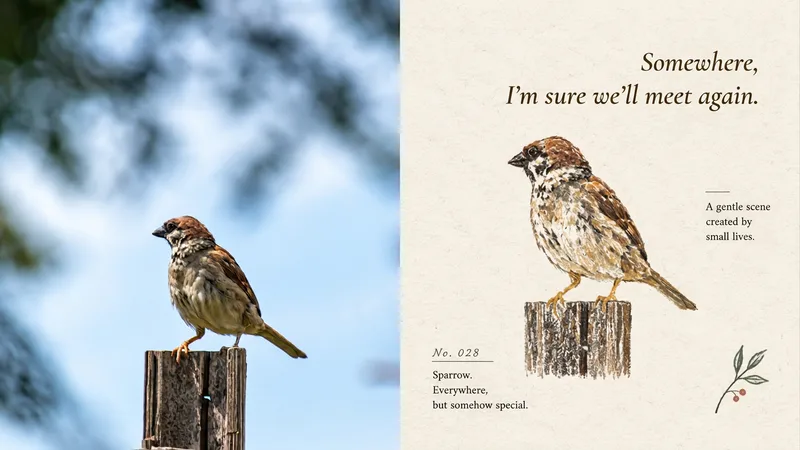
Old Book Pictograph
Ideal for turning an ordinary photo into a small motif that evokes a specific place or mood. The upper half features the original photo; the lower half retains only the core shape that best represents its identity, styled with a slightly chunky yet thoughtful proportion and imperfect, irregular edges like a hand-drawn pictograph tucked inside an old book. Colored pencil, crayon grain, and paper textures are clearly visible. The symbol is compact, appearing as though collected on paper, accompanied by a small collection word. The palette is warm and desaturated: off-white, ochre, brick red, dark green, misty blue, and coffee brown, with a touch of vivid color as a memorable accent. Avoids complete buildings, full figures, intact scenes, smooth vectors, and mechanical edges.
Information
- Version
- v3
- Last updated
- Runtime credits
- Usage-based
- Models
- Auto
- Use cases
- Images & design
- What you get
- Image
- Visual styles
- BrutalistCollagePixel art
