
Photo to Cinematic Illustration
Keep your subjects and framing in a cinematic style
Photo to Cinematic Illustration
Keep your subjects and framing in a cinematic style
Showcase
Description
Upload a photo and transform it into a cohesive 2D hand-drawn cinematic animation illustration. It prioritizes preserving character recognition, poses, clothing, travel locations, composition, and original proportions, modifying only the drawing style, colors, lighting, and material expression. After generation, check against the original image, with a single best-result image delivered by default.
Why we love this skill
Precisely converts real photos into cinematic hand-drawn animation stills while preserving characters, poses, composition, and scene relationships, reshaping only the lighting, materials, and brushstrokes.
Best for
Ideal for users who want to create cinematic hand-drawn illustrations while preserving the character and scene features of their photos.
How to use this Skill
Provide your input
Upload a photo containing people or a scene.
Run the Skill
Start the conversion to preserve the photo content as a foundation while transforming the visual style into a cinematic 2D hand-drawn animation look.
Review your result
Receive a hand-drawn cinematic animation illustration that preserves the original people, poses, clothing, locations, and composition.
Related Skills
View all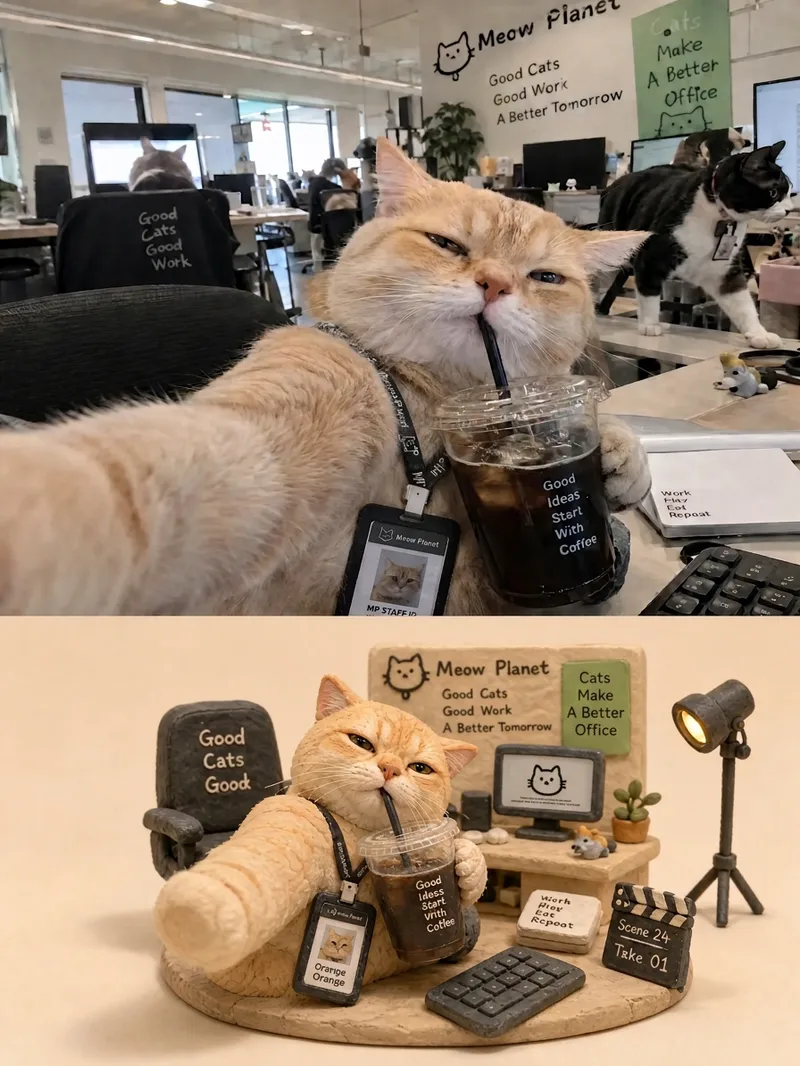 Image
Photo to Clay Film Shot
Transform one or more uploaded photos directly into top-bottom comparative clay stop-motion film scenes. Each photo produces an independent final image: the top half retains the people or animals, actions, key objects, framing, and main colors from the original photo; the bottom half recreates the storytelling relationship of that exact moment using rounded, handcrafted clay characters and a miniature film set, rather than simply applying a full-bleed clay filter. The bottom frame features a complete, scaled-down 3D set with a visible stage base, natural contact shadows, and plenty of negative space to keep the subject clear and the composition relaxed, extracting necessary environmental elements and colors from the original photo. Subtle kneading marks, handmade seams, matte textures, and soft studio lighting work together to create a warm, charming stop-motion animation feel. In suitable scenes, behind-the-scenes details such as a small clapperboard or studio light can also be added. The default output is a 3:4 vertical format with the top and bottom halves taking up roughly equal space and connecting directly. You can also specify other aspect ratios, compositions, clay styles, or behind-the-scenes prop preferences. Please provide clear photos; unrecognizable details in the original image will not be fabricated, and pixel-level replication is not guaranteed.
 Image
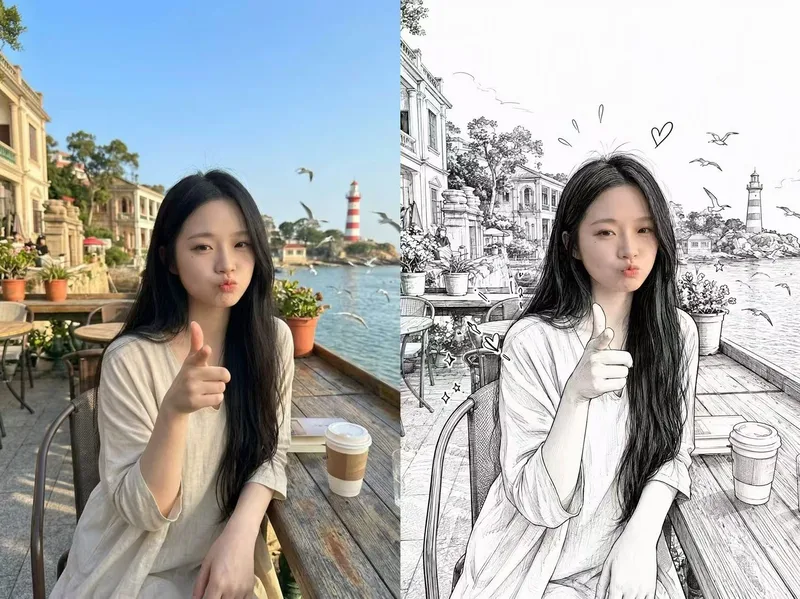
Photorealistic Head, Drawn Body
Upload a real photo—no target image needed—to automatically create a finished mixed-style image with a photorealistic head and black-and-white hand-drawn illustration. The head retains photo-realistic texture and recognizable facial features (facial features stay the same, while the expression may be subtly adjusted). Everything else—including the hair and hairstyle, body and build, clothing, pose, background, and decorative elements such as hearts, stars, sparkles, and motion lines—is transformed into a black-and-white hand-drawn illustration. The body keeps realistic proportions, while the original hairstyle and pose are preserved. Ideal for turning a single photo of a person or pet into a creative image featuring a photorealistic head and hand-drawn elements in the same frame.
 Image
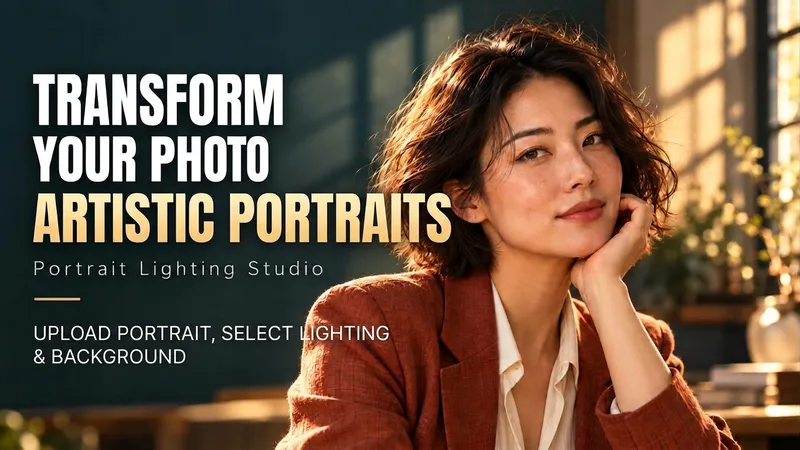
Portrait Light & Shadow Studio
Upload portraits, adjust lighting, poses, and backgrounds to generate window soft-light, night scene, or studio-style portraits. Upload a portrait photo or describe a fictional character to create photographic avatars, personal portraits, and magazine-style portraits. The Skill combines the subject's visible features to arrange poses, lighting, framing, clothing, and environment, ensuring natural hand gestures, grounded body posture, and directional lighting. Three original scenes are ready to use: • Warm Pottery Window: Terracotta and warm wood tones, with a natural medium shot near a studio window. • Rainy Night Set: Warm light in a movie theater porch, cold wet street tones, and expressive gazes. • Coastal Golden Breeze: Sunset rim lighting, sea breeze, and relaxed full-body travel portraits. Professional headshots, solid-color studios, black-and-white portraits, and custom themes are also supported. Uploading a photo preserves primary clothing and accessories by default; to change outfits, backgrounds, or poses, simply specify your request. By default, it generates one 3:4 vertical text-free image per run; you can change the aspect ratio, create a series, or request Chinese, English, or bilingual prompts. Multiple images are generated separately, and after generation, subject recognition, hands, feet, support points, and lighting are verified. You can say: "Use this photo for the rainy night set, keep the hairstyle, and change to a dark jacket." or "Create a mature woman with short curly hair walking naturally in the coastal sunset."
Information
- Version
- v6
- Last updated
- Runtime credits
- Usage-based
- Models
- GPT Image 2
- Use cases
- Images & design
- What you get
- Image
- Visual styles
- Hand-drawnCinematic
