
Second World Photo Posters
Blend real photos with minimalist line art
Second World Photo Posters
Blend real photos with minimalist line art
Showcase
Description
Upload an ordinary photo, and the skill will identify its most distinctive visual structure—not its subject—then extend it into a second world. The real-photo area remains 100% faithful to the original colors, lighting, and texture, with no color grading or redrawing, and occupies the main part of the composition—about two-thirds. The other section naturally grows from a warm cream-paper background in soft watercolor or minimalist black line art, creating an organic blend where the real and illustrated areas flow into each other rather than meeting at a clear dividing line. The poster also includes one minimalist line-drawn figure interacting with the structure and a short handwritten caption, resulting in a creative poster with the feel of an independent art magazine or photography book. It covers five approaches: torn-paper extension, watercolor second world, photo × minimalist black line, soft-edge blending, and turning objects into images. The process has two steps: first, review and confirm a creative concept; then generate the image—feeding the real-style anchor image into the image-generation model—and check each element. The skill includes five style anchor images.
Recommended by
Dancang
Why we love this skill
Turns roads, ripples, branches, or reflections in ordinary photos into a second world unique to each image, combining faithful originals with natural, narrative-driven linework or watercolor.
Best for
Content creators and visual enthusiasts who want to turn everyday photos into creative posters with an independent art magazine aesthetic.
How to use this Skill
Provide your input
Upload a real photo and describe any preferences for the composition, copy, or other adjustments.
Run the Skill
First, analyze the photo's physical visual structure and present a creative concept card. After you confirm, generate the poster and check how the photo and illustration connect.
Review your result
Receive a creative poster blending real photography with a minimalist line-art or watercolor second world, preserving the photo's subject and including a brief explanation.
Related Skills
View all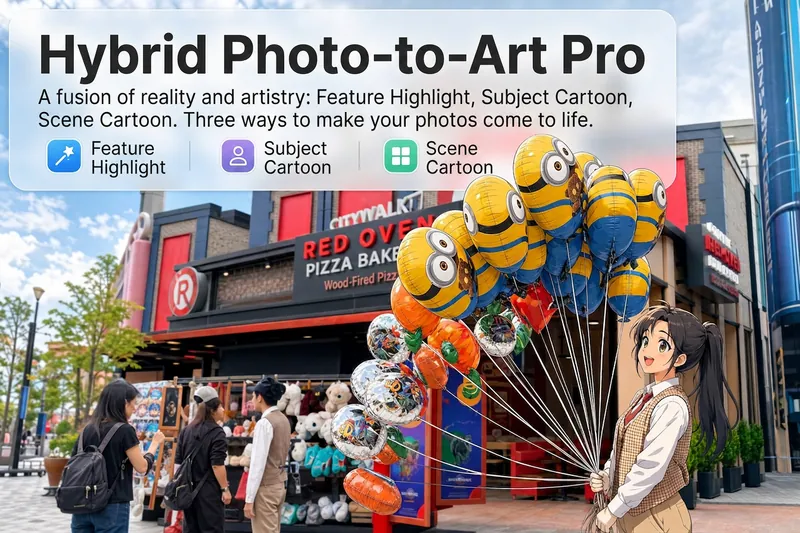 Image
Reality Blend Artist Pro
Upload a photo, and AI first reads it like a visual analyst across five dimensions: what the subject is, how it is composed, its color palette, where the visual focus lies, and what emotion it conveys. It then tells you where a hand-drawn treatment would have the most impact and how to make it look best. Four real-and-drawn blend modes, four ways to play: 🔹 Local Accents — Keep the overall image realistic while AI selects 2–3 local areas to replace with a hand-drawn style. Patterns on a sign, the coffee cup in someone’s hand, or a few flowers peeking out from a flower bed—just enough to give the photo a sense of life. Choose from 4 hand-drawn styles: pencil sketch / watercolor wash / sticker doodle / clay relief. 🔹 Subject Anime — Turn a person, animal, or object into an anime-style subject while keeping the background’s realistic photographic texture. Choose from 5 anime styles: action manga / American superhero comics / Ghibli-style / Korean webtoon / Chinese ink wash. It feels like an anime character has stepped into the real world. 🔹 Environment Anime — Reverse the approach: keep the subject realistic while transforming the surrounding environment into an anime style. The contrast of being in a real world surrounded by a 2D universe is instantly amplified. 🔹 Selective Color Light Trails — Convert the image to black-and-white grayscale while keeping selected objects in their original, highly saturated colors. Clean white detail outlines surround the colored objects, extending into flowing, curling, psychedelic agate-like color trails that naturally follow the scene’s direction. Retro collage × surreal art turns a single photo into a movie poster in an instant. Each mode × 2 blending methods: Gradient Feathering (a natural transition between real and illustrated, like ink spreading through paper) / Hand-Drawn Border (a white outline, like a sticker placed on the image). No blind image generation—you're in control at every step. AI analyzes first → recommends an approach → you confirm → then it generates, helping avoid wasted results. For portrait photos, faces and facial features are automatically avoided and are not replaced with hand-drawn elements. The number of local areas is limited to 2–3, with professional constraints on their position and size—the result is a finishing touch, not a collage. 4 modes · 16 styles · 2 blending methods = 32 real-and-drawn combinations. The same photo can take on completely different moods.
 Image
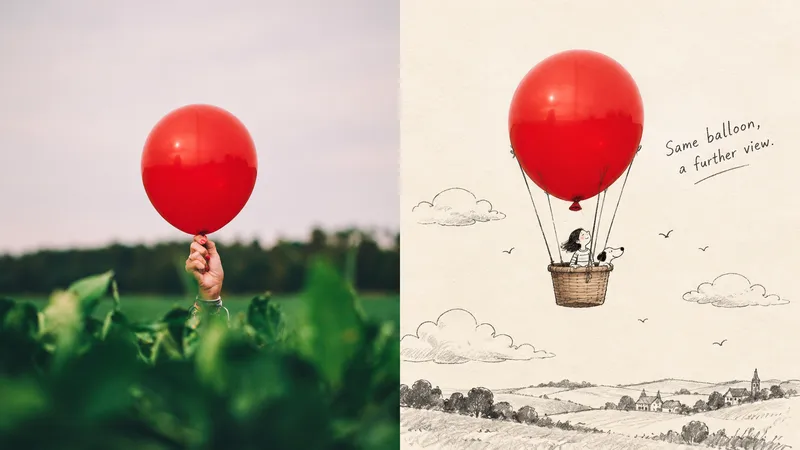
Second World | xiaoxiaodong P341
Perfect for turning an ordinary photo into a continuous "Second World". The top half features the original photo. Instead of a separate drawing, the bottom half takes a clever cue from the image—a rope, a shadow, a boundary, or a motion—crossing the centerline to continue drawing, change purpose, or lead to an unexpected outcome on warm off-white paper. The lower area has generous negative space with only a few tiny black line-art figures interacting with, repairing, or misinterpreting elements from the photo. A short handwritten English caption is included. The style is clean, bright, and witty with a touch of micro-surrealism. It avoids complete redraws as illustrations, dense doodling, sticker props, cliché brainstorming, and motivational quotes.
 Image
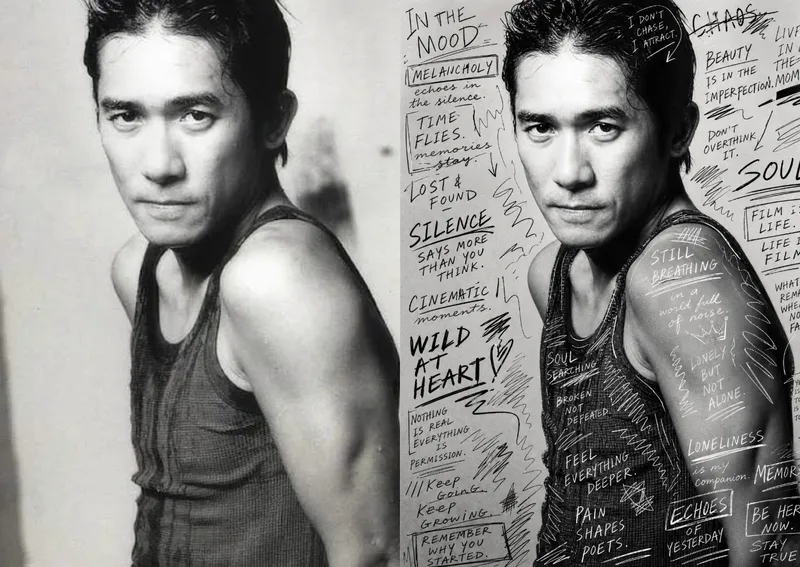
Hand-Drawn Photo Posters
Turn an ordinary photo into a vertical art poster with an authentic hand-drawn feel. Upload a photo and describe the lettering, doodles, or theme you want to add. You’ll get handwritten copy, free-flowing lines, and stylized icons drawn directly onto the original image, preserving the photo’s subject and atmosphere while adding a natural, spontaneous creative touch. Based on the photo’s composition, subject, and overall mood, it plans a suitable 3:4 portrait layout, balances the original image with areas of negative space, and designs hand-drawn elements and lettering styles to match each placement. The results emphasize authentic physical pen strokes: lines have natural curves and texture, avoiding printed fonts, computer-generated text effects, and a digital painting look. Handwritten content defaults to English but can be changed to Chinese as needed. Along with the finished image, you’ll receive a complete, reproducible image-generation prompt and a brief creative explanation—ideal for social media visuals, personal photo posters, travel keepsakes, and artistic photos with a handcrafted feel.
Information
- Version
- v13
- Last updated
- Runtime credits
- Usage-based
- Models
- Auto
- Use cases
- Images & design
- What you get
- Image
- Visual styles
- MinimalistEditorialPaper art
