
Photo Sky Replacement
Swap dull skies for any weather you want
Photo Sky Replacement
Swap dull skies for any weather you want
Showcase
Description
Got stuck with overcast weather on your trip? Turn gray photos into stunning shots. Photo Sky Replacement detects the sky and horizon, swapping in sunsets, clear blue skies, starry nights, or cloud seas. It simultaneously adjusts ground lighting, color temperature, and fill light so the sky and foreground match naturally. Hard rules: Buildings and people remain unchanged; do not use for false advertising in real estate or tourism; perfection cannot be guaranteed on every single photo.
Best for
Ideal for users looking to enhance the weather and mood of travel, daily, or creative photos while keeping subjects intact.
How to use this Skill
Provide your input
Upload a photo with suboptimal skies, and specify your desired weather type and main subject (landscape, portrait, or architecture). You can also mention the intended use.
Run the Skill
The system generates multiple sky options, replaces the background, and coordinates ground lighting, color temperature, fill light, and reflections while keeping subjects intact.
Review your result
Receive at least two identically sized and proportioned edited images with different skies, complete with lighting notes and an edge detail comparison.
Related Skills
View all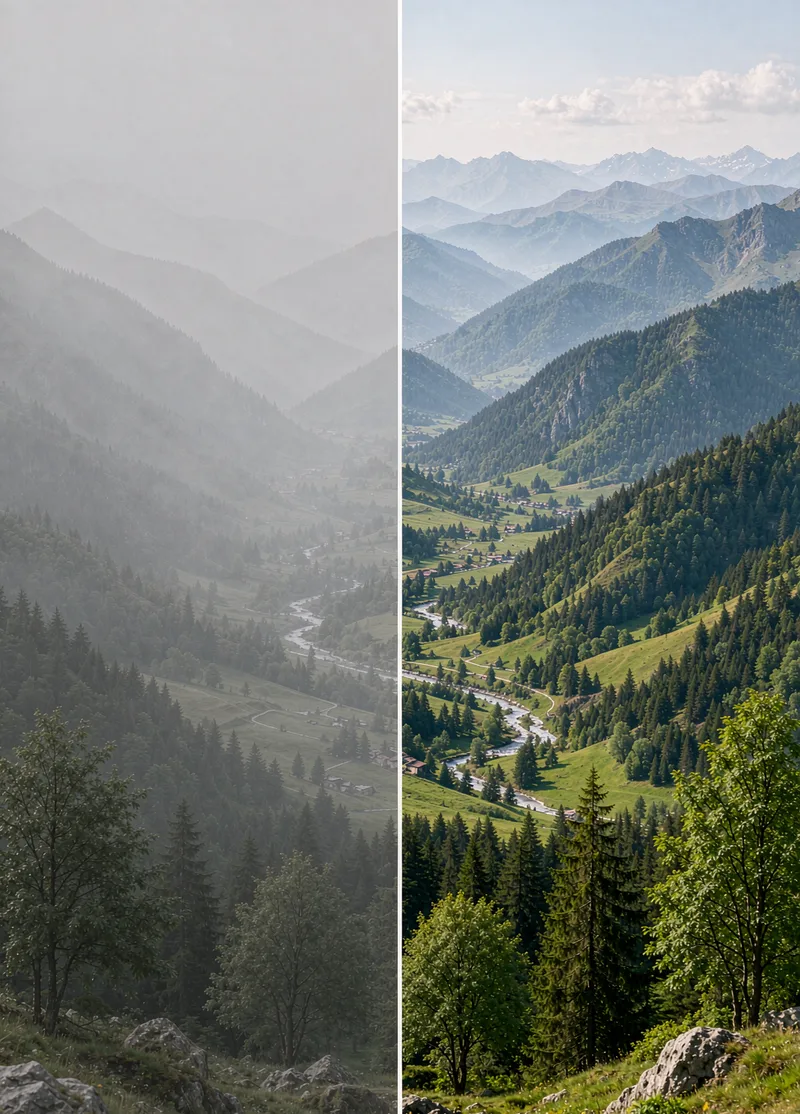
Photo Dehaze
Photos taken on hazy days, through glass, underwater, or backlit often look dull and washed out, as if covered by a dirty veil. Photo Dehaze first identifies whether the issue is fog, smog, smoke, water vapor, or a dirty lens, and then applies regional dehazing: reducing haze in the distance, boosting contrast in the foreground, and processing the sky separately. It preserves natural aerial perspective rather than simply cranking up saturation. Strict rules: Do not alter weather facts (turning an overcast day into clear sunshine must be noted in the description); do not forge surveillance or evidence footage.
 Image
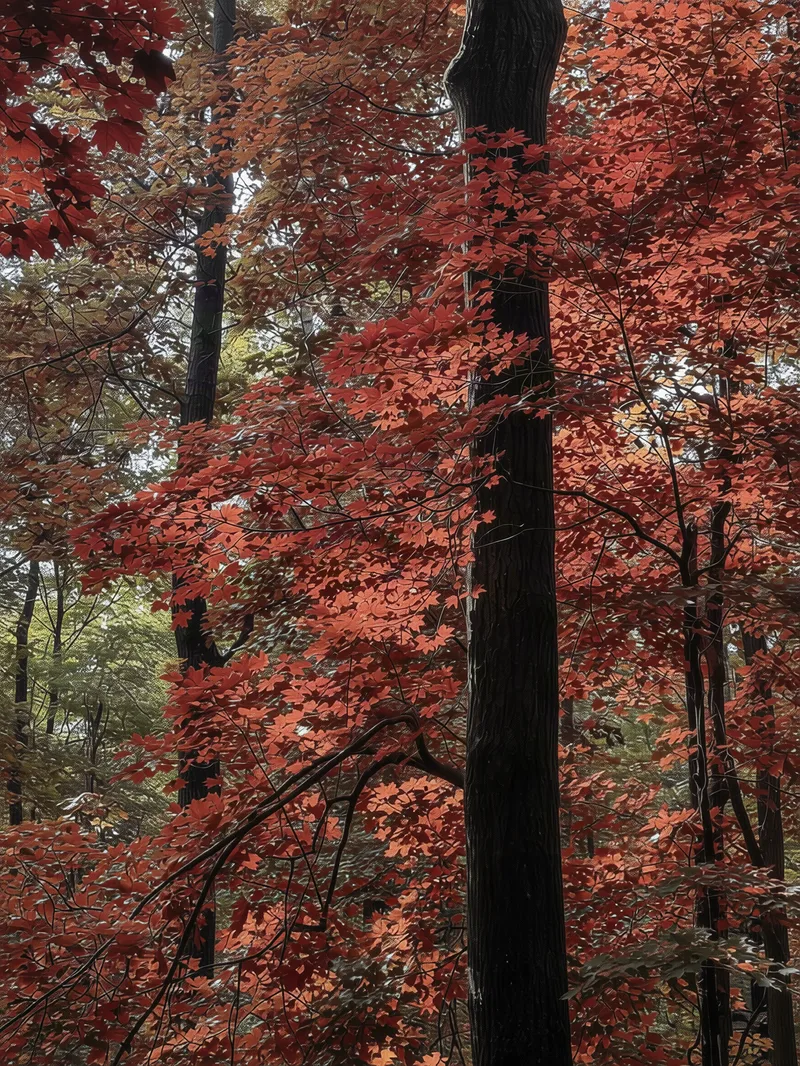
Selective Photo Color Changer
Easily swap the color of any object in your travel or everyday photos—turn green leaves into autumn red, the sky purple, a car matte dark green, or change clothing colors while keeping everything else untouched. Perfect for creating seasonal variations of the same location or previewing different colors for an item. Simply provide a photo, the object to change, and the target color to get a recolored image, a brief description of the edit, and tips for further adjustments. Uses top-tier image models and a fixed four-step prompt template by default, keeping the original aspect ratio without altering the entire image tone. Great for everyday and travel photos to create your own unique look.
 Image
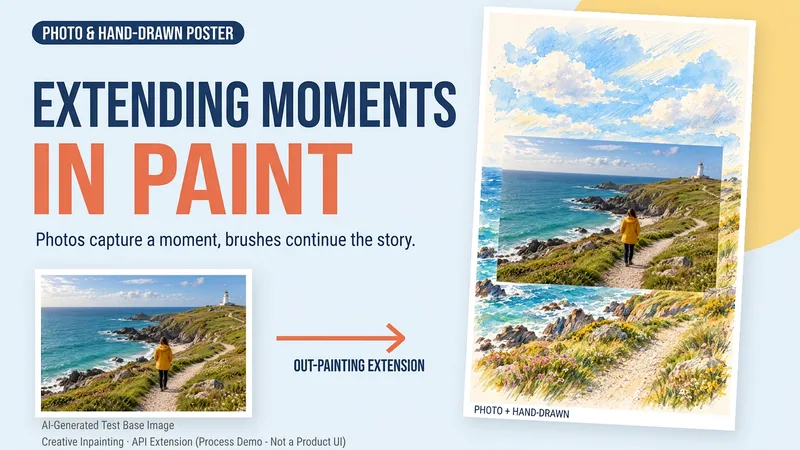
Draw That Day | Photo Poster
Some photos deserve another page. Upload a travel, walking, or everyday photo to create a keepsake poster where the photo meets hand-drawn scenery. The photo preserves that moment, while watercolor and colored pencil continue the scene beyond its edges. You can get: ① A keepsake poster: 2:3 portrait format by default, with a warm paper texture and no text. ② A grounded extension: starting from the sky, coast, road, or room in your photo, hand-drawn elements echo the original setting. ③ A note about photo preservation: when compositing is supported, the photo layer can be retained; with generative editing only, details may change, and this will be explained. ④ An optional short caption: use a sentence, location, or date you provide to preserve a little of how you felt at the time. Suitable for travel memories, everyday keepsakes, and social sharing. One image by default; it does not automatically create a full storybook. The scene beyond the photo is an artistic creation, not a recreation of the actual surroundings. Generation and compositing depend on the platform's current image tools and usage limits. We do not promise that the original photo will remain completely unchanged using a generative model alone. If the tools are unavailable, this will be stated clearly and a complete prompt will be provided.
Information
- Version
- v2
- Last updated
- Runtime credits
- Usage-based
- Models
- Auto
- Use cases
- Images & design
- What you get
- Image
