Magazine Cover Portrait
Turn any photo into a fashion magazine cover
Magazine Cover Portrait
Turn any photo into a fashion magazine cover
Showcase
Description
Upload a photo to instantly transform it into a fashion magazine cover. The Magazine Cover Portrait analyzes your photo's vibe and restructures it using magazine cover logic: placing main headlines, subject positioning, negative space, and issue numbers, complete with cover copy typography suggestions. Strict rules: subjects stay true to the original photo with no facial changes; no real magazine titles or layouts are traced; no text appears in the image, leaving title and headline overlay for later; and it is not for fake resume use.
Recommended by
Dancang
Why we love this skill
Turns an ordinary photo into a usable fashion magazine cover by analyzing the subject's vibe and publication positioning, planning negative space, title areas, and composition, adjusting only lighting and tones while preserving identity, and providing original copywriting directions for post-processing.
Best for
Ideal for anyone who wants to turn personal photos into original fashion magazine covers.
How to use this Skill
Provide your input
Upload a photo and specify the desired magazine vibe or style.
Run the Skill
Analyzes the photo's vibe, plans the subject, headline, negative space, and issue number areas; adjusts only lighting and tones without altering faces, copying real magazines, or adding text.
Review your result
Receive an original, text-free fashion magazine cover image along with a vibe analysis, layout suggestions, and three cover copy directions.
Related Skills
View all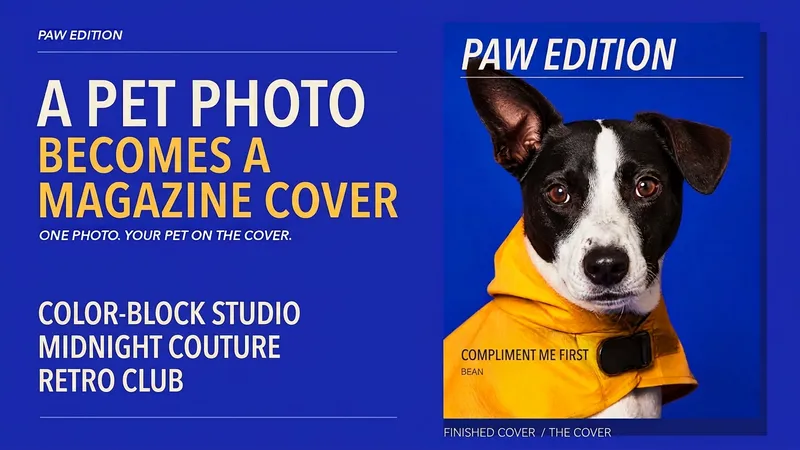 Image
Pet Magazine Cover
Your furry friend deserves a magazine cover. Upload a clear photo of your pet and let them rock a color-blocked wrap, step into a deep red studio, or star in a vintage club portrait. Floppy ears, nose freckles, and unique markings all become reasons to shine. Add your pet's name, write a cover headline, or make it a birthday special edition. Generates one 4:5 vertical cover by default, supporting English or Chinese. Give your pet the cover treatment. Upload one clear photo and choose bold studio color, after-dark velvet, or a vintage club portrait. Keep the floppy ear, the freckles, and the markings that make them unmistakable. Add a name and a cover line, or make it a birthday issue. Get one 4:5 cover by default, with English or Chinese cover copy. Examples feature fictional pets. 3,000 credits to install. YouMind bills image generation separately.
 Image
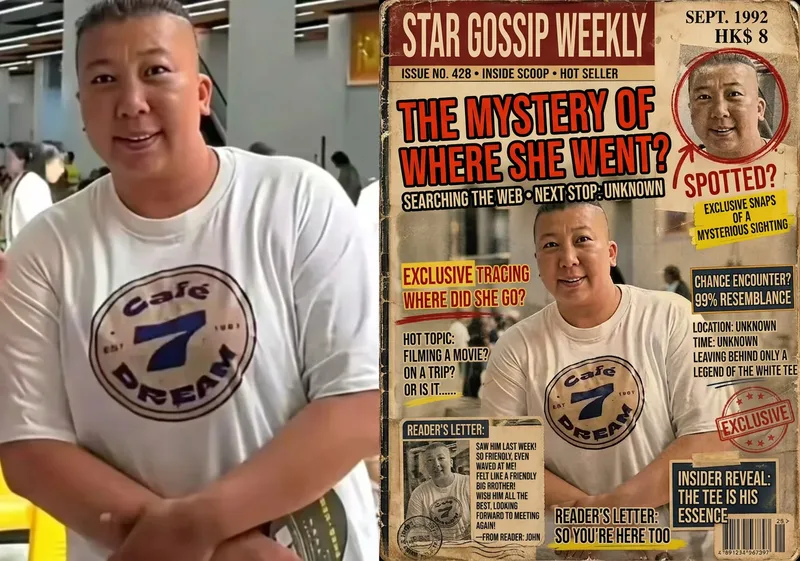
Gossip Magazine Cover Maker
Upload one or more images, with optional text instructions, and the skill will arrange them into a yellowed, outdated entertainment gossip magazine cover that looks repeatedly handled: an exaggerated, eye-catching scoop headline, blurry paparazzi-style stills, red circles and arrow annotations, reader letters, and fragmented comments. The layout is information-dense and realistic, creating a cover that looks more authentic the longer you look at it. The final output is a 3:4 portrait cover image, with the featured people and topics dynamically determined by the uploaded images.
 Image
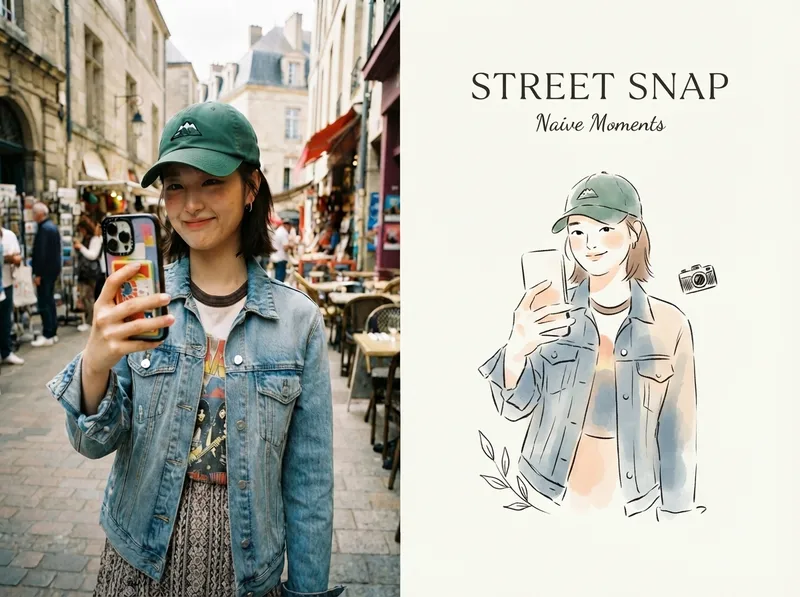
Viral Photo Illustrator
Perfect for Xiaohongshu, Moments, WeChat Official Account covers, profile pages, and documenting travel, outfits, fitness, everyday moments, and life as it happens. Upload any portrait, street shot, food, travel, or everyday photo. AI works like an illustrator with a keen sense of negative space, extracting only the most recognizable subject, pose, and story from the image. It redraws them as a relaxed, playful illustration with hand-drawn texture, then places it beside the original to create a polished comparison poster ready to share. · Faithfully preserves the original photo with only subtle, magazine-style color grading—no distortion or face swapping · Automatically reads the photo’s mood and matches it with styles such as doodle, ink wash, sketch blocks, and thick gouache · Generous negative space + a handwritten short phrase, like an editorial illustration from an independent magazine · A soft, soothing curated palette drawn from the original image to naturally complement the photo · Defaults to a 4:3 side-by-side layout; can also be changed to top-and-bottom, portrait, or 16:9
Information
- Version
- v2
- Last updated
- Runtime credits
- Usage-based
- Models
- Auto
- Use cases
- Writing & contentImages & design
- What you get
- ImageBrief
- Visual styles
- MinimalistRetro
