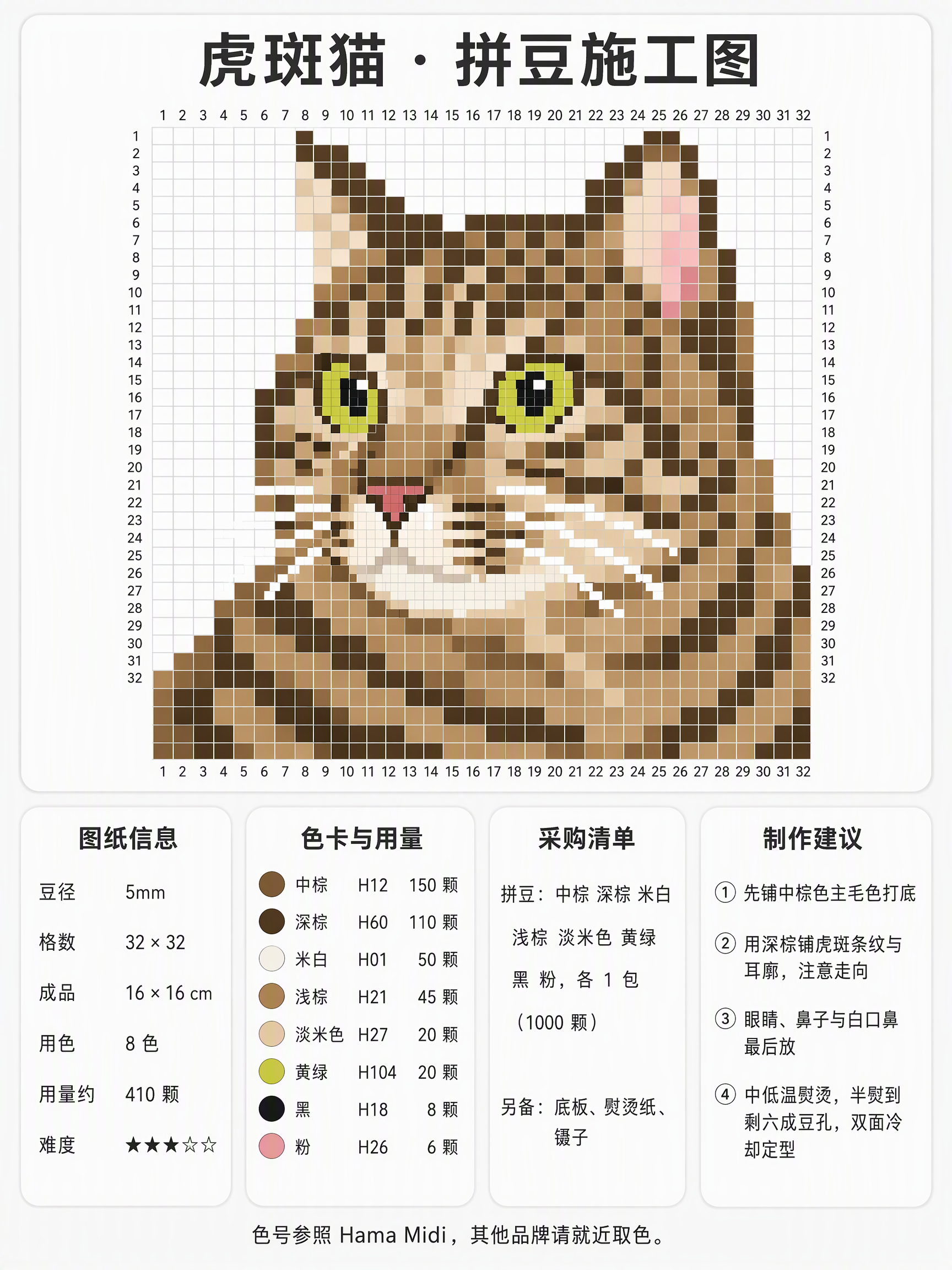
Viral Fuse-Bead Pattern Poster
Create coordinate-ready fuse-bead posters
Viral Fuse-Bead Pattern Poster
Create coordinate-ready fuse-bead posters
Showcase
Description
Upload an image of a person, animal, or object to get a complete fuse-bead pattern information poster. It converts the clear subject into a pixel grid and labels sequential row and column coordinates around the pattern, making it easy to place 5 mm fuse beads by square. It is suitable for creating Perler or Hama fuse-bead projects. The poster brings together the pattern dimensions, finished size, difficulty, number of colors, and total bead count. For each color, it includes a color swatch, color name, Hama Midi color code, and estimated bead count, along with purchasing suggestions and a tool checklist covering the baseplate, ironing paper, tweezers, and more. It also includes guidance on assembly order, facial features, reinforcing fragile areas, and ironing and shaping the finished piece, making it easy to save, share, and follow directly. Everything is combined into one clean vertical information poster. For other brands, choose colors with similar codes.
Recommended by
Dancang
Why we love this skill
Turns any image into a ready-to-follow fuse-bead poster with coordinates, Hama color codes, quantities, a shopping list, and making tips for Xiaohongshu and Douyin sharing.
Best for
For fuse-bead enthusiasts, craft creators, and anyone who needs to make or share fuse-bead patterns.
How to use this Skill
Provide your input
Upload a clear image of a person, animal, or object. Images with distinct subjects and well-defined color blocks work best.
Run the Skill
Generate a fuse-bead pattern poster with a pixel grid, row and column coordinates, color palette, material quantities, and制作 details.
Review your result
Get a vertical fuse-bead pattern poster that you can save, share, and follow to create your fuse-bead project.
Related Skills
View all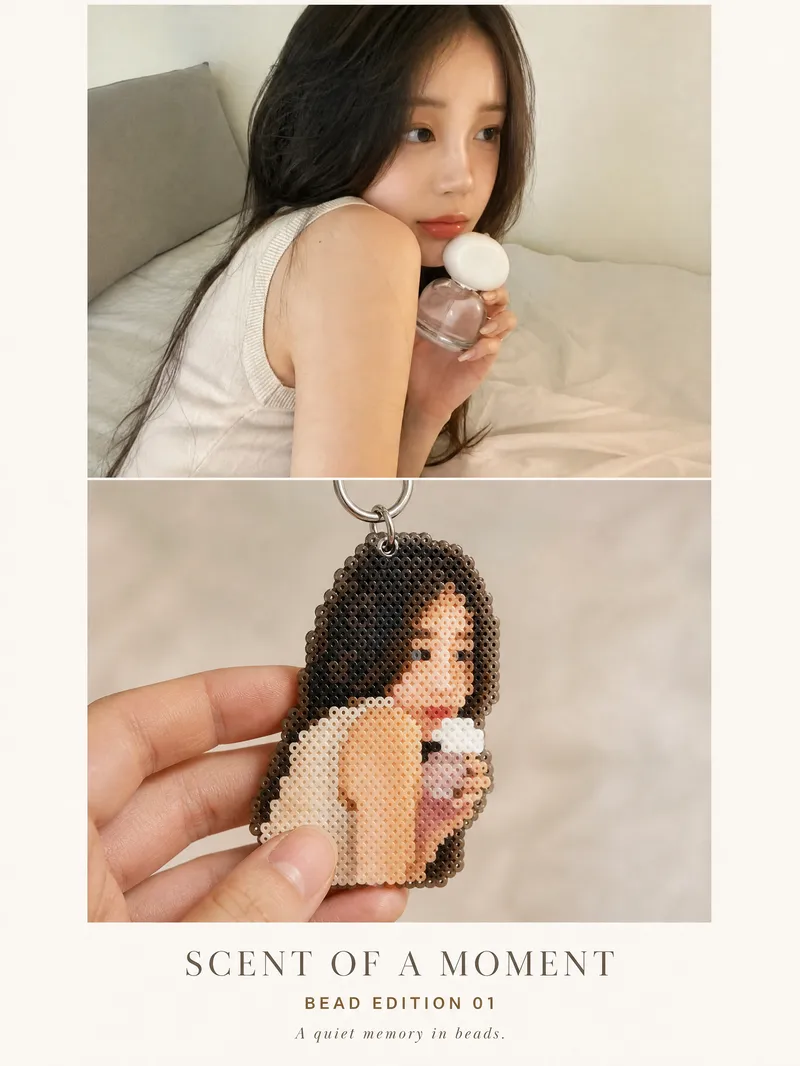 Image
Portrait Perler Bead Poster
Transforms each uploaded portrait into an individual 3:4 vertical luxury editorial-style poster without stitching different photos together. The top half displays the original photo in full, preserving the subject's identity, facial features, expressions, hairstyle, clothing, posture, personal items, and environment as much as possible, with only minor color grading and layout adjustments. The bottom half transforms the same person and representative objects from the photo into a visual presentation of a physical perler bead keychain, creating a clear vertical comparison. The perler bead section emphasizes an authentic handmade texture, featuring visible individual cylindrical beads, center holes, plastic highlights, heat-fused seams, thickness, and a key ring, held naturally in a hand and placed in a realistic environment with shallow depth of field and ample white space. The poster also includes a short English title, "BEAD EDITION 01," and a restrained observational caption, giving the overall design a sophisticated artistic editorial layout while avoiding the addition of unprompted characters, objects, or unnecessary decorations. Ideal for creating portrait commemoration posters, character merchandise concept art, and perler bead keychain displays. Multiple photos will be output independently; if you have not uploaded a portrait yet, please provide the photo you would like to use first. If the generation tool cannot guarantee pixel-level preservation of the original photo, this limitation will be noted transparently.
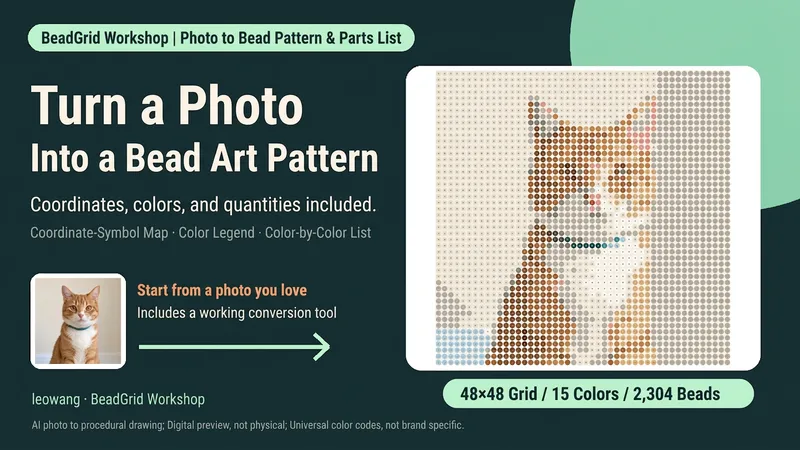
Photo to Bead Pattern
Want to turn a favorite photo into a bead design but unsure how many grid cells, colors, or beads you need? Upload a clear photo, set the crop, grid, and palette, and generate a bead pattern with row and column coordinates and symbols, a color legend, and a per-color bead list. You’ll also get pixel previews, a numbered-bead preview, row-by-row ranges, and a reproducible matrix. Suitable for bead-art beginners and craft enthusiasts. Includes a Python conversion tool, defaulting to 48×48 and up to 16 colors. Actual pattern generation requires a runnable Python and Pillow environment that can read the attached files; copying the instructions alone will not install the tools automatically. Without execution capabilities, it provides the parameters and a run plan, and clearly states that the pattern has not yet been generated. Default color numbers are general-purpose numeric identifiers, not physical color codes for a specific brand; backgrounds are not removed automatically. Opaque backgrounds are included in the quantity count. Physical assembly, color differences, and ironing have not been tested. Product design and workflow: leowang.
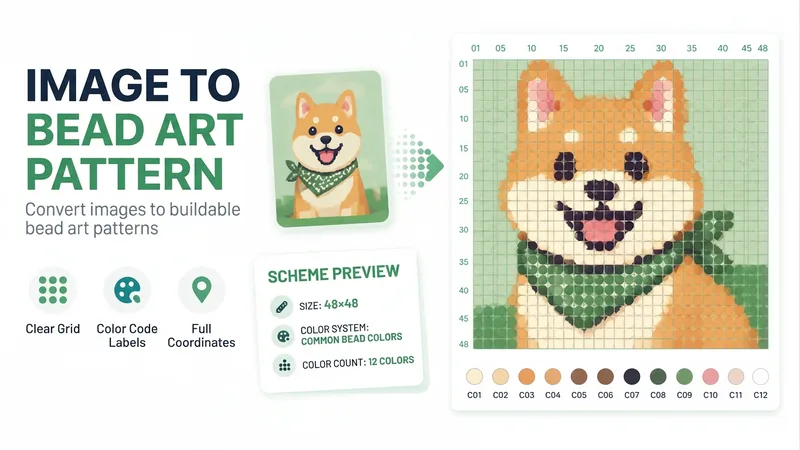
Image to Perler Bead Pattern
Upload an image, receive initial size, color system, and color count options, and after your confirmation, generate a perler bead pattern image featuring grids, color blocks, color codes, and row and column coordinates.
Information
- Version
- v4
- Last updated
- Runtime credits
- Usage-based
- Models
- Auto
- Use cases
- Images & designMarketing & growthLifestyle & entertainment
- What you get
- Image
- Visual styles
- MinimalistFlat
