Passport Ready
One selfie in. An ID photo that passes the official check.
Passport Ready
One selfie in. An ID photo that passes the official check.
Showcase
Description
ID Photo Studio: turn one casual snapshot into a formal ID / passport photo on any background — white, off-white, light grey, cream, blue, red, deep red or grey. Automatically replaces casual clothing with a dark tailored jacket over a white shirt, applies standard ID pose and framing, and keeps the face strictly identical to the original. Triggers when the user says "ID photo", "passport photo", "visa photo", "make this an ID photo", "white background photo", "blue background ID", "2x2 photo", "35x45 photo", "resume photo", "work badge photo", "change the background", "strip the background" and similar. Core hard rules: cleanup allowed, face changes forbidden (it has to pass official biometric checks); choose the background before the outfit (same-colour collisions are the number one failure); eyes near the upper-third line + level shoulders + even headroom; pure seamless background with no cast shadow. Defaults to 3:4 portrait. Prefers Nano Banana 2.1 (strongest identity preservation); never Midjourney. Can deliver a white / blue / red set in one run.
Recommended by
Dancang
Why we love this skill
Featured for treating ID photos as compliance documents, not beauty portraits. It preserves identity, applies destination-specific dimensions and backgrounds, controls pose and head height, and rejects risky retouching, producing images designed for official scrutiny rather than merely looking polished.
Best for
People who need a formal passport, visa, ID, badge, resume, or other official-style photo from a casual snapshot.
How to use this Skill
Provide your input
Provide one clear, front-facing photo and specify the intended use, size, or background color if needed.
Run the Skill
The skill converts the photo into a formal ID-style image with a clean background, standardized framing, and restrained appearance adjustments that preserve facial identity.
Review your result
Receive a portrait ID photo suitable for checking against the destination authority’s current requirements.
Related Skills
View all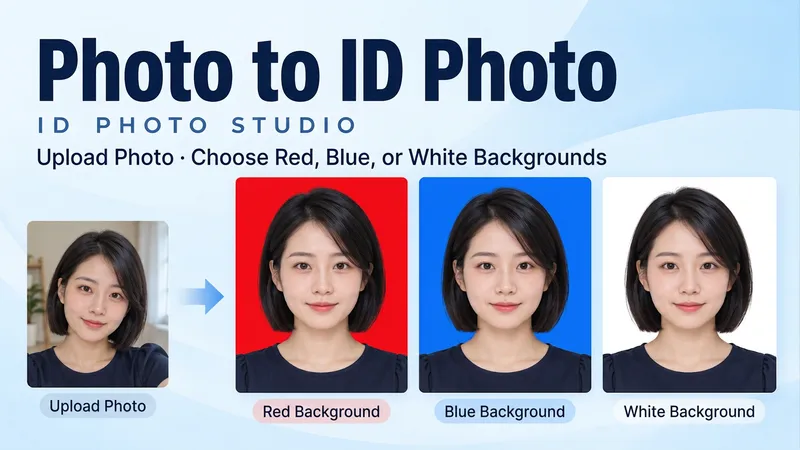 Image
ID Photo Studio
Upload a portrait and create a clean, natural ID-style photo with a red, blue or white background, or get all three colors at once. Turn a casual photo into a frontal, evenly lit head-and-shoulders portrait. Keep your facial features, hair, glasses and identifying details. Original clothing is retained by default; request a shirt or jacket when needed. • Pick a red, blue or white background. • Get three matched color versions as separate images. • Specify pixel dimensions or print width and height. • Use Chinese or English. Final portraits are text-free. Try: "Make a blue-background ID photo from my upload. Keep my face and clothes." Or: "Create matching red, blue and white versions. No beauty reshaping."
 Image
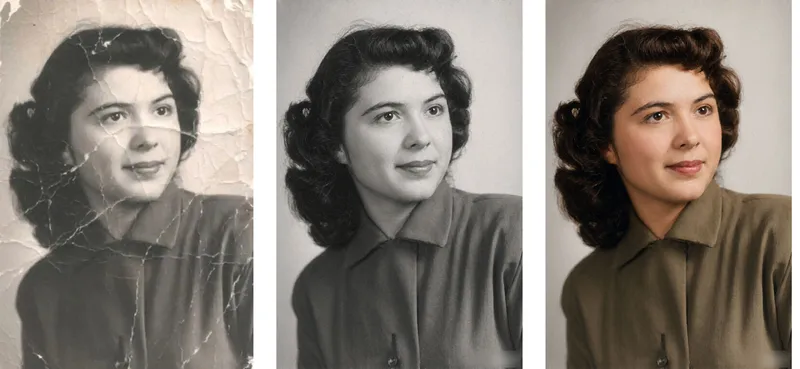
Photo Rescue Lab
Old Photo Restorer: upload an old photograph of people, buildings, plants or animals; repair the damage (scratches, creases, mold spots, stains, fading, missing pieces) and colorize it in a period-appropriate way, strictly preserving the original composition, number of subjects, expressions and aspect ratio. Trigger when the user says 'restore this old photo', 'colorize old photo', 'fix this damaged photo', 'can you repair a torn photo', 'colorize my grandparents' photo', 'remove scratches from photo', 'make old photo clearer', 'restore family portrait', 'photo cleanup', 'upscale and restore'. Core rules: restoration is subtraction not addition — remove damage only, never add content; the closer it looks to 'nothing was done', the better; the face is the only acceptance criterion; colorization is an educated guess, not fact; output aspect ratio must match the original exactly. Default output aspect ratio = the uploaded photo's ratio. Preferred model: Nano Banana 2.1 high-fidelity reference mode. Midjourney disabled. Heavily damaged photos use a two-step flow: restore in black and white first, then colorize.
 Image
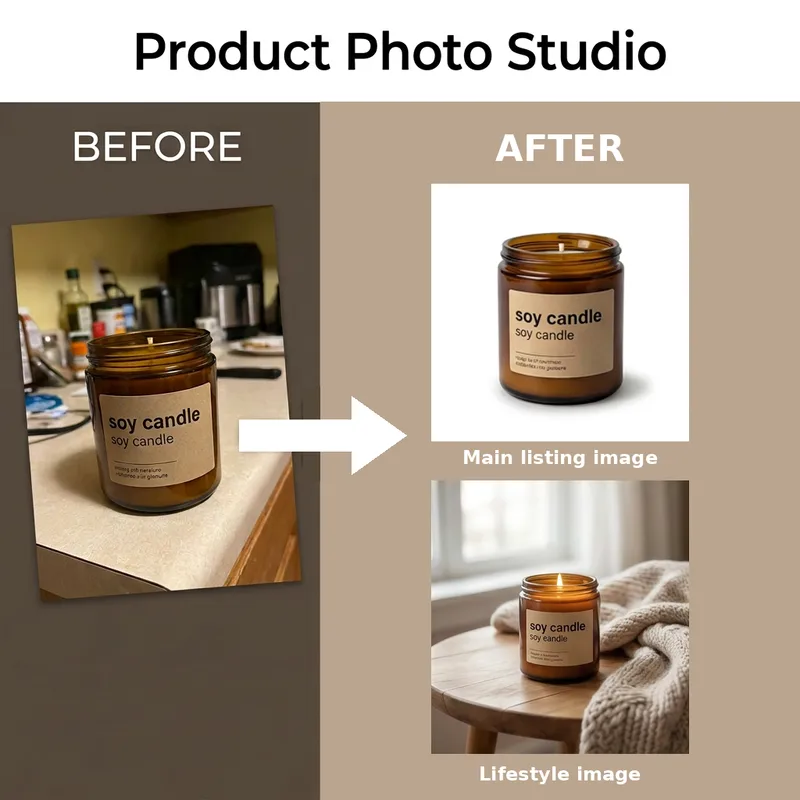
Product Photo Studio: Main + Lifestyle
For Etsy, Amazon, Shopify, Daraz and Instagram sellers who shoot products on a phone. Upload one product photo and get 2 matched images that keep your product exactly as it is (shape, colour, label, logo): 1) a clean white-background main image ready for Amazon and Etsy, 2) a lifestyle scene matched to your product. Light on credits. Not for people, worn clothing, or blurry photos.
Information
- Version
- v2
- Last updated
- Runtime credits
- Usage-based
- Models
- Auto
- Use cases
- Images & design
- What you get
- Image
- Visual styles
- Photorealistic
