Parent Supplement Safety Check
Check supplement and medication risks
Parent Supplement Safety Check
Check supplement and medication risks
Showcase
Description
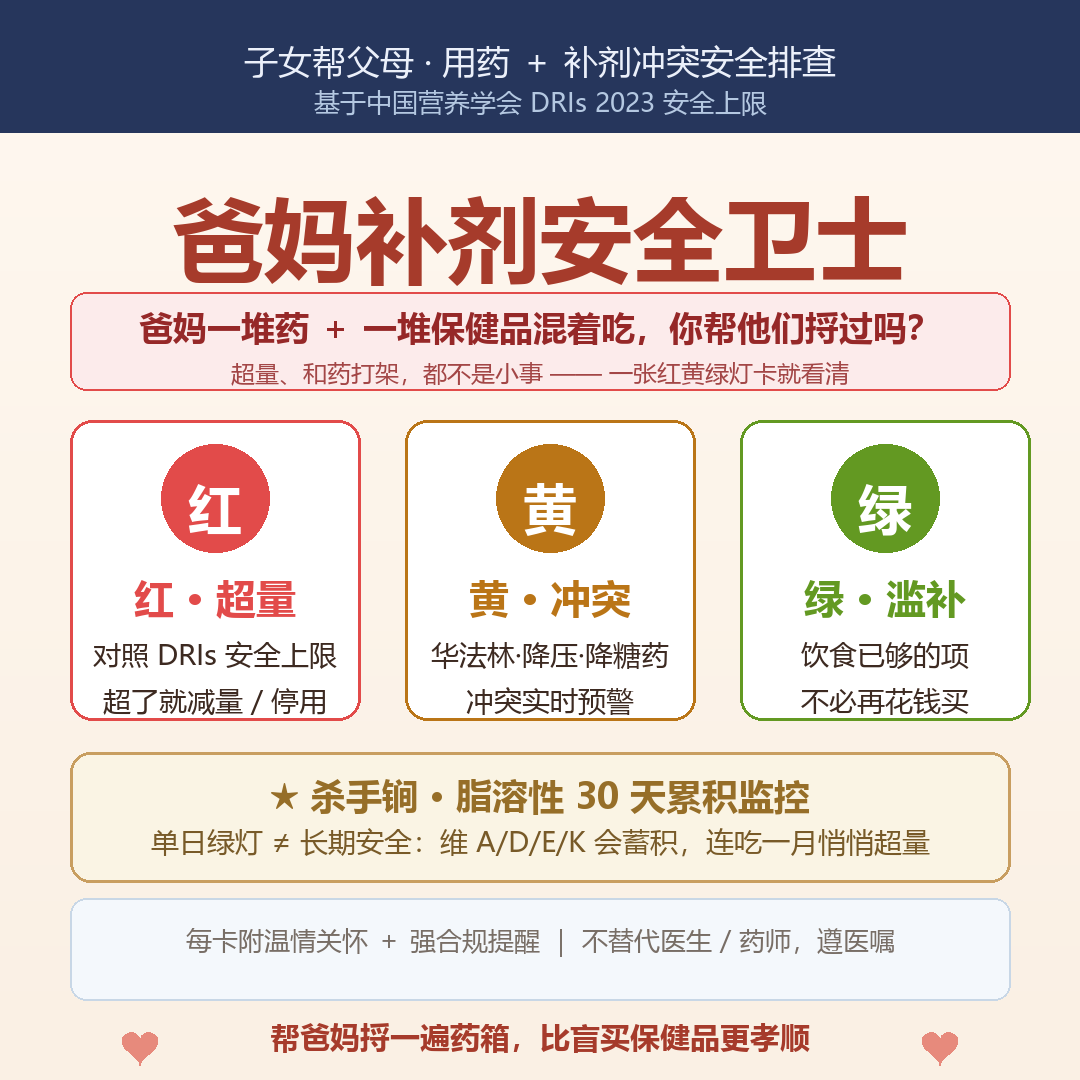
Children can help their parents (or themselves) log daily supplements (brand, dosage, frequency), long-term medications, and diet. The Skill uses Chinese Nutrition Society DRIs to generate a red, yellow, or green light rating: exceeding the tolerable upper intake level (UL) triggers a red light (reduce or stop), conflicts with long-term medications trigger a yellow light (space out or consult a pharmacist), and safe daily intake triggers a green light (noting when dietary intake is already sufficient without extra supplements). It also monitors 30-day cumulative fat-soluble vitamin levels (a green light on a single day doesn't mean long-term safety, as A, D, E, and K accumulate) and generates weekly reports with consistent logging. Each card includes a warm closing remark and a compliance reminder. Trigger phrases include: 'help check supplement conflicts for parents', 'are parents' supplements safe today', 'can this medicine and supplement be taken together', 'parents supplement traffic lights', 'log for a week for a cumulative weekly report', 'should parents take XX', and 'how should parents take all these pills and supplements'. Version 1.0.0.
Best for
Ideal for children or family members helping parents organize medication and supplement information to catch potential risks early.
How to use this Skill
Provide your input
Provide your parents' or your own age, supplement names and dosages, long-term medications, and diet. For a weekly report, provide consecutive records.
Run the Skill
Organizes the supplement and medication information, flags potential excessive intake, interactions, and items that may not need extra supplementation based on public nutrition and medication references, and summarizes long-term records.
Review your result
Receive a traffic-light screening card or cumulative weekly report containing risk alerts, items to consult about, and dietary advice. Results do not replace individualized medical advice.
Related Skills
View all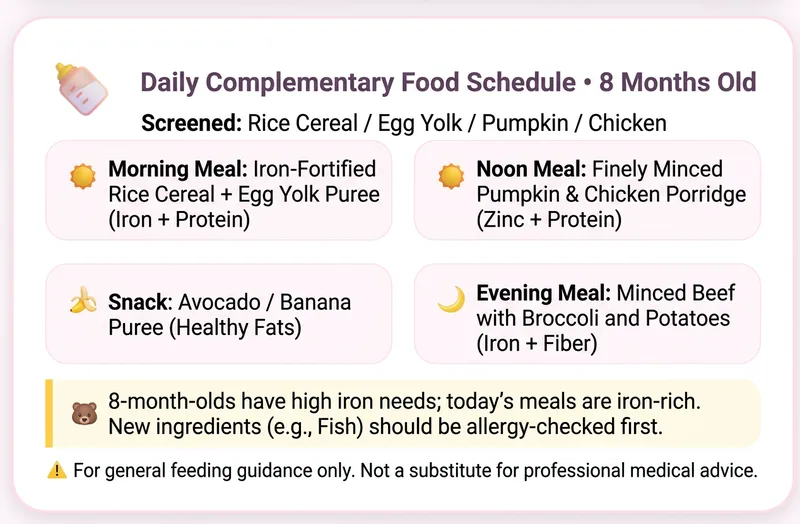
Baby Food Nutrition Log
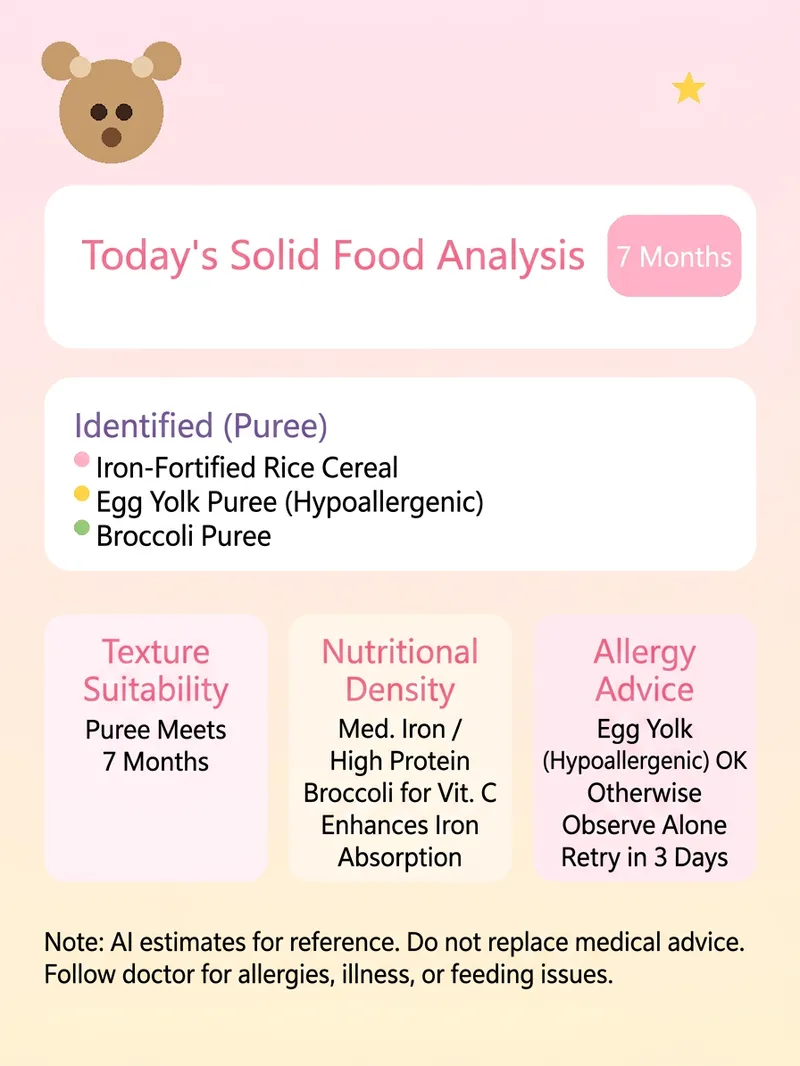
Parents upload a photo of their baby's complementary food or meal each day. The skill identifies foods, estimates key nutrients based on the baby's age in months (iron, zinc, calcium, protein, and vitamins), and comments on texture suitability, allergy introduction, and nutrient density for the meal. With continuous uploads, it can generate a nutrition weekly report covering a nutrition radar, gap alerts, and adjustments for the following week. Trigger phrases: “Can you check whether my baby's nutrition was sufficient in this meal?”, “Is this complementary-food combination okay?”, “Can my 7-month-old eat this?”, “I've logged a week—make a nutrition weekly report,” “Log this complementary-food meal,” “How should I plan complementary foods for my 7-month-old today?”, “Give me a one-day complementary-food recipe plan for a baby of X months,” and “What should my baby eat for complementary food tomorrow?” Version 1.0.0.
Pregnancy Diabetes Meal Coach
For expectant mothers diagnosed with or suspected of having gestational diabetes (GDM): upload one meal photo each day. The Skill identifies the foods, estimates the meal’s carbohydrates in grams, glycemic index (GI) friendliness, calories, protein, and fiber, then provides blood sugar management feedback and suggestions for distributing smaller, more frequent meals. Upload photos continuously to generate a weekly blood sugar management report (carbohydrate trends + blood sugar friendliness + adjustments for the following week). Each card is labeled with “Pregnancy (gestational week · stage)” and includes a warm word of encouragement. Trigger phrases: “Can I eat this meal with gestational diabetes?” “Is this meal suitable for blood sugar management?” “GDM diet” “How should I eat for blood sugar management at 28 weeks?” “Track a week to generate a blood sugar management report” “Upload meal photos to track blood sugar management” “One-day blood sugar management meal plan for week X of pregnancy.” Version 1.0.0.
 Image
Silver Wellness Post Studio
Designed for creators making lifestyle graphics and articles for senior audiences. Enter one topic and get a complete publishable draft: images, copywriting, and a built-in compliance self-check. What it can do: 1. Unlimited Topics: Built with 110 topics covering fall prevention, home safety, diet, exercise, sleep, anti-fraud, digital life, travel, nostalgia, family relations, hobbies, and seasonal solar terms. Includes a topic engine for endless combinations by life domain, audience, scenario, and format, plus monthly seasonal suggestions. 2. Use the Topic Library or Your Own Topic: Say "use number 12" or directly state "Topic: How to help elders organize old photos." 3. High Visual Impact: Default semi-realistic main visuals with magnification circles, guide lines, color coding, and journal decorations. Features 14 high-impact layouts designed so covers can be understood in 3 seconds as a mobile thumbnail. Large text that is easy for seniors to read. 4. 60 Styles, Unique Every Time: Hand-drawn picture book, traditional Chinese, retro, infographic, material texture, seasonal, and high-impact styles. Build an account style family for a balance of variety and recognition, or upload a reference image for a custom style. 5. Complete Copywriting Package: 3 title candidates, cover title, body text, image captions, source line, AI disclosure, interactive question, pinned comment, and a placeholder for your real-world experience. 6. Benchmarking and Review: Paste viral titles and text from competitors to analyze structure and generate original topics. Paste your view and comment data for guidance on what topics to produce more often. 7. Compliance Gate: Evaluates every topic into green, yellow, and red zones. Red zone topics (diseases, drugs, folk remedies, supplement claims) are rejected with rewriting suggestions. Includes a pre-publishing manual review checklist and prohibited word scan.
Information
- Version
- v3
- Last updated
- Runtime credits
- Usage-based
- Models
- Auto
- Use cases
- Research & analysis
- What you get
- ReportImageData
