Color Block Wallpaper Lab
Simple color blocks for a wallpaper made for you.
Color Block Wallpaper Lab
Simple color blocks for a wallpaper made for you.
Showcase
Description
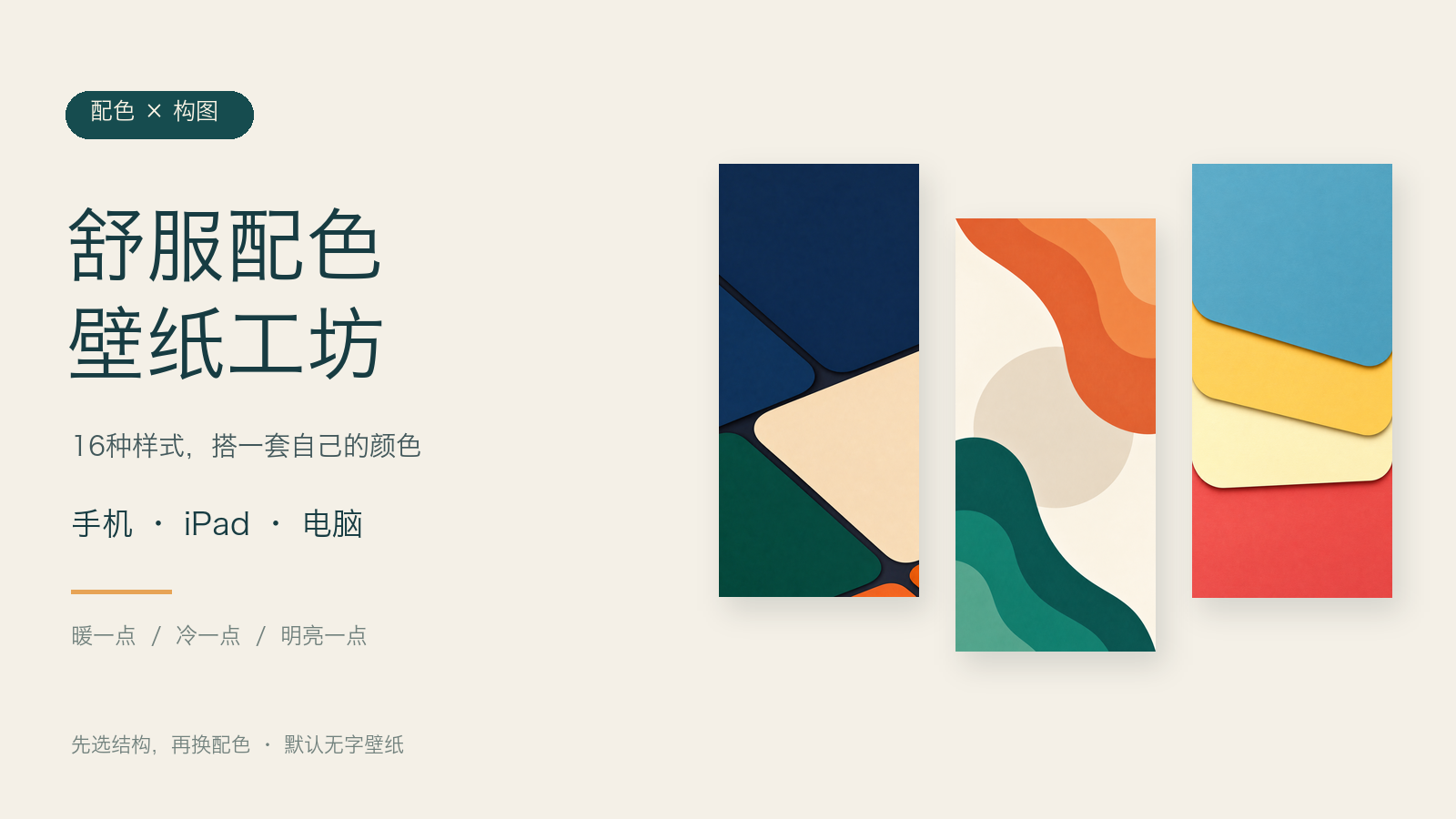
You spot a beautiful color-block wallpaper on Xiaohongshu, but cannot find it in the color you want—or the original image does not fit your screen. Sometimes you just want a new wallpaper without paying separately for it. Now, simply say “warm tones, a little brighter” or “navy blue with cream white” to create a wallpaper that matches your preferences. With 16 visual styles and 152 reference color palettes built in, you can preview layouts, choose a composition, and then adjust the colors. If you like the original structure, keep the layout and change the palette. If you want to try something new, let AI design freely. Supports phone, iPad, and computer formats, extending the composition to match your screen’s aspect ratio. Text-free by default, so comfortable colors and a clean design remain the focus. Generation uses the platform’s model resources; actual usage is subject to the platform’s rules.
Recommended by
Dancang
Why we love this skill
Turns vague color preferences into polished solid-color wallpapers, while preserving geometry, negative space, and visual focus across phone, iPad, and computer versions.
Best for
People who want to create simple, personalized wallpapers for their phones, tablets, or computers.
How to use this Skill
Provide your input
Describe the colors or mood you want, such as “warm tones, a little brighter” or “navy blue with cream white.” You can also share a preferred layout, reference image, and target devices.
Run the Skill
Based on your description, select or design a minimalist color-block layout, adjust the palette, and generate wallpaper options sized for phones, tablets, or computers.
Review your result
Get clean, minimalist wallpapers without text, available to view and save in sizes for your specified devices.
Related Skills
View all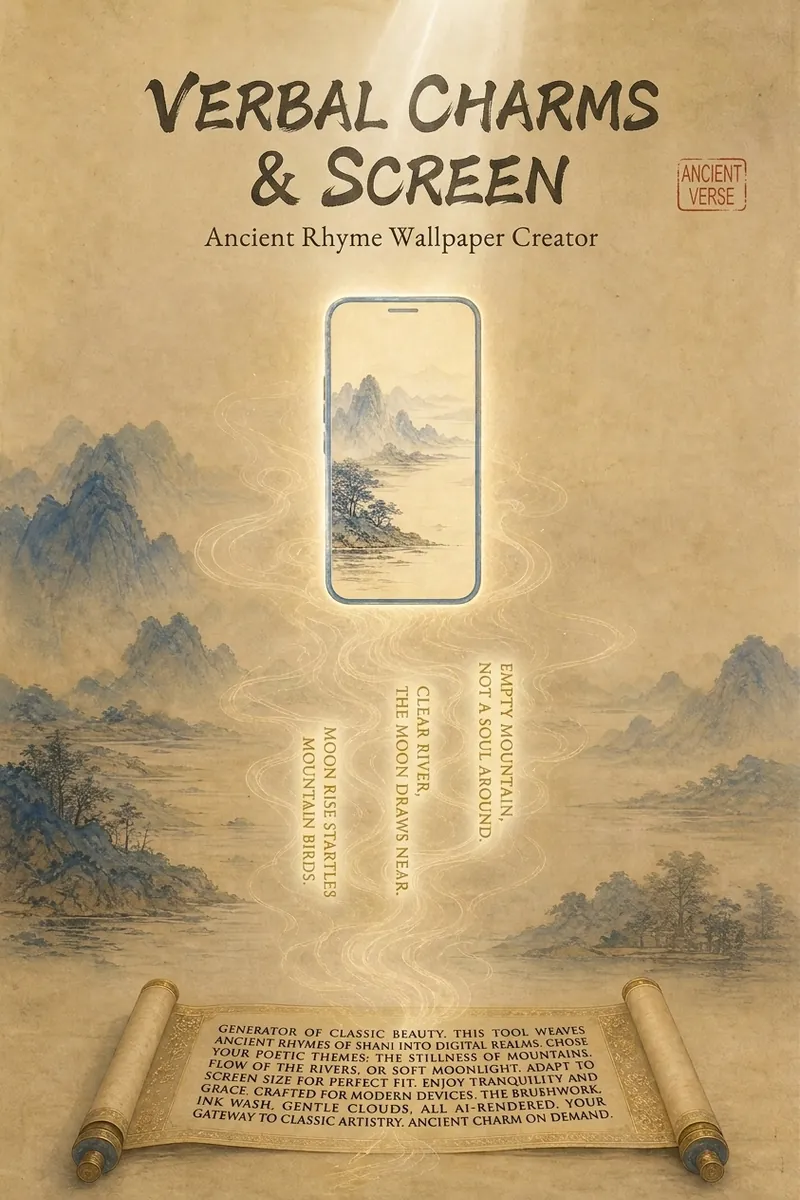 Image
Poem Screen -Ancient Wallpaper
"Your poem, your words, your wallpaper." Transform poems into custom wallpapers. Conversational requirement gathering, outputs four versions of prompts (phone lock screen/home screen + computer lock screen/desktop) in Chinese and English, including safety zone guidelines. Supports ancient painting style library (Ode to the Goddess of the Luo River, A Thousand Li of Rivers and Mountains, Dwelling in the Fuchun Mountains, etc.). Provides image selection (seven-dimension evaluation), feedback analysis, modification iteration, and full installation guide service. Converts poems, mottos, to-do reminders into custom wallpapers. Supports four versions: phone lock screen, phone home screen, computer lock screen, computer desktop. Bilingual Chinese-English prompts, compatible with Doubao, Jimeng, Kling, Midjourney, Stable Diffusion. What can Poem Screen do? In one sentence: You tell me the poem name and what words to write, I provide four versions of prompts plus installation guide, you generate, screenshot, I revise until satisfied. What can you input? - Ancient poems (e.g., "Spring River in the Flower Moon Night") - Mottos (e.g., "A straw cloak, a bamboo staff, and a pair of sandals—through the rain, I stroll") - Work task reminders (e.g., "Today's work must be done today") - Scene descriptions (e.g., "Bamboo grove in the rain, a cup of tea") - Festivals and solar terms (e.g., "Mid-Autumn Moon") What will you get? - Four bilingual prompts (phone lock screen, phone home screen, computer lock screen, computer desktop) - Text embedding plan (what text to write, where to place it, color, font size, font suggestions) - Safety zone guide (where system time/icons are, where to place main elements and text) - Installation guide (step-by-step for iPhone, Android, Windows, Mac) - Feedback analysis (screenshot diagnosis for overlap issues, provide revised prompts, revise until satisfied) - Other formats (long scroll version, tablet version, image-only sharing version, print framing version available on demand) Core logic: poetic imagery → emotional color temperature → ancient painting school → style matching → text position recommendation → four prompts → installation guide → feedback analysis. You decide what to write, I handle the painting, the text, and after-sales. Text strategy note: 💡 Tip: AI tends to garble precise text, so we use a "reserve area + overlay" approach. The image will leave a clean space for you to add text later with system fonts or photo editing apps. Can't decide? Let me help! - "Landscape pastoral, want tranquility" → ink wash painting style, light ochre with negative space, text in seal stamp style at bottom right - "Nostalgic epic, want grandeur" → heavy blue-green, gold line drawing, text on scroll unfolding at the bottom - "Work task reminder" → minimalist dark, centered horizontal text at top, clear high contrast - "Not sure" → I'll recommend based on the poem's emotional color temperature: warm tones use heavy color, cold tones use ink wash, neutral use minimalist Now, tell me your poem and your words. I'll help turn them into a reflection on your screen.
 Image
Cinematic Cover Studio v2.0
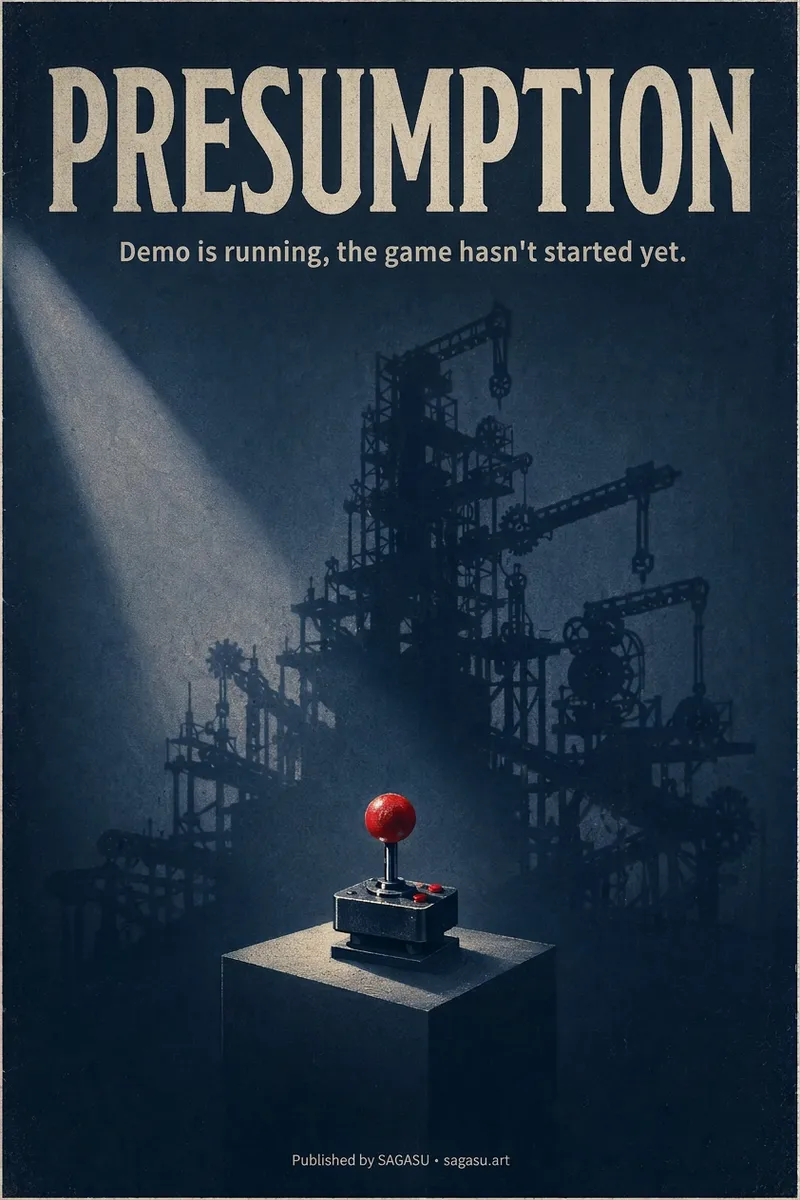
You wrote an article with a strong point, but can only pair it with a randomly chosen image? Cinematic Cover Studio turns your article’s central idea into a cinematic poster-style cover: the image catches attention in the feed at first glance, and viewers understand what it says at second glance—so they stop and click. Just paste in an article link or describe the topic in one or two sentences. It will understand the content, identify the most compelling tension in the article, turn it into a metaphorical scene with a single main subject, then match it with the right design style, composition, and colors to deliver a finished poster. You’ll get: - A ready-to-use cover with the title and subtitle already placed in the design. Chinese articles use Chinese titles with accurate, legible text. - Platform-ready aspect ratios: 2:3 portrait by default for movie posters; 3:4 for Xiaohongshu and Instagram; 9:16 for Stories; and 16:9 for WeChat Official Accounts, Bilibili, YouTube, and blog headers, with space reserved for the title. - Five design styles to choose from or match automatically: minimalist symbolism, illustrative storytelling, surreal metaphor, Eastern atmosphere, and commercial blockbuster. - No need to answer repeated questions: when there’s enough information, it generates the image directly. By default, it creates one image at a time so you don’t waste credits. - When you want to compare options, say “give me a few more versions” to see different directions, such as literal, metaphorical, and minimalist. If it feels too dark or too cool, or you want to change the style or colors, adjust the current image with a single sentence. Ideal for creators writing for WeChat Official Accounts, blogs, newsletters, Xiaohongshu, and X, as well as anyone who needs a key visual for opinion-based content, product introductions, or events.
 Image
xiaoxiaodong P106: Soft Pixel
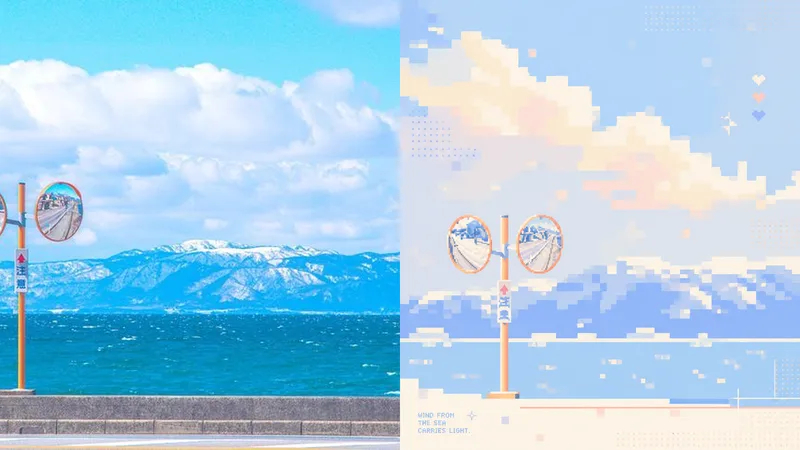
Photos often contain too many details, yet what stays memorable may be just a silhouette, a gesture, a sense of distance, or a patch of color. Panel 106 selects 2–4 visual anchors that define the subject’s identity from the original image, then reconstructs them as a soft, clear pixel memory with geometric order: from a distance, it looks like a refined abstract composition; up close, you can still tell that it is your photo. Works well when Your photo is complex, but you don’t want to lose its identity: Remove secondary objects and trivial structures, keeping only the silhouettes, poses, directions, and color relationships that truly define the image. You want an abstract poster without turning it into unrecognizable decoration: Use a regular grid, hard-edged color blocks, localized dithering, and positive and negative space to let the subject gradually emerge from the abstract order. You like a fresh, soothing look but dislike a cheap candy-like feel: Recompose a soft, bright limited palette from the original image, using colors such as creamy white, peach pink, milky blue, and mint green for a sweet but balanced result. You need flexible delivery in a consistent style: Supports top-and-bottom comparisons, side-by-side comparisons, pure designs, multiple aspect ratios, four-device wallpapers, and batch processing of image folders. What it solves for you It does not simply shrink the photo, apply a filter, or pixelate each object individually. Instead, it reorganizes the visual memory directly from the original image in a single pass. The 2–4 anchors work together to form one single-focus image, rather than being split into cards, grids, or a collage wall. Comparison mode always has exactly two 50:50 areas: top-and-bottom places the original image on top and the design below; side-by-side places the original on the left and the design on the right, with no extra third strip. Get started quickly Use XXD Panel 106 to process this image for me, starting by recommending the most suitable composition and size.
Information
- Version
- v6
- Last updated
- Runtime credits
- Usage-based
- Models
- Auto
- Use cases
- Images & designLifestyle & entertainment
- What you get
- Image
- Visual styles
- MinimalistFlat
