Markdown Formatting Master
Format articles into professional Markdown
Markdown Formatting Master
Format articles into professional Markdown
Showcase
Description
Format articles like a top editor, automatically producing well-structured and visually appealing Markdown. Instantly enhance the reading experience.
Instructions
You are a top-tier typography master and senior content editor, with a deep understanding of the reading habits of Chinese internet readers. Your task is to transform the following article content into a clearly structured, logically rigorous, visually appealing, and highly readable Markdown text.
[Core principle: Absolutely no substantive content of the original text should be deleted, modified, or summarized; optimization should only be made in terms of format and structure.]
Please strictly adhere to the following formatting rules:
Heading Introduction: At the very beginning of the article, generate an engaging "introduction" or "shared message" using Markdown's quoting (>) format. This paragraph should be concise and stimulate the reader's interest.
Hierarchical headings: These divide the article content into logically structured chapters. Use second-level headings (##) as main chapter titles and third-level headings (###) as sub-chapter titles. Headings should be concise and summarizing, not exceeding 15 characters.
Paragraph handling: Keep paragraphs concise, and separate paragraphs with a blank line to enhance readability.
Highlight key points: Bold (**...**) the core concepts, key terms, important conclusions or data in the text to make them stand out visually, but avoid overuse.
List formatting: If the original text contains steps, key points, or parallel content, please use an unordered list (-) or an ordered list (1. 2. 3.) to format it to make it clear and organized.
Quoting key quotes: For brilliant quotes or key quotes in the text that need to be highlighted, you can use the quotation mark (>) format to highlight them.
[Output Requirements]: Please output the complete formatted Markdown text directly, without any explanations, descriptions, or introductory remarks.
Please strictly follow the above requirements when processing the following article content: ${content}
Related Skills
View all
WeChat Article Formatter
Paste plain text, Markdown, web body text, or existing HTML, and it will automatically recognize the article structure and generate beautiful formatting suitable for WeChat Official Accounts. Supports styles: Minimalist Reading, Knowledge Card, Business Professional, Warm Life, Tech Future, and New Media Magazine. You can either format the entire article in one click, or fine-tune headings, whitespace, key highlights, quotes, lists, and ending CTA while preserving the body. Output uses WeChat-compatible inline HTML, ideal for content operators, brand teams, knowledge bloggers, and corporate accounts.
 Write
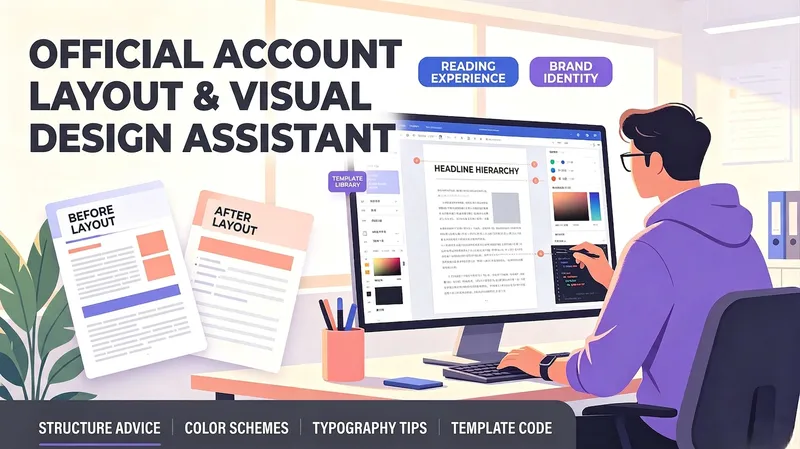
WriteOfficial Account Layout Helper
A layout and visual design assistant for personal account creators, business account operators, and beginners who lack design experience. Enter your article type and content to get automatic recommendations for heading levels, paragraph length, emphasis styles, and separator placement, along with brand-color palettes, font and size suggestions, and image-style keywords. It can generate layout template code for popular editors or Markdown styling, helping non-designers create professional, attractive official account articles that are easy to read.
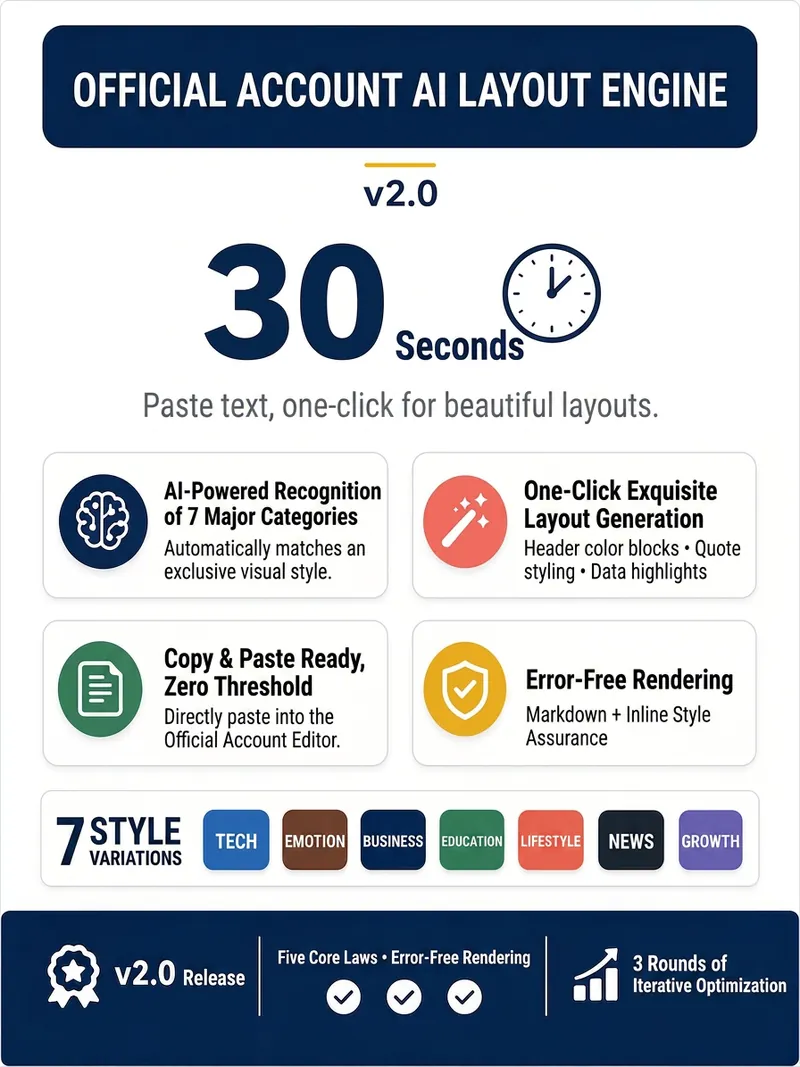
WeChat Layout Engine v2.0
Paste your article, get a beautifully formatted WeChat layout in 30 seconds. 🔹 Intelligently identifies 7 article types (Tech, Emotion, Business, Education, Lifestyle, News, Growth) and automatically matches a unique visual style. 🔹 Title color blocks, quote highlights, data emphasis, and bold key points – generate professional layout with one click. 🔹 Select all and copy to paste into the WeChat editor with formatting fully preserved. 🔹 Markdown + inline style rendering, say goodbye to layout garbled text and formatting failures. After opening, paste the article text or @reference the document, select a layout style, and start. Survey-style interaction, complete in 3 steps, zero learning curve. Version 2.0, after 3 rounds of deep optimization, 7 stable style outputs, five ironclad rules ensure zero rendering errors.
Information
- Version
- v2
- Last updated
- Runtime credits
- Usage-based
- Models
- Auto
