(Trending) Anything as an Infographic
Turn any subject into a 3:4 specimen-style poster
(Trending) Anything as an Infographic
Turn any subject into a 3:4 specimen-style poster
Showcase
Description
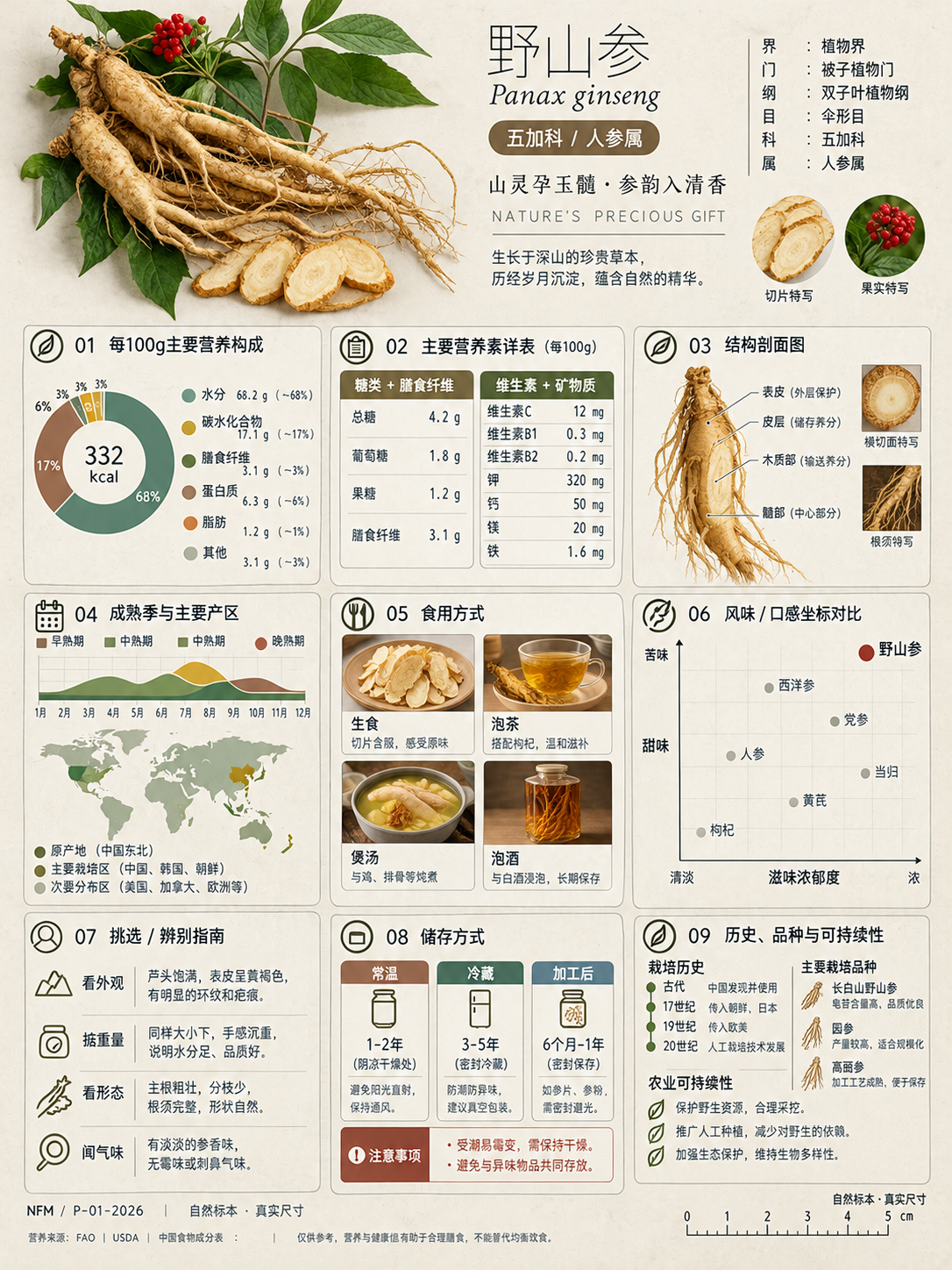
A trending infographic generator. Enter the name of any subject, and it automatically identifies the type—such as a living thing, mineral or material, man-made object, place or building, cultural concept, or historical figure—then creates a dense 3:4 portrait infographic poster using a fixed “natural specimen archive × modern museum guide plaque” layout system. It includes a header identification area, specimen-style image area, a central 3×3 grid with a core data radial chart, detailed key metrics, structural cross-section, spatial and temporal distribution, applications and user experience, side-by-side comparison, identification guide, preservation and maintenance, and historical lineage, plus a collection number and reference information area at the bottom. The layout, grid, typography, and color systems are consistent, making the posters easy to collect as a series. GPT Image 2 is used by default as the best-fit image generation model. Best for: building an account from scratch and taking commissioned work.
Recommended by
淡苍
Why we love this skill
Turns any object into a collectible specimen-archive infographic, combining smart content matching across six object types with a unified museum-quality visual system.
Related Skills
View all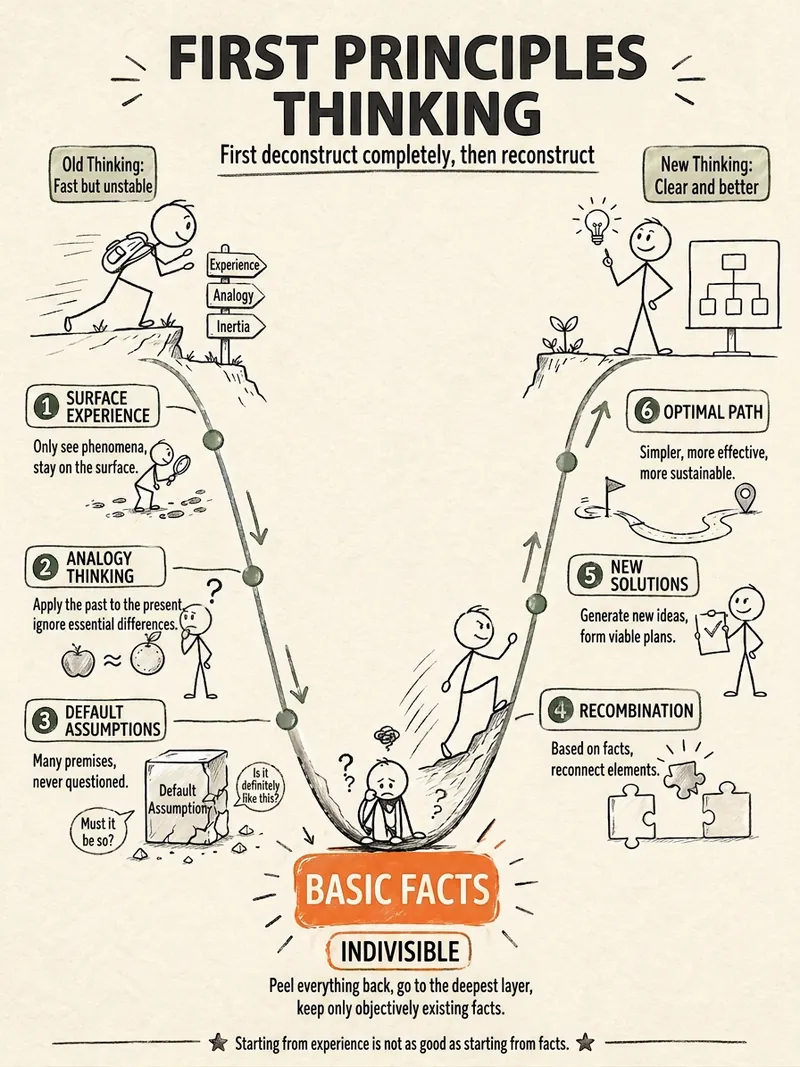 Image
ImageStick Figure Explainer
Turn complex concepts, abstract theories, lengthy processes, notes, business analyses, or growth stories into prompts for vertical knowledge cards, infographics, and hand-drawn explainers optimized for GPT-Image 2. Whether you’re organizing a process, comparing before and after, analyzing causes, categorizing knowledge, or telling a story of growth from a low point to a breakthrough, it distills the key takeaway and matches it with a suitable composition, visual metaphor, and reading flow—making the content easier to understand and remember at a glance. You’ll receive a Chinese card structure guide and visual system recommendations covering composition, hand-drawn style, color philosophy, and typographic character, along with a ready-to-copy English image-generation Prompt. The default canvas is a 3:4 vertical format, suitable for knowledge cards, Xiaohongshu cards, vertical infographics, and posters. Depending on the topic, stick figures, simplified characters, or icons can be used to show states, actions, and emotions, while keeping the number of information modules under control to avoid crowded visuals, text that is too small, or scattered emphasis. It’s ideal for quickly turning reading notes, frameworks, workplace skills, psychology and personal growth topics, business insights, product workflows, and complex concepts into clear, narrative-driven, actionable visual content.
 Image
ImageBiz Infographic Generator v2.0
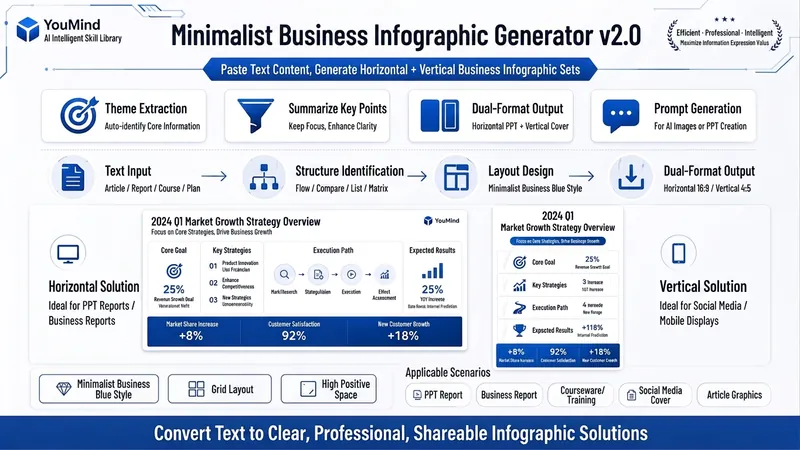
Transforms complex text into clear, professional, presentation-ready business minimalist infographics. It can help you: 1. Automatically extract core information Extract topics, keywords, logical relationships, and key points from user-provided text, materials, course content, meeting minutes, or reports. 2. Automatically design infographic structure Match business expression formats such as flowcharts, comparison charts, hierarchical charts, matrix charts, checklist charts, and path charts based on content type. 3. Automatically generate dual-format solutions Output two sets of infographic designs: landscape and portrait. Landscape is suitable for PPT, presentations, and web display; portrait is suitable for Xiaohongshu, WeChat Moments, public account covers, and vertical screen display. 4. Automatically generate diagram prompts Output complete diagram prompts ready for use with AI drawing tools, designers, or PPT tools. Suitable for: Professionals, knowledge bloggers, trainers, course creators, consultants, operations staff, PPT designers, business report creators. How to use: Directly paste a piece of text, materials, course content, meeting minutes, or report summary. You don't need to organize the structure first; I will automatically extract the core content and generate both landscape and portrait business minimalist infographic solutions.
 Image
ImageFood Parts Diagram Maker
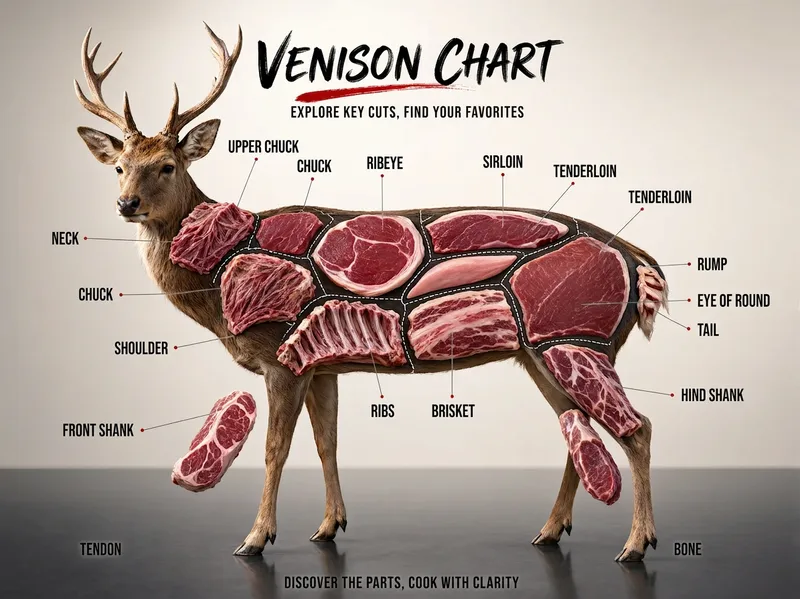
Create a “food parts diagram” series for Xiaohongshu, Douyin, or WeChat Channels: beef, pork, lamb, chicken, fish, vegetables, and fruit—one subject can become one episode. Ideal for food, ingredient education, and cooking tutorial creators; fresh food e-commerce, butcher shops, supermarkets, and community group-buying operators; as well as restaurant owners and marketing staff in hot pot, barbecue, steak, braised food, Japanese cuisine, and other businesses. Simply enter the name of an animal, vegetable, or fruit, such as “beef,” “pork,” “lotus root,” or “watermelon.” The skill automatically identifies the type, plans the parts, names them in Chinese, and integrates image-generation prompts to create a commercial poster-quality “parts diagram”: a realistic subject, clear internal structure, leader-line labels, and all text in Chinese. Monetization options include fresh food, steak, hot pot ingredients, ready-to-cook meals, and kitchenware promotions; storefront commissions; and sponsored advertising. Advantage: This tool-focused visual content is likely to be saved and shared. Its “check while grocery shopping” utility can help an account attract long-tail traffic.
Information
- Version
- v3
- Last updated
- Runtime credits
- Usage-based
- Models
- Auto
