
Image Physics Reality Check
Check images or prompts for physical realism
Image Physics Reality Check
Check images or prompts for physical realism
Showcase
Description
Review generated images or image-generation prompts for real-world physical accuracy. First, identify the image style and adapt the strictness of the review. Then, provide an itemized issue report with physical reasoning and severity levels. Finally, consolidate the findings into a revision prompt you can copy directly into an image-generation model, helping improve the physical realism of generated images from start to finish.
Related Skills
View allRealistic Skin Texture Prompts
Generate text-to-image prompts for selfies, close-ups, half-body portraits, and portrait photography, with a focus on reducing plastic-looking skin, an oily film, and AI-looking faces. Skin is guided toward more natural glow, texture, and subtle variation. Whether you need everyday portraits, magazine-style portraits, direct-flash snapshots, or realistic portraits with less of an AI look, prompts can be customized based on the subject, camera position, lighting, style, and preferred imperfections. Prompts are organized around the overall skin texture, highlight placement, differences across facial areas, textures such as pores and peach fuzz, and natural skin-tone variation, rather than simply stacking vague terms like “realistic skin” or “ultra-realistic.” You can specify image ratios such as 9:16, 3:4, and 1:1, and get composition and parameter suggestions for the image-generation model you use. When needed, you can also generate Chinese, English, or bilingual versions for GPT-Image, 即梦, 豆包, Midjourney, SDXL, or Flux. In addition to copy-ready positive prompts, the Skill explains how key descriptions affect skin texture and provides targeted troubleshooting and adjustment suggestions for over-smoothed skin, an overly oily face, a waxy appearance, or distorted texture. Generated prompts can also be saved by topic for easier lookup, fine-tuning, and consistent texture across a portrait series.
 Image
Colossal Scale Photography
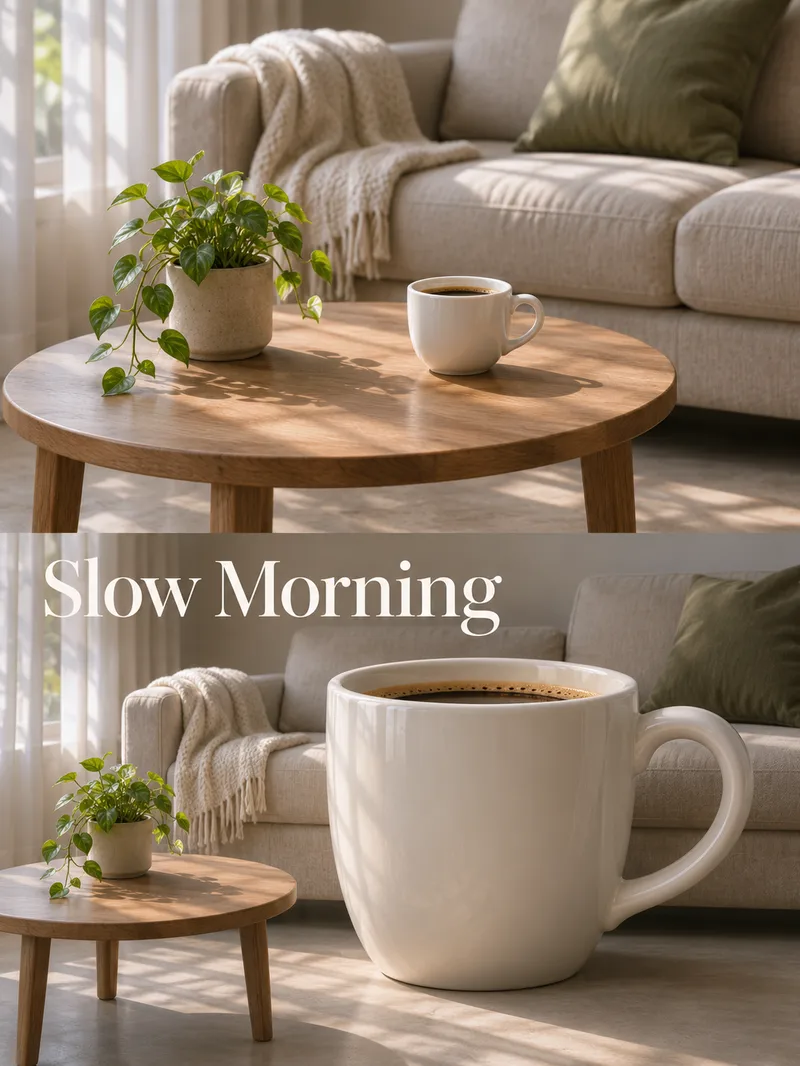
Ideal for creators looking to produce surreal social media visuals, creative posters, or design practice. Provide a text theme or a readable photo with usage rights, specifying one object to enlarge, a short title, scene, and aspect ratio. If unspecified, confirm the main prop first to avoid modifying the wrong subject. The skill first organizes the original subject, scale reference, and light direction, then plans an upper and lower diptych: the top frame is natural photography, and the bottom frame exaggerates the specified prop, adjusting grips, ground support, and contact shadows, before calling the current image tool to generate and reviewing image by image. It delivers the actual poster, title, and verification notes, with complete prompts attached when needed. Usage: Enter the theme and the single object to enlarge. After generation, focus on checking structures like hands, cup handles, or umbrella shafts, ground support, and titles, then modify based on specific issues. This is surreal image creation, not for size or real photographic records. The four display examples are fictional AI cases genuinely generated locally on November 12, 2026, using the final skill method: giant orange, camera, coffee cup, and blue umbrella; these are not clients, actual photography, real product functions, or architectural records. All four targets have distinct scale contrasts, but character poses, camera details, furniture and scene proportions, and upper/lower areas will vary. It does not guarantee that every pixel except the target changes. The avatar reference was generated separately from the giant orange case, and the visual layout and Chinese title are arranged independently, not as a fifth independent case. Text planning recommends GPT, and image generation relies on actually available image generation or editing tools. Local use utilizes built-in image_gen, the tool does not return specific model IDs, and it does not claim binding to Image2. Photo editing and YouMind runs are not practically tested, and identity, product structure, text, or cross-image exact consistency cannot be guaranteed. If image tools are absent, clearly state image generation is incomplete. The 299 credits is the skill installation price and does not include platform models or third-party service fees; it does not deliver PSD or vector source files, nor does it automatically publish or purchase.
 Image
Retro Typography Poster
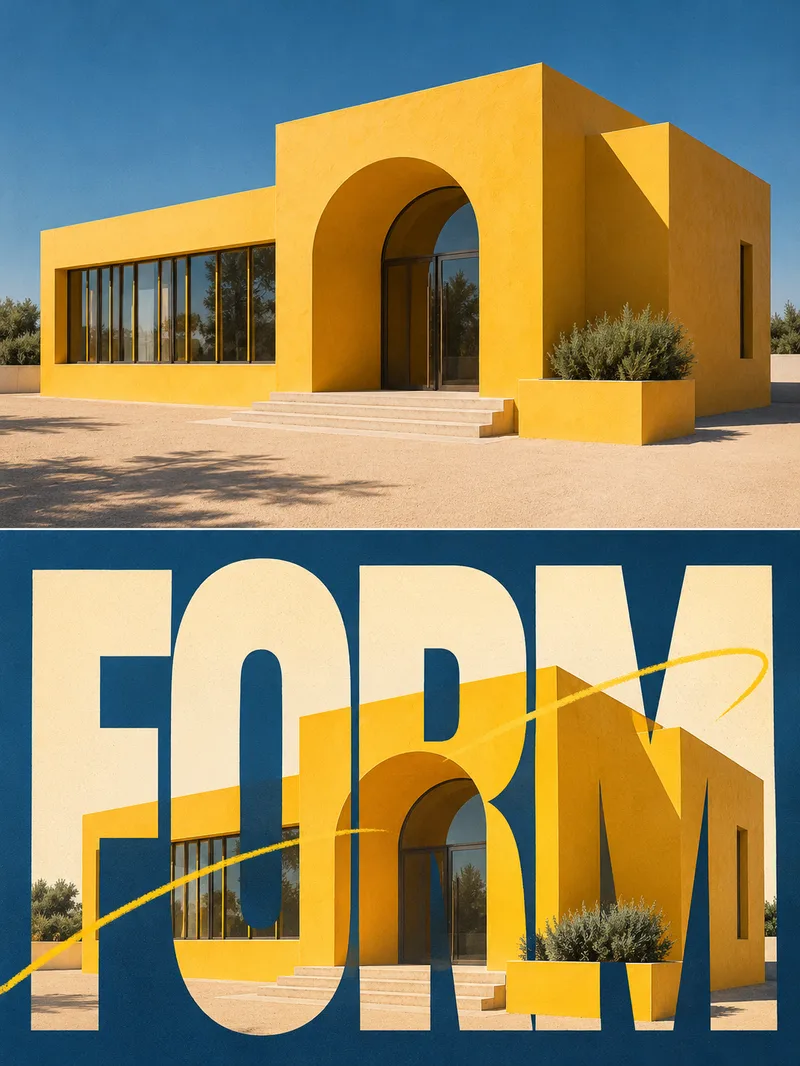
Ideal for creators making social media graphics, sports themes, and editorial posters. Provide a text theme or an accessible photo with a short English word, color scheme, and purpose. Subjects can include people, pets, or architecture. The skill first verifies the subject and props, then plans a 3:4 dual-panel layout: natural photography in the upper frame, and huge, condensed bold typography organizing the lower frame. Photographic textures are woven into the letters, with parts of the subject extending in front of the text. It pairs warm white paper textures, a primary background color, and subtle motion lines, then uses actual image tools to generate and review each item. Delivers an actual poster image, reproducible title, and verification notes, with full prompts included when needed. Usage: Specify the theme, short word, and aspect ratio; review the subject, props, spelling, and occlusion, then request specific edits by part. Without image tools, the generation remains incomplete, and prompts are not passed off as finished images. Four example displays show fictional AI cases generated locally following the final skill workflow on November 12, 2026: tennis PLAY, golden retriever GO, architecture FORM, and dancer MOVE. These are not real photos, actual architectural records, or client deliverables. All four examples feature photo-text weaving and subject layering, where letter masks partially obscure bodies or structures, with variations in local poses and textures, and differing crops for the two tennis panels. They are not lossless photo edits. The avatar reference was separately generated from the golden retriever case, and the square render includes a Chinese title rather than serving as a fifth independent case. GPT is recommended for text planning, while image generation or editing tools available in the current environment are required for final image output. Locally uses the built-in image_gen without a returned model ID, and does not claim integration with Image2. Uploaded photo editing and YouMind execution have not been formally tested, so exact identity, product structure, text, or cross-panel consistency are not guaranteed. PSD or vector source files are not delivered. The 299 credits cover the skill installation fee only and exclude platform model and third-party service fees.
Information
- Version
- v3
- Last updated
- Runtime credits
- Usage-based
- Models
- Auto
