Polished ID Photos
Formalize selfies, swap outfits, fix old IDs
Polished ID Photos
Formalize selfies, swap outfits, fix old IDs
Showcase
Description
Just upload one clear photo—no need to specify a purpose or parameters first. Selfies and casual snapshots can be turned into formal one-inch photos with a blue background. You can also upload a separate clothing photo as an outfit reference, or adjust the background color, lighting, crop, and dimensions of an existing ID photo. Once you’re satisfied with the first image, create white-background, red-background, two-inch, specified-pixel, or six-inch print layouts as needed, avoiding a pile of images you don’t need.
Recommended by
Dancang
Why we love this skill
Turn selfies or old ID photos into natural, compliant one-inch ID photos while preserving identity and facial features. Also supports background, outfit, size, and print-layout changes, including temporary drapes and unsuitable necklines.
Related Skills
View all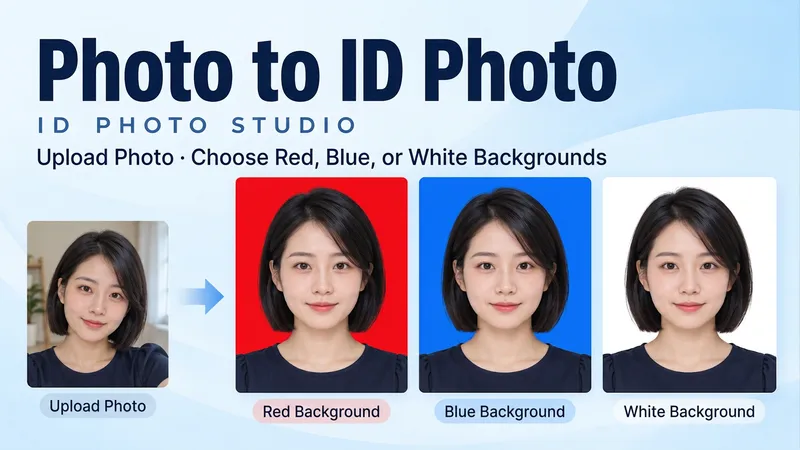 Image
ID Photo Studio
Upload a portrait and create a clean, natural ID-style photo with a red, blue or white background, or get all three colors at once. Turn a casual photo into a frontal, evenly lit head-and-shoulders portrait. Keep your facial features, hair, glasses and identifying details. Original clothing is retained by default; request a shirt or jacket when needed. • Pick a red, blue or white background. • Get three matched color versions as separate images. • Specify pixel dimensions or print width and height. • Use Chinese or English. Final portraits are text-free. Try: "Make a blue-background ID photo from my upload. Keep my face and clothes." Or: "Create matching red, blue and white versions. No beauty reshaping."
 Image
ID Photo Studio
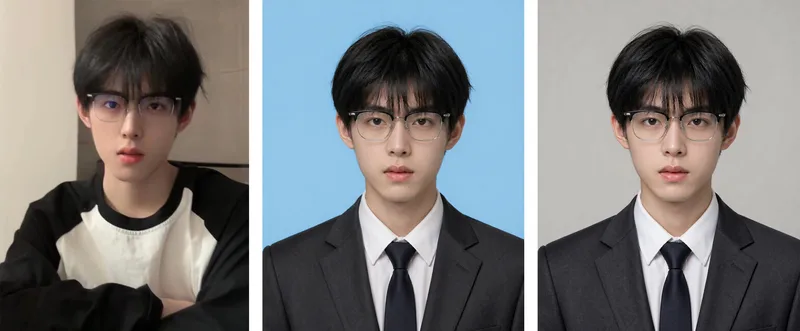
ID Photo Studio: Upload a casual photo to create a formal ID photo with any background color—white, blue, red, dark red, or gray. It automatically changes casual clothing to a dark suit and white shirt, uses standard ID photo positioning and composition, and keeps your face exactly as it appears in the original photo. Trigger it when users say things like “ID photo,” “make an ID photo,” “white-background ID photo,” “blue-background 2-inch photo,” “resume photo,” “passport photo,” “turn this into an ID photo,” “change the background color,” or “1-inch/2-inch photo.” Core rules: removing blemishes is allowed, but changing facial features is not (for official verification); choose the background color before the clothing (to avoid color clashes); place the eyes on the upper-third line, keep both shoulders level, leave space above the head, and use a clean background without shadows. Default format is vertical 3:4, with customization available. Use Nano Banana 2.1 by default for the strongest identity preservation; do not use Midjourney. Supports generating multiple colors, including white, blue, and red, in one run.
ID Photo Outfit Swap
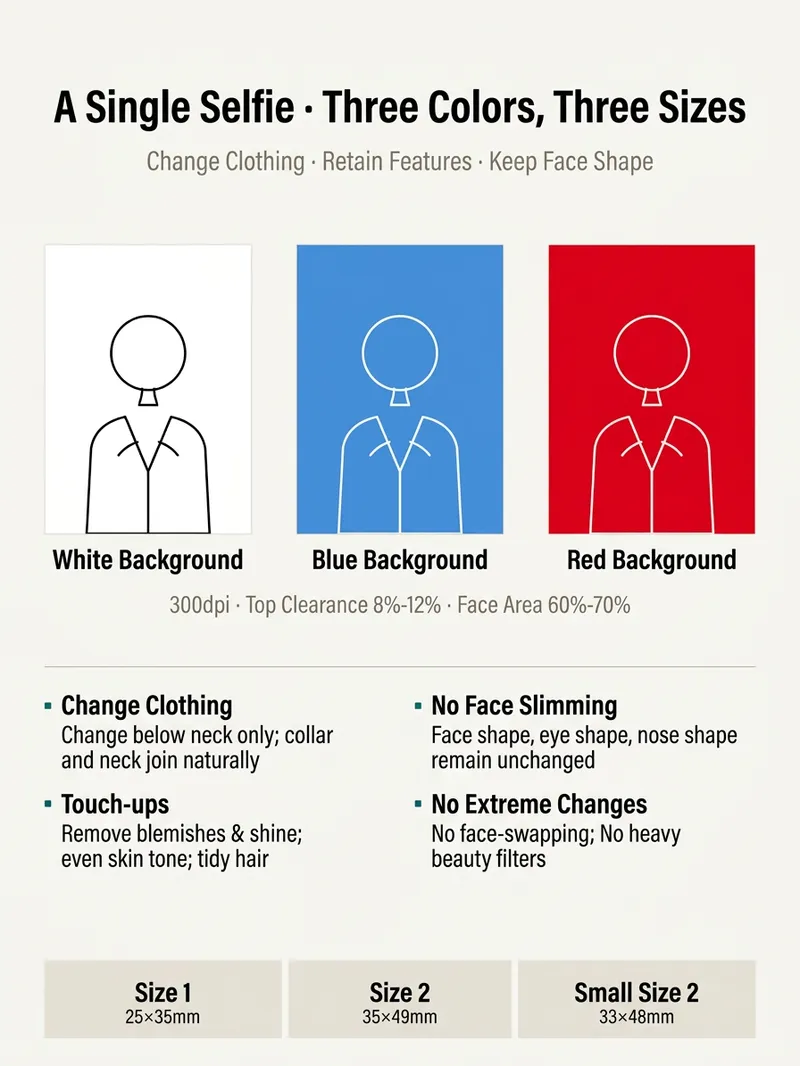
For applications, official documents, or resumes, you may suddenly need an ID photo with no time to visit a photo studio—and a selfie may not meet the requirements. 【ID Photo Outfit Swap】 turns a front-facing selfie into a standard ID photo: choose a solid-color background (white, blue, or red), change into formal attire (suit, shirt, or professional jacket), crop it to 1-inch, 2-inch, or small 2-inch size, and remove obvious glare and blemishes while preserving your real facial features. Strict rules: facial features and face shape are not changed, skin is not smoothed to the point of looking unnatural, and no “face swap” is performed. If the final image does not meet official requirements, this will be clearly noted.
Information
- Version
- v13
- Last updated
- Runtime credits
- Usage-based
- Models
- Auto
