
Vocabulary Matching Game
Practice instantly after class with bubble challenges
Vocabulary Matching Game
Practice instantly after class with bubble challenges
Showcase
Description
Paste your lesson vocabulary (10 to 40 words work best) and answer three quick questions to instantly generate an interactive bubble-matching game you can play on your phone or computer. 📚 Lesson Practice: Automatically divided into 1 to 4 levels with free level selection. 🔄 Three Directions: Foreign language to native language, native to foreign, or random. 🫧 Correct answers make bubbles vanish with auto-replacements. 🔊 Natural foreign language pronunciation. 📈 Study Reports: Check-ins, 7-day progress charts, mastery levels, and frequently missed words. 🏆 Completion rewards based on accuracy, plus a review book and scoreboard.
Recommended by
Dancang
Why we love this skill
Turn lesson vocabulary into an interactive multilingual bubble challenge game instantly. It features automatic leveling, two-way matching, audio pronunciation, wrong-word review, and progress reports for quick review and lasting motivation.
Related Skills
View all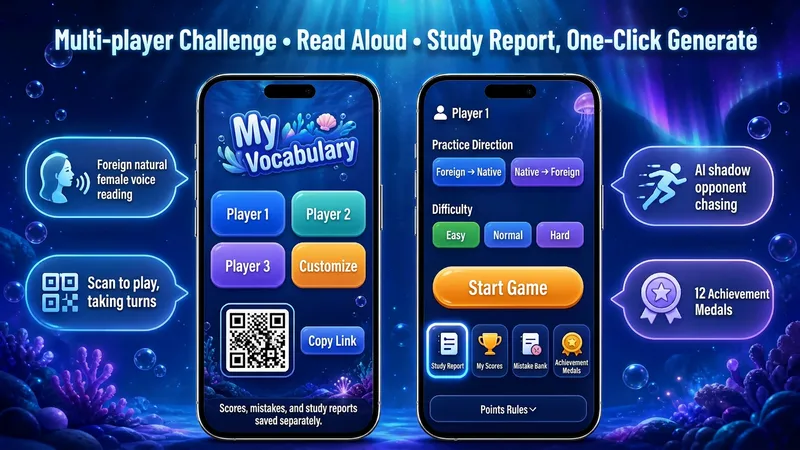 Research
Advanced Vocabulary Game V8.0
Paste vocabulary, search textbooks, or look up exam lists to generate a mobile and desktop-ready word matching game in 30 seconds. Share it instantly with a link. Supports English, Japanese, Korean, German, French, and more across all learning stages. 🌐 Three input methods: textbook search, exam vocabulary search, or paste/photo upload 🎯 Automatic grouping, fully unlocked, with saved progress 🔄 Two-way practice (foreign-to-native and native-to-foreign) with three difficulty levels 🔊 Natural foreign language text-to-speech for audio-assisted practice 📈 Study reports: check-in days, 7-day progress charts, mastery rates, and trouble words 🏆 Combo bonuses, AI shadow opponents, tier badges, and 12 achievement medals 👥 Pass-and-play multiplayer mode with independent score and mistake tracking 📚 Smart mistake notebook for targeted one-click review 🎨 11 visual themes with quick link sharing Choose the Advanced Challenge Edition for full-book vocabulary, exam prep, and long-term practice, or the Quick Practice Edition for single-lesson consolidation.
 Research
Vocabulary Dictation Generator
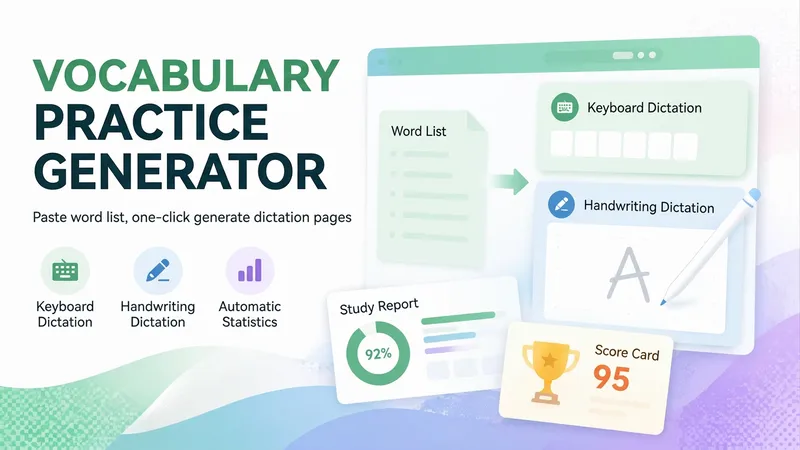
Paste a vocabulary list (or simply name a textbook, such as "PEP Grade 8 Unit 3" or "TOPIK Beginner Vocabulary") and generate a ready-to-share vocabulary dictation webpage for students in 30 seconds. Perfect for English, Korean, Japanese, and other languages, supporting dictation, spelling practice, word memorization, and pre-exam cramming. ⌨️ Keyboard Dictation: View the meaning and type the foreign term manually—no multiple-choice questions. ✍️ Handwriting Dictation: Write directly on your mobile screen's writing pad, then compare your answers with the standard keys for self-grading. 🖊️ Tracing Practice: Trace light-colored reference letters before dictating, complete with guide lines. Hide the base text anytime to switch to a blank dictation pad; practice handwriting without affecting scores or error logs. 🔀 Unified Data Across Modes: The same vocabulary list, error log, scores, and reports apply whether students switch modes. 🔢 Smart Leveling: Automatically groups words by lesson or unit, splitting large lists into manageable halves. 💡 Two-Tier Hints: Get the first letter or the full word. Words using hints automatically go to the error log. 📚 Automatic Error Log: Incorrect answers or hinted words are saved for targeted review. 📊 Learning Reports: Tracks session counts, level scores, and overall accuracy, separating keyboard and handwriting stats. 🏆 Score Cards: Generates a percentage score card with names for easy sharing in groups. 🎨 14 Visual Themes: Deep Sea Aurora, Cherry Blossom, Cream Bread, Monet's Garden, and more. Zero-dependency single-file H5 that opens directly in mobile browsers or WeChat without login or installation. Teachers can simply share the link in class groups. Best for: English dictation, Korean vocabulary, Japanese memorization, Chinese characters or ancient poems, pre-exam prep, and parental reviews.
 Webpage
English Word Game Slides
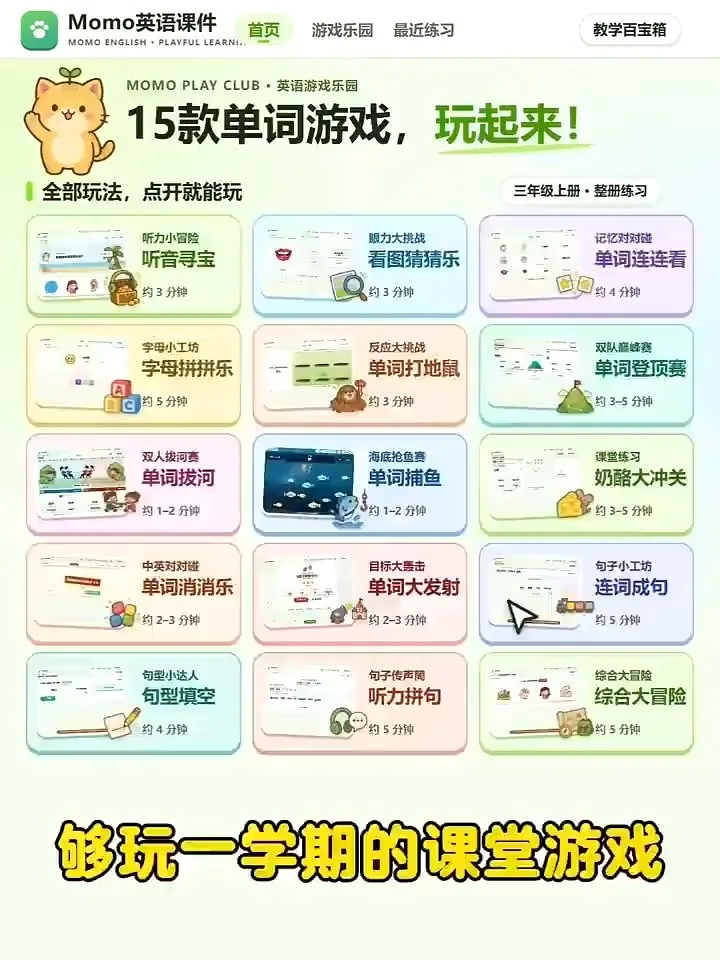
Designed for primary school English teachers, this tool generates a set of offline-ready interactive HTML courseware from your entered grade level, unit, and vocabulary list. It features 15 vocabulary minigames, a word adventure island main quest, and a teacher toolbox for classroom management. The single file can be copied to a USB drive and opened directly with a double click. It works without internet, requires no software installation or account registration, and features enlarged buttons tailored for classroom touch screens. Misspelled words are saved in local browser storage, making it ideal for classroom vocabulary warm-ups, spelling practice, and red-versus-blue team battles.
Information
- Version
- v10
- Last updated
- Runtime credits
- Usage-based
- Models
- Auto
